Free transport management software is a sensible choice for businesses that want to digitize vehicle dispatching, driver management, orders and trip tracking without investing right away in a heavy-duty system. That said, each tool comes with different limits on the number of vehicles, features, GPS, integration options and data storage. In this article, TOT rounds up the top 15 popular free transport management software options so businesses can easily compare them and choose based on their real needs.
>>> See more articles:
- Top 18 largest software companies in Vietnam
- What is CRM software? Top 15 CRM software options for businesses
- Top 8 effective location-based warehouse management software tools
Quick summary
- Free transport management software helps businesses digitize the management of vehicles, drivers, orders, trips, costs and routes.
- This article compiles 15 transport management software tools that are free, spanning several different solution groups: OpenTMS, Trucking365.io TMS, Track-POD, AscendTMS, Open Door Logistics Studio, ShippingEasy, FreightPOP, Verizon Connect, CargoWise, OpenLMIS, OpenMAINT, CargoApps, FMS, Linbis, Forwarder.
- When choosing software, businesses should evaluate transport management features, GPS, dispatching and route optimization.
- Carefully check the limits of the free plan, such as the number of vehicles, accounts, orders, storage capacity and usage period.
- Security, backup and data export capabilities are important factors when the software stores customer, driver, vehicle and revenue data.
- Businesses should check the ability to integrate GPS, API, ERP, CRM, WMS, accounting and order management systems.
- If free software cannot meet specialized processes, businesses can consider developing custom transport management software to stay in control of features, integration and scalability.
What is transport management software?
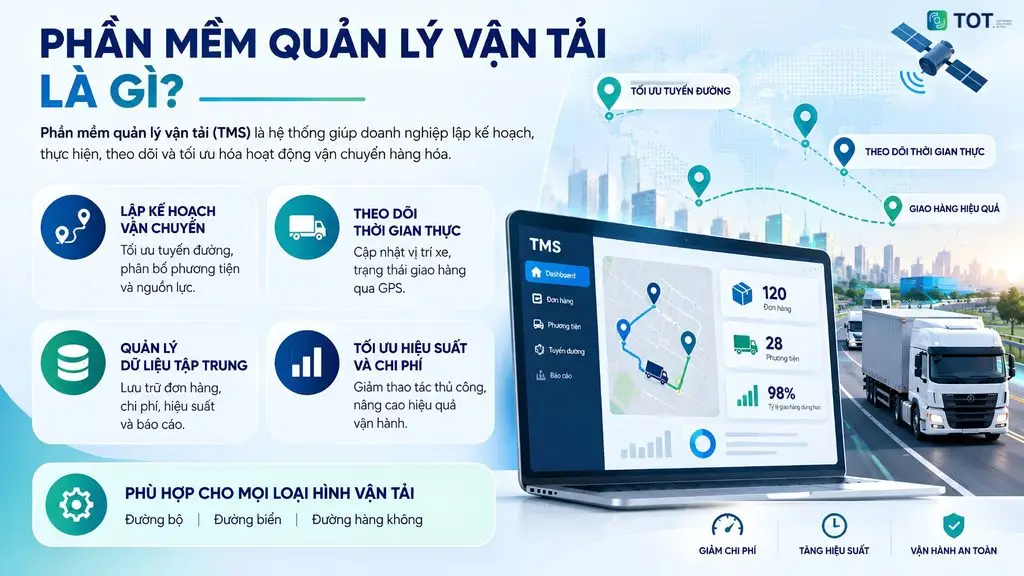
Transport management software (Transportation Management System – TMS) is a software system that helps businesses plan, execute, track and optimize the movement of goods. According to SAP, a TMS helps businesses manage activities such as shipment planning, route optimization, shipment tracking, freight cost management and coordination with stakeholders across the supply chain.
The system can be used for many transport modes, from road and sea to air. By centralizing data on a single platform, a TMS helps businesses control the shipping process more effectively, reduce manual work and build a database for assessing costs, vehicle performance and delivery quality.
Free transport management software usually works by centralizing data on orders, vehicles, drivers and trips within a single system. Users can enter or sync order information, then plan shipments, assign vehicles and drivers, update delivery status and track routes.
With software that supports GPS, vehicle locations can be updated in real time. Some systems also provide reports on costs, number of trips, vehicle performance and on-time delivery rates. However, the free version often limits the number of vehicles, users, orders or certain advanced features.
>>> Learn more:
- Top 15 free, effective production warehouse management software options
- 9+ free, easiest-to-use mobile app design tools
What are the benefits of using free transport software?
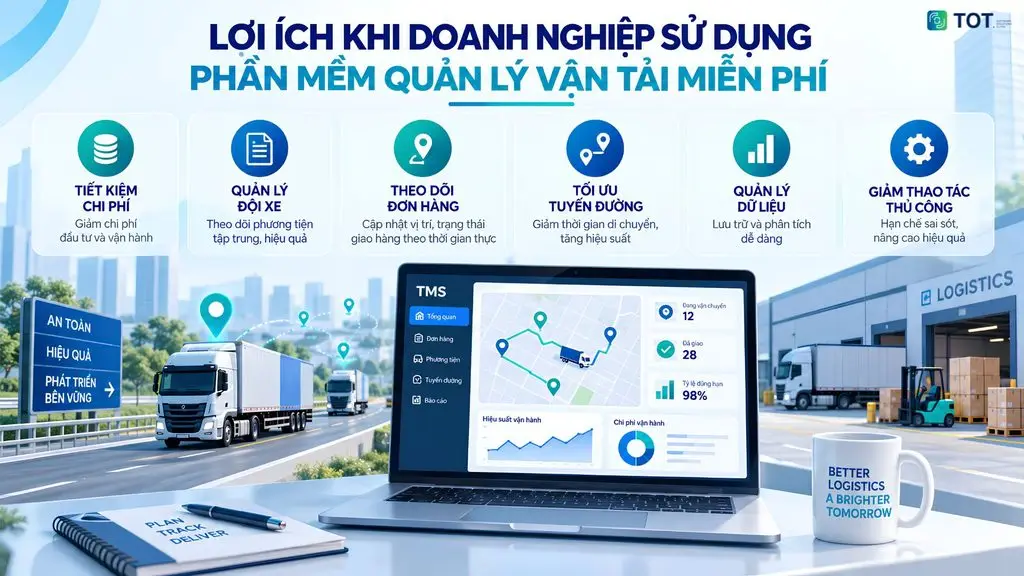
Free transport software helps businesses reduce trial costs, centralize operational data and control orders better than manual management. Its biggest benefit lies in the ability to standardize processes before investing in a professional system, especially for small fleets, logistics startups or in-house transport departments.
Saving on software investment costs
Businesses do not have to pay an upfront license fee or subscription fee in some free models. With a trial version, a business can test the interface, dispatching functions, reports and overall fit with its processes before signing a long-term contract.
This option suits small businesses, logistics startups or small-scale fleets. If processes are not yet stable, the free version lets the team experiment with different management approaches without putting pressure on the budget.
Centralized management of vehicles and drivers
The software helps store records of vehicles, license plates, vehicle types, payload, inspection, insurance and maintenance schedules. Driver information can also be managed by profile, driving schedule, number of trips and the routes they are capable of handling.
When data is centralized, dispatchers can easily look up which vehicles are available, which are due for maintenance, or which drivers already have delivery schedules. This approach is clearer than storing information across many separate files.
Easier tracking of orders and vehicles
Businesses can manage order status step by step, such as order created, vehicle assigned, in transit, delivered, canceled or incident reported. Some software also supports delivery status updates from drivers or dispatch staff.
If the tool has real-time GPS, businesses can track vehicle locations and travel routes. This feature helps reduce time spent making manual check-in calls and supports better handling of delays.
Optimizing routes and operating costs
The software supports route planning, vehicle assignment, order consolidation and distance tracking. For fleets that deliver frequently, route optimization helps cut unnecessary travel distance and reduce waiting time.
Trip data also supports control over fuel, tolls, loading and unloading fees and incidental costs. When vehicle utilization is higher, businesses can serve more orders with the same resources.
Reducing manual work and minimizing errors
The software helps reduce duplicate data entry across dispatching, accounting, the warehouse and customer service. Shipping history is also recorded by order, vehicle, driver or route.
Compared with relying entirely on spreadsheets, a software system helps reduce the risk of wrong file versions, data loss or mislabeled order statuses. Even so, free truck management software based on Excel can still be used at a very small scale if the process is simple.
Tracking transport performance with data
The software also creates a foundation for businesses to monitor operational efficiency based on data instead of relying only on manual assessment. Depending on each system’s capabilities, businesses can track the number of trips, revenue, costs, on-time delivery rate, vehicle performance and driver performance.
This data helps managers identify operational issues, compare performance across periods and build a basis for adjusting transport operations.
>>> See more:
- How to build an app with AI for free, in detail and step by step
- Top 20+ best free AI image design software tools
Top 15 best free transport management software today
The list below focuses on tools that offer a free plan, a trial version or the ability to start using them at no cost. Because pricing policies and feature limits can change over time, businesses should recheck the official website before implementation.
Quick comparison table of free transport software
| No. | Software | Highlights | Best for | Cost |
|---|---|---|---|---|
| 1 | OpenTMS | Trip, fleet and route optimization management, plus trip tracking | Small and medium transport businesses | Free plan available |
| 2 | Trucking365.io TMS | Dispatching and management of orders, vehicles, drivers and costs | Owner-operators, carriers, road transport businesses | Free trial, from 15 USD/month |
| 3 | Track-POD | Route planning, GPS, delivery tracking, ePOD | Logistics, last-mile delivery | 7-day trial, from 49 USD/month |
| 4 | AscendTMS | Transport management, quoting, booking, documents and payments | Freight brokers, carriers, 3PLs | Free version available |
| 5 | Open Door Logistics Studio | Planning, route optimization and logistics analysis | Businesses that need route optimization | Free |
| 6 | ShippingEasy | Order and shipping management with multi-channel sales integration | E-commerce, small and medium businesses | Trial/free plan available depending on the time |
| 7 | FreightPOP | Shipping, freight cost, order and carrier management | Logistics and transport businesses | Contact for a quote |
| 8 | Verizon Connect | GPS, fleet management, vehicle monitoring | Businesses with a vehicle fleet | Trial / request a quote |
| 9 | CargoWise | Logistics, freight forwarding and supply chain management | Large-scale logistics businesses | Contact for a quote |
| 10 | OpenLMIS | Supply chain, inventory and distribution management | Organizations and businesses with specialized logistics processes | Free license; implementation cost varies by project |
| 11 | OpenMAINT | Asset, facility and logistics management | Organizations that need asset and logistics management | Free Self-Service; Subscription version by quote |
| 12 | CargoApps | Support for shipping management and logistics operations | Logistics and freight forwarding businesses | Check current pricing |
| 13 | FMS | Freight forwarding, international transport, fleet and accounting management | Freight forwarders, NVOCCs, logistics businesses | Contact for a quote |
| 14 | Linbis | Shipment, document, container, warehouse and accounting management | Freight forwarders, NVOCCs | Free trial; from 150 USD/month |
| 15 | Forwarder | Freight forwarding, freight trading and logistics operations management | Forwarders, logistics businesses | Contact for a quote |
1. OpenTMS
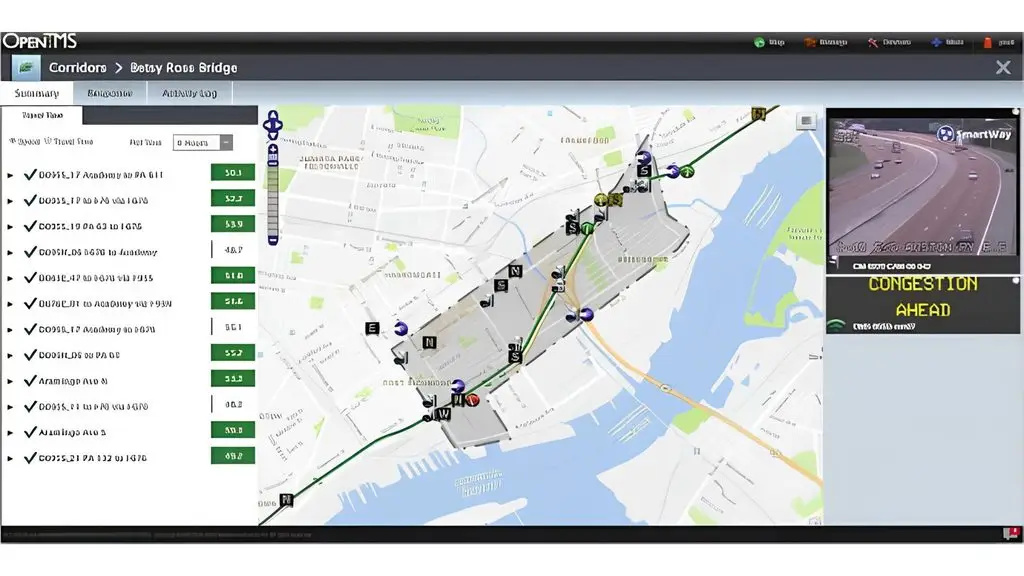
OpenTMS is a cloud-based transport management system that helps businesses plan trips, manage orders, track shipments and handle invoice-related tasks. The free version of OpenTMS allows 1 user to manage up to 5 trips/day and 50 vehicles, making it a good fit for small businesses to test a TMS process before scaling up.
Key features:
- Management of orders and shipping trips.
- Visual planning on the Planboard.
- Route optimization.
- Tracking of routes and shipping status.
- Invoice management.
- Connecting accounting data and on-board vehicle devices.
- Support for an Open API to integrate with other systems.
Limitations:
- The free plan is limited to 1 user.
- Supports only up to 5 trips/day.
- Advanced features such as ETA, Proof of Delivery and custom integrations require an upgrade.
Best for: Small transport businesses, logistics units that want to trial the OpenTMS transport software, and businesses that do not yet need to manage a very large number of trips.
Cost:
- Free: 0 EUR/month — 1 user, up to 5 trips/day and 50 vehicles.
- Starter: 89 EUR/month.
- Pro: 169 EUR/user/month. The paid plans add advanced features depending on each tier.
>>> See more:
- Top 10 best car maintenance scheduling system software options
- 15+ free, easy-to-use Android app design software tools
2. Trucking365.io TMS
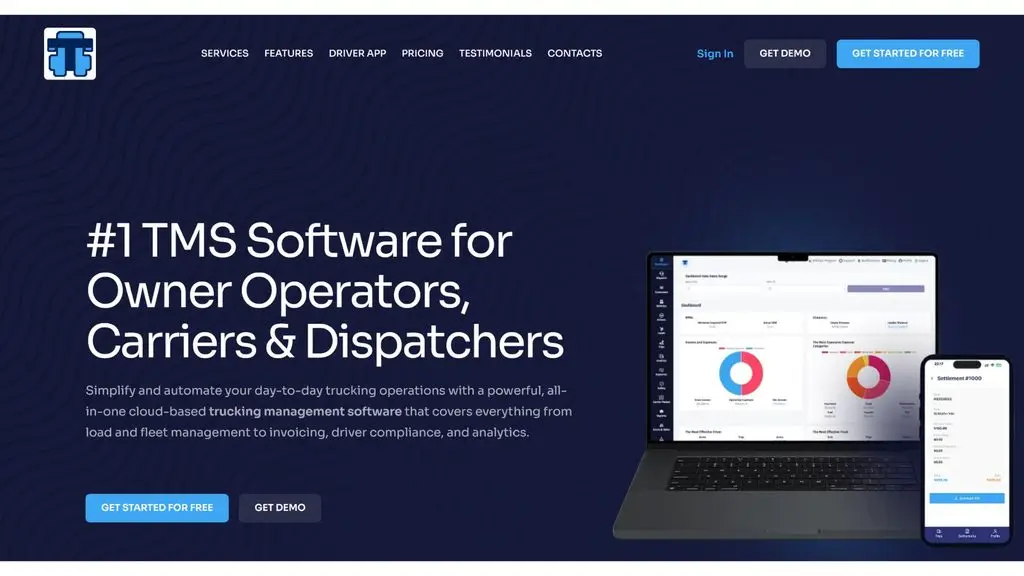
Trucking365.io TMS is a cloud-based road transport management software aimed at vehicle owners, transport businesses, dispatchers and carriers. The system brings together operations such as dispatching, load management, vehicles, drivers, costs, documents and accounting on a single platform. Users can sign up and start using it without installing software or paying an upfront setup fee.
Key features:
- Management of loads and shipping orders.
- Trip dispatching.
- Fleet and driver management.
- Customer management.
- Management of fuel, maintenance and costs.
- Document management.
- Invoicing and payments.
- User management and permissions.
- Reporting and analytics.
- A dedicated driver app.
- Connections to some external tools and systems.
- Support for automating load data entry using AI.
Limitations:
- No permanently free plan under the current pricing.
- The main plans are billed monthly.
- Some integration needs or custom functions may require a discussion with the vendor.
Best for: individual vehicle owners, road transport businesses, carriers and dispatch units ranging from small to large in scale.
Cost:
- Owner Operator: 29 USD/month — current promotional price 15 USD/month, applicable to 1–2 vehicles and 1 user.
- Basic Carrier: 99 USD/month — current promotional price 49 USD/month, with unlimited vehicles, loads and users.
- Trial: free, no credit card required.
>>> Related reading:
- Top 17 leading professional graphic design apps
- Top 19 free task organization apps for personal planning
3. Track-POD
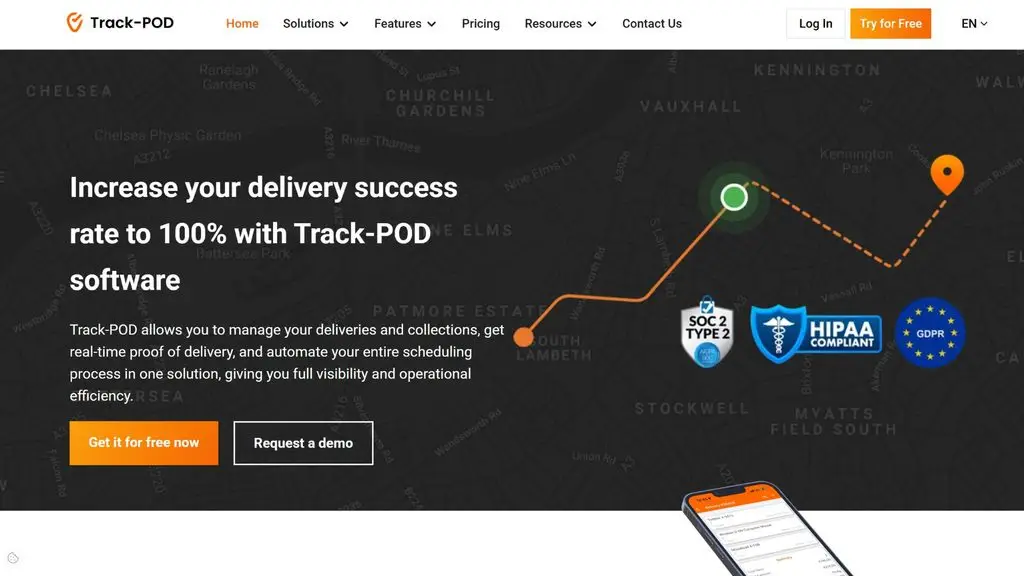
Track-POD is a delivery and transport management platform focused on dispatching, route planning, delivery tracking and electronic proof of delivery. The system provides an app for Android/iOS, live tracking, order management, Proof of Delivery and reporting. Track-POD suits businesses that need to control last-mile delivery operations and want to connect shipping data with other systems.
Key features:
- Management of orders and deliveries.
- Route planning and optimization.
- Real-time tracking of vehicles and deliveries.
- Electronic Proof of Delivery.
- Signatures and photos to confirm delivery.
- Geofencing and automatic check-in/check-out.
- Email notifications, push notifications and live tracking.
- A delivery app on Android/iOS.
- Reporting and analysis of driver performance.
- REST API.
- Integration with more than 5,000 apps through Zapier.
Limitations:
- No permanently free plan; it mainly offers a free trial period.
- Costs can increase with the number of drivers/vehicles or the number of orders.
- Some advanced features are only available on higher plans.
Best for: Freight and delivery businesses, last-mile logistics, retail, FMCG and units that need to manage multiple delivery routes.
Cost:
- Free trial: 7 days.
- Advanced: 49 USD/vehicle or driver/month when billed annually; 59 USD/month when billed monthly.
- Advanced Plus: 69 USD/vehicle or driver/month when billed annually; 79 USD/month when billed monthly.
- Ultimate: 89 USD/vehicle or driver/month when billed annually; 99 USD/month when billed monthly.
- S Plan: 285 USD/month for up to 1,500 orders/month.
- M Plan: 510 USD/month for up to 3,000 orders/month.
- L Plan: 900 USD/month for up to 6,000 orders/month.
- XL Plan: 1,440 USD/month for up to 12,000 orders/month.
>>> See more:
- Top 35 best, most effective time management apps
- The best CRM software for construction companies
4. AscendTMS
AscendTMS is a cloud-based transport management software that helps businesses manage loads, drivers, vehicles, customers, documents and finances within a single system. The software suits freight brokers, carriers, fleets, 3PLs and shippers. AscendTMS offers plans based on the number of users, in which the Basic plan has more than 230 standard features and no limit on the number of users, drivers, trucks or loads.
Key features:
- Management of loads, customers, carriers and drivers.
- Management of vehicles and shipping information.
- Tracking of drivers and loads via GPS through a phone.
- Management of documents, POD and invoices.
- Tracking of revenue, costs and profit per load.
- Management of branches and departments.
- Route optimization and shipment planning.
- Reporting of transport data and KPIs.
- Support for order management, truckload building and EDI connections on higher plans.
- Integration with more than 140 third-party services.
Limitations:
- Advanced features are distributed across each plan.
- Costs are calculated based on the number of users.
- Some load boards such as DAT and Truckstop.com require users to have their own paid account for full access.
Best for: Road transport businesses, freight brokers, carriers, 3PLs and fleets that need to manage loads, drivers, vehicles, documents and finances centrally.
Cost:
- Basic: 69 USD/user/month.
- Premium: 119 USD/user/month.
- Pro: 149 USD/user/month.
- Premium and Pro come with a 30-day free trial.
- No limit on the number of users, drivers, trucks and loads.
- No setup fee and no long-term contract required.
>>> Learn more:
- Top 15+ effective, super-easy AI app building tools
- Top 10 best, high-quality free home design apps
5. Open Door Logistics Studio
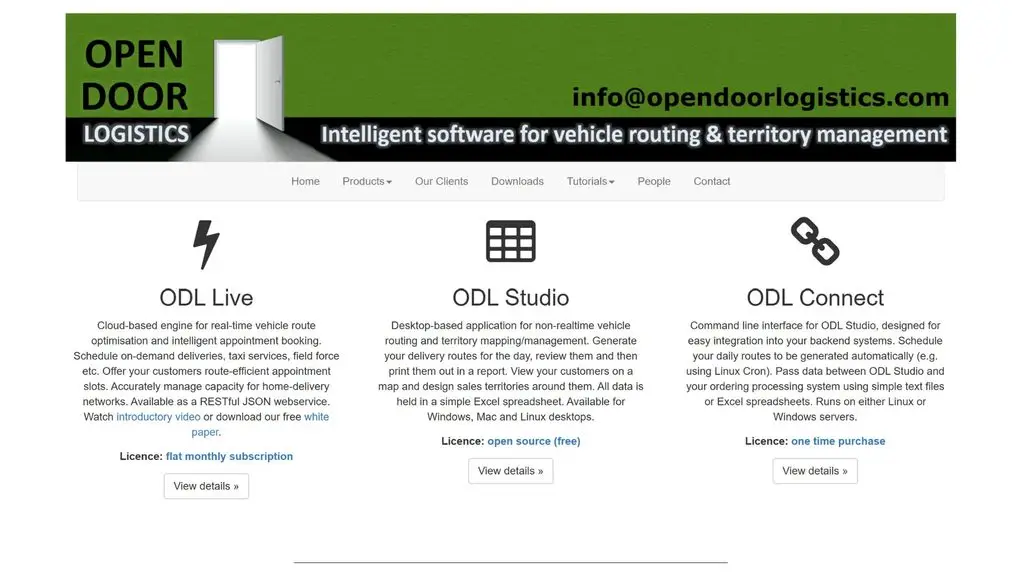
Open Door Logistics Studio (ODL Studio) is an open-source desktop software focused on route planning, fleet scheduling, territory management and customer data analysis. The software uses data from Excel, letting businesses combine spreadsheets with a mapping tool to plan deliveries. ODL Studio is offered for free, making it a good fit for small businesses that need a route planning tool but do not yet want to invest in a heavy-duty TMS.
Key features:
- Managing customer data by geographic location.
- Geocoding addresses from Excel data.
- Displaying customers and delivery points on a map.
- Designing and managing delivery territories.
- Automatically optimizing territories with algorithms.
- Automatically scheduling routes for the fleet.
- Calculating travel distance and driving time.
- Simulating routes based on the real road network.
- Displaying routes on an interactive map.
- Analyzing vehicle utilization time with a Gantt chart.
- Exporting reports and data to PDF or other formats.
- Editing data directly in ODL Studio or Excel.
Limitations:
- It is a desktop application, not a centrally managed cloud TMS.
- It relies heavily on Excel data.
- It focuses mainly on route planning, scheduling and territory management rather than financial, order or driver operations.
- Businesses need to get familiar with how the data is organized before implementation.
Best for: Small businesses, delivery units and fleets that need to plan routes, optimize schedules or manage transport data in combination with Excel.
Cost:
- ODL Studio: 0 USD — free and open source.
- ODL Studio can be downloaded for free from the developer’s website.
- ODL Live and ODL Connect are separate products and are not part of the free ODL Studio version.
>>> Related reading:
- Top 10 car showroom management software options for businesses
- Top 15 popular car garage management software options
6. ShippingEasy
ShippingEasy is a cloud-based shipping management software aimed mainly at online sellers and e-commerce businesses. The software supports order management, shipping label printing, tracking and delivery process automation. ShippingEasy offers a free Starter plan limited to 50 shipments per month, suitable for businesses with small-scale shipping needs.
Key features:
- Order management and processing.
- Fast and batch shipping label printing.
- Support for multiple stores and sales channels.
- Delivery status tracking.
- Integration with shipping carriers.
- Discounted shipping rates.
- Support for reporting and managing the shipping process.
- Tracking and returns features.
- Support for businesses during setup and use of the paid plans.
Limitations:
- It focuses heavily on shipping and fulfillment for e-commerce rather than fleet management or an in-depth TMS.
- The free plan is limited to 50 shipments/month.
- Its transport management feature scope differs from professional TMS systems.
- Transport businesses with large fleets may need a more specialized system.
Best for: online sellers, e-commerce businesses and order fulfillment units that need a tool for shipping management, label printing and tracking.
Cost:
- Starter: 0 USD/month — up to 50 shipments/month, 1 store/channel.
- The paid plans can start with a 30-day free trial.
- ShippingEasy lets you cancel any plan at any time and requires no long-term contract.
>>> Learn more:
- What is CRM for car showrooms? A comprehensive customer management solution
- Top 15+ effective, super-easy AI app building tools
7. FreightPOP
FreightPOP is a transport and supply chain management platform for medium and large businesses, supporting multiple shipping modes such as parcel, LTL, FTL, ocean, rail and international air freight. The system centralizes activities such as shipping quotes, dispatching, shipment tracking, order management, invoice auditing and data analysis on a single platform. FreightPOP also supports connections to more than 1,500 ERP, WMS, e-commerce and CRM systems.
Key features:
- Comparing and selecting shipping rates across carriers.
- Order and shipment management.
- Shipment tracking and shipping status.
- Shipping dispatching and carrier management.
- Automating shipping rules according to the business’s needs.
- Auditing and reconciling freight invoices.
- Route optimization and load consolidation.
- Yard management and dock scheduling.
- Connecting ERP, WMS, CRM and e-commerce platforms.
- Dashboards and reports for analyzing costs and transport performance.
- Applying AI to support rate shopping, tracking, freight audit and operational automation.
Limitations:
- It targets medium and large businesses, so it may not be a good fit for small fleets.
- Pricing is built around needs and operational scale, with no fixed public price.
- Businesses need to talk with the vendor to determine a suitable configuration and cost.
Best for: Manufacturing, distribution, e-commerce and logistics businesses with high shipping volumes, many carriers or multiple transport modes that need centralized management.
Cost:
- Parcel Only: Contact for a quote.
- Starter: Contact for a quote — up to 100 freight shipments/month.
- Professional: Contact for a quote — up to 350 freight shipments/month.
- Enterprise: Contact for a quote — unlimited freight shipments/month and billed based on usage.
- Parcel shipments are billed based on usage.
- FreightPOP provides a free demo and assessment before offering a custom quote.
>>> Related reading:
- Free computer vision software: easy-to-use platforms
- Top 20 most reputable and professional app design companies
8. Verizon Connect
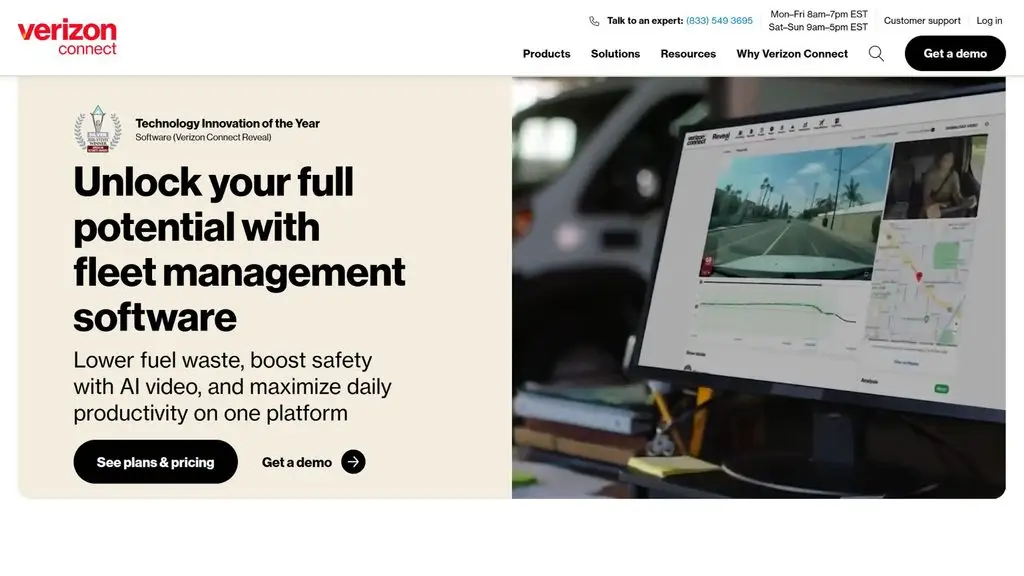
Verizon Connect is a fleet management and telematics platform focused on GPS tracking of vehicles, assets and driver activity. The system provides data on location, routes and vehicle performance, helping businesses control their fleet and spot issues during operations. Verizon Connect suits businesses with many vehicles that need centralized tracking and real-time monitoring of operations.
Key features:
- Tracking vehicle location via GPS.
- Viewing route history and vehicle activity.
- Managing the fleet and assets on a single platform.
- Monitoring driver behavior and safety levels.
- Setting up alerts based on vehicle location, routes and activity.
- Tracking vehicle data and operating condition.
- ELD support for vehicles within the applicable scope.
- Combining telematics data with cameras to support safety management.
- Providing reports and analysis of fleet performance.
- Support for scaling the system as the fleet grows.
Limitations:
- It focuses heavily on GPS, telematics and fleet management rather than TMS operations such as order management or freight forwarding.
- Some features require corresponding telematics devices and services.
- Costs depend on the number of vehicles and the solution configuration.
- Product availability and pricing policies may vary by market.
Best for: Transport, logistics, construction and field service businesses, and any units with a fleet that need GPS tracking, driver management and vehicle performance control.
Cost:
- Verizon Connect does not publish a fixed price list applicable to all businesses on its website.
- Costs depend on the number of vehicles, devices, products and features selected.
>>> See more:
- The best computer vision tools
- Top 5 best code editors for computer vision
9. CargoWise
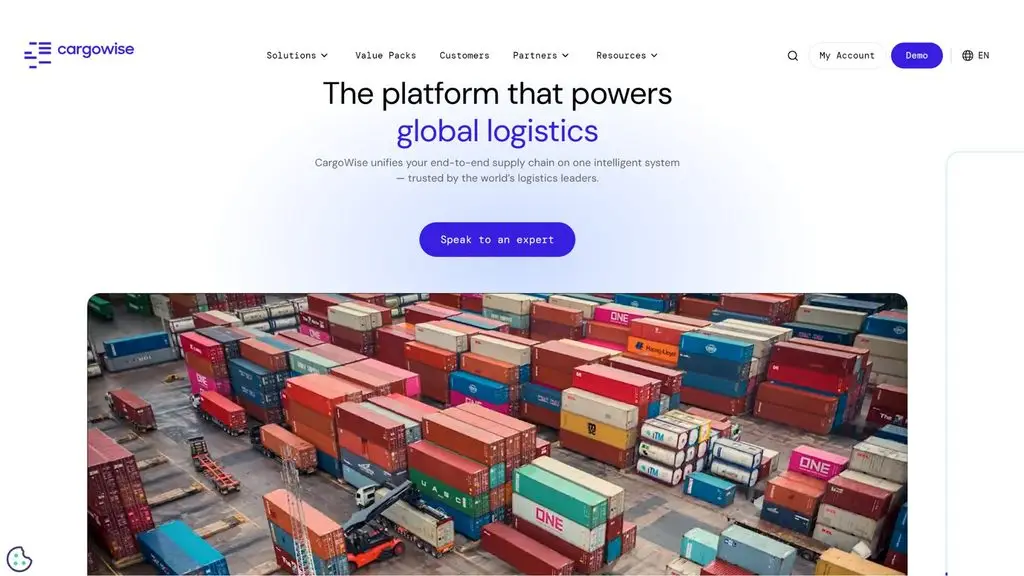
CargoWise is a logistics management platform from WiseTech Global that helps businesses manage freight forwarding, transport, customs, warehousing and many other logistics operations within a single system. The platform is designed for logistics businesses that operate at large and multinational scale, with the ability to connect parties across the supply chain and manage multiple transport modes.
Key features:
- Managing road transport and multiple shipping modes.
- Planning and dispatching shipments.
- Managing bookings, rates and transport contracts.
- Tracking shipments and updating shipping status.
- Support for GPS tracking and geofencing.
- Optimizing routes based on cost, time and vehicle type.
- Managing containers and shipping information.
- Managing documents, costs and invoices.
- Support for freight forwarding and customs operations.
- Dashboards and reports on logistics operations.
- Connecting with many systems and partners across the supply chain.
- Support for automation and AI applications in some logistics processes.
Limitations:
- Its broad functional scope can make the system complex for small businesses.
- Implementation needs to be configured to the business’s processes and data.
- Costs depend on the type of operation and the number of transactions.
- Some additional services or features may incur separate costs.
Best for: logistics companies, freight forwarders, 3PLs, international transport businesses and businesses with multinational logistics operations that need to manage many operations on a single platform.
Cost:
- CargoWise currently uses a Value Pack model, in which costs are based on eligible logistics transactions.
- Forwarding Value Pack: billed per eligible transaction.
- Customs Broker Value Pack: billed per eligible customs transaction.
- Land Transport Value Pack: applies to road transport operations.
- The specific price depends on the type of Value Pack and the number of transactions.
>>> See more:
- Top 10+ best free mobile sales management apps
- What is an application? Uses & common types of applications
10. OpenLMIS
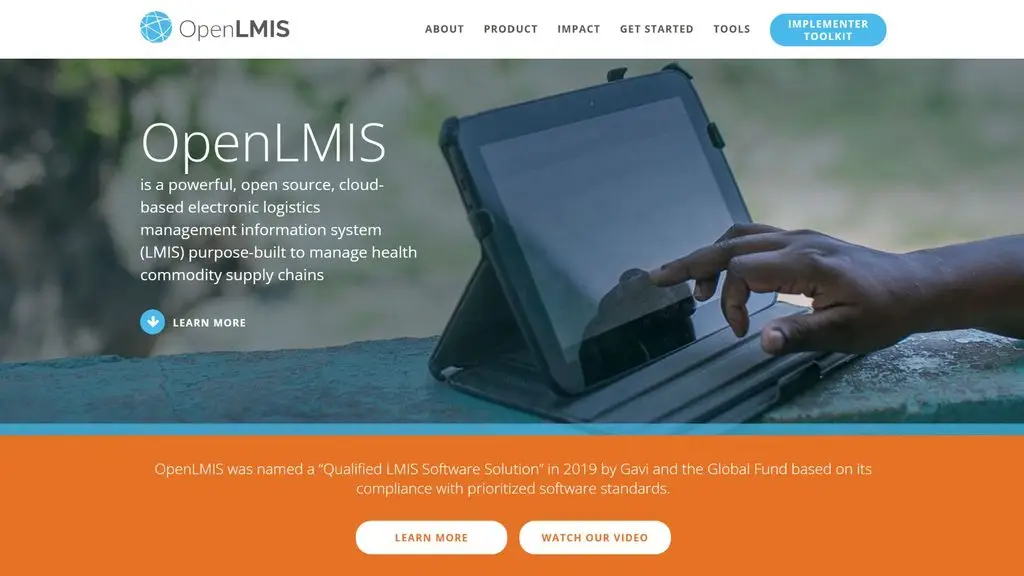
OpenLMIS is open-source logistics management information software designed mainly for health commodity supply chains and resource-limited environments. The system supports demand management, ordering, inventory, distribution and tracking of goods across multiple levels of the supply chain. OpenLMIS runs on a web platform with a modular architecture and APIs, allowing integration with health management systems, data collection platforms and warehouse ERP.
Key features:
- Managing requisitions and the ordering process.
- Support for multi-level approval workflows.
- Managing inventory and actual stock quantities.
- Tracking stock receipts, issues and adjustments.
- Managing shipments and the movement of goods.
- Managing fulfillment and delivery processes.
- Creating and managing Proof of Delivery.
- Tracking vaccines and cold chain equipment.
- Dashboards, reports and analysis of logistics data.
- API support for integration with external systems.
- Support for the GS1 and FHIR standards.
- A modular architecture that allows customization to each program’s or country’s needs.
Limitations:
- It focuses on health commodity supply chains rather than fleet management or commercial transport.
- It is not a dedicated TMS for vehicle dispatching, drivers and route optimization.
- Implementation and customization require a technical team capable of managing open-source systems.
- Actual implementation costs can still arise for cloud hosting, training, configuration and the implementation team.
Best for: health authorities, non-governmental organizations, public health programs and units that manage supply chains for medicines, vaccines or medical supplies and need an open-source logistics platform.
Cost:
- Software: 0 USD license fee — OpenLMIS is open-source software, provided free to download and use.
- Implementation cost: Not fixed; it depends on scale, the level of customization, the number of users and the deployment location.
>>> See more:
- Top 10 free online poster design software for your computer
- Top 10 free, online, professional logo design software options
11. OpenMAINT
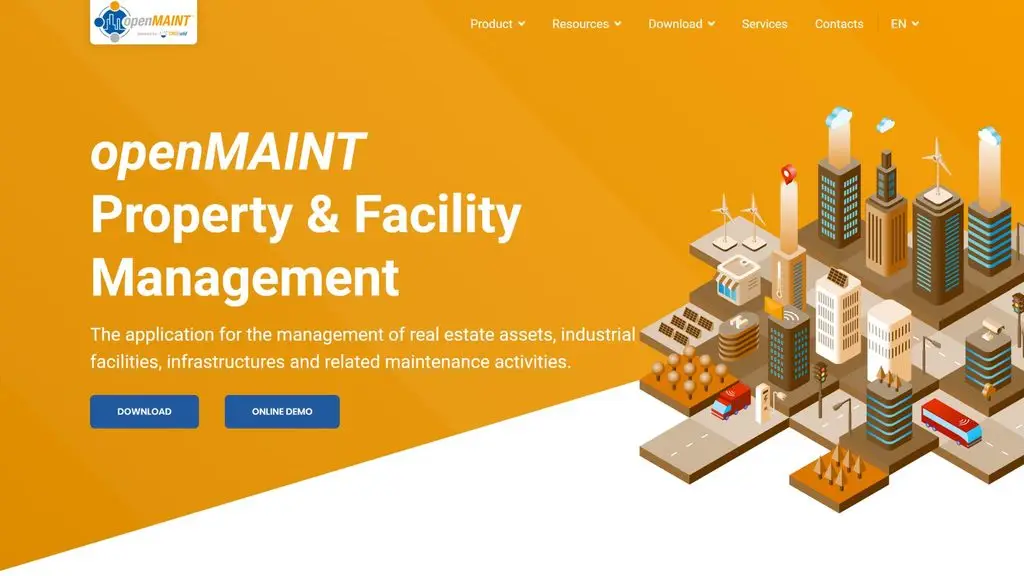
OpenMAINT is open-source software in the CMMS category, focused on managing assets, facilities, equipment and maintenance operations. The system supports managing mobile assets, workshops, infrastructure, spare-parts inventory, costs and scheduled or corrective maintenance activities. For transport businesses, OpenMAINT can help manage assets and vehicle maintenance, but it is not an in-depth TMS for transport dispatching.
Key features:
- Managing a catalog of assets and equipment.
- Managing scheduled and corrective maintenance.
- Warehouse management and spare parts for maintenance.
- Tracking maintenance costs and budgets.
- Managing suppliers and contracts.
- Managing work processes with workflow.
- Creating custom reports and dashboards.
- Managing users, groups and access rights.
- GIS and BIM support for managing assets by location.
- Support for barcodes and QR codes.
- Integration with external systems through web services.
- A web interface and a mobile app for some functions.
Limitations:
- It focuses on asset management and maintenance rather than transport management.
- It does not provide full TMS operations such as load management, order dispatching or route optimization.
- The self-hosted version requires the business to have knowledge of servers and a Java/PostgreSQL environment.
- Some features such as the Mobile App, Self-Service Portal and advanced connectors are part of the subscription service.
Best for: Transport or logistics businesses that need to manage assets, vehicles, equipment and maintenance operations; it also suits units that manage buildings, factories and infrastructure.
Cost:
- Self-Service: 0 USD software fee — you can download the source code and install it yourself.
- Subscription: Contact for a quote.
- The subscription plan adds technical support, updates, SLA, an appliance and some advanced features.
- Consulting, custom configuration and training services may be charged separately.
>>> Related reading:
- Top 18 AI architecture tools for architects
- A full, detailed guide on how to use an MES system
12. CargoApps
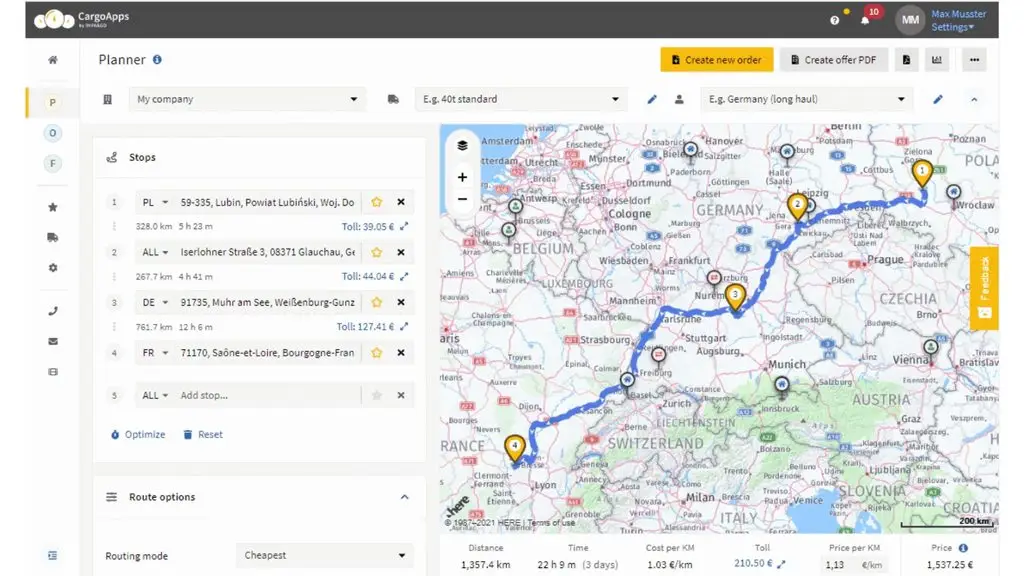
CargoApps is a road transport management software focused on vehicle cost calculation, order management, route planning and dispatching. The system helps transport businesses track vehicle costs, manage subcontractors, plan routes and connect with other systems. CargoApps has several feature tiers, from a Basic version for basic management needs to Business with advanced dispatching and integration features.
Key features:
- Calculating vehicle operating costs.
- Managing subcontractor records.
- Managing surcharges and additional cost items.
- Document management.
- Receiving orders from customers.
- Basic order management.
- Calculating routes and tolls.
- Optimizing routes by cost.
- Considering traffic conditions when planning routes.
- Calculating costs by vehicle type, payload and route restrictions.
- Managing the dispatch plan.
- Tracking events during the shipping process.
- Sending a tracking link to customers.
- Integration with accounting software, ERP, CRM, telematics and freight exchange on higher plans.
- Support for AI-based order entry, with limits depending on each plan.
Limitations:
- Some dispatching, integration and automation features are only available on higher paid plans.
- The AI features have usage limits depending on each plan.
- The additional driver app may incur a separate cost.
- Businesses with very in-depth TMS needs should further assess integration with their existing systems.
Best for: Road transport businesses, freight carriers and units with a fleet that need to manage orders, calculate costs, plan routes and dispatch shipments.
Cost:
- Businesses should check the pricing policy, trial period and the scope of free features before signing up.
- If advanced features are needed, confirm the additional upgrade or implementation costs.
>>> See more:
- What is an MES system? Its role, functions and how to apply it effectively
- What is an ERP system in manufacturing? Benefits, features and how to use it
13. FMS
FMS is an all-in-one management software for logistics, freight forwarding and transport businesses. The system is designed to connect operations such as Sales, Import, Export, Logistics, Trucking and accounting on a single platform. In addition to international transport management, FMS also has a module for managing container fleets and domestic trucks, making it suitable for businesses that need to manage many logistics operations at the same time.
Key features:
- Managing customers, quotes and sales activities.
- Managing import cargo: FCL, LCL, Coload and Air.
- Managing export cargo, Booking, Master Bill and House Bill.
- Managing Shipping Orders, Cargo Manifests, Arrival Notices and Delivery Orders.
- Managing vessel schedules and seaport and airport information.
- Managing the fleet, drivers, tractors, trailers and external carriers.
- Tracking vehicle registration, inspection and permits.
- Managing revenue, costs, receivables/payables and profit.
- Integrating accounting, finance and management reporting operations.
- The ability to customize functions to the business’s specific operations.
Limitations:
- The system focuses heavily on logistics and freight forwarding, so it may need configuration when a business only has simple fleet management needs.
- The website does not publish a fixed price list for each plan.
- Businesses need to talk with the vendor to determine the functional scope and implementation cost.
Best for: Logistics businesses, freight forwarders, NVOCCs and international or domestic transport units with many departments, operations and a need for centralized management.
Cost:
- Software price: Contact the vendor for a quote.
- Implementation/customization cost: depends on the operations, modules and specific requirements of the business.
>>> Related reading:
- Top 10 best construction management software options
- What is HRM? How to build a comprehensive HRM system for your business
14. Linbis
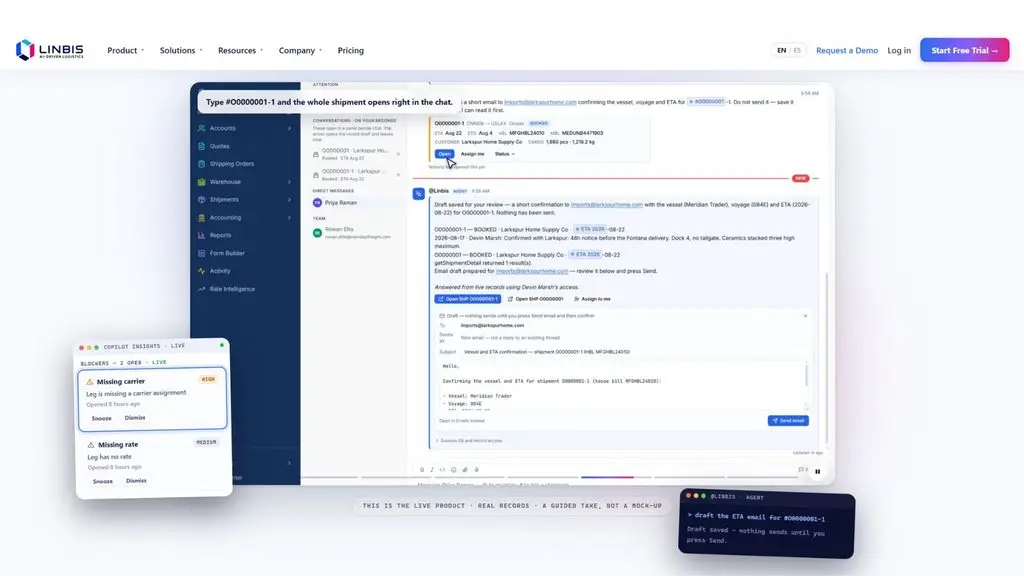
Linbis is a freight forwarding management software for freight forwarding businesses and NVOCCs. The system centralizes operations from quoting, booking, shipments, documents and tracking to warehousing and accounting on a single platform. Linbis supports ocean, air and road shipping, and also provides tools for managing containers, documents, receivables/payables and profit by shipment.
Key features:
- Managing quotes and automating the flow from quotation to shipment.
- Managing ocean, air and road shipments.
- Managing Master Bills and House Bills.
- Managing consolidation and container information.
- Managing the warehouse and inventory.
- Managing documents, forms and bills of lading.
- Tracking shipments and shipping status.
- Managing rate cards and freight rates by carrier.
- Managing accounting, invoices and profit by shipment.
- Support for integration with third-party systems on the Enterprise plan.
Limitations:
- The free version only applies as a trial, not a permanently free plan.
- Advanced features such as in-depth warehouse management, customization and third-party integration depend on each plan.
- The interface and operations are designed mainly for freight forwarders, so pure transport businesses should assess how well it fits.
Best for: Freight forwarders, NVOCCs and logistics businesses that need centralized management of quotes, shipments, documents, warehousing, tracking and finances.
Cost:
- Free Trial: A free trial, no credit card required.
- Startup: 150 USD/month — 1 user.
- Premium: 299 USD/month — 3 users.
- Enterprise: Contact for a quote.
- The prices above are published directly by Linbis on its pricing page and are billed in USD/month.
>>> Related reading:
- What is application software? Common types of application software
- 17 free 3D home design software options for phone and computer
15. Forwarder
The Forwarder software on the Winta Logistics platform is an ERP solution for freight forwarding, transport and logistics businesses. The system supports managing freight trading, freight forwarding of goods and freight forwarding operations on a unified platform. Winta is geared toward digitizing the operations of many departments, branches and subsidiaries, helping businesses manage logistics operations in a more centralized way.
Key features:
- Managing freight trading.
- Managing freight forwarding of goods.
- Managing Freight Forwarding operations.
- Managing customers and salesmen.
- Managing logistics operations on an ERP platform.
- Support for managing multiple subsidiaries, branches and departments.
- Usable across multiple devices.
- Connecting logistics operations within a single system.
- Support for managing and looking up data to serve operations, accounting and administration.
Limitations:
- The system has a fairly broad Logistics ERP scope, so it may require implementation and training time.
- It does not publish a fixed price list on the website.
- Businesses need to talk with the vendor to determine a suitable module set and configuration.
Best for: international freight forwarding companies, logistics and transport businesses that need to digitize freight forwarding operations, manage freight and connect many departments on one system.
Cost:
- Software price: Contact for a quote.
- Implementation cost: depends on the size of the business, the number of modules and customization requirements.
- The website does not publish a fixed public price.
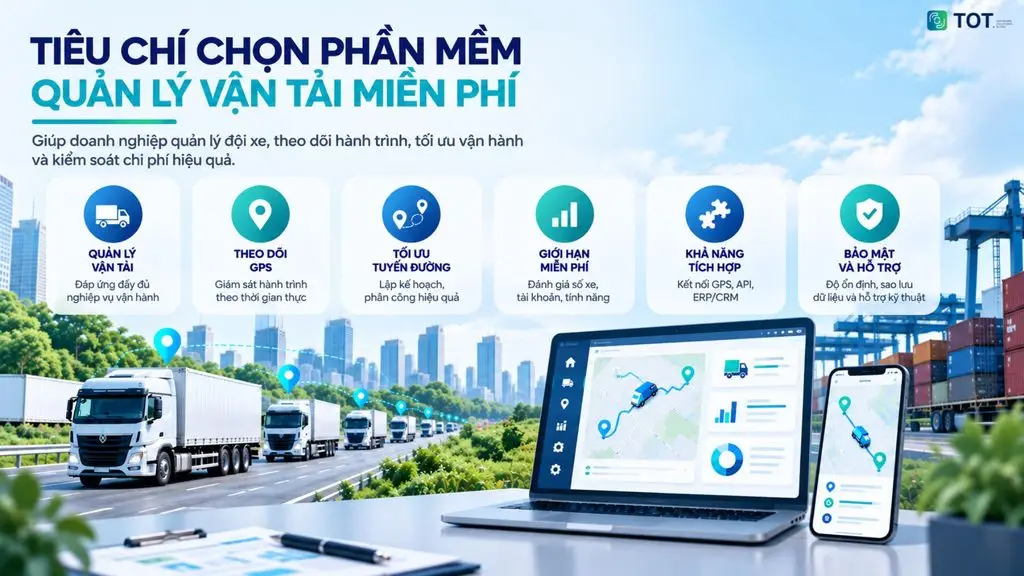
Criteria for choosing free transport management software
Businesses should choose free transport management software based on how well it fits their operations, the limits of the free version, scalability and data safety. A free tool is only worth using when it makes operations clearer without adding risk as the fleet, orders or branches grow.
1. Complete transport management features
The software should meet the basic transport management operations, including:
- Vehicle and fleet management: vehicle information, vehicle condition, maintenance schedules and related records.
- Driver management: driver profiles, work schedules and vehicle assignment.
- Order/trip management: creating orders, planning trips, assigning vehicles and drivers.
- Shipping status tracking: updating progress from order receipt to completed delivery.
- Cost management: tracking fuel, tolls, maintenance and incidental costs per trip.
A system with all of the functions above will help centralize data instead of having to manage it across many separate files.
2. GPS and vehicle tracking capability
If a business needs to control vehicles during shipping, it should prioritize software that can:
- Track vehicle location: determine the current location of each vehicle.
- Monitor routes: track the route and travel process.
- Update status in real time: know the status of a trip and the delivery progress.
- Store travel history: look up a vehicle’s past routes, travel times and stops.
Businesses need to clarify whether the software has built-in GPS, connects to third-party devices, or only accepts manual status entry. The cost of devices and positioning data should also be factored in beforehand.
3. Dispatching and route optimization capability
Dispatching capability helps businesses use their fleet efficiently and reduce manual processing time. You should check for these functions:
- Assigning vehicles and drivers: matching vehicles and drivers with orders or trips.
- Trip planning: arranging shipping schedules by order and delivery time.
- Route optimization: suggesting or helping build suitable routes.
- Reducing empty runs: using the return leg or combining multiple orders on the same route.
- Tracking execution progress: controlling the status of each trip after it is dispatched.
Businesses should check whether the software suggests routes automatically or only allows manual route entry. True route optimization requires data on locations, delivery times, payload and operational constraints.
4. Limits of the free version
The free version usually limits the number of vehicles, accounts, orders, trips, storage capacity, features or usage time. Some software is only free during a trial period.
Before entering real data, businesses should read the terms carefully. If you exceed the limits too soon, upgrade costs may appear before the software delivers enough value.
5. Integration and scalability
Businesses should choose software that can connect with the systems they already use and scale as their size grows. Factors to assess include:
- GPS connectivity: syncing vehicle location and route data.
- API integration: support for connecting with external apps and systems.
- ERP/WMS/CRM connectivity: syncing transport data with business management systems.
- Data synchronization: reducing manual data entry across multiple platforms.
- Scalability: handling a larger number of vehicles, accounts and orders as the business grows.
As the number of vehicles and users grows, the software needs to handle more data, permissions, reports and approval processes. A tool with no API or without flexible data export can lead to data lock-in.
6. Security, stability and support
Businesses need to check user permissions, data backup, information security, system stability, user documentation and technical support. Transport data often contains customer information, routes, costs and assets.
If you are considering upgrading to a paid plan, evaluate the support policy, response times and data portability as well. Being free should not come at the cost of risking data loss or operational disruption.
>>> Related reading:
- Top 15 best construction contractor management software options
- Build an app for Android/iOS easily, with no coding needed
Things to note when using free transport management software
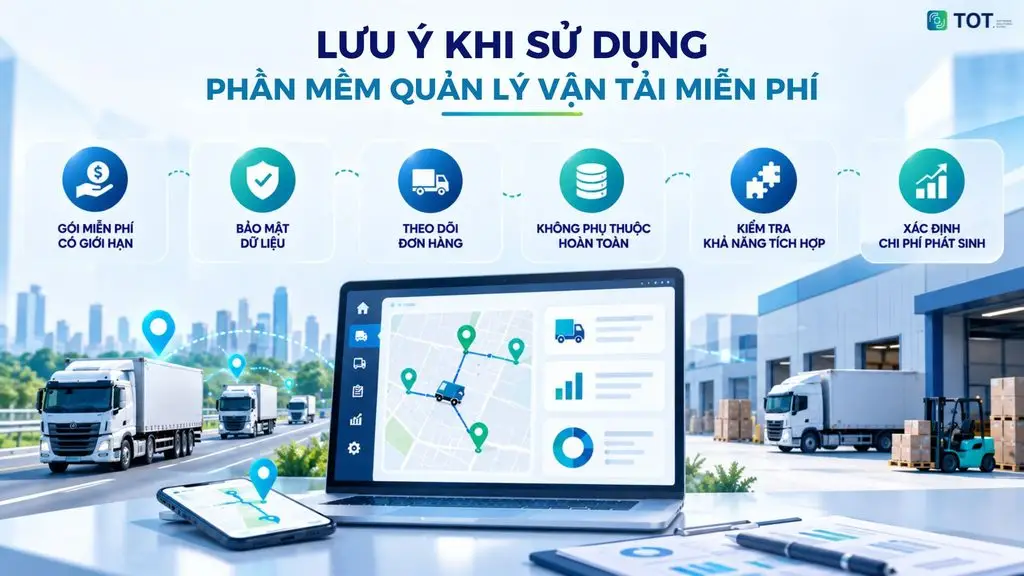
Using free transport management software helps businesses reduce upfront investment costs, but it usually comes with some limits on features, data and scalability. Before choosing, businesses should carefully check the terms of use, data policies, integration options and any costs that may arise. The notes below help reduce risk when putting the software into real operation.
Check the limits of the free plan
Each software has a different free policy. Businesses should check:
- Number of vehicles: the free plan may only manage a certain number of vehicles.
- Number of user accounts: check how many accounts can be created and the permissions of each account.
- Number of orders or trips: some software limits the number of orders or trips processed per day or month.
- Storage capacity: check the limits on data, documents, images and shipping history.
- Usage period: distinguish a long-term free plan from a trial that is only valid for a limited period.
- Advanced features: GPS, in-depth reporting, API, route optimization or automation may only be available on paid plans.
Assess data security and storage capabilities
Transport data is often directly related to customers, drivers, vehicles and business operations. Before using it, businesses should check:
- Data security policy: how data is stored, used and protected.
- Backup mechanism: whether it automatically backs up and supports data recovery when an incident occurs.
- Access and permissions: whether permissions can be assigned by role, such as administrator, dispatcher, driver or accountant.
- Data handling policy when you stop using it: determining whether data is deleted, retained or can be moved to another system.
- Data export capability: prioritize software that allows data export so the business can proactively store and migrate it when needed.
Do not rely entirely on a single free tool
For important data, businesses should not store it only on a single free platform. The data groups that should be backed up regularly include:
- Customer information.
- Shipping history.
- Costs and revenue.
- Driver information.
- Vehicle data.
- Documents and order information.
Businesses should build a plan to back up and export data regularly to reduce risk if the software changes its policy, stops providing the service or limits features.
Check integration with existing systems
If a business already uses several other software tools, it needs to check connectivity before implementation. The systems that commonly need integration include:
- GPS and route monitoring systems.
- ERP.
- CRM.
- Accounting software.
- WMS.
- Order management systems.
Businesses should check whether the software has an API, webhooks or suitable data synchronization methods. Good integration helps reduce manual data entry and avoids creating more isolated systems.
Assess scalability as the business grows
A piece of software may work well when a business has only 5–10 vehicles, but becomes limiting as the operational scale increases. Therefore, you should assess scalability in advance in terms of:
- The number of vehicles and drivers.
- The number of orders and trips.
- The number of concurrent users.
- The number of branches.
- The scale of stored data.
- The complexity of the transport process.
If a business expects rapid growth, it should check the cost and conditions for upgrading to a paid plan in advance.
Determine any incidental costs before using the software
“Free” usually refers only to the license fee or the fee for using some basic features. Businesses need to budget for additional items such as:
- Upgrade fees: when you exceed the limits of the free plan.
- GPS fees: devices, connectivity or GPS data services.
- API/integration fees: connecting with ERP, CRM, WMS or other systems.
- Storage fees: when you need more data capacity.
- Support fees: technical support or an advanced SLA.
- Implementation and training costs: system configuration, data entry and staff training.
Identifying all the costs from the start helps businesses avoid unexpected budget overruns when moving from the free plan to long-term use.
How can AI be applied in transport management software?
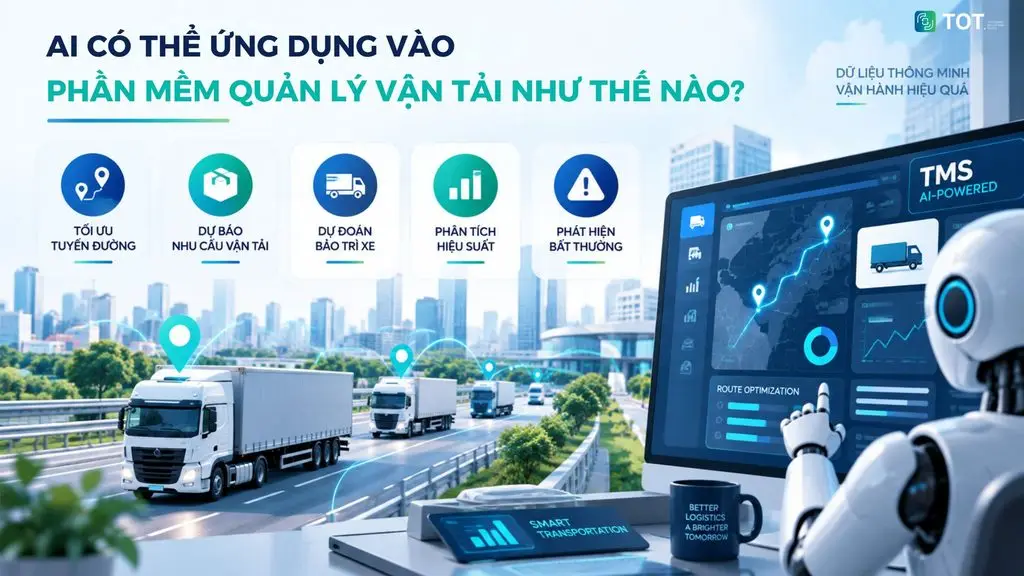
AI is being applied in transport management software to help businesses process data, automate dispatching and improve forecasting. When combined with GPS, order, vehicle and driver data, AI can support route optimization, demand forecasting, risk detection and analysis of operational performance.
AI route optimization
AI can analyze many factors such as vehicle location, delivery points, traffic conditions, delivery times and route history to suggest suitable routes.
- Optimizing routes across multiple delivery points.
- Reducing unnecessary travel distance and time.
- Helping reduce empty run time.
- Updating routes when changes occur during shipping.
AI transport demand forecasting
Based on order data and shipping history, AI can identify demand trends over time, by region or by customer group.
- Forecasting the number of orders in each period.
- Identifying when transport demand peaks.
- Helping businesses proactively arrange vehicles and drivers.
- Balancing transport capacity with actual demand.
AI predictive vehicle maintenance
AI can analyze operational data, maintenance history and vehicle condition to help predict when a vehicle needs inspection or maintenance.
- Monitoring abnormal signs in a vehicle.
- Predicting maintenance needs.
- Reducing the risk of a vehicle breaking down mid-trip.
- Supporting proactive maintenance planning.
AI driver performance analysis
AI can aggregate data on drivers’ routes and activity to help businesses evaluate performance.
- Analyzing driving time and stop time.
- Tracking trip completion rates.
- Comparing performance across periods.
- Spotting operational metrics that need improvement.
AI anomaly detection in operations
AI can continuously analyze data to identify activities that differ from the usual state.
- Detecting abnormal routes.
- Alerting when stop time is too long.
- Identifying deviations between the plan and reality.
- Detecting abnormal fluctuations in cost or shipping time.
When integrated properly, AI helps transport management software move from a model that simply tracks and records data to one that analyzes, forecasts and supports decision-making based on operational data.
>>> Related reading:
- The AI customer recognition at the showroom solution
- How is AI in software development applied?
- How does AI-assisted programming affect coding skills?
TOT’s custom transport management software solution
When free transport management software cannot meet specialized operations, businesses can opt for a custom-developed software solution. TOT provides a solution that helps businesses build a transport management system suited to their operational processes, fleet size and real integration needs.
Why should businesses develop custom transport management software?
Free software often struggles to meet specialized transport processes, multiple vehicle types, multiple branches, multi-level approvals or custom freight-rate formulas. With container transport management software, businesses also need to manage bookings, ports, depots, tractors, trailers and detention/demurrage time. If the system has to integrate ERP, WMS, CRM, GPS and accounting, custom software helps design the operational flow correctly instead of forcing processes into an off-the-shelf tool.
What features does TOT provide in transport management software?
TOT can develop a transport management system by functional group. The fleet management group includes vehicle records, inspection, maintenance and fuel. The driver management group includes profiles, driving schedules, performance and trip assignment. The order and trip group supports creating trips, assigning vehicles, dispatching, updating status and tracking deliveries.
The system can integrate GPS to track vehicle location, routes and travel history. The cost management group supports fuel, tolls, maintenance and trip costs. For container transport, the software can manage bookings, ports, depots, tractors and trailers. A dashboard helps track revenue, costs, vehicle performance and driver performance.
TOT’s transport management software development process
The development process at TOT starts by surveying needs and the current state of operations. The team then analyzes transport operations to identify user roles, data, processes and bottlenecks. The next stage is UI/UX design, system architecture and integration flows. After developing the software, TOT carries out integration, testing, deployment and maintenance.
The process consists of 6 steps:
- Surveying needs.
- Analyzing transport operations.
- UI/UX design and system architecture.
- Software development.
- Integration and testing.
- Deployment and maintenance.
When should a business choose custom transport software?
Businesses should consider custom transport software if their fleet is large or growing fast, they have many branches, off-the-shelf software cannot meet their operations, or they are using many separate Excel files. The need is also clearer when a business needs to integrate GPS, ERP, WMS and accounting, have a dedicated dashboard, automate dispatching, manage containers or handle specialized operations.
Benefits of developing your own transport management software with TOT
Custom software helps the system closely follow real processes instead of forcing the business to change the way it operates entirely. The architecture can scale as the fleet, users, branches and orders grow. Flexible integration helps connect existing systems, GPS devices and business data.
The long-term value lies in centralized data, automated dispatching and reporting aligned with the right management metrics. When the data foundation is good enough, businesses can integrate AI for demand forecasting, route optimization, cost analysis and anomaly detection in operations.
Looking for a transport management solution that fits your own processes? Contact TOT for consulting and to build custom transport management software, covering everything from fleet, driver and order management to GPS, containers and integration with your business systems.
>>> See more services:
- Professional, good-value custom software development in HCMC
- Professional, good-value custom software development in Hanoi
- Professional, reputable custom mobile app design services
Conclusion
Free transport management software is a suitable choice for businesses to start digitizing their fleet, orders, drivers, routes and costs. However, the free version needs to be carefully evaluated for its limits, security, GPS, integration and scalability. For small fleets, a free tool or Excel may be enough in the early stage. As operations become more complex, especially with container transport, multiple branches or ERP integration, businesses should consider custom transport management software for stable operations and long-term data use.
Frequently asked questions
What is free transport management software?
Free transport management software is a tool that helps manage vehicles, drivers, orders, trips, routes and costs without the user paying an upfront license fee, or usable for free within certain limits. The free form can be open source, a freemium plan or a trial version. Businesses need to check the limits on vehicles, users, orders and data before using it.
Is free truck management software based on Excel any good?
Free truck management software based on Excel suits small fleets with few drivers, few trips and simple processes. Excel is easy to customize, easy to enter data into and requires almost no complex training. However, Excel is prone to version errors, hard to manage permissions, hard to use for GPS tracking and not suitable when many people update it at once. As the fleet grows, businesses should switch to dedicated software.
Is there free container transport management software?
Free container transport management software may exist as open source, a trial version or a logistics management tool with limited features. However, container operations are usually complex because they involve bookings, ports, depots, tractors, trailers, detention/demurrage time and many documents. Businesses need to check the features carefully before using it. If the container process is highly specialized, custom software is usually a better fit.
How many vehicles is Excel-based fleet management software suitable for?
Excel-based fleet management software is usually suitable for small fleets, ranging from a few vehicles up to the point where a business has to handle complex dispatching. There is no fixed number for every case, because it also depends on the number of trips, drivers, data-entry staff and reporting requirements. If a business starts to have many people updating at once, multiple branches or a need for GPS, Excel will quickly reveal its limits.
Does free transport management software support GPS?
Some free transport management software can support GPS, but it is usually limited or requires device integration, an API or a paid plan. Businesses need to check whether the software tracks location in real time, stores route history, alerts on route deviations and reports on vehicles. You also need to account for the cost of GPS devices, mobile data, maintenance and integration fees if any.