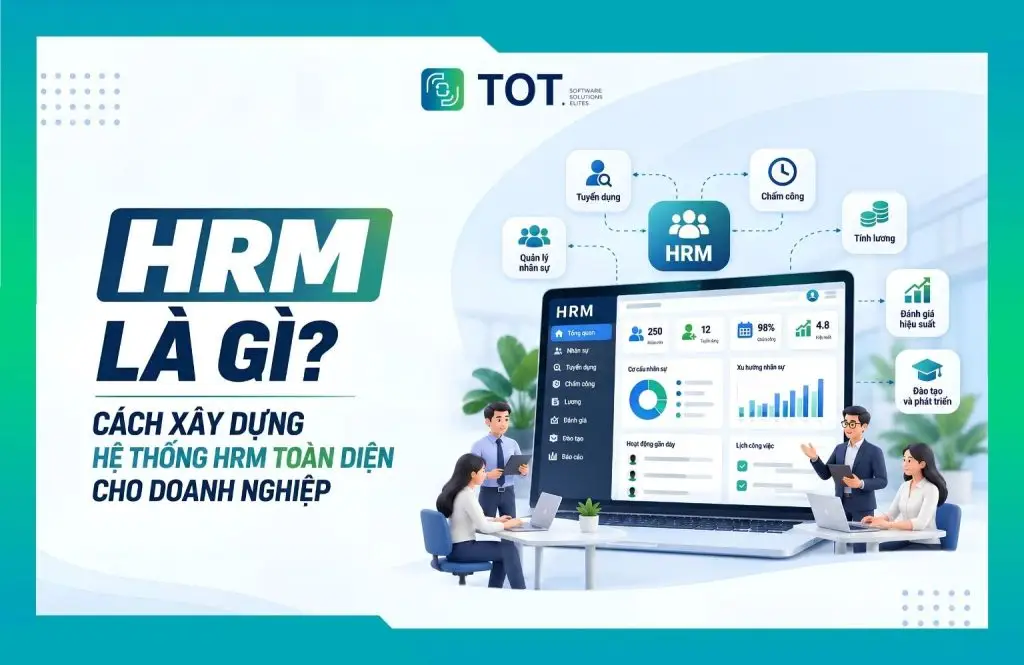
What is HRM? HRM (Human Resource Management) is the practice of managing human resources, covering the recruitment, administration, development and retention of the workforce. As a business grows, HRM no longer merely handles records, time tracking or payroll but also needs automation and data analytics. In this article, TOT will help you understand the functions, components and how to build an HRM system aligned with your operational and digital transformation goals.
>>> See more articles:
- TOP 18 largest software companies in Vietnam
- Top 20 free warehouse management software options, great for businesses
- 15+ free, easy-to-use Android app design software
Quick summary
- What is HRM? HRM stands for Human Resource Management, meaning the management of human resources, focused on managing people and HR activities within a business.
- What is Strategic HRM? Strategic HRM connects the HR strategy with business objectives, helping businesses build and develop their workforce along a long-term direction.
- HRM functions: These include workforce planning, recruitment, records management, performance management, training, compensation and benefits, labor relations and HR data analytics.
- What does an HRM system include? A comprehensive system typically comprises Core HR, recruitment, training, compensation and benefits, employee relations management, and reporting and analytics.
- What is HRM software? It is a tool that digitizes and automates HR management operations, helping centralize data and reduce manual work.
- Why do businesses need HRM? HRM helps standardize processes, synchronize data, reduce errors, control costs, improve the employee experience and support data-driven decision-making.
- How to build an HRM system: Businesses should follow a roadmap that moves from assessing the current state, defining objectives, standardizing processes, selecting modules, integrating and deploying, through to evaluation and optimization.
- When should you deploy HRM? When a business is managing with Excel or fragmented tools, its headcount and branches are growing quickly, it has complex time-tracking and payroll processes, or it lacks the data needed for management.
- HRM selection criteria: You should assess business-fit capability, customization, integration, scalability, security, reporting, AI and total cost of ownership.
What is HRM? What does HRM stand for?
HRM is an important concept in business management, directly tied to how an organization attracts, manages and develops its workforce.
What is the definition of HRM?
What is HRM? HRM stands for Human Resource Management, meaning the management of human resources – the process of managing people within an organization in order to meet business objectives. According to SHRM (Society for Human Resource Management), HRM encompasses all activities involved in managing people so that an organization can achieve its stated goals.
In a broader sense, HRM is not merely administrative work such as storing records, tracking attendance or calculating payroll. According to the International Labour Organization (ILO), human resource management is a strategic approach to effectively managing people within a business, aimed at maximizing employee performance and contributing to the organization’s strategic objectives.
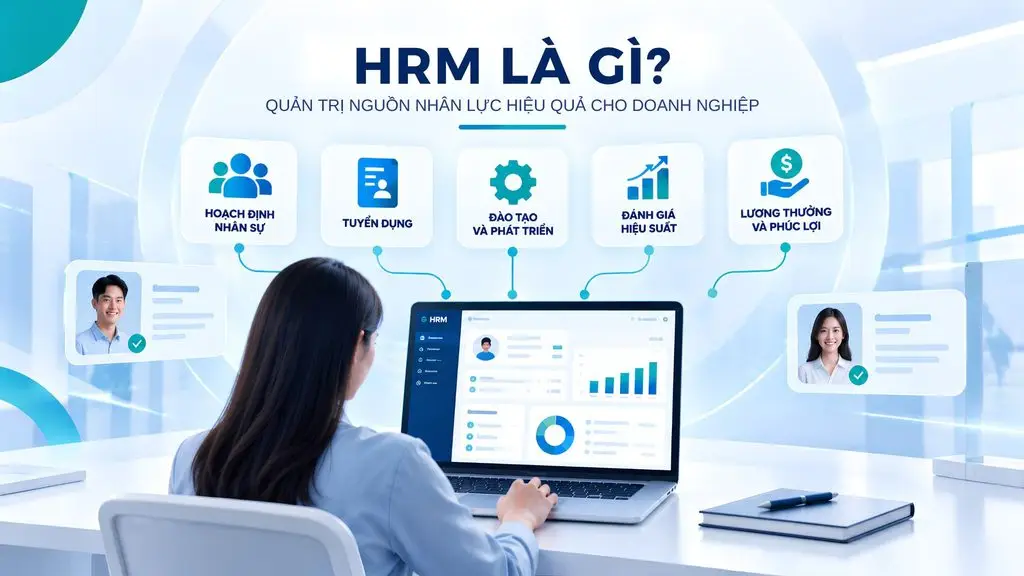
Therefore, HRM can be understood as a system of methods, policies and processes that help a business attract, deploy, develop, evaluate and retain its human resources. Common HRM activities include workforce planning, recruitment, performance management, training and development, compensation and benefits, labor relations and HR data analytics.
The importance of HRM keeps growing as businesses must continuously adapt to changes in technology and skill requirements. The World Economic Forum’s Future of Jobs 2025 report shows that 63% of surveyed businesses view skills gaps as a major barrier to transformation over the 2025-2030 period. This makes workforce planning, capability development and talent management an important part of business strategy.
HRM is also directly linked to productivity. The ILO emphasizes that using workers’ skills appropriately improves work effectiveness, drives productivity and enhances a business’s competitiveness.
>>> See more:
- Top 15 free, effective manufacturing warehouse management software options
- What is construction ERP? Features & Top 10 construction ERP software
What are the objectives of HRM in a business?
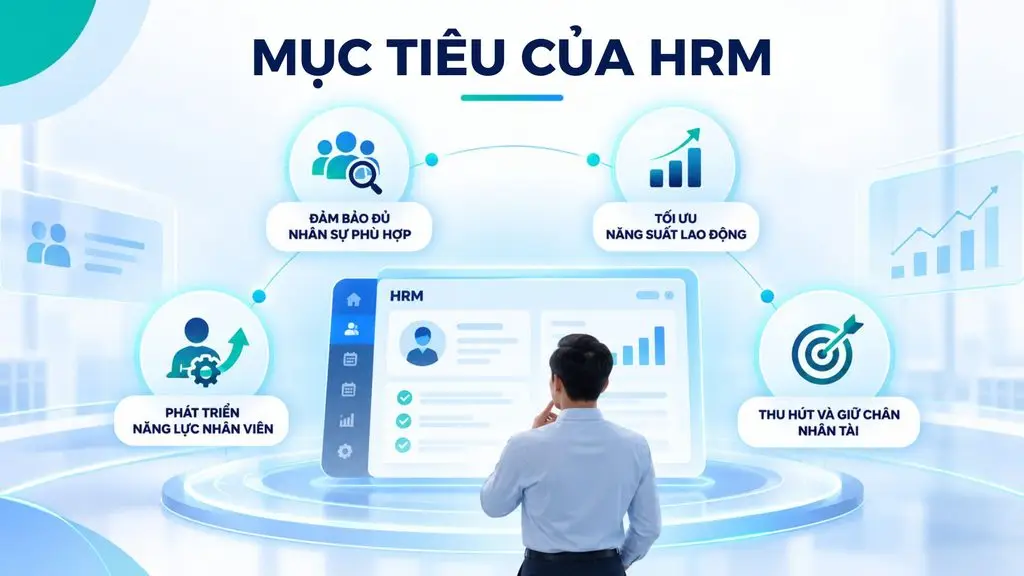
The objective of HRM is not only to manage employees but also to ensure that human resources create value aligned with the business’s development direction. The main objectives include:
- Ensuring adequate, suitable staffing: Determining workforce needs in terms of quantity, roles and capabilities, so the business has the right people at the right time. Effective workforce planning also helps limit understaffing or overstaffing.
- Optimizing labor productivity: Allocating staff by capability, setting goals and managing performance to improve work effectiveness. The ILO holds that the effective use of skills in the workplace plays an important role in improving productivity and competitiveness.
- Developing employee capabilities: Identifying capability gaps and building appropriate training, reskilling and upskilling programs. This is increasingly important as skill requirements continuously change due to technology and AI. The ILO also emphasizes the role of training and lifelong learning in maintaining the workforce’s adaptability and productivity.
- Attracting and retaining talent: Building competitive policies for recruitment, compensation, benefits, career development and the employee experience. According to the World Economic Forum, talent management is among the core skills highly valued by businesses, with 47% of surveyed employers considering it an important workforce skill.
- Aligning human resources with business goals: Connecting workforce plans, team capabilities and employee performance with the business’s growth objectives. This is also the essence of the modern HRM approach: human resources do not operate in isolation but must directly support the organization’s strategy and competitive advantage.
Thus, what HRM is goes beyond simply managing employees. HRM is a systematic management practice that helps a business turn its human resources into operational capability and a sustainable competitive advantage.
>>> Read more:
- The best CRM software for construction companies
- What is application software? Common types of application software
What is Strategic HRM?
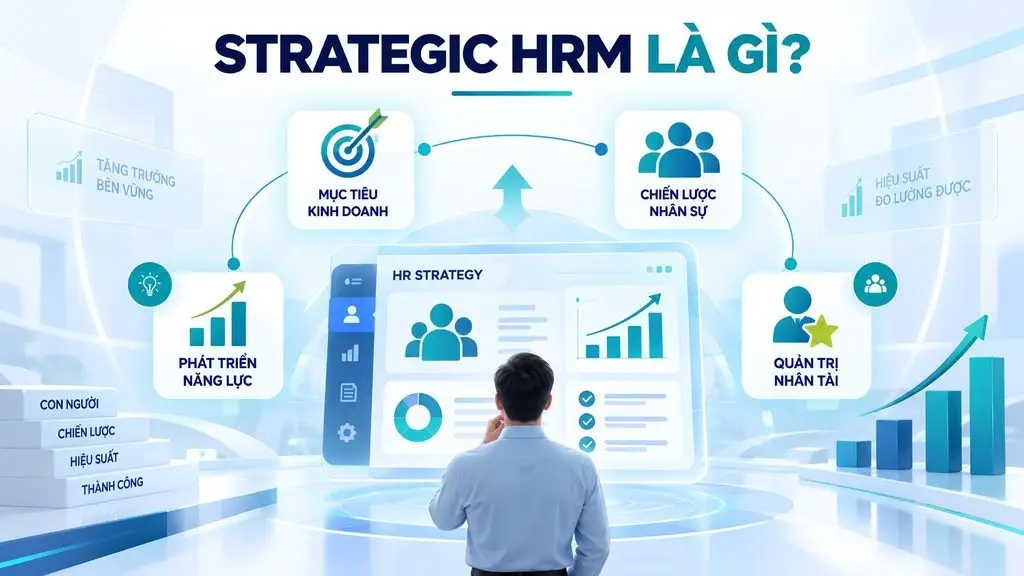
Strategic HRM (Strategic Human Resource Management) is a strategically oriented approach to human resource management, in which HR policies and activities are designed to directly support the business’s long-term goals. Rather than focusing only on HR operations, Strategic HRM treats people as a resource that creates competitive advantage.
Strategic HRM differs from HRM mainly in its approach. HRM covers all HR management activities such as recruitment, time tracking, payroll, training and performance evaluation. Strategic HRM, meanwhile, focuses on answering the question of how the workforce should be built and developed so the business can achieve its goals of growth, innovation or market expansion.
The benefit of Strategic HRM is that it helps a business align its HR strategy with its business strategy, forecast workforce needs, develop exactly the capabilities required, optimize costs and improve its ability to attract and retain talent. This approach also helps HR shift from an administrative role to a strategic partner of the business.
To implement Strategic HRM effectively, a business needs core elements including a clear HR strategy, workforce planning, performance management, capability development, talent management, compensation policy and HR data. More importantly, these elements must be linked to business objectives and KPIs to create measurable value.
>>> Learn more:
- TOP 8 effective location-based warehouse management software options
- Top 10 best car maintenance scheduling systems
What are the functions of HRM in a business?
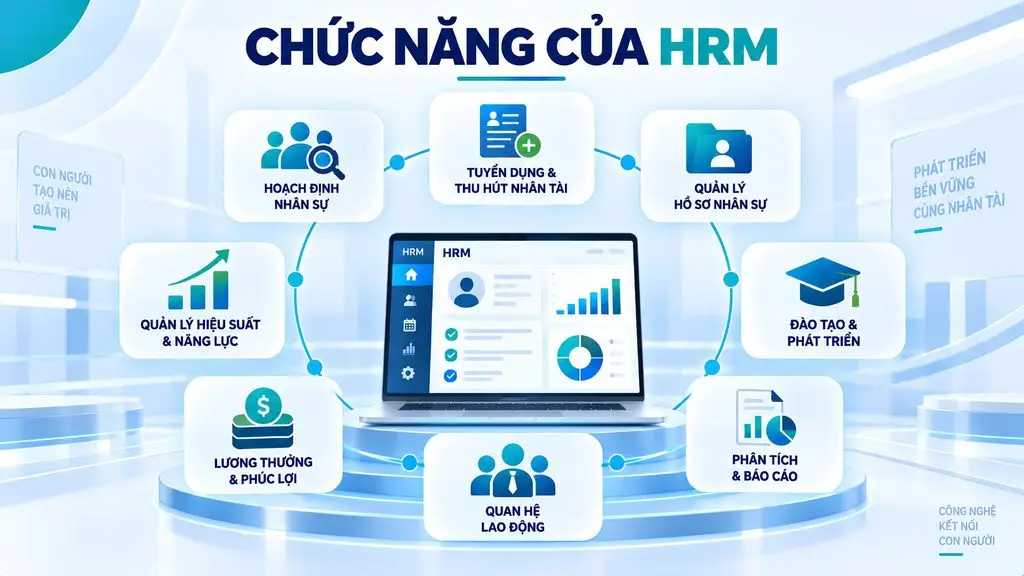
The functions of HRM cover all activities related to attracting, managing, developing and retaining human resources within a business. Depending on scale and operating model, HRM can range from basic operations such as records management, time tracking and payroll to strategic activities such as performance management, talent development and HR data analytics. These functions are interconnected, forming an HR management process that spans the entire employee lifecycle.
Workforce planning
Workforce planning helps a business forecast staffing needs in the short and long term and determine the quantity and capabilities required for each role. The HR department analyzes the current workforce structure, business plans, turnover rate, expansion needs and capability gaps to determine needs for new hires, transfers or training.
Planning also includes building workforce plans by department, role, timing and budget. This activity helps a business limit understaffing or overstaffing, proactively prepare resources for growth plans and better control HR costs.
Recruitment and talent attraction
Recruitment helps a business search for, evaluate and select candidates who fit the job requirements as well as the organizational culture. The process typically includes establishing hiring needs, building job descriptions, posting openings, managing the candidate pipeline, screening CVs, interviewing, evaluating, making hiring recommendations and onboarding.
For talent management, a business also needs to identify key roles and build a talent pool and succession plans. A standardized recruitment process helps shorten time-to-hire, reduce recruitment costs and increase the likelihood of choosing the right person. At the same time, a talent pool helps a business maintain a source of potential candidates for future staffing needs.
Managing HR records and information
Records management helps a business centralize and maintain HR data throughout an employee’s working lifecycle. The data may include personal information, labor contracts, job titles, departments, work history, transfer records, qualifications, certificates, insurance records and related documents.
With an HRM system, data can be permissioned by role and updated centrally instead of being stored across many separate files or tools. Centralized data helps reduce duplication, limit errors and shorten the time needed to find information. A business can also more easily control HR history, secure data and provide accurate information for other operations such as payroll, performance or management reporting.
Performance and capability management
Performance management helps a business set goals, track results and evaluate employees’ contributions. HR can manage KPIs, OKRs, individual goals, periodic reviews, role-based competencies, feedback from managers and work performance results.
The system can link individual goals with department goals and the business’s overall goals. A transparent evaluation process helps employees clearly understand expectations, while managers have a basis for decisions about rewards, training or promotion. Performance data also helps a business identify high-potential employees and roles that lack capability.
Employee training and development
Training and development help improve the knowledge, skills and capabilities employees need at each career stage. A business can identify training needs, build learning paths, and manage courses, schedules, materials, participants and post-training evaluation.
Development activities may include upskilling, reskilling, mentoring, coaching and succession development programs. Targeted training helps close capability gaps and prepare human resources for new needs. Instead of only hiring people who already have the skills, a business can proactively develop internal capabilities, thereby increasing adaptability and helping retain employees.
Compensation and benefits management
Compensation and benefits management ensures that employees’ income is calculated and paid accurately, in line with policy and on time. This group of operations typically includes HRM time tracking, and the management of workdays, shifts, leave, overtime, allowances, deductions and bonuses, along with HRM payroll.
A business can also manage insurance programs, benefits and compensation policies for each employee group. Automating these processes helps reduce manual work and limit errors in payroll calculation. At the same time, linking time-tracking and payroll data helps a business control HR costs, ensure consistent policy and strengthen employee trust.
Managing labor relations and the employee experience
Labor relations management aims to maintain a stable working environment, comply with policy and improve the employee experience. Activities may include managing contracts, internal regulations, grievances, discipline, resignations, satisfaction surveys, employee engagement and employee care activities.
Across the entire employee lifecycle, a business needs to ensure employees have a consistent experience from onboarding to offboarding. Well-managed labor relations help reduce conflict, limit risks and improve employee engagement. A positive experience also helps reduce turnover and build a working environment aligned with the company culture.
HR analytics and reporting
HR analytics and reporting turn HR data into information that supports management and decision-making. A business can track metrics such as headcount, turnover rate, absenteeism, HR costs, time-to-hire, performance, training completion rate and workforce structure.
Data from Core HR, recruitment, time tracking, payroll and performance can be aggregated into real-time dashboards and reports. HR analytics helps managers see workforce trends instead of relying only on manual reports. When data is analyzed properly, a business can forecast staffing needs, identify bottlenecks, control costs and make data-driven decisions.
Overall, the eight functions above form a continuous HR management chain:
Planning → recruitment → administration → evaluation → development → compensation → engagement → analytics
When integrated within an HRM system, data across operations can be synchronized, helping a business reduce manual processing and build a consistent, scalable foundation for HR management.
>>> Read more:
- Top 35 best, most effective time management apps
- Top 19 free task organization apps for personal planning
- TOP 15+ effective, super-easy AI app builder tools
What components make up an HRM system?
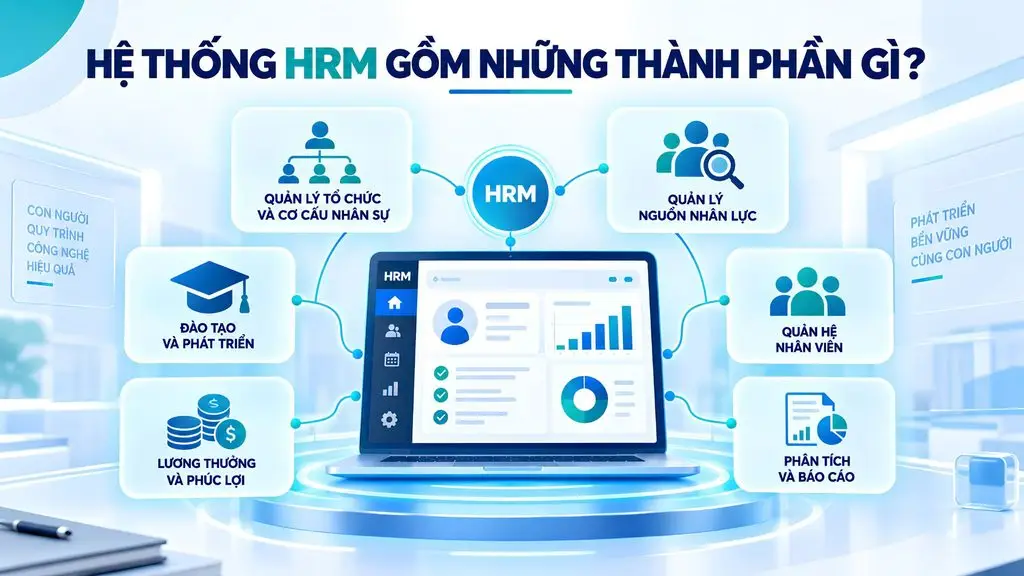
A complete HRM system is typically divided into six component groups: organization and workforce structure management, human resource management, training and development, compensation and benefits, employee relations, and analytics and reporting.
Organization and workforce structure management
This component models the organizational chart, units, departments, job positions and reporting relationships. It is the “skeleton” of the entire system, because every approval process, data permission and unit-based report relies on this structure. For businesses with multiple member companies, the ability to manage a multi-level structure is a mandatory requirement.
Human resource management
This is the core HR management component (Core HR), focused on managing employee information and records throughout the working lifecycle. The system can store personal data, contracts, work history, qualifications, certificates, transfers, leave and employment status. Core HR serves as the central data source for the other modules.
Training and development
The training module helps a business manage learning needs, training programs, courses, schedules and employee results. The system can support building development paths, tracking capabilities and identifying skill gaps. This data helps HR proactively roll out upskilling, reskilling and talent development plans.
Compensation and benefits management
This component includes managing time tracking, leave days, shifts, overtime, allowances, deductions, bonuses and payroll. An HRM system can link time-tracking data with HRM payroll, automate the calculation steps and manage benefits policies. As a result, a business reduces manual operations and limits errors during payroll.
Employee relations management
This component supports operations related to interactions between the business and employees: requests, online approvals, internal announcements, opinion surveys, and recording and handling feedback. An employee self-service portal significantly reduces the administrative workload of the HR department.
HR analytics and reporting
The final group aggregates data from all the components above into management dashboards and reports. A point to note when selecting a system is the ability to create reports on demand as new needs arise, instead of relying entirely on the default report set designed by the vendor.
Overall, an effective HRM system should connect the components above into a unified data flow, from managing structure and HR records to time tracking, payroll, employee development and analytics. This approach helps a business manage HR centrally, reduce data fragmentation and create a foundation for expanding automation in the future.
>>> Learn more:
- Free computer vision software: easy-to-use platforms
- 10 free 3D home design software options for phone and computer
What is HRM software?
HRM software is a tool that digitizes and automates HR management activities, helping a business centralize data, standardize processes and effectively manage the entire employee lifecycle. Instead of handling records, time tracking, payroll or reporting with Excel and many separate tools, a business can manage these operations on a single unified platform.
It is important to distinguish HRM from HRM software. HRM (Human Resource Management) is the methodology and operating system for managing human resources, including recruitment, development, evaluation and employee retention. HRM software, meanwhile, is a technology tool that helps a business carry out and automate HRM activities. In other words, HRM is the management methodology, while HRM software is the platform that helps implement that methodology more effectively.
| Feature group | Key content |
|---|---|
| Core HR | Employee records, contracts, organizational structure, work history |
| Recruitment | Managing hiring requests, candidates, interview schedules and hiring outcomes |
| Time tracking | Shifts, check-in/out data, leave, overtime |
| Payroll | Salary formulas, allowances, bonuses, deductions, insurance, personal income tax |
| Performance management | Goals, evaluation metrics, review cycles, results and feedback |
| Training | Competency frameworks, training plans, learning history, training costs |
| Reporting and analytics | Workforce changes, HR costs, performance, management dashboards |
Depending on needs, a business can integrate additional functions such as talent management, succession management, employee self-service, an AI Assistant, or connections to ERP, accounting, CRM and time-tracking systems.
In general, HRM software helps centralize HR data, reduce manual work, limit errors and increase operational efficiency. More importantly, data connected across modules gives managers complete information to analyze and make data-driven HR decisions.
>>> See more:
- 9+ free, easiest-to-use mobile app design tools
- Top 20+ best free AI image design software
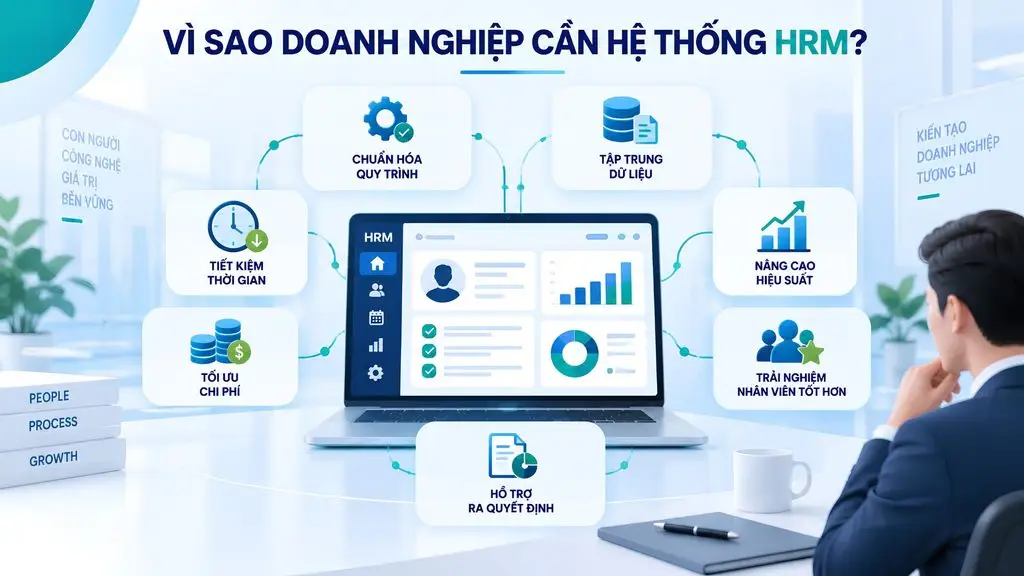
Why do businesses need an HRM system?
As headcount grows, managing with Excel, email or many fragmented tools easily leads to inconsistent processes, scattered data and difficulty for managers to stay in control. An HRM system helps a business standardize HR operations, connect data and automate repetitive tasks, thereby improving operational efficiency and supporting more accurate decision-making.
Standardizing HR management processes
Recruitment, onboarding, leave, evaluation or offboarding processes, when handled manually, often depend on how each department and person in charge does things. An HRM system establishes unified processes, clear permissions and approval flows for each operation. As a result, a business reduces inconsistent handling while more easily controlling the progress and accountability of each department.
Centralizing and synchronizing HR data
Employee data spread across many Excel files, time-tracking software or accounting systems makes reconciliation time-consuming and prone to discrepancies. HRM centralizes records, contracts, organizational information, time tracking, leave, compensation and performance on one platform. Data is updated throughout the employee lifecycle, creating a consistent source of information for HR and management levels.
Reducing manual work and errors
Operations such as data entry, aggregating workdays, payroll calculation, generating reports or sending periodic notifications consume a lot of time when done manually. HRM automates repetitive steps and connects data across modules. This helps reduce data-entry work, limit human errors and free up time so the HR team can focus on higher-value work.
Improving management efficiency and cost control
Without centralized data, a business struggles to determine HR costs by department, role or unit and to detect unusual expenses. HRM provides data on personnel, HRM time tracking, HRM payroll, benefits and workforce changes within the same system. Managers can track costs and resources more closely and thereby allocate the HR budget in line with actual needs.
Enhancing the employee experience
When employees must email or contact HR directly for simple requests such as taking leave, looking up information or tracking an approval process, delays easily arise. HRM provides self-service processes so employees can proactively submit and track requests. This experience makes processes more transparent while reducing the administrative workload for the HR department.
Supporting data-driven decision-making by managers
When HR reports are compiled manually, managers often lack timely data on workforce changes, recruitment, performance or costs. HRM provides real-time or periodic dashboards and reports, helping leaders identify trends and issues earlier. From there, a business has a clear data foundation to plan its workforce, optimize resources and connect people management with business goals.
>>> See more:
- 20 reputable full-service website design companies in Ho Chi Minh City
- Top 20 most reputable, number-one app design companies in Vietnam
How to build a comprehensive HRM system for your business
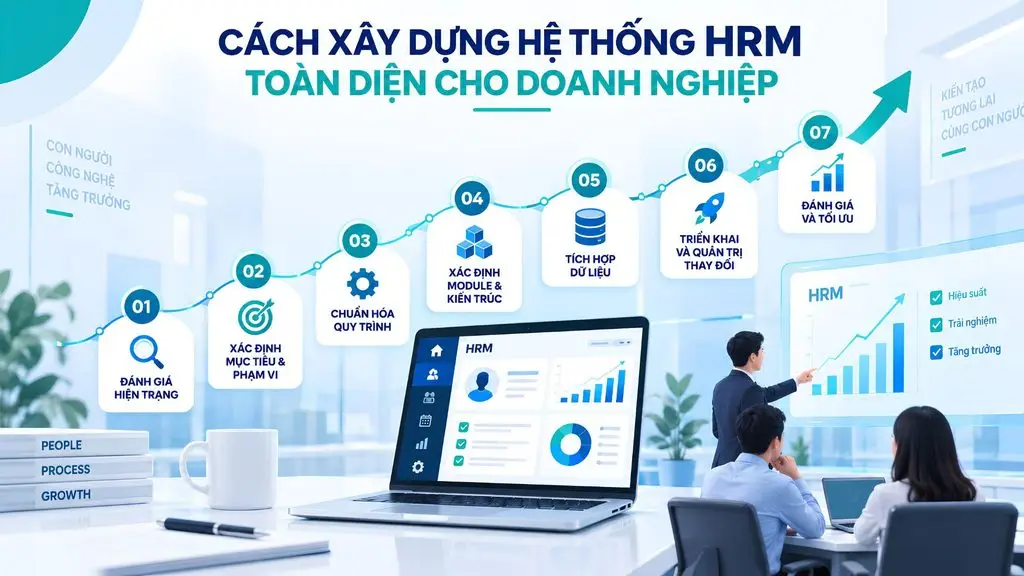
Building an HRM system is not simply a matter of choosing software with many features. A business needs to start from its actual processes and management needs, then define the scope, design the architecture, integrate data and organize an appropriate rollout. A comprehensive HRM system should both solve current operational problems and be able to scale as the business grows.
Step 1 – Assess the current state of HR management
Before building HRM, a business needs to determine how HR operations are currently carried out. The assessment should cover recruitment, records management, time tracking, payroll, performance evaluation, training and offboarding processes; the tools in use such as Excel, email or standalone software; the bottlenecks that frequently arise; and the quality and degree of fragmentation of the data.
Beyond the HR perspective, a business should also gather needs from accounting, department managers and employees. This helps pinpoint exactly which problems need solving and avoid building a system with many features that do not fit actual operations.
Step 2 – Define the objectives and scope of HRM
Based on the assessment results, a business defines the priority objectives for the system. Objectives may be digitizing HR records, automating time tracking and payroll, managing KPIs, building training paths or managing talent.
It is not necessary to deploy all modules from the outset. A business can define scope in phases, prioritizing operations that are high-frequency, involve a lot of manual work or directly affect costs and performance. This approach helps control resources and creates a basis for expanding the system later.
Step 3 – Standardize HR processes
An effective HRM system needs to be built on standardized processes rather than digitizing inefficient practices as they are.
The process should follow the flow: As-is → Gap Analysis → To-be Process.
- As-is: record how the process is currently carried out, who is involved, the input data and the output results.
- Gap Analysis: identify redundant steps, bottlenecks, error risks and activities that can be automated.
- To-be Process: design the new process with clear roles, permissions, approval conditions and data flows.
This is the basis for turning business processes into functional requirements for the system.
Step 4 – Define the modules and system architecture
Based on the standardized processes, a business groups the functions to be deployed in order of priority: Core HR → recruitment → time tracking and payroll → performance management → training and development → data analytics. A phased rollout gives the team time to adapt and reduces risk compared with putting the entire system live at once.
Step 5 – Integrate data and systems
HRM usually does not operate in isolation but needs to exchange data with other systems such as ERP, Accounting, Attendance, CRM and Identity. For example, time-tracking data needs to be passed to the payroll module, while employee information may be synchronized with account and access management systems.
A business should clearly define the primary data source, data direction, sync frequency and access rights right from the design stage. For systems that need to exchange data flexibly, an API can be used to build connections between HRM and existing platforms.
Step 6 – Deployment, training and change management
Deploying HRM is not just about installing a system but also a process of changing how employees and managers do their work. A business should start with a pilot in a department or a business area with a controllable scope, then record issues and make adjustments before scaling up.
Alongside the technical rollout, a business needs to build a training program suited to each user group. HR, managers and employees should be guided according to their specific operations, roles and permissions in the system. Monitoring actual usage helps a business assess user adoption, detect steps that remain difficult to perform and make timely adjustments.
At the same time, change management needs to be carried out throughout to reduce resistance to change, clearly explain the system’s benefits and encourage employees to apply HRM in their daily work.
Step 7 – Evaluate and optimize the system
Once in operation, a business needs to evaluate HRM against specific KPIs such as operation processing time, system usage rate, data accuracy, time-to-hire or HR operating costs.
Beyond quantitative metrics, feedback from HR, managers and employees also helps a business detect aspects that are not yet suitable during use. A business needs to monitor system performance, improve processes and add functions as needs change. When headcount or the business model expands, the system can continue to be scaled by adding modules, integrating with new platforms or enhancing analytical capabilities.
>>> Read more:
- How businesses build AI Agents
- The cost of mobile app design and maintenance: what are the latest prices?
When should a business deploy HRM?
A business should consider deploying an HRM system when signs appear that its current way of managing has reached its limits. Below are the most common signals:
- Managing HR with Excel or fragmented tools: each department keeps its own file, aggregation takes a lot of time and no one is certain about the accuracy of the final figures.
- Headcount and the number of branches are growing quickly: once you pass the threshold of a few dozen employees or open new locations, the volume of administrative work grows much faster than the number of people added.
- Time tracking and payroll are becoming increasingly complex: multiple shifts, many types of allowances and various contract forms turn each pay period into a stressful peak for the HR department.
- HR data is hard to synchronize and control: employee information exists in many places in different versions, making it hard to determine which is the authoritative data.
- Managers lack reports for decision-making: each time figures on workforce changes or HR costs are needed, manual aggregation is required, taking several days to produce results.
- The business is expanding or undergoing digital transformation: when other operations have already been digitized, HR is often the remaining area that causes data breaks across the entire management system.
If a business exhibits two or three of the signs above, standardizing and deploying an HRM system should be added to the plan. Conversely, for very small organizations with simple processes, standardizing processes first and only then investing in tools is often the more sensible choice.
Criteria for choosing the right HRM system
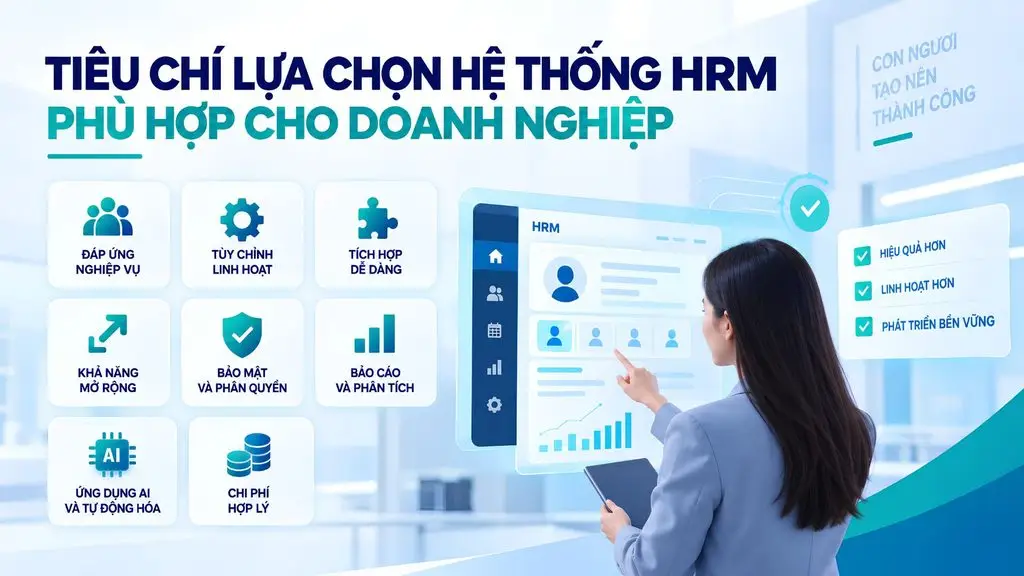
A business should evaluate HRM solutions against eight criteria: business-fit capability, customization, integration, scalability, security and permissions, reporting capability, AI applicability and total cost of ownership.
Ability to meet HR operational needs
The system must be able to handle the business’s specific operations, especially time tracking and payroll – two areas of high complexity that vary greatly between organizations. The most effective way to verify this is to ask the vendor to run a trial on the business’s own real data and payroll rules.
Ability to customize to the business’s processes
You should assess the extent to which the system allows configuration of approval processes, forms, data fields and calculation formulas. Internal HR regulations change frequently, so the ability to self-adjust without having to ask the vendor to intervene is a major advantage.
Ability to integrate with existing systems
The HRM system needs to connect with accounting software, ERP, time-tracking devices, the internal login system and the tools currently in use. A platform with open APIs makes future expansion far easier than a closed system.
Scalability as the business grows
You need to consider whether the system can cope when headcount multiplies several times over, when new branches or member companies open, and when new modules need to be added. The cost of switching to another system midway is usually very high, so this is a criterion to weigh from the very beginning.
Data security and permissions
HR data is among the most sensitive in a business, including both personal information and income. The system needs to support detailed permissions by role and management scope, access logging, data encryption and a clear backup plan, while complying with legal regulations on personal data protection.
Reporting and data analytics
Beyond the built-in report set, a business should assess the ability to build reports on demand as new needs arise and the ability to export data to external analytics tools. This is the factor that determines whether the system can serve management or merely stops at storing records.
AI applicability and automation
Today’s platforms are beginning to integrate AI-based automation and analytics. A business should consider whether the system supports process automation, a Q&A assistant for employees and predictive analytics. More importantly, whether these features are genuinely useful for its operations or are merely for show.
Implementation cost and total cost of ownership
You need to fully account for licensing or per-user subscription costs, along with the costs of implementation, customization, integration, training, infrastructure and annual maintenance. In addition, consider the vendor’s support capability: whether they have a team in Vietnam and their response time when an incident occurs during a pay period.
>>> Read more:
- Top 10 car showroom management software options for businesses
- AI Agents for Startups: Benefits & Real-world applications
Applying AI in software development for HRM
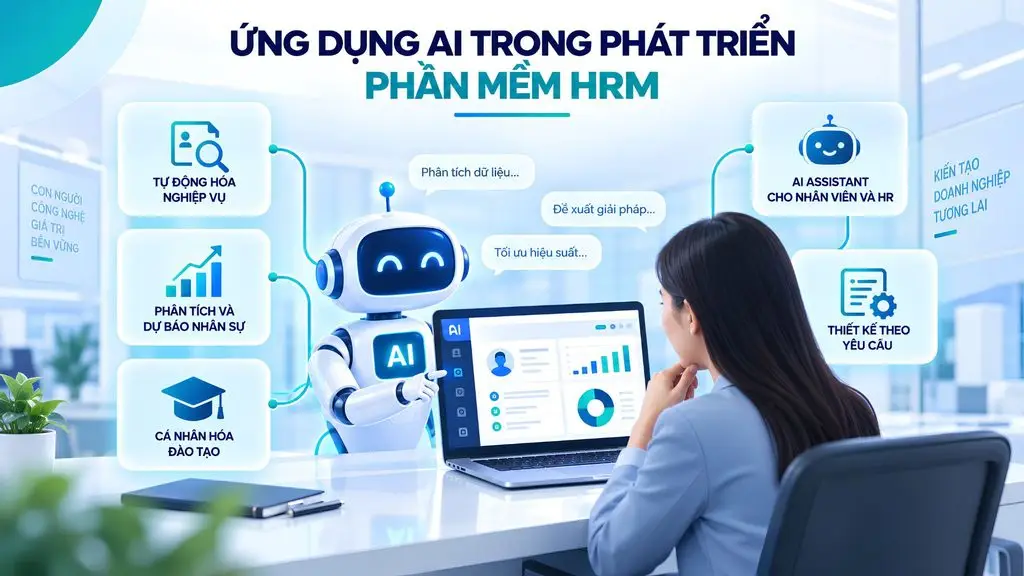
AI is expanding the role of HRM software from a data management tool into a platform that supports automation, analytics and decision-making. When integrated properly, AI can reduce the HR workload, improve the employee experience and help a business exploit HR data more effectively.
AI automates HRM operations
AI can help automatically classify candidate profiles, extract information from CVs, generate recruitment content, summarize evaluations or handle common HR requests. Combined with workflow automation, the system can automatically route records, send notifications, issue deadline reminders or trigger processes based on configured conditions.
AI supports HR analytics and forecasting
Instead of only providing historical reports, HRM with integrated AI can analyze trends in headcount, turnover, recruitment, performance and HR costs. Predictive models can help estimate workforce needs, identify attrition risks or detect anomalies in the data so HR can address them proactively.
An AI Assistant for employees and HR
An AI Assistant acts as a layer that interacts directly with the HRM system. Employees can ask about leave policies, benefits, internal processes or the status of a request without having to contact HR for each issue. For HR, AI can help search for information, generate reports, summarize records and query data using natural language.
AI personalizes employee training and development
Based on role, skills, evaluation results and career goals, AI can recommend suitable courses or development paths for each employee. This approach helps a business shift from mass training to capability development based on actual needs.
AI in custom HRM software development
When building custom HRM, AI can be designed directly into the modules that fit the business’s operations, such as recruitment AI, an internal chatbot, performance analytics or workforce forecasting. The architecture should be built along API and modular lines so the AI models can be changed easily as technology evolves.
Considerations when integrating AI into HRM
Because HR data is sensitive, AI needs to be deployed alongside mechanisms for permissions, security, input-data control and access logging. A business also needs to control output quality, avoiding letting AI automatically make important HR decisions without human oversight. The effectiveness of AI depends heavily on data quality, the intended use and how it is integrated into actual processes.
>>> Read more:
- A simple guide to deploying AI in mobile applications
- AI in UI/UX design: The power of Generative AI
- How does AI-assisted programming affect coding skills?
Custom HRM software solutions for businesses from TOT
For businesses with specialized HR processes, custom HRM software development keeps the system closely aligned with how they actually operate, instead of forcing the business to adjust its processes to the limits of packaged software.
Why do businesses need custom HRM software?
Custom HRM software is suitable when a business has operations that off-the-shelf solutions struggle to meet or that require deep customization. Common cases include:
- Specialized HR processes: recruitment, evaluation, approval or HR management policies that differ from standard processes.
- Multiple subsidiaries and branches: needing centralized management while still separating data, permissions and policies by unit.
- Multiple approval levels: leave, recruitment, salary increase or transfer requests that must pass through several management levels.
- Complex payroll rules: many shifts, allowances, bonuses, KPIs, distinct policies or salary formulas for each staff group.
- Legacy systems that need integration: HRM needs to connect with ERP, accounting, time-tracking machines, CRM or other internal systems already in operation.
- High security requirements: HR data needs detailed permissions, access control and protection according to the business’s requirements.
Instead of forcing a business to change all its processes to fit the software, a custom solution lets technology adapt to the operations. This is also TOT’s orientation in custom software development: building solutions that fit the business’s operating processes, scalability and growth goals.
TOT develops HRM software around your business processes
In the early stage, the team studies the objectives, processes and technical requirements to define the system’s scope. Operations are then analyzed and translated into architecture, workflow and specific functional requirements. UX/UI is designed based on the roles of HR, managers and employees before the team develops the frontend, backend and business modules.
During development, the system can be integrated with APIs, AI and existing enterprise platforms. The solution is then tested and put through UAT before release. Under TOT’s custom software service process, the post-deployment stage further includes maintenance, updates, optimization and handling of issues that arise.
HRM modules TOT can develop
Depending on a business’s needs and scale, TOT can develop HRM modules in phases:
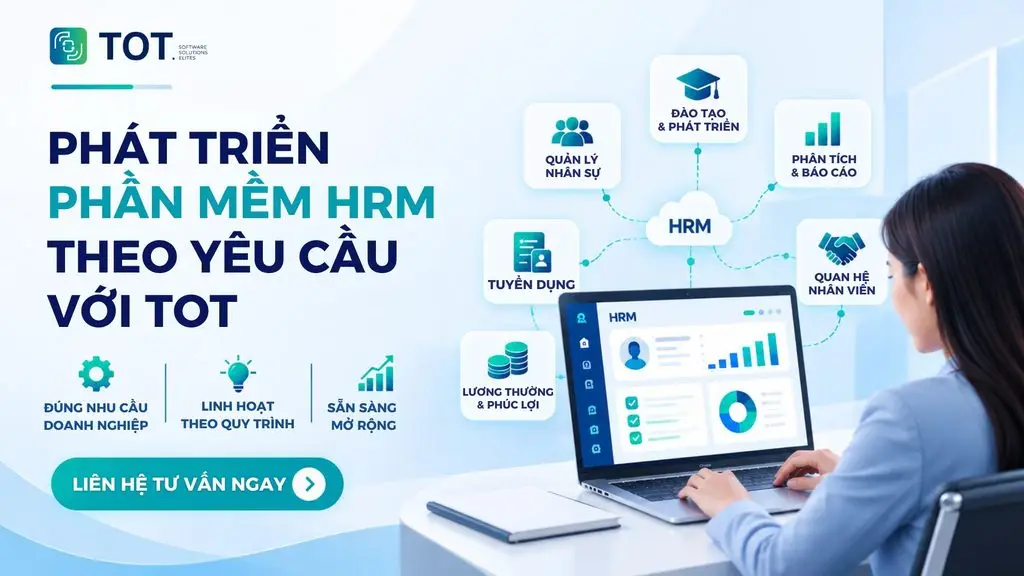
- Core HR: employee records, organizational structure, contracts, positions and the employee lifecycle.
- Recruitment: managing hiring needs, candidates, interviews and onboarding.
- Time tracking and payroll: shifts, leave, overtime, allowances, bonuses and payroll.
- KPI & Performance: goals, KPIs/OKRs, performance and capability evaluation.
- Training: courses, development paths, employee skills and capabilities.
- Reporting & Analytics: dashboards, HR reports, costs and management metrics.
- AI: AI Assistant, data analytics, recruitment support, forecasting and operational automation.
- ERP/API integration: connecting ERP, accounting, time-tracking machines, CRM, Identity and internal systems.
TOT’s custom HRM software implementation process
The implementation process is built in phases to control the scope, quality and scalability of the system:
1. Receiving requirements → 2. Proposing a solution → 3. Design → 4. Development & programming → 5. Testing → 6. Release → 7. Maintenance.
TOT begins by understanding the objectives, operational specifics and technical requirements. Next, the team advises on technology, system architecture, the implementation roadmap and UX/UI design. The development phase follows Agile with continuous testing; before release, the system goes through UAT and the necessary checks. After handover, TOT continues to support maintenance, updates and system improvements.
Is your business looking for an HRM solution that fits its own processes? Contact TOT now for advice on the architecture, modules and development roadmap for HRM software tailored to your actual needs.
>>> Explore now:
- Get professional custom software development in Ho Chi Minh City at a good price
- Professional custom software development services in Hanoi
Conclusion
As this article shows, what HRM is is not merely a question about an abbreviation but also about how a business organizes and develops its human resources. Effective human resource management requires three elements at once: standardized processes, complete HR data and a tool capable of supporting the actual volume of operations. For businesses just starting out, prioritize standardizing processes and digitizing core data; for large businesses with specialized processes, a custom-developed HRM system will stay closely aligned with actual operations and scale more sustainably over time.
Frequently asked questions
What does HRM stand for?
HRM stands for Human Resource Management, which in essence means the management of human resources. The term refers to all activities of planning, recruitment, training, performance management, compensation and people development within an organization, with the goal of ensuring the business has the right people, with the right capabilities, at the right time to achieve its business objectives. In practice, HRM is also used to refer to the software system that supports these HR operations.
How is HRM different from HR?
HR is a general term for human resources or the HR department within a business, while HRM is the practice of managing those human resources. In other words, HR answers the question of who is working and which department is responsible, while HRM answers the question of how a business organizes, develops and retains its team. In practice, the two terms are often used interchangeably, but HRM places more emphasis on management methods and processes.
How do HRM and HRMS differ?
HRM is the methodology for managing human resources, while HRMS (Human Resource Management System) is the software system used to execute that methodology. HRMS digitizes operations such as employee records, time tracking, payroll, performance evaluation, recruitment and HR reporting on a single data platform. A business can practice HRM well at the process level without using software, but as it grows, a system becomes a necessary condition for controlling data.
When should a business deploy HRM?
A business should consider deploying an HRM system when these signs appear: HR data is being managed in a fragmented way across many Excel files; headcount and the number of branches are growing quickly; time-tracking and payroll processes are becoming increasingly complex with many shifts or types of allowances; data is hard to synchronize across departments; leadership lacks reports for decision-making; or the business is in a phase of expansion and digital transformation.
Is custom HRM software suitable for large businesses?
Custom HRM software is especially suitable for large businesses, because this is the group with the most complex HR processes: multiple member companies, multiple approval levels, different payroll and allowance rules across divisions, and high requirements for data permissions and security. Custom development allows the system to closely follow internal regulations, integrate with existing ERP, accounting software and time-tracking devices, and scale gradually in phases.