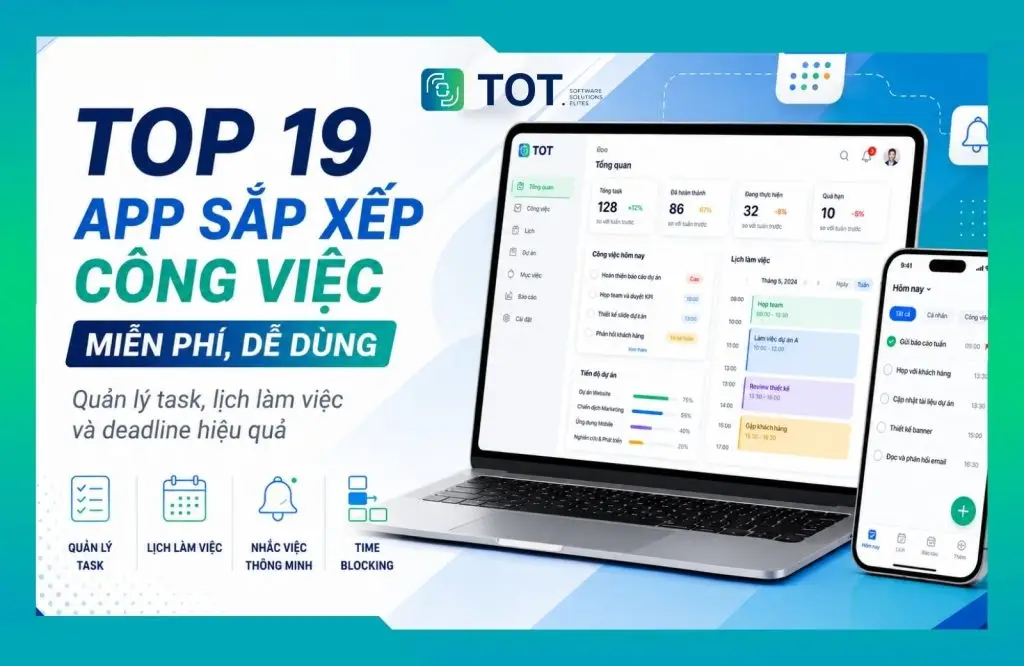
Do you keep missing deadlines and feel overwhelmed by too many things to handle, without knowing where to start? The right task organization app can help you plan, organize tasks, track progress and manage your time more effectively. Options range from simple apps like Google Keep and Microsoft To Do to more advanced platforms such as Trello and Notion, as well as AI-powered tools like Motion. In this article, TOT rounds up 19 free task management apps for 2026, complete with features, pros and cons and reference pricing in Vietnam to make your choice easier.
>>> See also:
- How to build an app for Android/iOS easily, with no coding required
- Top 14 free time management apps for mobile and desktop
- How do you use AI in software development?
Overview of the 19 best work scheduling apps for 2026
| No. | Tool | Best for | Key strengths | Features | Pricing |
| 1 | fTodolist | Small and medium businesses, teams | Assigning work and tracking employee progress | Task assignment, deadlines, recurring tasks, reporting, integration with the Fastdo ecosystem | From VND 25,000/user/month; 7-day trial |
| 2 | Google Keep | Individuals, students, office workers | Quick notes and checklists, very easy to use | Checklists, colors, labels, reminders, note sharing | Free |
| 3 | Google Calendar | Individuals, freelancers, teams with many meetings | Time management and Time Blocking | Calendar, Tasks, recurring events, Google Meet, Appointment Schedule | Free for individuals; Workspace Starter from USD 7/user/month |
| 4 | Any.do | Individuals, families, small teams | Combining a To-do List and Calendar | Tasks, reminders, Daily Planner, recurring tasks, Workspace | Free; Premium from USD 4.99/month |
| 5 | Todoist | Individuals, freelancers, small teams | Easy-to-use task and deadline management | Tasks, subtasks, priority, reminders, recurring tasks, Board, Calendar | Free; Pro from USD 5/user/month |
| 6 | TickTick | Individuals who want to manage tasks and habits | Combining productivity with goal tracking | Tasks, Habit Tracker, Pomodoro, Eisenhower Matrix, Calendar | Free; Premium USD 49.99/year |
| 7 | ColorNote | People who need simple notes and checklists | Lightweight, fast and organized by color | Checklists, reminders, Calendar, sticky notes, note locking | Free |
| 8 | Microsoft To Do | Outlook and Microsoft 365 users | Solid personal task management within the Microsoft ecosystem | My Day, reminders, Steps, Shared Lists, Outlook Integration | Free |
| 9 | Remember The Milk | People with many personal tasks and deadlines | Task categorization and strong integrations | Subtasks, reminders, tags, Zapier, IFTTT, Outlook, MCP | Free; Pro USD 49.99/year |
| 10 | Trello | Marketing, Content, Design, small teams | Visual Kanban workflow management | Board, List, Card, checklists, Automation, Planner, Timeline | Free; Standard from USD 5/user/month |
| 11 | Evernote | Content, research, people managing many documents | Combining notes, documents and tasks | Notes, Tasks, Calendar, Web Clipper, search, AI | Free; Starter from USD 99/year |
| 12 | Google Tasks | Gmail and Google Calendar users | Simple task management within the Google ecosystem | Tasks, subtasks, recurring tasks, Gmail, Calendar | Free |
| 13 | Motion | People with busy schedules, many meetings and deadlines | AI that automatically schedules work into your calendar | AI Calendar, Task Planner, Project Manager, Gantt, Time Tracking | Pro AI from USD 19/user/month |
| 14 | Notion | Individuals, Marketing, Content, Product, startups | Highly customizable work management system | Database, Calendar, Timeline, Form, Automation, Wiki, AI | Free; Plus from USD 10/user/month |
| 15 | Sunsama | People who work with Time Blocking | Daily planning based on the time you actually have | Daily Planning, Time Blocking, Calendar, duration tracking | From USD 17/month when billed annually |
| 16 | ClickUp | Agencies, Marketing, SEO, Product, businesses | Managing many aspects of work on a single platform | Tasks, Board, Gantt, Docs, Time Tracking, Goals, Dashboard | Free; Unlimited from USD 7/user/month |
| 17 | Asana | Businesses and teams with many projects | Clear project, workload and goal management | List, Board, Calendar, Gantt, Portfolio, Workload, Goals | Free for up to 2 people; Starter from USD 10.99/user/month |
| 18 | monday.com | Businesses with many departments | Building visual, highly customizable workflows | Board, Calendar, Timeline, Gantt, Dashboard, Automation, AI | Free for up to 2 seats; Basic from USD 9/seat/month |
| 19 | Reclaim AI | People with many meetings who need to optimize their Calendar | AI that automatically protects focus time | Focus Time, Habit Scheduling, Buffer Time, Smart Meetings, Calendar Sync | Free; Starter from USD 10/seat/month |
1. fTodolist – Work scheduling app for employees and progress management
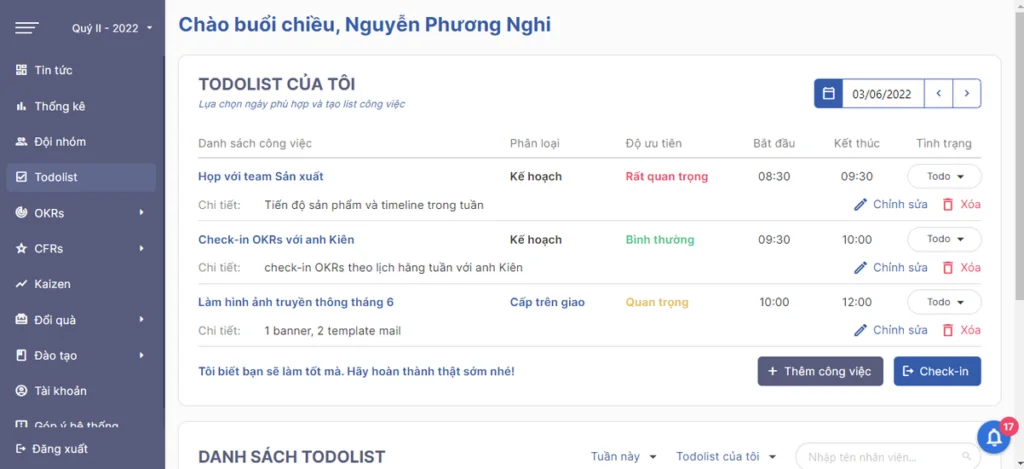
fTodolist is a task management software within the Fastdo ecosystem, well suited to businesses that need to organize daily work, assign tasks to employees and track progress on a single system. Instead of managing scattered tasks through Excel, email or messaging apps, fTodolist centralizes key information such as the person responsible, priority level, deadline and status. As a result, employees know exactly what they need to do, while managers can easily check on work without constantly following up with each team member.
What sets fTodolist apart from many personal task organization apps is that the tool is clearly geared toward team environments. Beyond creating tasks and sending deadline reminders, the system also supports assigning work, tracking progress, creating recurring tasks and reporting on work. That makes fTodolist a strong fit for businesses looking for a work scheduling app for employees while still wanting to keep accountability and individual performance under control.
Key features:
- Creating and organizing work: Employees can build a list of things to do, categorize them by priority and update their status as work progresses.
- Assigning work to individual employees: Managers can clearly designate who is responsible for each task, which is useful for teams with many members working on the same project or frequently taking on new tasks.
- Tracking deadlines and progress: Tasks are updated by status so managers can easily see which work is in progress, completed or approaching its due date.
- Creating recurring tasks: Routine tasks such as weekly reports, KPI summaries, data checks or monthly operational work can be set to repeat, reducing the need to create tasks manually.
- Reminders and notifications: Users can receive notifications when there are changes related to their work or its due date.
- Work reporting: fTodolist helps track how work is progressing for individuals and teams, providing additional data for managers to evaluate productivity and progress.
- Integration with the Fastdo ecosystem: The tool can be used alongside fPlan, fWorkflow and fMeeting, helping businesses expand from task management into planning, process management and meetings.
Pros:
- Well suited to businesses that need to assign work, identify who is responsible and track the deadlines of many employees on a single system.
- Supports recurring tasks, useful for operational work that runs on a daily, weekly or monthly basis.
- Includes work reporting so managers can monitor how individuals and teams are performing.
- More than just a reminder app, it also supports managing accountability and progress.
- Can integrate with fPlan, fWorkflow and fMeeting, ideal for businesses that want to build a unified work management system.
- The starting price is relatively accessible for small and medium businesses.
Cons:
- It may offer more features than needed if you only want a personal work scheduling app to create checklists or set deadline reminders.
- Not the top choice for those who simply want basic personal calendar management like Google Calendar or Microsoft To Do.
- For complex projects with many dependencies or in-depth resource management requirements, businesses should also compare it with ClickUp, Asana or monday.com.
Best for: Small and medium businesses, Marketing, Sales and operations teams, or departments that need to assign work clearly to each employee and consistently stay on top of deadlines and progress.
Pricing:
- Priced from VND 25,000/user/month.
- Includes a free 7-day trial.
- Storage capacity and included benefits may vary depending on the subscription term.
Website: https://fastdo.vn/phan-mem-todolist/
2. Google Keep – A simple, free task organization app
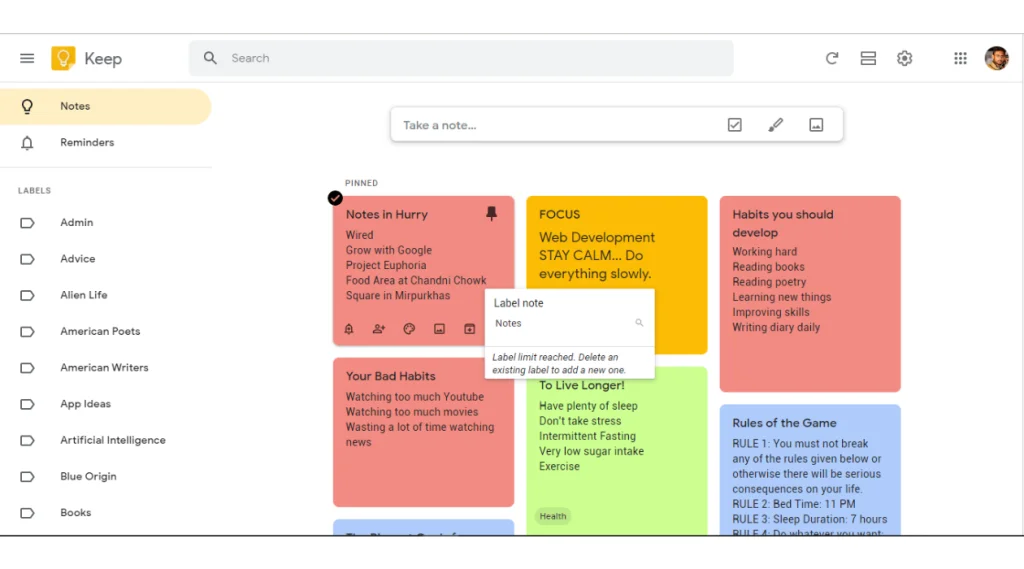
Google Keep is Google’s note-taking and task list app, well suited to individual users who need to quickly capture ideas, create checklists or jot down things to finish during the day without using a complex project management system.
Google Keep stands out for its simplicity and speed. Users can create a note or to-do list in just a few taps, then organize them by color, label or pin important items to the top.
With this approach, Google Keep suits anyone looking for a lightweight personal task organization app, especially students, office workers or people who need to quickly note down the many tasks that come up during the day.
Google Keep can also connect with Google Tasks and Google Calendar. When a note is given a time, users can check the related task in Keep, Tasks or Calendar. As a result, the tool does more than support note-taking; it can work with the Google ecosystem to organize schedules and manage deadlines more conveniently.
Key features:
- Creating notes and checklists: Google Keep supports text notes, to-do lists, images and drawings. With checklists, users can tick off each item once it is done.
- Organizing with colors and labels: Each note can be given its own color or label to distinguish between work, study, personal tasks or different priority levels.
- Pinning important notes: Tasks or information that need to be handled first can be pinned to the top so users can keep track of them easily.
- Setting reminders: Google Keep lets you set the date, time and repeat cycle for a reminder, so it can be used as a basic reminder app.
- Sharing notes: Users can share a note with others to view and edit it together.
- Syncing across multiple devices: Content is saved to your Google account, so you can create a note on your phone and keep viewing or editing it in a desktop browser.
- Integration with Google Tasks and Google Calendar: Helps users move from quick notes to managing time-specific tasks within the same Google ecosystem.
Pros:
- A simple interface that requires almost no setup or learning curve.
- Well suited to people who need to quickly capture ideas, checklists or tasks that come up during the day.
- Content can be organized by color and label, making it easier to recognize each group of notes at a glance.
- Syncs well between phone and browser through your Google account.
- Can share notes with others when basic collaboration is needed.
- Free and easy to combine with Google Tasks or Google Calendar.
- Well suited to anyone who wants a personal task organization app without extensive project management features.
Cons:
- No Gantt Chart, Workload, Dashboard or in-depth reporting system.
- Collaboration is limited to sharing and editing notes, so it is not yet suitable for managing many employees.
- Does not support managing projects with many tasks, statuses, dependencies or complex workflows.
- If you need task management software for a team, Google Keep is more limited than fTodolist, Trello, ClickUp or Asana.
- Not suitable for businesses that need permission controls, progress evaluation or performance monitoring for each team member.
Best for: Individual users, students, office workers or anyone who needs a simple tool to quickly capture ideas, create checklists and manage the day’s to-dos.
Pricing:
- Google Keep is free with a Google account.
- It can be used on your phone and in a browser without buying a separate work management plan.
Website: https://keep.google.com/
>>> See also:
- A detailed guide to creating an app with AI for free and easily
- The TOP 50+ free AI tools most widely used today in 2026
3. Google Calendar – A popular app for scheduling work and daily plans
Google Calendar is one of the most popular work calendar apps today, well suited to both individuals and teams that need to organize work by day, hour or specific time slot.
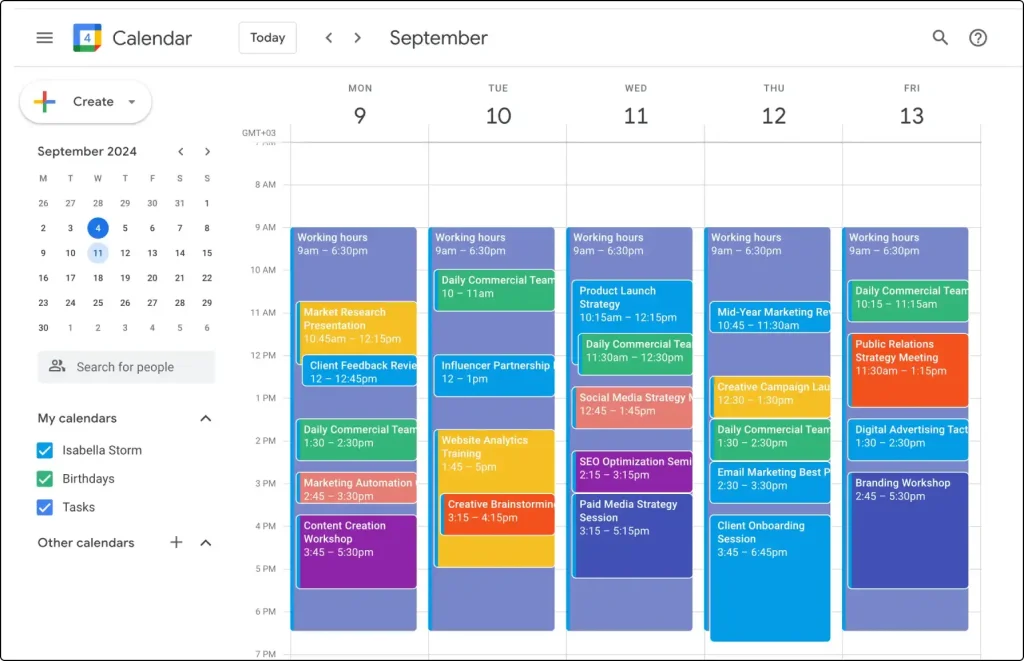
Unlike To-do List style task management apps that mainly help users know “what to do”, Google Calendar focuses more heavily on the question of “when it will get done”. Users can add meetings, deadlines, class schedules, work schedules or personal activities to the Calendar to see their entire schedule by day, week or month.
For example, instead of just noting “Finish the Marketing report”, users can create a time slot from 9:00 to 10:30 to do this work. This approach makes schedule planning more realistic because users can see how much free time they have left in the day.
With the ability to create events, share calendars, connect Google Meet and support Appointment Schedule, Google Calendar can also partly meet the needs of anyone looking for work booking software or an appointment management tool for individuals and teams.
Key features:
- Creating events and work schedules: Users can add the event name, start time, end time, location and related details for each appointment.
- Inviting participants: When creating a meeting, users can add guests directly to the event, which suits teams that regularly need to agree on a meeting time.
- Creating recurring events: Regular activities such as Monday morning meetings, class schedules, workout schedules or monthly reports can be set to repeat automatically.
- Creating Tasks right in the Calendar: Google lets you add a start time, deadline and estimated duration for a task, combining your task list with your work schedule.
- Sharing the Calendar: A calendar can be shared with an individual, team or department so that many people can keep track of important time milestones.
- Google Meet integration: Users can create an online meeting link right when adding an event.
- Appointment Schedule: Supports creating a booking page so customers, candidates or partners can select the time slots you have free.
- Integration with the Google ecosystem: Google Calendar works with Gmail, Google Tasks and Google Meet, so meetings and time-bound tasks can be managed in one place.
Pros:
- Displays your schedule by day, week and month clearly, making it easy to gauge how much free time you have.
- Especially well suited to the Time Blocking method and to people who want to place each task in a specific time slot.
- Integrates well with Gmail, Google Tasks and Google Meet.
- Allows calendar sharing and inviting participants, ideal for teams that hold meetings regularly.
- Supports recurring events for work, meetings or activities that happen on a regular basis.
- Appointment Schedule supports booking time with customers or partners without going back and forth to find a free slot.
- Can be used on both phone and computer, ideal for anyone who needs a work scheduling app that syncs across devices.
Cons:
- Google Calendar is strong at time management, but it is not full-fledged work planning software.
- Its ability to manage many tasks, subtasks or dependencies within a project is limited.
- It lacks the progress reporting, Workload or employee management Dashboard found in ClickUp, Asana or monday.com.
- As the number of projects and tasks grows, putting all your work on the Calendar can make it dense and hard to read.
- For large businesses, Google Calendar is better for managing time and meetings than for fully replacing dedicated task management software.
Best for: Office workers, freelancers, people who work with Time Blocking, individuals with many appointments, or teams that regularly need to schedule meetings and coordinate their time.
Pricing:
- Individual users can use Google Calendar with a Google account.
- Google Workspace Starter for businesses has a reference price from USD 7/user/month with an annual commitment.
- Some advanced Appointment Schedule features may require a suitable Google Workspace or Google One plan.
Website: https://calendar.google.com/
4. Any.do – A personal work scheduling app combined with a To-do List
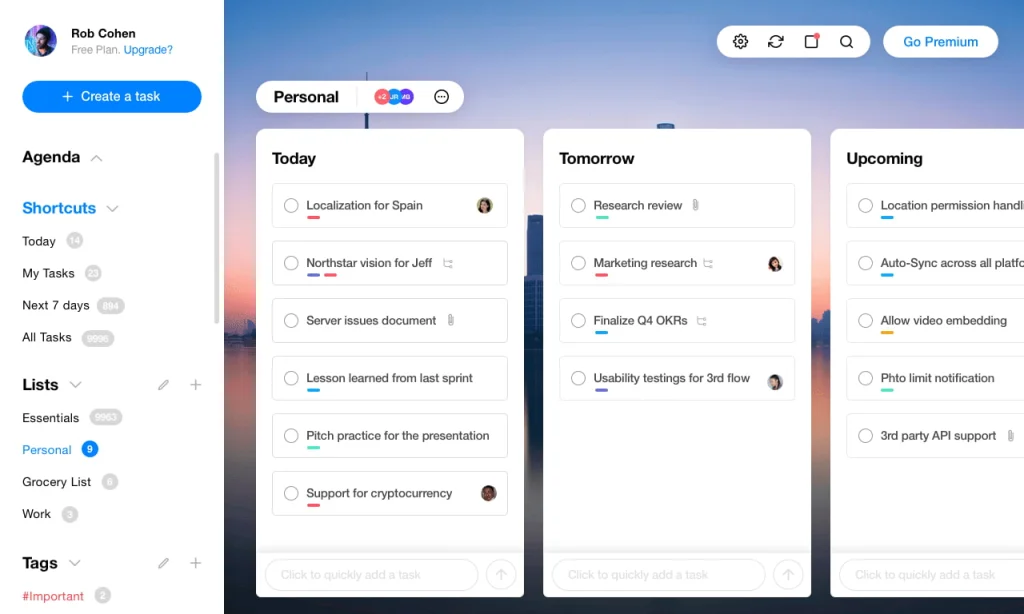
Any.do is a planning app that combines a task list, calendar, reminders and a Daily Planner on a single platform. The tool suits anyone who wants to manage both personal work and their daily routine without constantly switching between a To-do List app and a Calendar.
Unlike task organization apps that focus only on creating task lists, Any.do lets users track tasks alongside their calendar. As a result, you not only know what you need to get done but can also identify the right time to do each task.
Any.do offers plans for individuals, families and teams, so it covers more ground than a typical reminder app. Individual users can use Any.do to manage daily tasks, while small teams can take advantage of Workspace to divide and track shared work.
If you are looking for a work scheduling app with a relatively easy-to-use interface and want to combine tasks, reminders and Calendar in a single app, Any.do is worth considering.
Key features:
- Tasks & Lists: Users can create tasks and split them into different lists such as work, personal, study or projects. This organization keeps tasks from getting mixed up as their number grows.
- Reminder: Lets you set time-based reminders to avoid forgetting deadlines or tasks that need to be handled at a specific moment.
- Calendar: Any.do combines tasks and calendar in a single interface, so users can track their to-dos while also checking appointments or plans already scheduled.
- Daily Planner: Helps users choose and arrange the tasks to prioritize for the day. This is a useful feature for people with many tasks who want to focus on a few important ones first.
- Recurring Tasks: Lets you set up recurring work such as weekly reports, bill payments, workout schedules or other regular activities. This feature is available in the Premium plan according to current information.
- AI features: Some AI capabilities are integrated into the Premium plan to support planning and handling work.
- Workspace: Supports collaboration and team work management, helping Any.do expand from a personal work scheduling app into a tool for small teams.
Pros:
- Combines a To-do List and Calendar in a single app, ideal for people who want to manage both their tasks and when to do them.
- The Daily Planner helps users focus on the important tasks of the day rather than just creating one long task list.
- Has versions for individuals, families and teams, making it more flexible than many task management apps that focus on a single user group.
- Supports syncing across multiple devices, convenient when you need to check or update work on both phone and computer.
- Has reminders and recurring tasks, well suited to people who regularly have recurring tasks.
- A relatively intuitive interface that does not require users to set up a complex project management system from the start.
- Well suited to people who want a personal task management app with more functionality than Google Keep, but one that is still more approachable than large project management platforms.
Cons:
- Some useful features such as recurring tasks and AI require upgrading to a paid plan.
- Its enterprise project management is not as in-depth as ClickUp, Asana or monday.com.
- Not a standout choice if a business needs to track workload, dependencies or complex project reporting.
- People who only need a very simple checklist may find Google Keep or Microsoft To Do easier to use.
- For large teams, Any.do’s Workspace may not fully meet in-depth management needs the way task management software built specifically for businesses does.
Best for: Individual users, freelancers, families or small teams who want to combine task management, reminders and Calendar in one app. Any.do is especially well suited to people who want to build a daily work calendar app but do not yet need an overly complex project management system.
Pricing:
- Personal: Free.
- Premium: From USD 4.99/month when billed annually.
- Family: Around USD 8.33/month, supporting up to 4 members.
- Teams: From USD 4.99/member/month when billed annually.
Website: https://www.any.do/
5. Todoist – Task and deadline management app for individuals and teams
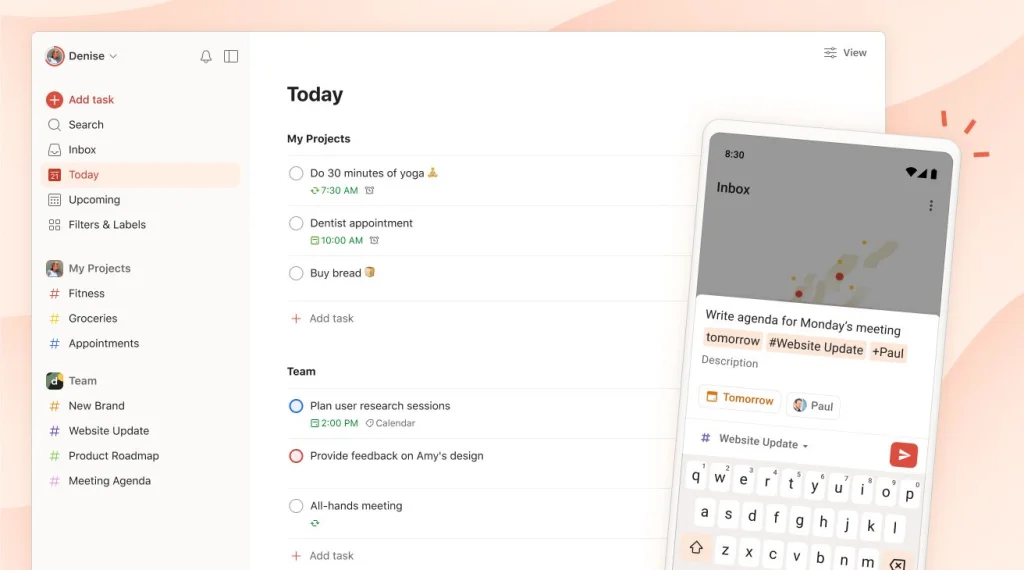
Todoist is one of those task management apps built around creating tasks, tracking deadlines and organizing work by project. It suits both individual users and small teams that want a clear work management system without spending too much time on setup.
Todoist’s real strength is its ability to break large jobs into smaller pieces. You can create a task, add subtasks, set a priority level and assign a deadline, so it’s easy to see what needs to be done first.
Compared with Microsoft To Do or Google Tasks, Todoist offers far more options for organizing projects and managing tasks. Even so, its interface stays relatively clean and more approachable than fully featured work management software such as ClickUp.
That makes Todoist a good fit for anyone looking for a task organizer app powerful enough to handle multiple projects and deadlines while keeping the workflow simple.
Key features:
- Tasks and subtasks: You can split a large job into several smaller steps. For example, the task “Publish an SEO article” can be broken into keyword research, writing, QC, image design and publishing.
- Priority: Todoist lets you set a priority level for each task, so you can quickly identify what needs to happen first.
- Reminder: Set reminders so you don’t miss important tasks or deadlines.
- Recurring Tasks: Tasks that repeat on a schedule can be set to recur, which works well for weekly reports, metric checks, meeting schedules or routine personal chores.
- List and Board: You can manage work as a list or a Board, whichever fits the way a given project is organized.
- Calendar: The Pro plan adds a Calendar layout and task durations, letting you combine task management with schedule planning.
- Team Workspace: The Business plan provides a shared workspace for teams and supports a larger number of team projects.
Pros:
- Fast task entry, ideal for people who regularly need to capture work the moment it comes up.
- The task and subtask system helps break big jobs into steps that are easier to keep under control.
- Clear deadline and priority management, well suited to people juggling many tasks at once.
- Supports recurring tasks, useful for work that repeats daily, weekly or monthly.
- Works for both individuals and small teams without having to build an overly complex workflow.
- List and Board give you more ways to view your work than a basic To-do List.
- A Calendar on the right plan lets Todoist partly meet the needs of anyone looking for a work schedule planning app.
- A relatively easy learning curve, ideal for people moving from a simple reminder app to a fuller task management system.
Cons:
- The free plan currently limits the number of personal projects, so anyone managing many groups of work may need to upgrade.
- Some advanced Calendar and team management features require a paid plan.
- Resource management, Portfolio and project reporting are not as in-depth as in Asana or ClickUp.
- Not the best choice for enterprises that need complex workflows across multiple departments.
- For anyone who just needs to jot down a few tasks a day, Todoist may offer more features than Google Tasks or Microsoft To Do.
Best for: Office workers, freelancers, content and marketing professionals, and anyone managing multiple deadlines or a small team who wants an easy-to-use task management app that can still break work into projects and track tasks clearly.
Pricing:
- Beginner: Free.
- Pro: From USD 5/user/month when billed annually.
- Business: From USD 8/user/month when billed annually.
Website: https://www.todoist.com/
6. TickTick – Goal-setting and personal time management app
TickTick is a goal-setting app that combines task management, a calendar, habits and focus methods in a single application. It suits people who want more than a place to note their to-dos, and who also want to build habits and manage their personal time more systematically.
What sets TickTick apart from many other task organizer apps is its integration of productivity tools such as Pomodoro, Habit Tracker and the Eisenhower Matrix. As a result, the app supports users from defining what needs to be done to ranking each item’s importance and staying focused while carrying it out.
For example, you can create the goal “Study English every day,” add it to Habit Tracker to monitor how consistently you keep it up, then use Pomodoro to stay focused during each study session. TickTick can therefore be used at once as a goal tracking app, a task management app and a time management tool.
It’s a good choice for anyone who wants a fairly complete personal productivity app but doesn’t yet need HR or enterprise project management features.
Key features:
- Tasks and recurring tasks: You can create a one-off task or set up recurring tasks for activities that need to be done regularly.
- Priority levels: Helps you decide which task to tackle first before your to-do list grows too long.
- Habit Tracker: Lets you track habits you want to maintain, such as exercising, learning a language, reading or other personal goals.
- Pomodoro: Built-in work sessions of focus and short breaks help you cut down on distractions while working through a task.
- Eisenhower Matrix: Helps you sort work by importance and urgency so you can set priorities more sensibly.
- Calendar: Calendar views let you see tasks over time and support the process of schedule planning.
- Cross-platform sync: Your tasks and data can be tracked across multiple devices.
According to its documentation, the free plan currently supports up to 9 lists and 99 tasks per list. The Premium version raises the limit to 299 lists and 999 tasks per list.
Pros:
- Combines task management, Calendar, Habit Tracker and Pomodoro in one app, reducing the need to use several separate productivity tools.
- Habit Tracker clearly sets it apart from task management apps that focus mainly on deadlines and projects.
- Works well as a goal tracking app for personal goals you need to sustain over the long term.
- The Eisenhower Matrix helps sort tasks by importance and urgency rather than by deadline alone.
- Pomodoro is built directly into the app, convenient for anyone who works in focused sessions.
- A Calendar lets you pair task management with your schedule, ideal for people who want to be more proactive about planning their work schedule.
- A free version whose limits are generous enough for many basic personal work management needs.
Cons:
- Some Calendar views and advanced features are only available in the Premium version.
- TickTick is stronger at personal productivity than team management, so it isn’t as good a fit as Asana, ClickUp or monday.com when you need to manage a large team.
- It doesn’t focus on performance reporting, resource management or project Portfolios.
- Anyone who only needs a basic reminder app may not use all of its features, such as Habit Tracker, Pomodoro or the Eisenhower Matrix.
- For enterprises that need to build shared workflows across multiple departments, TickTick isn’t the most specialized choice.
Best for: Individual users, students, freelancers, office workers, and anyone who wants to combine task management with building habits, tracking goals and the Pomodoro method.
Pricing:
- A free plan is available.
- The free plan supports up to 9 lists and 99 tasks per list.
- TickTick Premium: Around USD 49.99/year, roughly USD 4.17/month.
- Premium raises the limit to up to 299 lists and 999 tasks per list.
Website: https://ticktick.com/
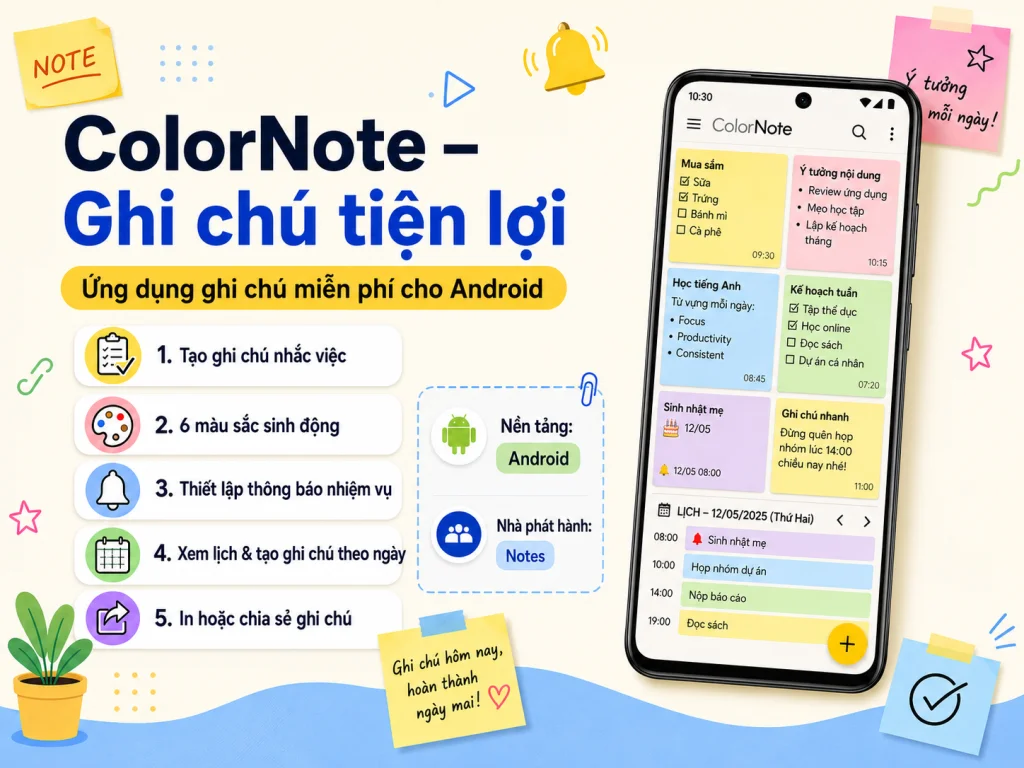
7. ColorNote – A lightweight, easy-to-use task organizer app
ColorNote is a note-taking and checklist app built around simplicity, suited to individual users who need to quickly jot down tasks, create to-do lists or set reminders without using a complex project management system.
ColorNote’s defining feature is the way it organizes content by color. You can create a range of notes, then use a color for each one to distinguish work, study, personal errands or content that needs priority. This approach makes it more intuitive to find and recognize groups of tasks.
If your main need is a simple personal task organizer app, ColorNote can be more approachable than platforms like ClickUp, Asana or monday.com. You don’t have to create a Workspace, a Project or build a workflow; you can start with a checklist the moment you open the app.
Beyond note-taking, ColorNote also supports reminders, a Calendar and sticky notes. As a result, it handles the basics fairly well, such as jotting down the day’s tasks, marking them complete and reminding you when it’s time to act.
Key features:
- Text notes and checklists: You can create a regular note or a to-do list. With a checklist, each item can be checked off once it’s done, which works well for everyday personal tasks.
- Color-coded notes: Each group of notes can use a different color, helping you quickly tell work, study, personal errands or priority levels apart.
- Reminders: ColorNote supports reminders for each note, helping you avoid forgetting tasks that need to be done at a specific time.
- Sticky notes on the home screen: You can pin important notes to your screen so they’re easy to see without opening the app repeatedly.
- Tracking notes with Calendar: Notes can be viewed by calendar, helping you manage tasks that have a specific due date.
- Password-locked notes: Certain personal content can be protected with a password for added privacy.
- Data backup: Supports backing up your data on the device or online, helping prevent the loss of important notes.
- Keyword search: As your number of notes grows, you can find content again through the search function.
Pros:
- A simple interface, ideal for people who don’t want to spend much time getting used to a new task management app.
- Color-coding makes it more intuitive to recognize each group of notes than a To-do List that only shows text.
- Checklists, reminders and a Calendar in a single app cover basic personal work management needs fairly fully.
- Sticky notes keep important tasks on your screen at all times, ideal for people who often forget to check the app.
- Password-locked notes come in handy when you store personal content or information you don’t want others to see.
- Works well for quick capture, making checklists and managing small tasks throughout the day.
- Can be used as a lightweight reminder app without building a project management system.
Cons:
- Not suitable for managing projects with many members or multiple phases.
- Lacks HR management features such as assigning work, setting permissions, tracking workload or reporting on progress.
- More limited collaboration than professional work management software built for teams.
- No Gantt Chart, Dashboard or in-depth project visualization tools.
- As the number of tasks and projects grows, a note- and checklist-based approach can become hard to keep under control.
- Not a fitting choice for enterprises that need to build a shared work planning software across multiple departments.
Best for: Individual users, students and office workers who need a simple tool to take notes, create checklists, set reminders and manage small tasks throughout the day.
Pricing:
- ColorNote is offered free of charge.
- Suited to people who want a basic task organizer app without paying for advanced project management features.
Website: https://www.colornote.com/
>>> See also:
- 6 principles of UI/UX-compliant mobile app interface design
- Top 9 free mobile app design tools
- A complete guide to building Android/iOS apps from A to Z
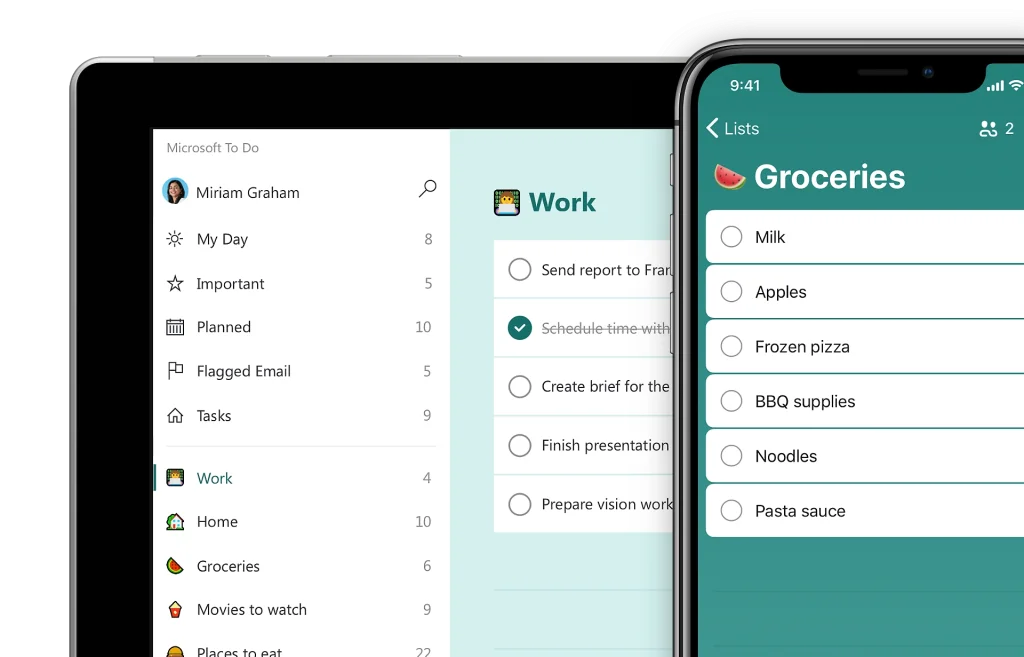
8. Microsoft To Do – Free Desktop Task Planning Software
Microsoft To Do is Microsoft’s personal task management app, especially well suited to people already using Outlook or other tools in the Microsoft 365 ecosystem.
You can use Microsoft To Do as a desktop task planning tool while syncing your task lists across Windows, macOS, iOS, Android, and the web. That makes it a good fit for anyone who regularly switches between a work computer and a phone but still wants to follow the same to-do list.
One of the standout features of Microsoft To Do is My Day. Instead of showing every outstanding task, My Day lets you pick out the ones you want to focus on completing today. This approach keeps your task list far more manageable, especially for people who often have a lot of tasks but aren’t sure which to tackle first.
Microsoft To Do also has a major advantage when paired with Outlook. Email-related tasks can be managed more conveniently within the same ecosystem, which suits office workers who frequently receive assignments by email.
Key features:
- My Day: Lets you choose and focus on the tasks that need to be done today. It’s a way to reduce the feeling of being overwhelmed when your overall list has too many tasks.
- Due Date and Reminder: Each task can be given a deadline and a reminder time, helping you avoid missing important items.
- Steps: A large task can be broken down into smaller steps to make the process clearer. For example, the task “Prepare the monthly report” can be split into gathering data, analyzing, writing the report, and reviewing.
- Importance: You can flag important tasks so they get prioritized first.
- Shared Lists: Lets you share a list with others, which suits some simple collaboration needs or managing a shared to-do list.
- Outlook Integration: Microsoft To Do syncs with Outlook, making task management more convenient for people who work primarily through email.
- Cross-platform sync: You can access your task lists on the web, desktop, and phone.
- Handling large numbers of tasks: According to Microsoft’s current documentation, Microsoft To Do does not limit the number of tasks per list.
Pros:
- A perfect fit for anyone using Outlook or Microsoft 365 thanks to its connectivity within the same ecosystem.
- My Day sets it apart from many basic task management apps by helping you single out the tasks to focus on for the day.
- Steps lets you break large tasks into smaller steps without building a complex project system.
- A simple interface, suitable even for newcomers to task organization apps.
- Deadlines, reminders, and importance levels cover most personal task management needs.
- Versions available for multiple platforms, convenient for people working on both phone and computer.
- Can be used as a free desktop task planning tool without having to buy a separate task management tool.
Cons:
- It focuses mainly on personal task management, so it lacks an in-depth project management system.
- Progress reporting and workload management are still limited compared with ClickUp, Asana, or monday.com.
- Shared Lists suit basic collaboration but aren’t enough for businesses that need permission controls and tracking across many employees.
- It isn’t strong on Gantt Chart, Portfolio, or dependencies between tasks.
- For a business that needs a work management platform to run many departments and projects at once, Microsoft To Do may be too simple.
- Workflow customization isn’t as extensive as Notion or ClickUp.
Best for: Office workers, Microsoft 365 users, people who frequently work with Outlook, or individuals who want a free tool to manage tasks, deadlines, and the day’s priorities.
Pricing:
- Microsoft To Do is offered free of charge.
- Available on web, Windows, iOS, and Android.
- You can use the app to manage personal tasks without buying a separate work management software plan.
Website: https://to-do.office.com/
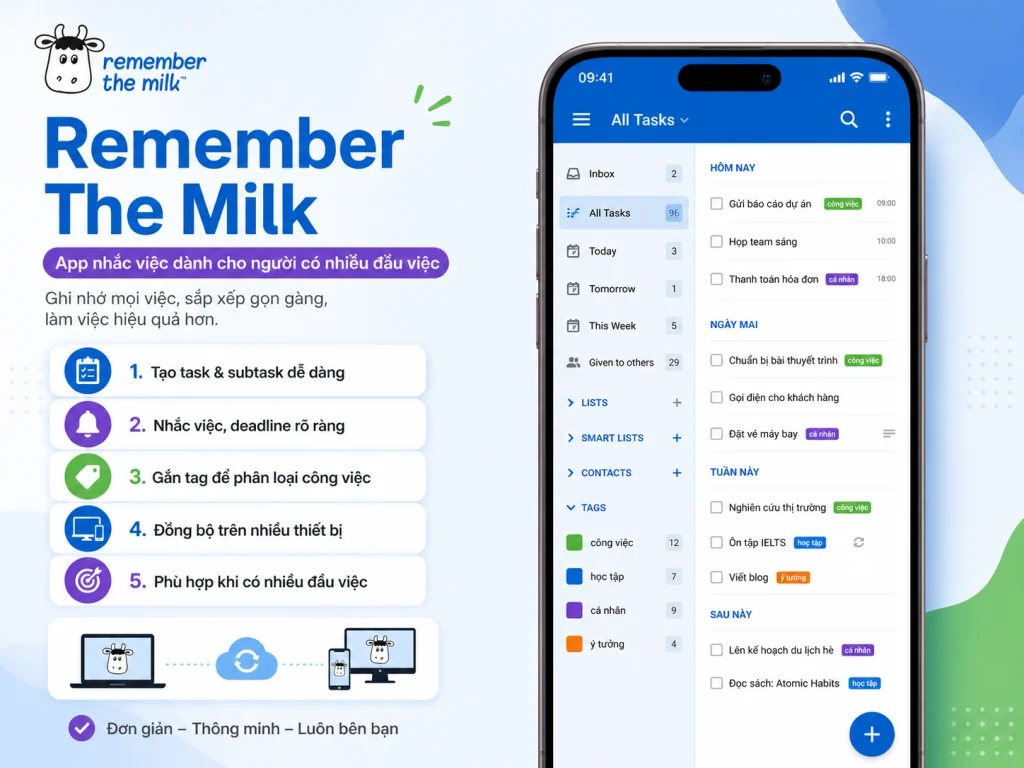
9. Remember The Milk – A Reminder App for People With Many Tasks
Remember The Milk is a long-established reminder app focused on managing tasks, deadlines, and personal to-do lists. It suits people who regularly have many small tasks to capture, categorize, and handle at different times.
Compared with simple checklist apps, Remember The Milk offers more ways to organize tasks. You can use tags, subtasks, or various sorting options to classify work by project, priority, or different activity groups.
What sets Remember The Milk apart is its ability to connect with many other services such as Microsoft Outlook, Dropbox, Google Drive, Zapier, and IFTTT. This makes the app a good fit for anyone who wants to bring tasks from many different tools into one central management system.
In its current version, the platform also extends into automation through MilkScript and connects to AI assistants via MCP on the appropriate plan. As a result, Remember The Milk goes beyond the role of a traditional reminder app and moves toward automating some task management operations.
Key features:
- Create tasks and subtasks: You can record the work you need to get done and break large tasks into smaller steps to track them more easily.
- Reminder: Set reminders on your device to avoid forgetting deadlines or tasks that need to be done at a specific time.
- Tag: Lets you label each task, helping you categorize work by project, context, or content group.
- Share lists: Some lists can be shared with others when you need to collaborate or manage shared work.
- Advanced sorting and grouping of tasks: Supports many ways to organize tasks, ideal for people with a large volume of items who need to find work again quickly.
- Microsoft Outlook sync: Convenient for people who regularly receive and manage work through Outlook.
- Dropbox and Google Drive connectivity: Helps link tasks to document sources stored on other platforms.
- Zapier and IFTTT integration: Lets you connect Remember The Milk with many other tools to build automation flows.
- AI connectivity via MCP: The Pro plan now supports connecting to AI assistants through MCP.
- MilkScript: Supports automating certain actions during task management.
Pros:
- A strong focus on tasks and reminders, suited to people with many small items to manage each day.
- The tag system and sorting options help you classify large volumes of tasks more flexibly than basic checklists.
- You can break work into subtasks to keep track of multi-step tasks.
- Integrates with Outlook, Dropbox, and Google Drive, convenient for people working across multiple platforms.
- Supports Zapier and IFTTT, an advantage for anyone who wants to automate some task management processes.
- AI connectivity via MCP and MilkScript sets it apart from many traditional reminder apps.
- Works on web, desktop, and mobile, so you can follow your work across multiple devices.
Cons:
- The interface and approach may not feel as modern as Todoist, TickTick, or some newer task organization apps.
- The advanced features are mostly concentrated in the Pro plan.
- Team administration isn’t as in-depth as ClickUp, Asana, or monday.com.
- Not a top choice if a business needs to manage workload, Portfolio, or many projects with complex dependencies.
- Users who only need a simple checklist and reminder may not make full use of the integration and automation capabilities.
- Having so many task organization options may take more getting used to than Google Tasks or Microsoft To Do.
Best for: Individual users with many tasks and deadlines, people who frequently work with Outlook, or anyone who wants to combine a reminder app with advanced integration and automation capabilities.
Pricing:
- Basic: A free version is available.
- Pro: Around USD 49.99/year.
- Advanced features such as connecting AI assistants via MCP are mainly provided in the Pro plan.
Website: https://www.rememberthemilk.com/
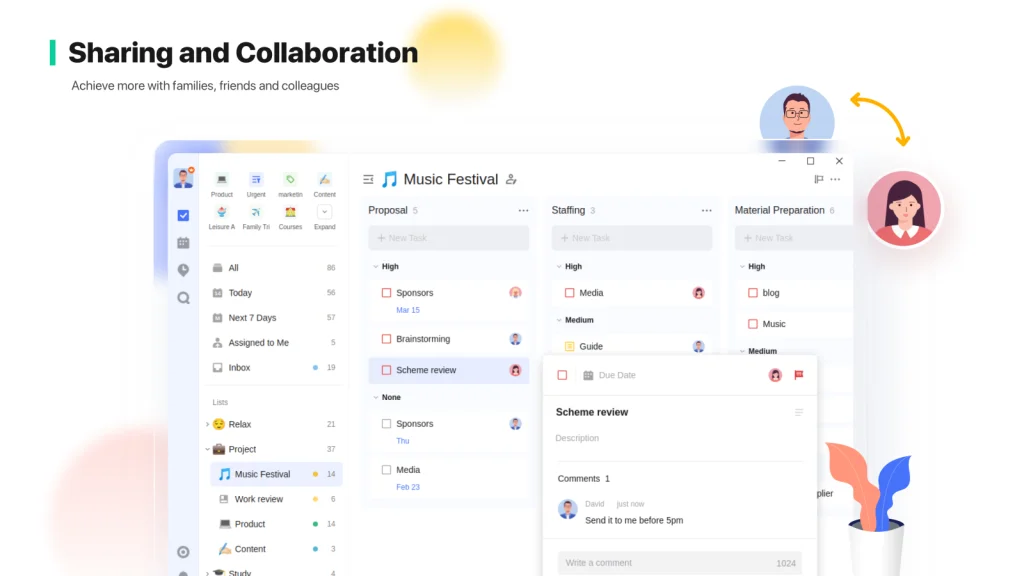
10. Trello – A Visual Work Planning Tool Based on Kanban
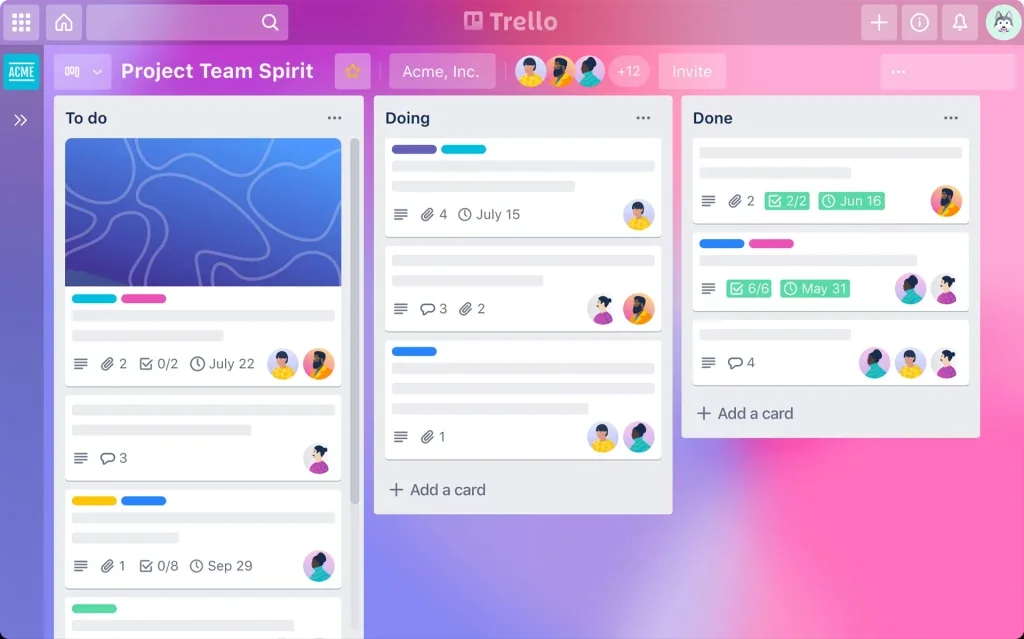
Trello is a work planning tool known for its Kanban method, in which work is organized into Boards, Lists, and Cards. This display helps you see the entire project’s progress visually, instead of tracking a long, hard-to-manage task list.
For example, a Content team might create columns such as “Ideas,” “Writing,” “In Review,” and “Published.” Each article is turned into a Card and moved through the corresponding stages. By simply looking at the Board, the whole team can see where each task stands and who owns it.
This is why Trello is especially well suited to Marketing, Content, or Design teams, or businesses with a relatively clear workflow. Compared with many work management software tools that have complex structures, Trello is usually easier to roll out for small teams because its drag-and-drop approach is highly intuitive.
Beyond Kanban, Trello also offers Planner, Automation, Custom Fields, and many advanced views on the appropriate plans. As a result, the tool isn’t just for managing tasks; it can also support work planning and tracking project progress from many different angles.
Key features:
- Board, List, and Card: Each project can be built as a Board, then divided into multiple Lists corresponding to each work stage. A Card represents each task and can be moved between Lists as its status changes.
- Assigning tasks: A manager can add members to each Card to clearly define who is responsible for the work.
- Setting deadlines: Each Card can be given a completion deadline, helping the team keep track of tasks that are coming due.
- Checklists within a Card: A large task can be broken into smaller steps right inside the Card, ideal for tasks with many items to complete.
- Custom Fields: Lets you add information fields such as priority level, work type, budget, or custom data based on each team’s needs.
- Automation: Supports automating certain repetitive actions in a workflow, reducing manual updates when a task’s status changes.
- Power-Ups and integrations: Trello can connect with many other apps to expand its project management capabilities.
- Planner: Supports allocating time to Cards, helping you combine task management with work schedule planning.
- Multiple views: The Premium plan supports Calendar, Timeline, Table, Dashboard, and Map, helping the team view the same data in many different ways.
According to current documentation, Trello’s Free plan supports up to 10 collaborators and 10 Boards per Workspace, with no limit on the number of Cards.
Pros:
- A visual Kanban approach that makes it easy to see which stage each task is in.
- An easy-to-learn drag-and-drop interface, ideal for teams that have never used work planning management software before.
- Well suited to processes with many statuses, such as Content Production, recruitment, Design, or handling internal requests.
- Checklists inside a Card help break a large task into smaller steps without making the Board too complex.
- Automation helps reduce manual updates in repetitive workflows.
- The Power-Ups and integrations system lets Trello scale to each team’s needs.
- The free plan is fairly useful for individuals or small teams who want to trial a work management platform before upgrading.
- The Calendar, Timeline, and Dashboard modes on higher plans help Trello expand from Kanban to many other planning needs.
Cons:
- When a project has too many Cards and statuses, the Board can become long and hard to read.
- Not the optimal choice for projects with many complex dependencies between tasks.
- Advanced views such as Timeline, Dashboard, or Map require the appropriate plan.
- Resource and workload management isn’t as in-depth as ClickUp or Asana.
- For large enterprises that need to manage many interconnected projects, Trello may be simpler than actual requirements demand.
- Board-based management is especially effective for sequential workflows but may be less suitable for projects that require in-depth data management and reporting.
Best for: Marketing, Content, and Design teams, agencies, operations teams, or small businesses that need a visual planning tool based on Kanban and want to track work status on an easy-to-read interface.
Pricing:
- Free: USD 0.
- Standard: Around USD 5/user/month when billed annually.
- Premium: Around USD 10/user/month.
- Enterprise: From around USD 17.50/user/month when billed annually.
Website: https://trello.com/
11. Evernote – A note-taking app combined with task management
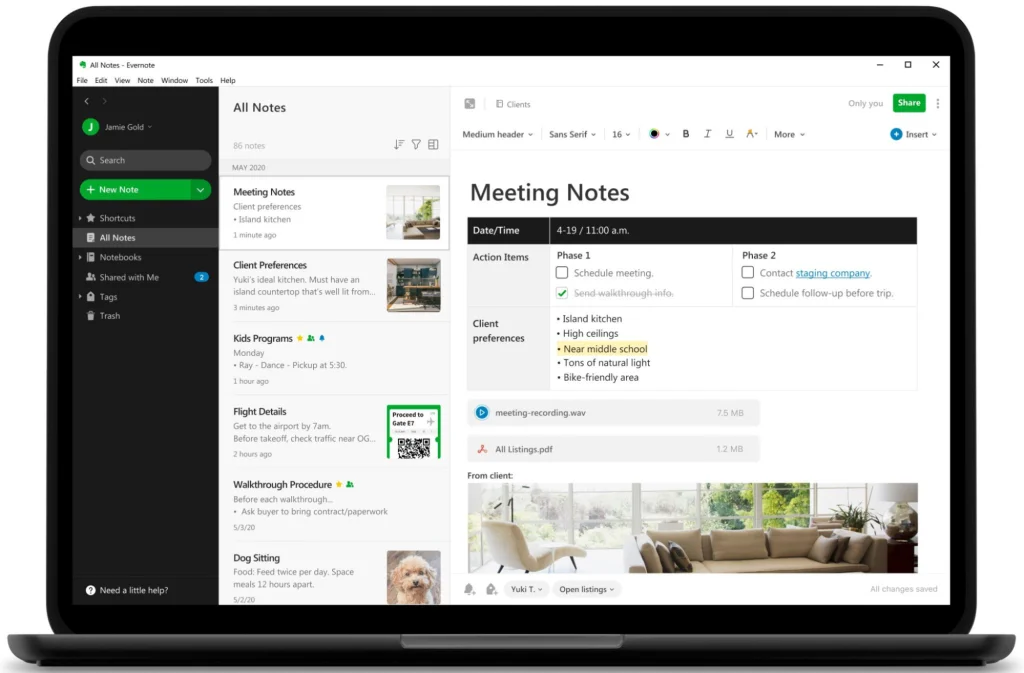
Evernote is an app focused on managing notes, documents and information, while also integrating task and Calendar features. The tool is a good fit for people who have a lot of documents to store but still want to manage the related tasks within the same system.
Unlike work organization apps that revolve mainly around task lists, Evernote puts notes at the center. Users can create research content, save reference materials or compile project information, and then create tasks right inside that note.
For example, when planning a Marketing campaign, a user can save the brief, research links, reference images and meeting notes in a single Note, while also adding the tasks that need to be done. As a result, the work and its supporting information are not scattered across multiple platforms.
This approach makes Evernote well suited to Content creators, researchers, Freelancers or office workers who need a task management app that stays tightly linked to documents and notes rather than a traditional project management system.
According to current documentation, Evernote changed its plan structure in 2026, with the former Personal and Professional plans being replaced by Starter and Advanced.
Key features:
- Create and manage notes: Users can save content, ideas, documents or project information into notes and Notebooks.
- Create tasks within notes: Tasks can be created directly inside the relevant content, so users know exactly which document or project a task is tied to.
- Set dates and reminders: Tasks can be given a time and a reminder, helping users track work with deadlines.
- Calendar: Evernote offers a Calendar feature to combine scheduling with the notes and task system.
- Connect Google Calendar and Microsoft Calendar: This lets users link external work calendars with the content they are managing in Evernote.
- Web Clipper: Lets you save content from websites into Evernote, useful for people who frequently research and collect materials online.
- Search within documents and images: Helps you find saved information again as the number of notes grows larger.
- AI features: Paid plans add a number of AI features that help users work with content and information.
Pros:
- Its standout strength lies in document and note management, making it a good fit for people who rely heavily on information and research.
- You can create tasks right inside a note, so each task always comes with the context and documents needed to complete it.
- Web Clipper is useful for people who often save articles, reference materials or information from websites.
- Strong search capabilities make it easy for users to retrieve data saved over a long period.
- Combines notes, tasks and Calendar on the same platform, reducing the need to constantly switch between a note-taking app and a task management app.
- Syncs across multiple platforms, suitable for people who regularly work on several devices.
- Well suited to building a personal knowledge base alongside work planning.
Cons:
- Not the most efficient choice if you only need a simple To-do List to jot down a few tasks for the day.
- The free plan currently has many limits on the number of notes, Notebooks and devices.
- Its project, workflow and team management capabilities are not as advanced as ClickUp, Asana or monday.com.
- It does not focus on Workload, Portfolio or tracking team resources.
- Newcomers may need time to develop a sensible way of organizing Notebooks and notes when storing large amounts of information.
- For a business that simply needs an app to schedule work for employees and track progress, Evernote is often not the most suitable choice.
Best for: Content creators, researchers, Freelancers, students, office workers or anyone who needs to manage documents, notes and tasks on the same platform.
Pricing:
- Free: Supports up to 50 notes, 1 Notebook and 1 device according to the documentation.
- Starter: Around USD 99/year or USD 14.99/month.
- Advanced: Around USD 249.99/year or USD 24.99/month.
Website: https://evernote.com/
12. Google Tasks – A task management app within the Google ecosystem
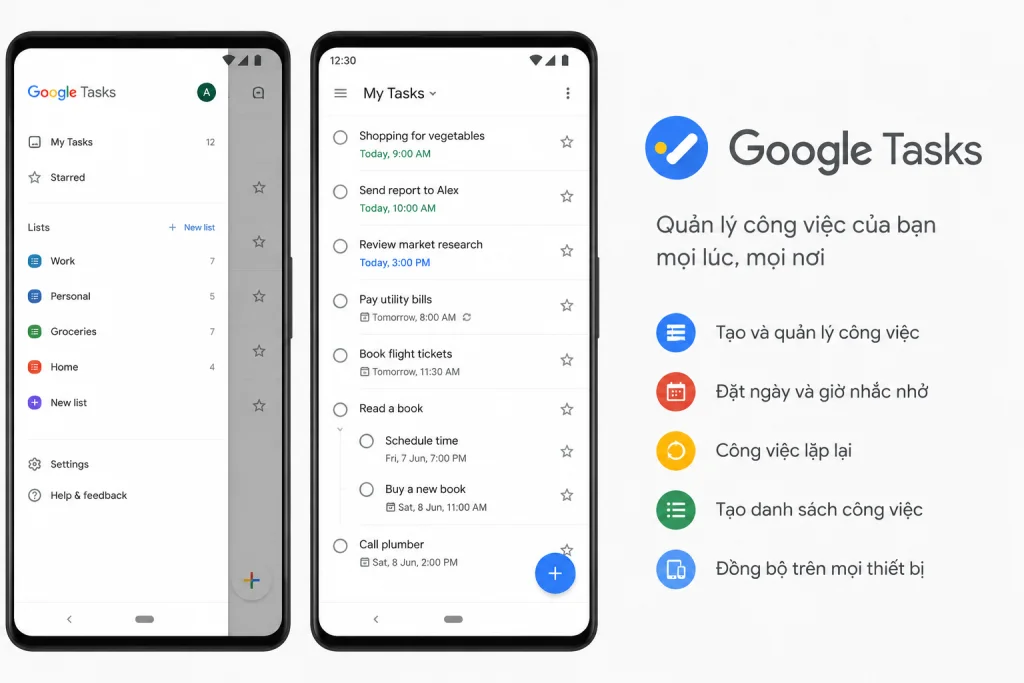
Google Tasks is Google’s task management app, well suited to people who regularly use Gmail and Google Calendar and want to manage personal tasks without setting up a complex project management system.
While Google Keep leans toward notes and checklists, Google Tasks focuses more directly on tasks. Users can create tasks, add descriptions, break them into subtasks and set a date or time to work on them. Tasks with a specific date can also appear on Google Calendar so users can track them alongside their work schedule.
One notable advantage of Google Tasks is the ability to turn Gmail emails into tasks. For office workers who frequently receive work requests by email, this feature helps prevent reading an email and then forgetting to act on it later.
Thanks to its deep integration with Google products, Google Tasks suits people who want a task management app that is lightweight, free and works well with the tools they already use every day.
If your needs revolve solely around managing personal tasks, deadlines and recurring work, Google Tasks is usually easier to use than work management software built for businesses.
Key features:
- Create tasks: Users can quickly create a task and add a description to note the information needed to complete it.
- Subtask: A large task can be broken into several smaller ones, making multi-step work easier to track.
- Set date and time: Tasks can be given a time or a deadline so users know exactly when they need to be handled.
- Recurring tasks: Supports recurring work such as weekly reports, data checks, studying or routine personal tasks.
- Display on Google Calendar: Tasks with a specific date can appear on the Calendar, helping users combine a To-do List with schedule planning.
- Turn Gmail into tasks: Emails that need handling can be added to Google Tasks and tracked as a task, especially useful for people who receive a lot of work through Gmail.
- Sync across multiple devices: Tasks are saved to your Google account and can be accessed on multiple devices.
According to the documentation, Google currently supports up to 100,000 tasks across all lists and up to 20,000 incomplete tasks in a single list.
Pros:
- Integrates directly with Gmail and Google Calendar, a major advantage for people already working within the Google ecosystem.
- Can turn emails into tasks, helping avoid overlooking work that arises from the inbox.
- A very simple interface, suitable even for people who have never used a work organization app.
- Supports subtasks to break a large task into smaller steps without creating a complex project.
- Dated tasks are pushed to Google Calendar, helping combine task management with work schedule planning.
- Supports recurring tasks for work that happens on a regular basis.
- Free with a Google account, making it suitable for people who do not want to pay for a separate reminder app or To-do List.
- Syncing within the Google ecosystem makes managing work on phone and computer fairly convenient.
Cons:
- Fewer project management features than Todoist, Trello, ClickUp or Asana.
- No Dashboard or in-depth progress reporting system.
- Not suitable for businesses that need to assign work and track the performance of many employees.
- Limited workflow customization, focusing mainly on tasks and subtasks.
- No resource management, Portfolio or Workload tools for businesses.
- If you need to manage many projects with different statuses, Google Tasks may become too simple.
- Better suited to managing personal work than building a shared work planning management software for an entire business.
Best for: Gmail and Google Calendar users, office workers, students or individuals who need a free task management app to track tasks, deadlines and daily to-dos.
Pricing:
- Google Tasks is free with a Google account.
- No need to purchase a separate app plan to use the basic task management features.
Website: https://tasks.google.com/
13. Motion – An AI-powered work scheduling app
Motion is a work scheduling app that uses AI to automatically slot tasks into your Calendar based on deadlines, priority and the free time you have available. Instead of just storing a to-do list, Motion focuses on solving a more important problem: when a task should actually be done.
What sets Motion apart from many traditional task management apps is its ability to automatically adjust your schedule. When a new meeting comes up, a deadline changes or a task is not completed as planned, the system can rearrange the remaining time slots instead of asking users to drag each task to another time themselves.
For example, if you have 5 tasks to finish in a day, instead of checking your Calendar and blocking out each time slot yourself, Motion can use the estimated duration, deadline and priority to suggest a schedule. This approach is especially well suited to people with many meetings, deadlines or a work schedule that frequently changes during the day.
In addition to AI Calendar, Motion also integrates task, project and meeting management, Time Tracking and a Dashboard. As a result, the tool has a broader scope than an ordinary work calendar app and can serve both individuals and teams.
Key features:
- AI Calendar: Automatically places tasks into suitable time slots on the Calendar based on deadlines, priority and available time.
- AI Task Planner: Helps plan and allocate the tasks that need to be done, reducing the time users spend on schedule planning each day.
- Task management: Users can create tasks, set deadlines and track work status all on the same platform.
- Project management: Motion not only handles personal tasks but also helps organize many pieces of work into projects.
- AI Project Manager: AI helps plan and manage certain aspects of a project, reducing the amount of manual work.
- Meeting scheduling: Helps find and manage meeting times alongside personal tasks.
- AI Meeting Notetaker: Can help capture and process information from meetings.
- Gantt Chart: The Business plan supports a Gantt Chart to track progress and the relationships between tasks over time.
- Time Tracking: Tracks the time spent on work, suitable for people who want to assess how they are allocating their time.
- Dashboard and reports: Provide an additional overview of work and progress.
- Cross-platform: Motion has apps on iOS, Android and desktop.
Pros:
- AI can automatically plan your work schedule instead of requiring users to place each task into the Calendar themselves.
- When the schedule changes, the system can readjust the plan, suitable for people whose schedules shift frequently.
- Combines Calendar, tasks and project management on one platform, reducing the need to switch between multiple apps.
- Suitable for people with many deadlines and meetings, especially when planning the schedule each day takes a lot of time.
- Includes Time Tracking and a Dashboard, helping users not only plan schedules but also track how their time is used.
- The Gantt Chart on the Business plan lets Motion support more complex projects than an ordinary work scheduling app.
- AI Project Manager and AI Meeting Notetaker set it apart from calendar apps that focus only on events and appointments.
- Can automate part of the planning process, suitable for people who often face a long To-do List but struggle to decide where to start.
Cons:
- Costs considerably more than personal work organization apps such as Todoist, TickTick or Microsoft To Do.
- May offer more features than needed if a user only has a few tasks and a relatively fixed work schedule.
- The way tasks are automatically placed into the Calendar may take time to get used to, especially for people accustomed to controlling their entire schedule.
- Some advanced project management features are on higher plans.
- If the main need is simply booking meetings or manual Time Blocking, Google Calendar may be a simpler and more economical choice.
- For businesses that need a highly advanced resource management or workflow system, it is still worth comparing Motion with work management software such as ClickUp or Asana.
Best for: Freelancers, managers, office workers, Founders or anyone with many meetings and deadlines who needs a work scheduling app that can automatically allocate time using AI.
Pricing:
- Pro AI: From around USD 19/user/month at the annual billing rate.
- Business AI: From around USD 29/user/month at the annual billing rate.
- Features and pricing may vary by subscription plan and over time.
Website: https://www.usemotion.com/
14. Notion – A versatile app for planning and managing work
Notion is a workspace that brings notes, documents, databases and project management together on a single platform. Rather than imposing a fixed management structure, Notion lets users build a system that fits their own needs, whether personal or business.
This is what sets Notion apart from many other work management apps. Users can turn the same platform into a personal To-do List, a Content Calendar, a simple CRM, an internal document library or a work planning tool for an entire team.
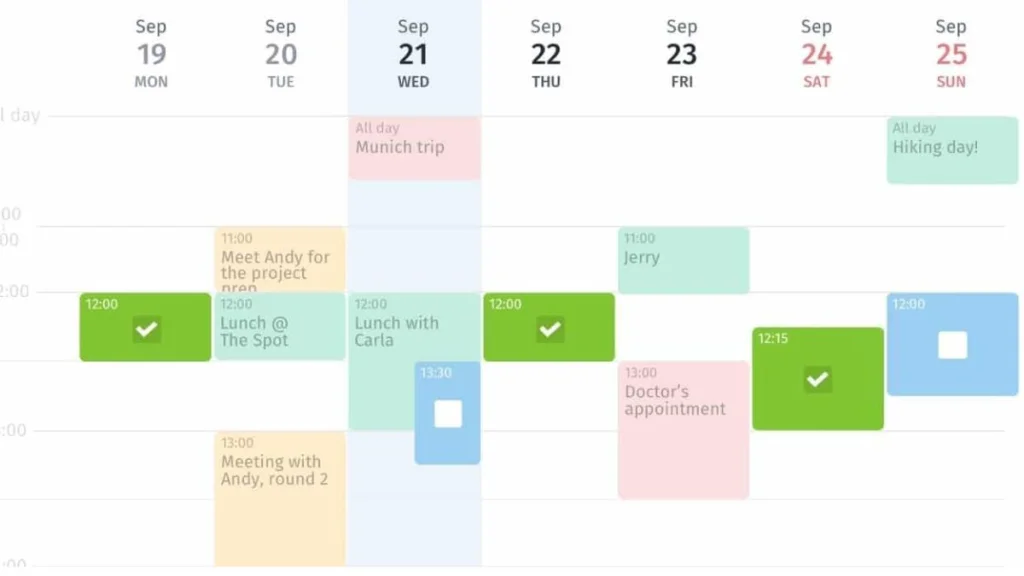
For example, a Content team can create a database containing article titles, owners, keywords, deadlines, statuses and post-publication URLs. That same data can be displayed as a Table to manage information, a Board to track status, or a Calendar to view the publishing schedule.
This capability makes Notion especially well suited to Marketing, Content, Product or any team that needs to manage work and store knowledge at the same time. Instead of using one app for tasks and another for internal documents, a business can consolidate both in a single workspace.
That said, this same high degree of customization is what makes Notion different from a ready-to-use work organization app. Users often need to invest time in designing databases, properties and views before the system truly fits their workflow.
Key features:
- Task management Database: Users can create a database to manage work across multiple fields such as owner, deadline, status, priority or department.
- Subtask and dependency: Supports breaking work into smaller pieces and expressing relationships between tasks in projects that involve many steps.
- Calendar: Tasks with specific dates can be displayed on a calendar, supporting schedule planning and deadline tracking.
- Timeline: Helps users view plans along a time axis, ideal for projects with multiple phases.
- Multiple View types: The same database can be shown in many different formats to serve each management need.
- Form: Allows information to be collected and fed directly into the system.
- Automation: Supports automating certain workflow actions to reduce manual updating.
- Wiki and documents: Businesses can build an internal knowledge base, SOPs, guides or project documentation right inside Notion.
- Notion AI: AI features that help process information and content within the workspace.
- AI Meeting Notes: Supports capturing and managing information related to meetings.
- Integrations: Can connect with Slack, Google Drive, GitHub, Asana and many other platforms.
Pros:
- Highly customizable, letting users build a work planning tool around their own processes instead of having to work within a fixed structure.
- Combines task management and documents on a single platform, particularly well suited to teams with a lot of knowledge to store.
- The same database can be displayed in many formats such as Table, Board, Calendar or Timeline, so everyone can follow work in the way that suits them.
- Fits a wide range of needs such as managing Content, Projects, CRM, internal documents or personal plans.
- Can be used by both individuals and businesses, from a simple planning app to a workspace managing multiple departments.
- A large template ecosystem lets users draw on existing setups and get started faster instead of building everything from scratch.
- Wiki and documents are a clear differentiator compared with task apps focused solely on deadlines.
- Integrations and Automation make Notion more flexible when brought into a business workflow.
Cons:
- Newcomers may need quite a bit of time to understand databases, properties, relations and the various ways to organize a workspace.
- It is not a tool that delivers full value the moment you open the app; it usually requires setting up the system first.
- Such extensive customization can sometimes lead users to build a workflow more complex than they actually need.
- If the database and workspace structure are not agreed on from the start, data can become fragmented or hard to find.
- Anyone who only needs a simple reminder app or personal checklist may find Notion more involved than Microsoft To Do or Google Tasks.
- For some in-depth project management needs, specialized tools such as ClickUp or Asana may offer a clearer structure out of the box.
Best for: Individuals, Freelancers, Content Teams, Marketing, Product, Startups or businesses that want to combine task management, documents and knowledge on a single, highly customizable work management platform.
Pricing:
- Free: USD 0.
- Plus: From around USD 10/user/month when billed annually.
- Business: From around USD 20/user/month.
- Enterprise: Custom pricing depending on business needs.
Website: https://www.notion.com/
>>> See also:
- What is an application? An overview of applications and software
- Top 9 free mobile app design tools
- See the cost of designing a mobile app if your business wants to build its own application
15. Sunsama – A schedule-planning app based on the Time Blocking method
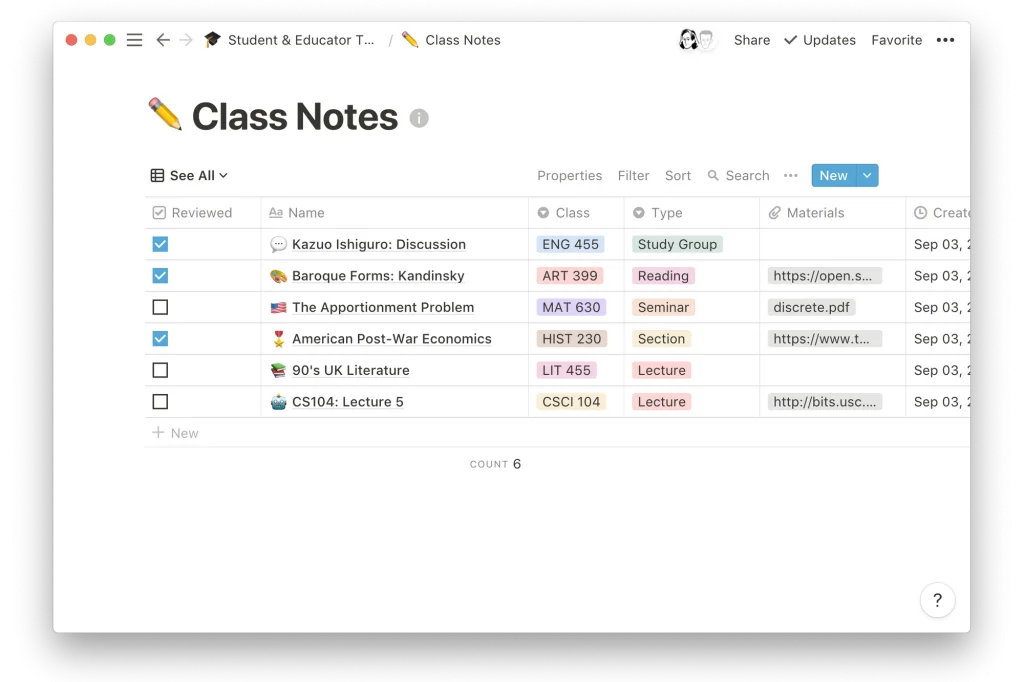
Sunsama is a Daily Planner app focused on helping users build a realistic plan for each day. Rather than simply creating a task list, Sunsama encourages users to place each task on the Calendar, estimate the time it will take and work through it in specific time slots.
What stands out about Sunsama is an approach quite different from traditional work organization apps. A To-do List might hold 20 tasks to complete, but that does not mean the user has enough time to do them all in a single day. Sunsama steers users toward assessing their actual time budget before choosing what to work on.
For example, if a day already includes 4 hours of meetings, Sunsama helps users see how much time is left before they keep adding more tasks to the plan. Estimating the duration of each task helps avoid building an overloaded schedule and then repeatedly pushing unfinished tasks to the next day.
As a result, Sunsama suits people who want to plan their schedule using the Time Blocking method and need a Daily Planner focused on the quality of each day’s plan rather than on managing hundreds of tasks or many complex projects. Another notable point is that Sunsama integrates with many work management tools such as Asana, ClickUp, Jira, Notion, Todoist and Trello. Users can pull tasks from the platforms they already use and bring them into their daily work schedule instead of migrating their entire system to Sunsama.
Key features:
- Daily Planning: Helps users choose the tasks they will work on that day and build a plan based on their actual time budget.
- Time Blocking: Tasks can be placed into specific time slots on the Calendar, so users know exactly when each piece of work is expected to be done.
- Calendar: Displays the schedule and tasks in a single view, convenient for assessing how much free time remains in the workday.
- Task management: Users can create and track the tasks they need to complete right inside Sunsama.
- Task duration tracking: Supports comparing the estimated time with the actual time spent on each task.
- AI planning assistance: Some AI capabilities support users in organizing their schedule and work.
- Multiple tool integrations: Can connect with Asana, ClickUp, Jira, Notion, Todoist, Trello, Google Calendar and many other apps.
Pros:
- Clearly focused on daily planning rather than trying to be an all-in-one work management tool.
- Time Blocking turns tasks in the To-do List into concrete windows of time for execution.
- Encourages users to estimate task duration before adding it to the plan, making the schedule more realistic.
- Can help avoid planning too much work in a day without enough time to complete it.
- Combines Calendar and tasks in a single view, making it well suited to people who want to organize their work schedule around their actual time budget.
- Integrates with many tools such as Asana, ClickUp, Jira, Notion, Todoist and Trello, suiting people who already have their own project management system.
- Instead of requiring users to move all their data into Sunsama, it lets them pull tasks from other platforms to plan their day.
- The interface and usage are geared toward focused work, suiting people who are often overwhelmed by long task lists.
Cons:
- No long-term free plan.
- The price is relatively high if users only need a simple To-do List or reminder app.
- Not focused on managing staff, resources or complex business workflows.
- Not a full replacement for ClickUp, Asana or Jira when large projects need to be managed.
- Its usage relies heavily on Time Blocking, so it may not suit people who do not want to plan each day in such detail.
- People with very simple schedules can achieve similar results using Google Calendar combined with a free task management app.
Best for: Freelancers, office workers, managers or anyone with many tasks who needs a schedule-planning app based on Time Blocking and wants to build a daily plan that closely matches their actual time budget.
Pricing:
- Pro: From around USD 20/month when billed annually.
- Billed monthly, the price is around USD 25/month.
- Includes a 14-day free trial.
- According to the documentation, the trial does not require a credit card.
Website: https://www.sunsama.com/
16. ClickUp – Comprehensive work management software for teams
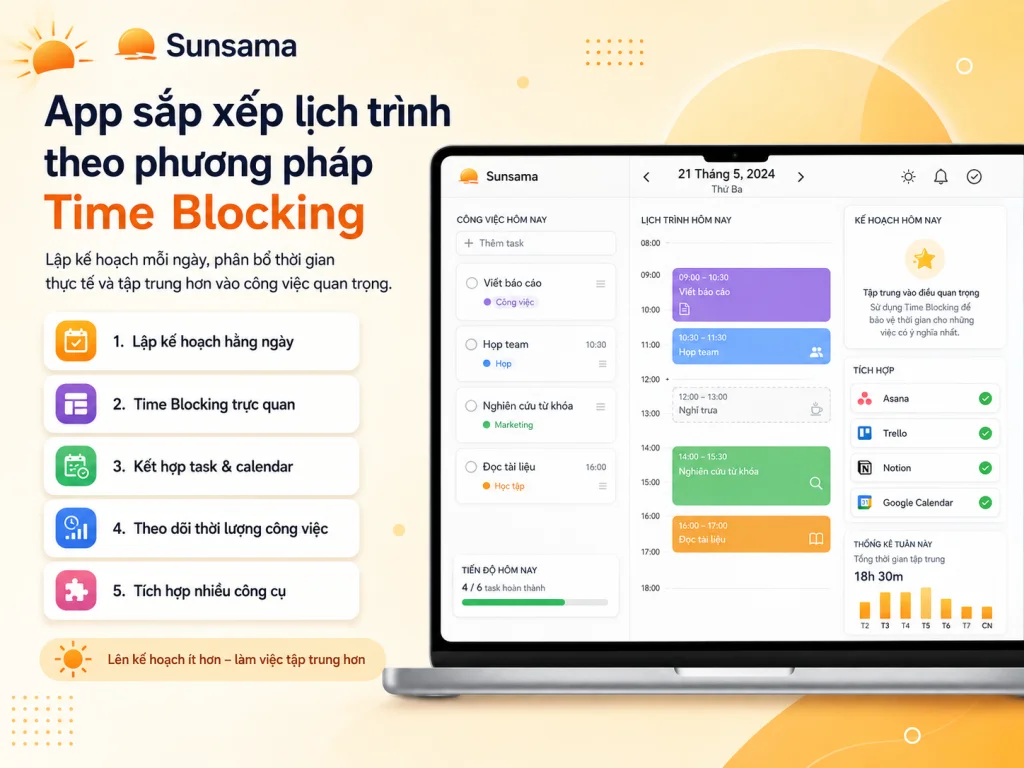
ClickUp is a work management tool well suited to businesses and teams that want to bring many activities together on a single platform, from managing tasks, projects, documents and goals to time tracking and reporting.
ClickUp stands out for its high degree of customization. Instead of forcing users to manage work in one fixed way, the platform lets you choose from many display modes such as List, Board, Calendar or Gantt depending on the nature of each project.
For example, a Content team can use a Board to track article status from “Brief → Writing → QC → Done,” while an SEO team can use a List to manage keywords, URLs, owners and deadlines. Managers, in turn, can use a Dashboard or Gantt Chart to monitor overall progress.
Thanks to this capability, ClickUp is not just a work organization app but can also be built into a work planning tool for many departments across a business. However, when internal processes involve too many specialized requirements that off-the-shelf platforms struggle to meet, a business can consider custom software development to build a system that matches its actual workflow, permissions and data.
Key features:
- Unlimited Tasks: The Free plan supports an unlimited number of tasks, suiting individuals or teams that want to start managing many tasks without needing to upgrade right away.
- Kanban Board: Work can be organized by status and moved visually between columns, suiting workflows with multiple stages.
- Calendar View: Displays tasks by date and deadline, helping teams combine task management with work-schedule planning.
- Sprint Management: Supports managing work by Sprint, suiting Product or Software Development teams.
- Docs: Lets you create documents, SOPs, briefs or guides right inside ClickUp and link them to related tasks.
- Gantt Chart: Helps track a project plan along a time axis and observe the relationships between tasks.
- Time Tracking: Tracks the time spent on each task, useful for Agencies, Freelancers or businesses that need to control how long work takes.
- Goals and Portfolio: Supports tracking major goals and consolidating many projects into a single view.
- Resource Management: Helps managers assess how workload is being distributed across team members.
- Dashboard: Consolidates metrics related to progress, workload or project status so managers can follow along more easily.
- AI and AI Notetaker: Supports processing content, work information and notes from meetings.
According to the documentation, the Free plan currently supports 60 MB of storage, unlimited tasks and unlimited Free Plan members.
Pros:
- Integrates many functions such as tasks, projects, Docs, Goals, Time Tracking and Dashboard within a single system.
- Offers many view modes, suiting departments with different ways of managing work.
- Gantt Chart and Resource Management are useful for projects that need to manage progress and allocate resources.
- Can be used both as a work planning tool and as a project management system for businesses.
- Unlimited Tasks on the Free plan suits teams that want to try the tool before upgrading.
- Docs is integrated directly with tasks, so documents and work are not scattered across multiple platforms.
- Dashboard gives managers a more comprehensive overview instead of having to open each task individually.
- Goals and Portfolio help link day-to-day work with major goals or projects.
- Suits many teams such as Marketing, SEO, Agency, Product and Software Development.
Cons:
- The large number of features can make it hard for newcomers to get comfortable in the early stages.
- Businesses should clearly set up their Workspace, statuses and workflow before rolling it out to all staff.
- If each department builds its own way of managing work without a shared standard, the system can become complex.
- Anyone who only needs a personal work organization app to create checklists and reminders may not use all the features.
- The Free plan has a storage limit, worth noting if a team frequently uploads many files to the system.
- For very small teams with simple processes, tools such as Todoist, Trello or Microsoft To Do may be easier to roll out.
Best for: Agencies, Marketing, SEO, Product and Software Development teams or businesses that need a work management tool capable of managing many projects, people and types of data on a single platform.
Pricing:
- Free Forever: Free.
- The Free plan supports 100 MB of storage, unlimited tasks and unlimited Free Plan members.
- Unlimited: From around USD 7/user/month when billed annually.
- Business: From around USD 12/user/month.
- Enterprise: Custom pricing depending on business needs.
Website: https://clickup.com/
17. Asana – Work planning software for businesses
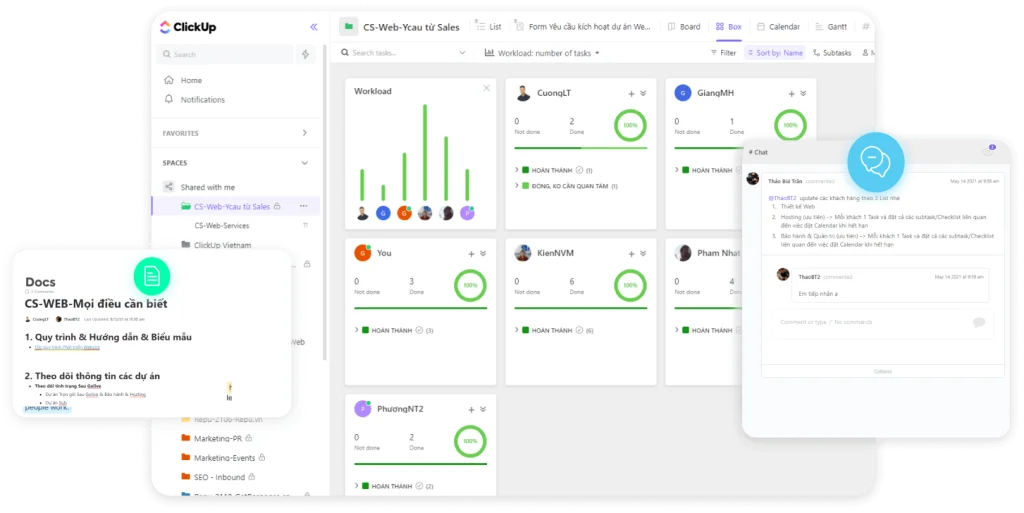
Asana is work and project management software for teams, well suited to businesses that need to assign tasks, keep deadlines under control and track multiple projects at once within a single unified system.
Unlike personal task management apps that focus mainly on the To-do List, Asana leans more toward coordination between team members. Each task can be assigned an owner, a deadline and related information, then organized into individual Projects to be managed according to a specific workflow.
One of Asana’s strengths is that the same project can be viewed from multiple perspectives. Employees can use the List view to check the work they need to complete, teams can use the Board to track status, while managers use Timeline or Gantt to see overall progress.
As the number of projects grows, features such as Portfolio, Dashboard and Goal Management help managers track many projects and goals without having to open each Project individually. This makes Asana a good fit for businesses looking for work planning software with a clear structure, supporting everything from daily task assignment to tracking goals and resources at a broader level.
Key features:
- Task and Project: Lets you create tasks, assign owners, set deadlines and group multiple tasks into individual Projects.
- List View: Displays tasks as a list, ideal for managing each item in detail.
- Board View: Organizes work in Kanban style, helping teams see which tasks are in each status.
- Calendar: Displays tasks with deadlines on a calendar, helping teams plan their schedules and keep key milestones under control.
- Timeline and Gantt: Support tracking projects over time, especially useful for plans with multiple phases.
- Automation: Lets you automate certain repetitive actions within your work management process.
- Custom Fields: Businesses can add fields such as priority, department, request type or data specific to each project.
- Dashboard: Aggregates data so managers can track project progress and status more visually.
- Goal Management: Helps manage goals and link them to related projects and tasks.
- Portfolio: Lets you track multiple Projects in a single view.
- Workload: Helps you check each member’s workload to avoid uneven task distribution.
- Time Tracking: Available in suitable plans, helping you track time spent on work.
Pros:
- The structure from task to Project is fairly clear, suitable for businesses managing many tasks and projects.
- Offers List, Board, Calendar, Timeline and Gantt so users can choose the tracking method that fits.
- Portfolio provides an advantage when a business needs to keep many Projects under control at once.
- Workload helps managers assess the workload across members rather than just looking at completion status.
- Goal Management helps connect daily work to the business’s larger goals.
- Automation helps reduce repetitive update actions within the workflow.
- Dashboard provides a better management perspective than a staff scheduling app focused only on tasks and deadlines.
- Suitable for businesses with many departments that need a unified way to manage projects on the same system.
- The interface has a fairly clear structure and is more approachable for businesses that don’t want to build an entire system from scratch as with Notion.
Cons:
- Some powerful features such as Portfolio, Workload and Time Tracking require higher-tier plans.
- Costs can rise significantly when a business rolls it out to a large number of employees.
- The free Personal plan currently suits very small groups rather than a full-fledged business.
- Individual users who only need a simple reminder app or To-do List may find Asana offers more features than they need.
- Businesses still need to standardize how they name Projects, statuses and usage processes to keep data from becoming fragmented.
- If all you need is simple Kanban management, Trello may be easier to deploy.
Best for: Businesses, agencies, Marketing, Product, Operations or any department that needs work planning management software to assign tasks, manage multiple projects and track workload across team members.
Pricing:
- Personal: Free for up to 2 users.
- Starter: From around USD 10.99/user/month when billed annually.
- Advanced: From around USD 24.99/user/month.
- Features such as Portfolio, Workload and Time Tracking are provided depending on the plan.
Website: https://asana.com/
18. monday.com – Web-based work management with visual workflows
monday.com is a Work Management platform that helps businesses build workflows, manage tasks and track projects through Boards that can be customized to fit their needs.
Instead of just creating a list of things to do, monday.com lets businesses model their entire work process. Each Board can include fields such as owner, status, deadline, priority or any custom data that needs to be tracked.
For example, a Marketing team could create a Board with the stages “Idea → Planning → In progress → Awaiting approval → Done,” while a Sales department could build a different Board to manage customers through each step of the sales process.
This makes monday.com not just a task management app but also a web-based work management tool and workflow platform for many departments within a business.
Beyond Boards, the tool also offers Calendar, Timeline, Gantt, Dashboard, Automation and Integration. As a result, the same source of data can be viewed in many different ways depending on the needs of employees or managers.
monday.com is also integrating additional AI capabilities such as AI Sidekick, AI Meeting Notetaker and AI Columns to help process data and reduce some manual work.
Key features:
- Work management Board: Lets you create boards to track tasks, projects or workflows with custom data fields.
- Calendar: Displays work by date and deadline, helping teams plan their work schedule.
- Timeline: Helps you view multiple tasks along a time axis.
- Gantt: Supports tracking project plans and delivery milestones more visually.
- Dashboard: Aggregates data from your Boards into reports and views for managers.
- Automation: Automatically performs certain actions when specific conditions are met, helping reduce manual updates.
- Integration: Connects monday.com with other platforms in your workflow.
- Workflows: Lets businesses build their own workflows for each department or type of project.
- AI Sidekick: Supports certain tasks with AI right inside the platform.
- AI Meeting Notetaker: Helps capture and process information from meetings.
- AI Columns: Applies AI to data columns on suitable plans to automate additional activities.
According to the documentation, the Free plan currently supports up to 2 seats, 3 Boards and 3 Docs.
Pros:
- Visual workflows, well suited to businesses that want to see each step in their work process clearly.
- Boards are highly customizable, helping each department build a system that fits its own way of working.
- Offers multiple display modes such as Calendar, Timeline and Gantt, supporting both task management and work planning.
- Dashboard helps managers track data from many Boards without checking each individual task.
- Automation offers an advantage for processes with many repetitive actions.
- Can be applied to Marketing, Sales, Operations, Project Management and many other departments.
- Integration capabilities let monday.com work alongside the tools a business already uses.
- Suitable for businesses that want a web-based work management platform with the ability to customize workflows rather than a fixed structure.
- AI features expand automation capabilities and help process information.
Cons:
- The Free plan is limited to a maximum of 2 seats, so it mainly suits individuals or very small teams.
- Per-seat pricing means the total cost can rise as a business grows its headcount.
- High customizability means businesses need to clearly define their workflow before rolling it out.
- If you create too many Boards, data columns and automations without any standards, the system can become complex.
- Individual users who only need a checklist or reminder app will struggle to take full advantage of the features.
- When rolling out to multiple departments, a business should agree on how it will be used to prevent each team from building a completely different system.
Best for: Businesses, Marketing, Sales, Operations, agencies or teams that need a web-based work management tool capable of building custom workflows and tracking data from multiple perspectives.
Pricing:
- Free: USD 0, supporting up to 2 seats, 3 Boards and 3 Docs.
- Basic: From around USD 9/seat/month when billed annually.
- Standard: Around USD 12/seat/month when billed annually.
- Pro: Around USD 19/seat/month when billed annually.
- Actual costs may vary based on the number of seats and the plan the business chooses.
Website: https://monday.com/
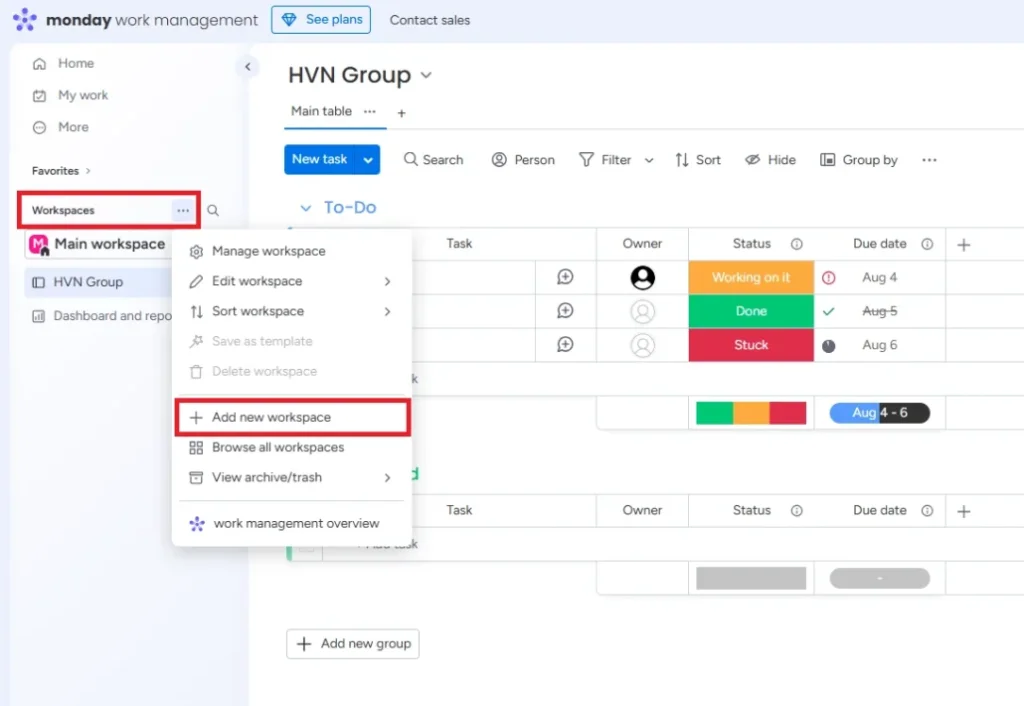
19. Reclaim AI – App that schedules your work automatically with AI
Reclaim AI is work scheduling software that uses AI to automatically optimize your time on the Calendar. The tool focuses on finding suitable open slots for focused work, personal habits and meetings, so users don’t have to keep adjusting their schedule manually.
Unlike Motion, which combines AI Scheduling and Project Management fairly deeply, Reclaim AI focuses more heavily on the time-management problem. The tool can automatically protect Focus Time, arrange Habits, create Buffer Time between meetings and find suitable times for Smart Meetings.
For example, if a user wants to set aside 5 hours a week for focused work but their meeting schedule changes frequently, Reclaim can find the time slots that still fit and adjust Focus Time when new meetings come up. This is different from creating a fixed event on Google Calendar and then having to move it yourself when the schedule changes.
This is why Reclaim AI suits people whose work schedules fluctuate a lot, who frequently have to attend meetings, or who want to apply Time Blocking but don’t want to spend too much time planning their schedule each day.
Reclaim AI also connects with task management apps such as Google Tasks, Todoist, Asana, ClickUp, Jira and Linear. This lets users keep managing tasks in their current tool while using Reclaim to find time to carry out that work on the Calendar.
Key features:
- Focus Time: Automatically finds and protects time slots for work that requires focus.
- Habit Scheduling: Arranges recurring activities such as exercise, studying, reading or personal habits into suitable time slots.
- Buffer Time: Automatically creates breaks between meetings so your schedule isn’t packed back to back.
- Smart Meetings: Helps find meeting times that fit participants’ schedules.
- Calendar Sync: Syncs multiple Calendars to reduce conflicts between work and personal schedules.
- Scheduling Links: Lets you create booking links so others can choose a suitable time.
- AI Agents: Uses AI to support certain scheduling-related activities.
- Task Recommendations: Helps provide suggestions related to arranging tasks on the calendar.
- Task management app integrations: Can connect Google Tasks, Todoist, Asana, ClickUp, Jira and Linear to bring work from these platforms into the scheduling process.
Pros:
- Strong focus on Calendar automation, well suited to people who frequently have to adjust their own work schedule.
- Focus Time helps protect time for important work rather than letting the whole schedule be taken over by meetings.
- Habit Scheduling lets Reclaim be used as a goal-tracking app and helps maintain recurring activities in the calendar.
- Buffer Time is useful for people with many back-to-back meetings who want to proactively create breaks between them.
- Calendar Sync helps reduce double-booking when users work across multiple Calendars.
- Can connect with Todoist, Asana, ClickUp, Jira and many other work management applications instead of forcing users to move all their tasks into Reclaim.
- Has a free plan, letting users experience how the AI optimizes their schedule before upgrading.
- Suitable for people who want to automatically plan their work schedule but don’t need all the Project Management functionality of Motion or ClickUp.
Cons:
- Reclaim AI focuses on the Calendar, so it can’t fully replace dedicated work management software.
- Managing Projects, workflows and multiple task levels is not its main strength.
- Businesses that need a project management Dashboard, Portfolio or Resource Management will still need to use ClickUp, Asana or a similar tool.
- Some more powerful features require upgrading to paid plans.
- People with very simple schedules or few meetings may not take full advantage of the automatic schedule optimization.
- Users may still need another task management app to manage work in detail, while Reclaim handles arranging the time to do it.
Best for: Office workers, managers, freelancers or anyone with many meetings and multiple Calendars who needs an automatic work scheduling app to protect Focus Time and optimize their time throughout the day.
Pricing:
- Lite: Free.
- Starter: From around USD 15/seat/month, for teams of up to 10 seats.
- Business: From around USD 18/seat/month, for teams of up to 100 seats.
- Advanced features are provided depending on the plan.
Website: https://reclaim.ai/
>>> See also: If you want to learn how to build similar AI-powered products, you can check out TOT’s guide to building Android/iOS apps or its custom mobile app design service.
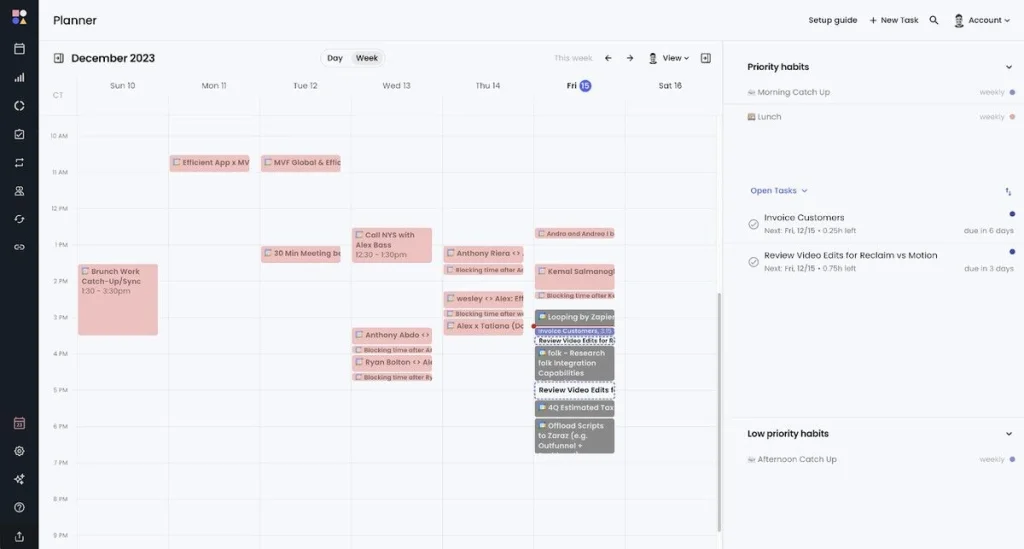
Conclusion
Before choosing work management software, you should clearly define the number of users, the type of work to be managed, your collaboration needs, integration capabilities and budget. For tools that offer a free plan or a trial period, try them out first on your actual workflow to evaluate the interface, features and how well they fit.
In cases where a business has specialized processes, needs to integrate multiple systems, or where existing platforms such as ClickUp, Asana or monday.com don’t fully meet its needs, a custom software development solution will be a better fit for building features, workflows and permissions tailored to specific requirements. If the product direction prioritizes the mobile experience, the business can also consider TOT’s mobile app design service.
TOT is a pioneer in comprehensive digital transformation, providing website design, application development, and management system solutions optimized for businesses.
TOT stands out with flexible service packages personalized to each specific need, helping businesses easily access technology, optimize operations and enhance customer experience. With its guiding philosophy of “Technology for people”, TOT delivers not only technical effectiveness but also an emotional connection between the brand and its users.
Readers interested in TOT’s digital solutions can learn more here.
TOT contact information:
🌐 Website: topon.tech
📞 Hotline/WhatsApp/Zalo: 0906 712 137
✉️ Email: long.bui@toponseek.com
🏢 Address: 31 Hoàng Diệu Street, Xóm Chiếu Ward, Ho Chi Minh City, Vietnam