
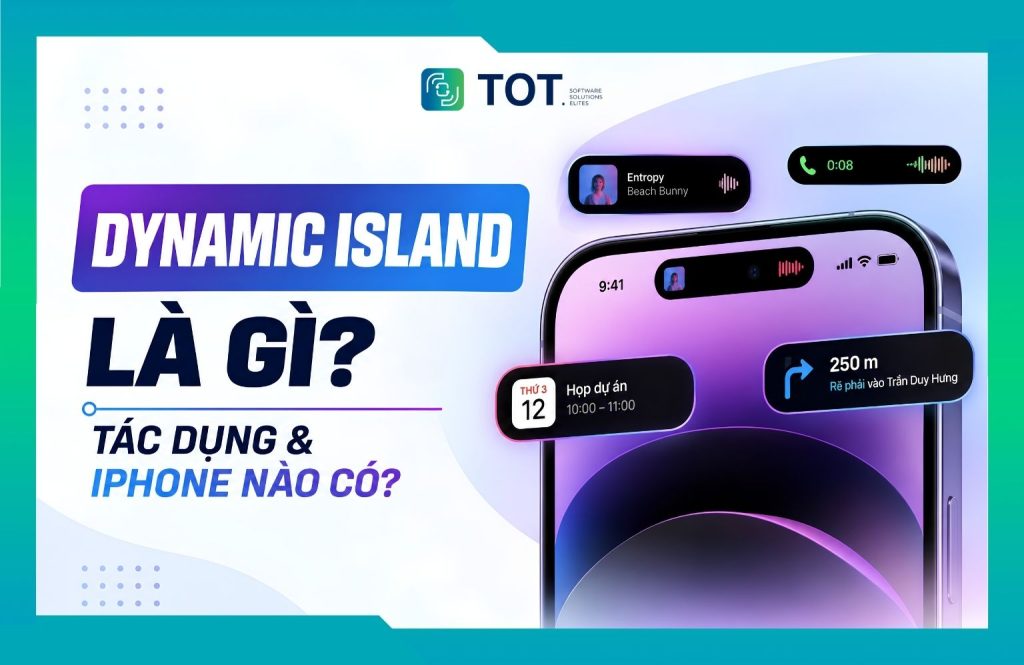
Dynamic Island is the pill-shaped touch-sensitive area at the top of the iPhone screen. It integrates the front camera and the Face ID sensors to display and let you interact with notifications and live activities. This is how Apple turned the display cutout from a fixed detail into a dynamic interface area controlled by iOS. In this article, TOT explains what Dynamic Island is, which iPhones have it, how it works, its standout features and how to use it in practice.
>>> See more articles:
- 9+ easiest-to-use, free mobile app design tools
- 15+ free, easy-to-use Android app design software
Quick summary
- What is Dynamic Island? It is the pill-shaped area on the iPhone screen that combines the front-camera hardware, Face ID and the iOS interface. Dynamic Island can change its size, shape and content depending on the activity in progress, rather than being just a fixed cutout on the screen.
- Which iPhones have Dynamic Island? Apple first introduced the feature on the iPhone 14 Pro and iPhone 14 Pro Max in 2022, then extended it to many newer iPhone models. Supported devices include several models across the iPhone 15, iPhone 16, iPhone Air, iPhone 17 and iPhone 18 Pro lines.
- What does Dynamic Island do? The feature provides a quick view of statuses and activities such as Face ID, Apple Pay, AirDrop, charging, AirPods, calls, music playback, Timer, navigation and Live Activities. You can monitor or control certain activities without opening the related app.
- How to use Dynamic Island: You can tap, press and hold, or swipe on Dynamic Island to open the related app, expand the interface, see more information, collapse an activity or switch between activities in progress.
- Is Dynamic Island really useful? Dynamic Island is especially useful for people who frequently listen to music, make calls, use maps, set timers or rely on Live Activities. However, if you rarely use these activities, the value of Dynamic Island will not be very noticeable.
What is Dynamic Island?
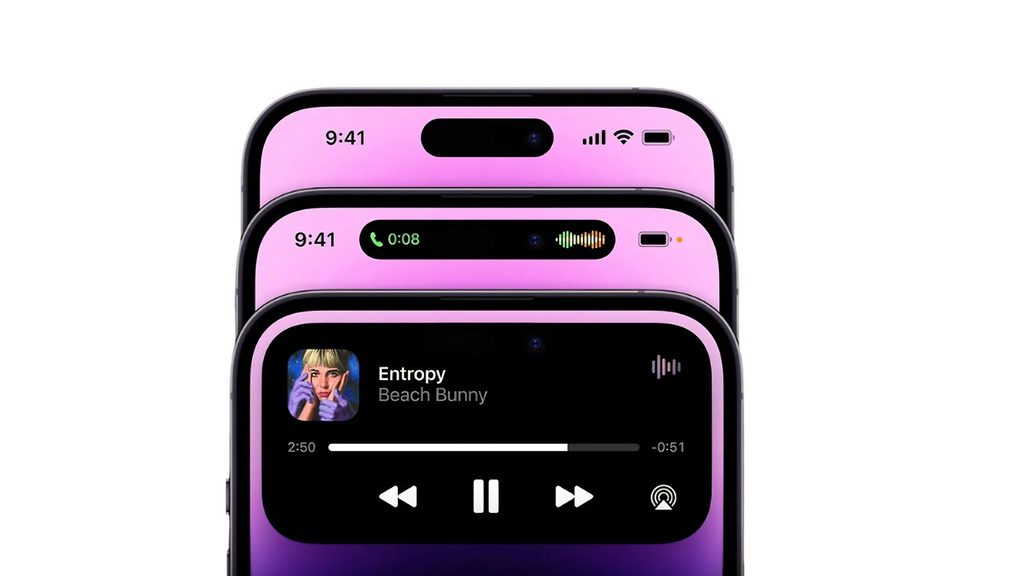
Dynamic Island is a pill-shaped, interactive interface area at the top of the iPhone screen, created from the cutout that houses the front camera and the Face ID sensor system. Instead of exposing a static cutout, iOS fills the background with black and expands the surrounding area into a zone that can change shape to display information and offer quick controls. In essence, it is a combination of hardware design and software interface, not a standalone app.
What does Dynamic Island mean?
The name Dynamic Island directly describes the characteristics of this area. The word Island refers to the display cutout that is separated from the rest of the screen, like an island floating on the display. The word Dynamic emphasizes its ability to change size, shape and content by context rather than staying fixed. When there is an incoming call, music playing or a timer running, this area transforms to suit each activity. It is also important to clearly understand that Dynamic Island is a combination of hardware (the camera and sensor cluster) and software (the interface controlled by iOS), not an app that users install or remove.
When did Dynamic Island first appear?
Dynamic Island was first introduced by Apple in 2022, alongside the iPhone 14 Pro and iPhone 14 Pro Max. It marked the shift from the Notch design to an area capable of changing and interacting with on-screen content.
After the first generation, Dynamic Island continued to expand across many new iPhone lines:
- iPhone 14 Pro and iPhone 14 Pro Max: The first iPhone generation equipped with Dynamic Island.
- Later iPhone generations: Apple extended this design to many new iPhone models, gradually replacing the Notch on supported devices.
- Dynamic Island and iOS: Its display capabilities depend not only on the hardware but are also leveraged through iOS features such as notifications and Live Activities.
>>> See more:
- A simple guide to deploying AI in mobile apps
- 8 mobile app design principles that improve user experience
Which iPhones have Dynamic Island?
Not every iPhone with Face ID is equipped with Dynamic Island. Apple first introduced this design on the iPhone 14 Pro and iPhone 14 Pro Max in 2022, then extended it to many iPhone models in later generations. By 2026, Dynamic Island had appeared on many lines from the iPhone 15, iPhone 16 and iPhone 17 to the iPhone Air; the iPhone 18 Pro and iPhone 18 Pro Max also continue to use Dynamic Island with a smaller design that Apple describes as more useful
List of iPhones that support Dynamic Island
According to information published by Apple, Dynamic Island is available on the following iPhone lines:
| Generation | Models that support Dynamic Island |
|---|---|
| iPhone 14 | iPhone 14 Pro, iPhone 14 Pro Max |
| iPhone 15 | iPhone 15, iPhone 15 Plus, iPhone 15 Pro, iPhone 15 Pro Max |
| iPhone 16 | iPhone 16, iPhone 16 Plus, iPhone 16 Pro, iPhone 16 Pro Max |
| iPhone 17 | iPhone 17, iPhone 17 Pro, iPhone 17 Pro Max |
| iPhone Air | iPhone Air |
| iPhone 18 | iPhone 18 Pro, iPhone 18 Pro Max |
Starting with the iPhone 15, Apple extended this design to both the standard and Plus versions. Later generations continued to keep Dynamic Island, while the iPhone 18 Pro and iPhone 18 Pro Max were introduced by Apple with a smaller and more useful Dynamic Island.
Which iPhones do not have Dynamic Island?
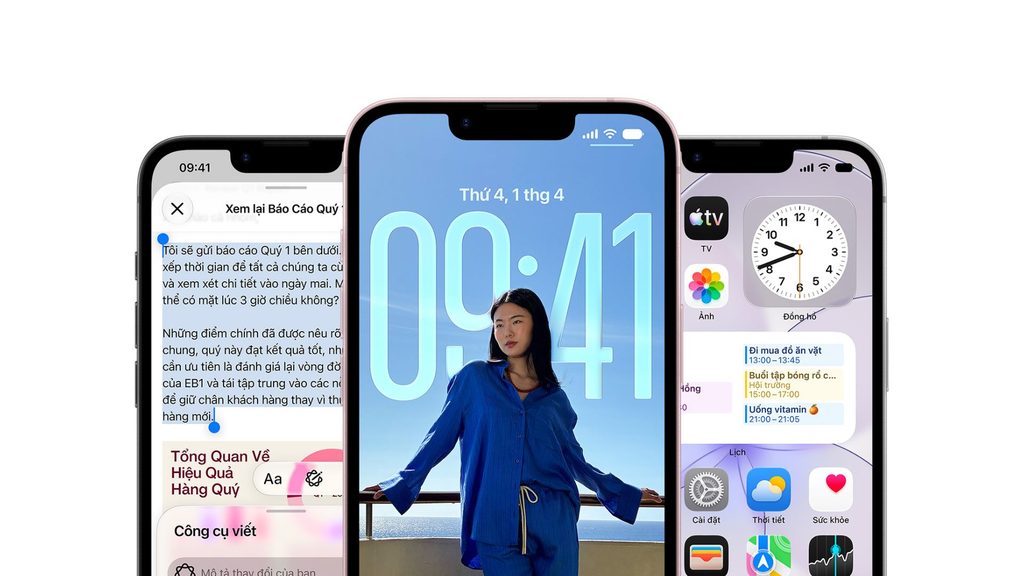
Not every iPhone model is equipped with Dynamic Island. Besides older iPhone generations that use the notch or a traditional bezel design, some newer iPhone models such as the iPhone 16e and iPhone 17e also do not support this feature.
Some models without Dynamic Island include:
- iPhone 17e, iPhone 16e: no Dynamic Island.
- iPhone 14 and iPhone 14 Plus: use the notch.
- iPhone 13, 13 mini, 13 Pro and 13 Pro Max: use the notch.
- iPhone 12, 12 mini, 12 Pro and 12 Pro Max: use the notch.
- iPhone 11, 11 Pro and 11 Pro Max: use the notch.
- iPhone XS, XS Max, XR and iPhone X: use the notch.
- iPhone 8, 8 Plus, 7, 7 Plus, 6s, 6s Plus and the iPhone SE models: use a screen design with top and bottom bezels and a Home button, without Dynamic Island.
Therefore, when checking whether a device has Dynamic Island, users should not rely on the iPhone generation number alone. For example, the iPhone 17 has Dynamic Island but the iPhone 17e does not, similar to how the iPhone 16 has Dynamic Island but the iPhone 16e does not. This is a point that can easily cause confusion when choosing a device.
>>> Read more:
- Professional, reliable, custom mobile app design services
- How much does the latest 2026 mobile app design cost and app maintenance cost?
How does Dynamic Island work?
Dynamic Island works based on a combination of the hardware design in the front-camera and Face ID area with a software interface controlled by iOS in real time. Instead of letting the camera area become a fixed zone on the screen, Apple uses this position to create a display area that can change its size, content and interaction depending on the activity in progress.
Dynamic Island combines hardware and software
On the hardware side, Dynamic Island sits in the area that houses the front camera and the components that serve Face ID on supported iPhone models. This area has a pill shape, but Dynamic Island is not a standalone component or app.
The iOS software plays the role of turning this hardware area into an interactive interface. When there is an event such as an incoming call, Face ID, AirPods connection, music playback, a timer or a live activity, iOS displays the relevant information around the pill-shaped area.
As a result, Dynamic Island both makes use of the space originally reserved for the camera and Face ID and helps users access information without having to open the entire related app.
>>> Learn more:
- Build apps for Android/iOS easily, with no coding knowledge required
- Top 35 best, most effective time management apps
How does Dynamic Island change size and shape?
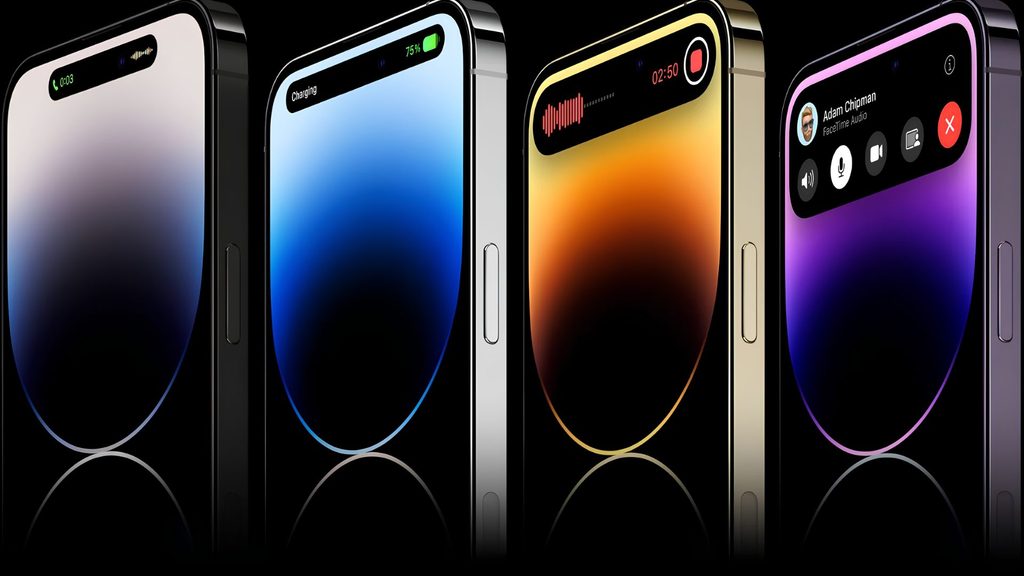
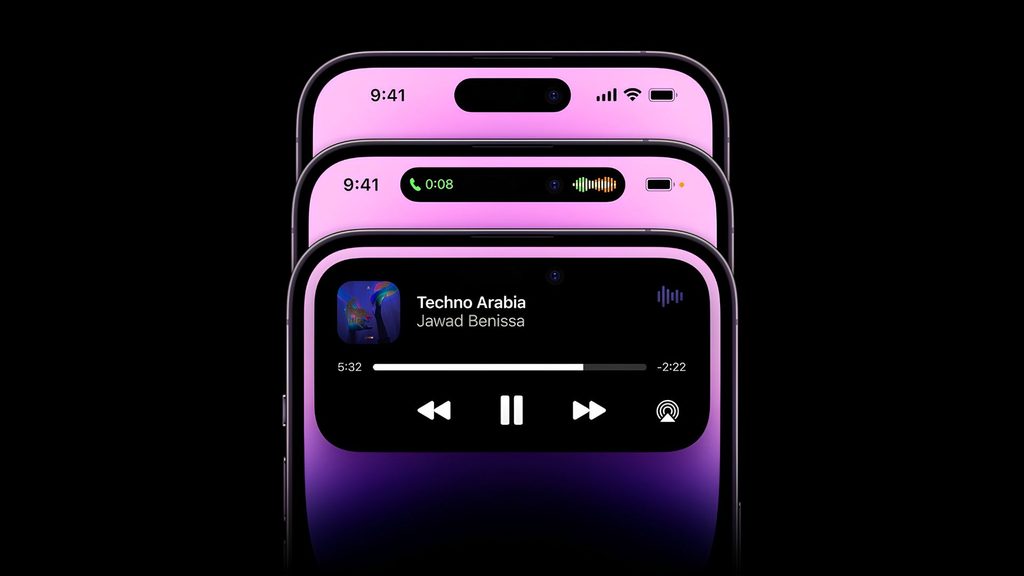
A defining characteristic of Dynamic Island is that its interface is not fixed but changes according to the state of the activity:
- Collapsed state: Dynamic Island shows brief information, such as the icon or status of a running activity. Users can still keep using the app underneath.
- Expanded state: When the user taps or presses and holds, this area can expand to show more information and provide quick control buttons, depending on the activity.
- Multiple simultaneous activities: When there are several activities to monitor, Dynamic Island can display different statuses in the same area, helping users switch between or keep track of each activity.
>>> See more:
- TOP 15+ effective, super-easy AI app-building tools
- Top 10 best, high-quality, free home design apps
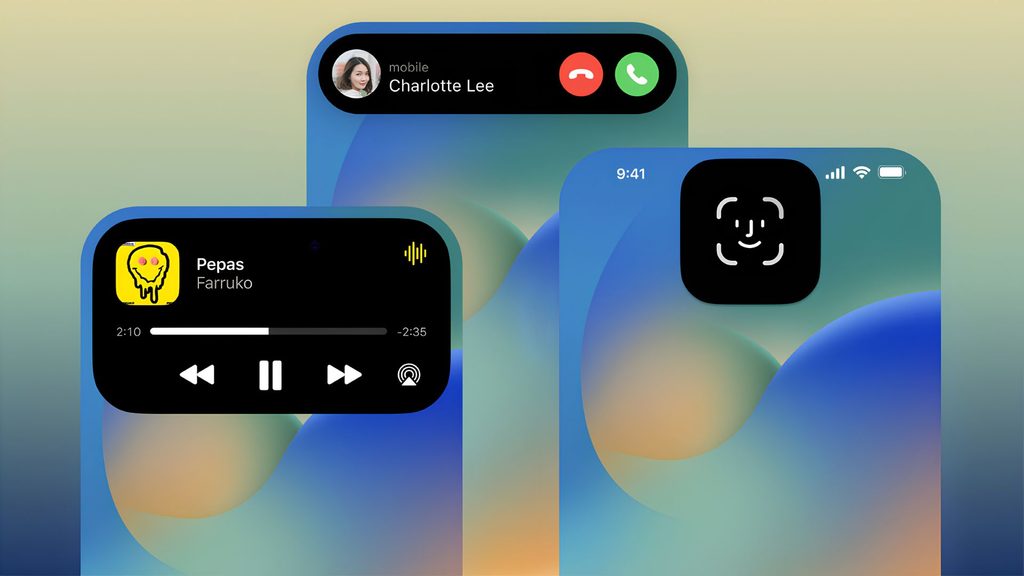
Gestures for Dynamic Island
Users interact with Dynamic Island through a few basic touch gestures:
| Gesture | Result |
|---|---|
| Tap | Opens or switches to the app related to the activity being displayed. |
| Press and hold | Expands Dynamic Island to see more information or use quick control options. |
| Swipe left or right | Collapses the activity or switches between the activities being displayed, depending on the case. |
| A new activity | Dynamic Island updates its interface to show the status or information of the new activity without necessarily leaving the current app. |
What features does Dynamic Island have?
Dynamic Island focuses on four main feature groups: displaying notifications and system statuses, tracking live activities through Live Activities, quick controls without opening an app, and support for third-party apps. Each group helps users grasp information right at the top of the screen.
Displaying notifications and system statuses
Dynamic Island provides a quick view of system statuses without interrupting the task you are performing. Some statuses that can be shown through Dynamic Island include:
- Face ID: shows feedback when the iPhone performs face authentication or authentication-related tasks.
- Apple Pay: supports status display during transaction authentication with Face ID.
- AirDrop: indicates the connection status or the data transfer process over AirDrop.
- Charging: shows feedback when the iPhone is connected to a power source or charging accessory.
- AirPods: shows relevant information when AirPods are connected to the iPhone.
- Silent mode: provides visual feedback when you change the device’s sound status.
- Device and accessory connections: shows certain statuses when the iPhone connects to or interacts with supported devices and accessories.
Thanks to this way of displaying information, users can quickly recognize what the iPhone is doing without switching to a separate screen.
>>> Learn more:
- Top 17 leading professional graphic design apps
- Top 10+ best, free mobile sales management apps
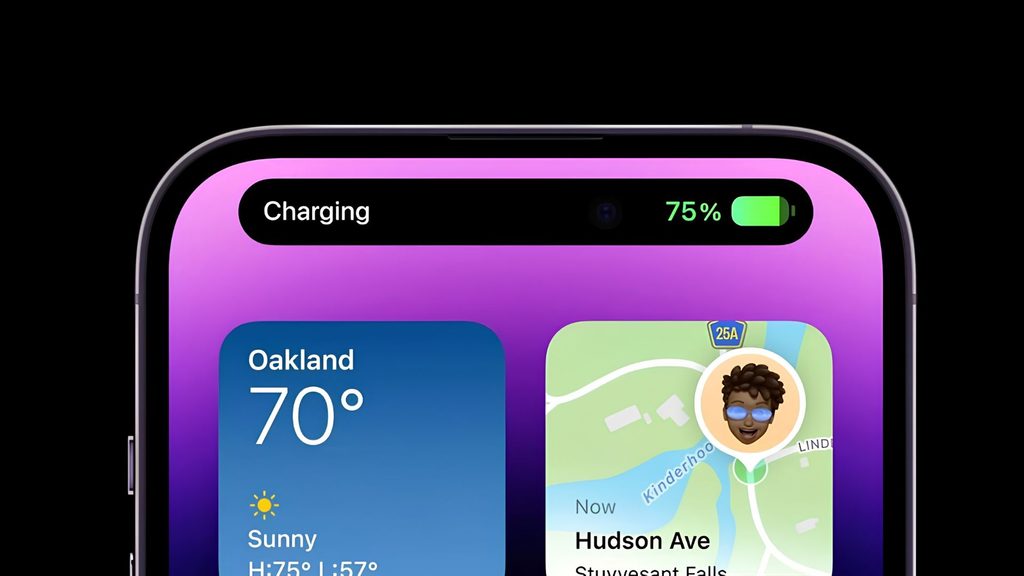
Tracking live activities with Live Activities
The most notable feature of Dynamic Island is displaying Live Activities, that is, activities happening in real time. Apple describes Dynamic Island as the place to surface activities such as a timer or a podcast player, while also letting users expand, switch or temporarily hide them. Some common examples include:
- Timer: track the remaining time without opening the Clock app.
- Calls: track the status of an ongoing call.
- Music or podcast playback: see what is playing and quickly access the related controls.
- Navigation: track directions or trip status from the Maps app.
- Sports scores: update the score and progress of a match from apps that support Live Activities.
- Activities from apps: track tasks that have a duration or a continuously changing status, depending on how the app implements Live Activities.
Thanks to Live Activities, users can glance at the progress without reopening the corresponding app.
>>> Read more:
- How to build an app with AI for free, in detail, simply
- Top 19 free task organization apps for personal planning
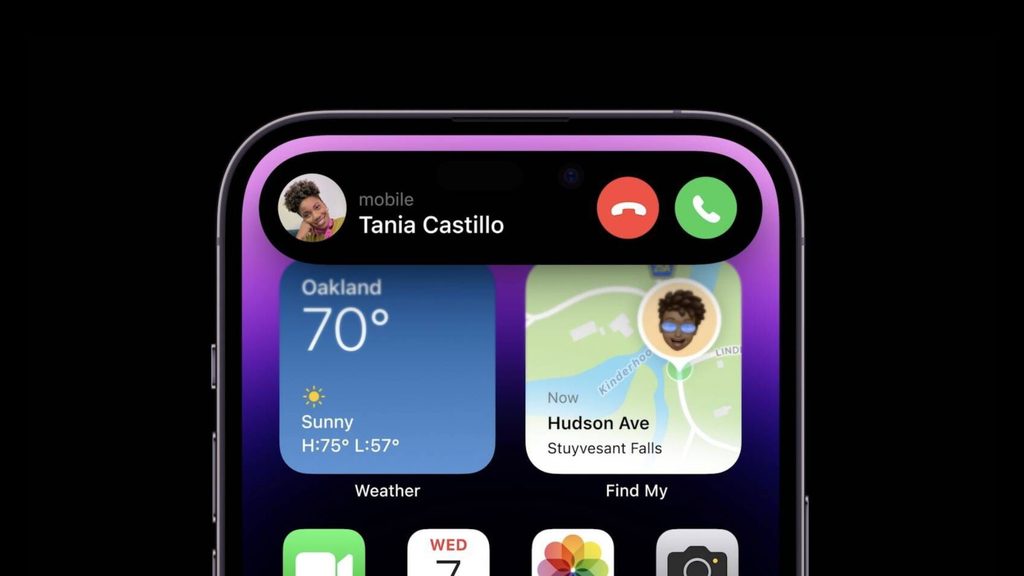
Quick controls without opening an app
Dynamic Island also helps shorten actions when the user is performing a task but wants to keep using the current app. When an activity supports quick controls, users can interact directly with the Dynamic Island area instead of having to return to the source app.
Common situations include:
- Music control: see the playback status and quickly access control actions while content is playing.
- Calls: track an ongoing call and access the related options.
- Timer: see the timer status without reopening the Clock app.
- Some running tasks: expand Dynamic Island to see more information or use the controls provided by the app.
>>> Learn more:
- 6 rules for designing a mobile app interface to the best UI/UX standards
- How to create video with AI: Top 15 free AI video creation tools
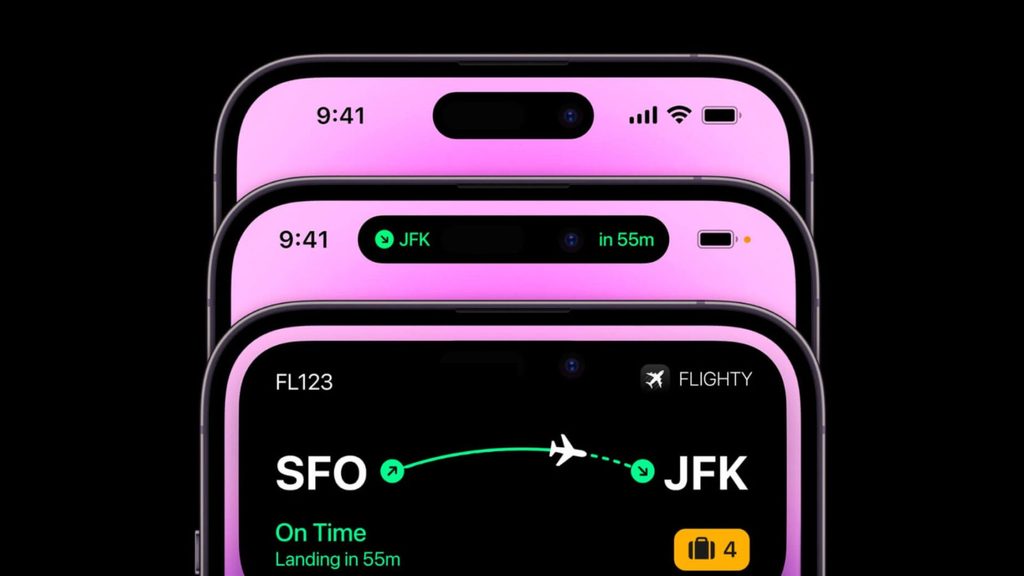
Third-party app support
Dynamic Island does not only work with system features; it can also display content from third-party apps through Live Activities. On the developer side, Apple provides ActivityKit to build and update Live Activities, which brings an app’s important information onto Dynamic Island.
That said, not every app automatically appears on Dynamic Island; the level of support depends on whether the developer has integrated the feature and the type of activity they want to surface. For mobile apps built on cross-platform frameworks such as React Native or Flutter, the engineering team usually needs to add native iOS integration to bring activities to this area. As a result, the Dynamic Island experience can differ between apps depending on how it is implemented.
How to use Dynamic Island on iPhone
Using Dynamic Island mainly relies on tap, press-and-hold and swipe gestures on the pill-shaped area at the top of the screen.
How to expand Dynamic Island
To expand Dynamic Island and see the full information of an activity, follow these steps:
- Identify the activity being displayed on Dynamic Island at the top of the screen.
- Tap and hold (press and hold) on Dynamic Island.
- Dynamic Island will expand and show more information or the control buttons corresponding to the activity.
- Perform the action you need, such as controlling the content that is playing or viewing detailed information.
- When done, you can tap another area of the screen or use a swipe gesture to return the interface to its collapsed state.
How to collapse or hide an activity on Dynamic Island
When you do not need to see the full information, you can collapse Dynamic Island to keep using the screen as usual. Collapsing does not mean stopping the activity; the task behind it can still continue if the app or feature is running.
To collapse Dynamic Island:
- Swipe from one side of Dynamic Island toward the center to return the activity to its collapsed state.
- For some activities, users can tap or press Dynamic Island again to continue interacting.
- When there are multiple activities in progress, the swipe gesture can be used to switch between activities depending on the display state.
“Hiding” here should be understood as temporarily collapsing the interface, not turning off the activity. For example, while listening to music or tracking a live activity, users can collapse Dynamic Island so as not to interrupt the current task. The activity keeps running and can be reopened when needed.
How to control music with Dynamic Island
When the iPhone is playing music or a podcast, Dynamic Island can show the playback status and let users quickly access the supported controls.
Basic gestures:
- Play/pause: press and hold Dynamic Island to expand the interface, then use the play or pause control button if provided.
- Skip tracks: in the expanded interface, use the control buttons to move to the previous or next content.
- Expand the interface: press and hold Dynamic Island to see more information and control options.
- Collapse: swipe to return the interface to its compact state while the content keeps playing.
>>> Read more:
- A guide to building an iOS app for people who cannot code
- What is an application? What is application software? Detailed & easy to understand
How to track calls, timers and navigation
Dynamic Island is especially useful for tracking background tasks through three common situations:
- Calls: during a call, the area shows the duration and quick control buttons; tap to return to the full call screen.
- Timer: the timer shows the remaining time in real time; press and hold to pause or adjust it.
- Navigation: when using maps for directions, the turn-by-turn guidance appears neatly so users can follow it while using another app.
>>> See more:
- What is a Mobile App? The process & cost of app design
- TOP 50+ most popular free AI tools today
Pros and cons of Dynamic Island
Dynamic Island offers an intuitive way to interact with background tasks, but it also has certain limitations in how useful it is depending on usage habits. The table below summarizes its strengths and weaknesses.
| Pros | Cons |
|---|---|
| Displays statuses and activities intuitively right at the top of the screen | Its value depends on whether users frequently use live activities |
| Allows quick control without opening an app | Support varies across third-party apps |
| Makes use of the display cutout instead of leaving it empty | The interaction area is small and sometimes hard to tap accurately |
| Allows tracking multiple activities at once | Only available on supported iPhone lines |
So is Dynamic Island really useful? The answer depends on how each person uses their iPhone. For people who frequently listen to music, make calls, use maps or set timers, this area makes actions faster and information easier to grasp. Conversely, those who rarely use live activities may not clearly feel the value of this feature. Overall, Dynamic Island is not a must-have feature, but it helps make interacting with the iPhone more intuitive and seamless, especially when you need to track several tasks in parallel.
Can you turn Dynamic Island on or off?
You cannot manually turn Dynamic Island on, nor can you completely turn it off, because it is a built-in part of the system on supported devices. However, users still have partial control over the content that is displayed.
Do you need to turn Dynamic Island on?
No. On supported devices, Dynamic Island works by default as part of the operating system without the user needing to activate it. This area appears on its own when there is a relevant activity, such as when music is playing or there is a call, and collapses on its own when there is no more content to display.
Can you completely turn Dynamic Island off?
You cannot completely turn off the Dynamic Island design because it is tied to the hardware and the system interface. Users have no option to permanently hide this area. However, you can partially control the displayed activity by adjusting notification settings, turning off Live Activities for specific apps in Settings, or swiping to temporarily hide a running activity. In other words, users can manage the content that appears, while Dynamic Island itself is always present.
How are Dynamic Island and the Notch different?
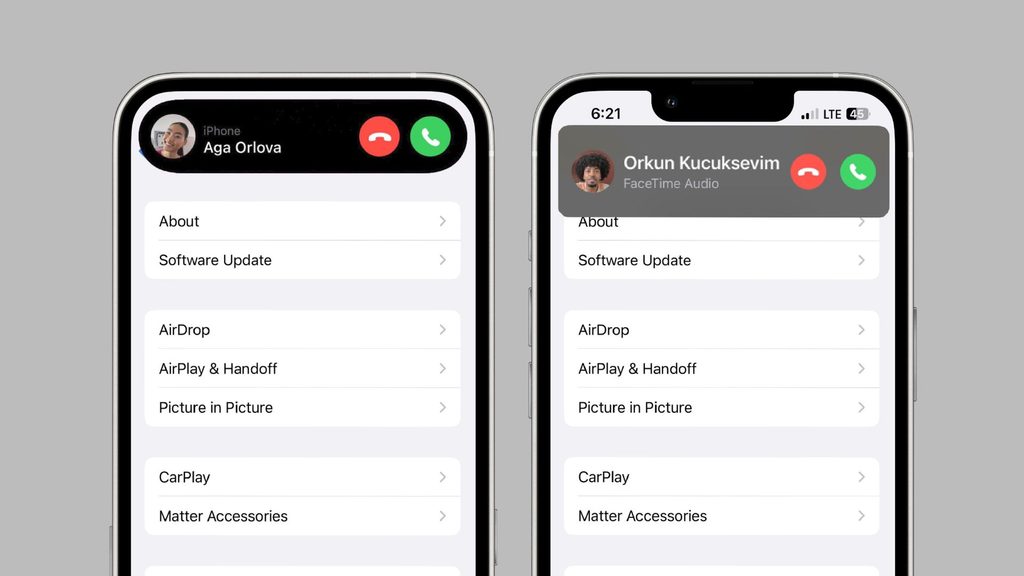
The biggest difference between Dynamic Island and the Notch lies in interactivity: the Notch is a fixed cutout that only houses sensors, while Dynamic Island is a dynamic interface area that can display information and provide control. The comparison table below clarifies this by criterion.
| Criterion | Dynamic Island | Notch |
|---|---|---|
| Design | Pill-shaped cutout, separated from the top edge of the screen | A cutout joined to the top edge of the screen |
| Displaying information | Displays notifications, statuses and live activities | Does not display content, only houses sensors |
| Interaction | Tap, press and hold, swipe to control | No interaction |
| Live Activities | Supports display and management | Not supported |
| Size changes | Expands and contracts by activity and gesture | Fixed |
| Purpose | Both houses sensors and serves as an interface area | Only houses the camera and sensor cluster |
In short, both stem from the need to place the camera and Face ID cluster on the screen, but Dynamic Island takes it a step further by turning the cutout into a display and interaction tool rather than leaving it empty like the Notch.
Conclusion
Dynamic Island is a notable step forward in how Apple handles the display cutout, turning a fixed hardware detail into a dynamic interface area controlled by iOS. Since launching with the iPhone 14 Pro and iPhone 14 Pro Max in 2022, the feature has expanded to the iPhone 15, iPhone 16 and newer generations, becoming a standard design on many devices. With the ability to display notifications, system statuses and Live Activities, together with tap, press-and-hold and swipe gestures, Dynamic Island helps users track and control background tasks intuitively. It is not a mandatory feature, but it helps improve the everyday iPhone experience. For businesses that want to develop mobile apps leveraging Live Activities and Dynamic Island, TOT can accompany you from consulting and design to deployment on the right platform.
Frequently asked questions
What is Dynamic Island?
Dynamic Island is the pill-shaped interface area at the top of the iPhone screen, created from the cutout that houses the front camera and the Face ID sensor. Instead of exposing a fixed cutout like the notch, iOS fills the background with black and turns this area into a place to display notifications, system statuses and live activities. It is a combination of hardware and software, not a separate app, and users can tap, press and hold, or swipe to interact with the displayed content.
Which iPhones have Dynamic Island?
Dynamic Island is available on the iPhone 14 Pro and the iPhone models Apple supported from later generations, but not every model in the same line has this feature. Devices that support Dynamic Island include the iPhone 14 Pro/Pro Max, the iPhone 15 series, the iPhone 16/16 Plus/16 Pro/16 Pro Max, iPhone Air, iPhone 17/17 Pro/17 Pro Max and iPhone 18 Pro/18 Pro Max. Meanwhile, the iPhone 16e and iPhone 17e do not have Dynamic Island.
What does Dynamic Island do?
Dynamic Island provides a quick view of notifications, system statuses and live activities right at the top of the screen. Users can see the duration of a call, control music, track a timer, follow navigation directions or check sports scores without reopening the app. In addition, this area shows statuses such as Face ID, Apple Pay, battery charging or AirPods connection. As a result, tracking and controlling background tasks becomes more intuitive and convenient.
Does the iPhone 16 Pro Max have Dynamic Island?
Yes. The iPhone 16 Pro Max is equipped with Dynamic Island, just like the other models in the iPhone 16 line, including the iPhone 16, iPhone 16 Plus and iPhone 16 Pro. In fact, from the iPhone 15 line onward, Dynamic Island has become a standard design for both the Pro and standard versions. Therefore, iPhone 16 Pro Max users can fully use features such as Live Activities display, quick controls and live activity tracking that Dynamic Island offers.
Does Dynamic Island drain the battery?
Dynamic Island is designed to operate efficiently and does not cause significant battery drain in normal use. The pill-shaped area is displayed on a black background, and the iPhone’s OLED display consumes almost no power for black pixels, so this area is quite energy efficient. Battery consumption mostly comes from the running activity itself, for example continuous navigation or an app that frequently updates Live Activities, rather than from Dynamic Island itself. Overall, this feature is not a main cause of the battery draining quickly.