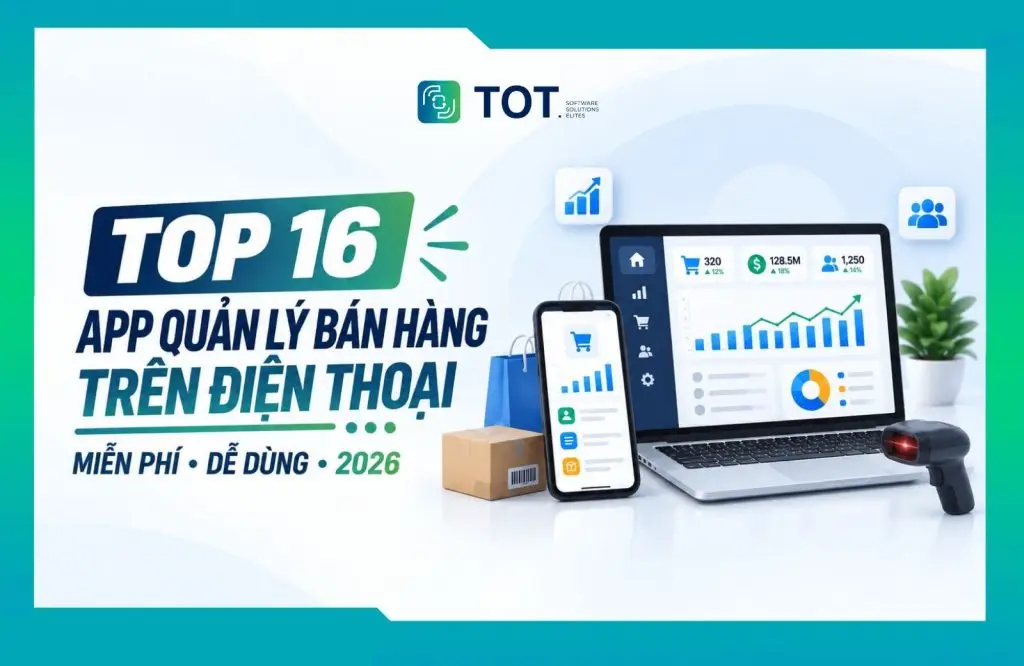
The right mobile sales management app can help shop owners create orders, check inventory, track revenue and manage staff without having to sit in front of a computer all day. However, not every app advertised as “free” actually lets you use it free of charge over the long term. Some apps are only free to download, some offer a free basic plan, while others only provide a limited-time trial.
In this article, TOT has compiled 15 sales management apps worth considering for retail stores, online shops, eateries, coffee shops and household businesses. The comparison table, along with the assessment of each app’s strengths and limitations, will help you choose the tool that best fits how your business actually operates.
Quick pick: Loyverse suits small stores that need a free, easy-to-start POS; Sapo, Nhanh.POS or TPOS are a better fit for multichannel shops; POS365 and PosApp are worth considering for F&B models; MISA eShop suits household businesses focused on sales, invoicing and accounting; aSeller POS Offline is ideal when a store frequently loses its Internet connection.
>>> See more:
- What is application software? Functions, real-world examples & classification
- Custom software development in HCMC, professional design across multiple platforms
- Custom software development in Hanoi, professional and well-priced
- App design costs, and app maintenance on CH Play and the App Store
- Guide to creating a sales website with WordPress for free and easily
Evaluation table of 16 mobile sales management apps
The table below is laid out as a feature comparison so you can quickly cross-check the options before reading the detailed reviews. Prices were updated by TOT on 11/09/2026 from each vendor’s official website or app page.
| Application | Remote management | Inventory management | Offline sales | Free/Trial | Reference price |
| VQFREE | ✓, via Web App | Basic; advanced features require an upgrade | ✓ | Windows version free forever | PC version 0 VND; Web App from 500,000 VND/year; one-time commercial license from 3,500,000 VND |
| Loyverse POS | ✓ | ✓ | ✓ | Free POS, Dashboard, KDS and CDS apps | Free; add-ons from 5 USD/month/store |
| Sapo | ✓ | ✓ | ✓ | 7-day trial | Startup 170,000 VND; Pro 249,000 VND; Omni 449,000 VND/month |
| KiotViet | ✓ | ✓ | Depends on the version | Trial available | Support 270,000 VND; Professional 330,000 VND; Premium 490,000 VND/month |
| Nhanh.POS | ✓ | ✓ | Requires Internet to sync | Trial available | Basic 250,000 VND; Pro 350,000 VND; Omnichannel 750,000 VND/store/month |
| POS365 | ✓ | ✓ | Depends on device/version | Trial available | Vendor has not published public pricing; contact required |
| TPOS | ✓ | ✓ | Depends on the version | Trial available | Contact the vendor for a current quote |
| PosApp | ✓ | ✓ | ✓ | 7-day trial | Starter 220,000 VND; Advanced 299,000 VND/month; chain plan on request |
| MISA eShop | ✓ | ✓ | Depends on the operation | Free under conditions, or trial | Household businesses with ≤1 billion VND/year: free mobile version; other users from 120,000 VND/month |
| Sổ Bán Hàng | ✓ | ✓ | ✓ | Free plan available; 7-day Pro trial | Free; Pro from 299,000 VND/month or from 189,000 VND/month when paid annually; Biz from 599,000 VND/month |
| UPOS | ✓ | ✓ | Not a core strength | Free to try | Limits and upgrade pricing not clearly disclosed; contact required |
| Knote | ✓ | Yes | Not clearly disclosed | Free to get started | Free according to the app page |
| Tinai | ✓ | ✓ | Not clearly disclosed | Free | Developer states it is free, with no trial-then-pay requirement |
| aSeller POS Offline | On the main device | ✓ | ✓ | Free to download and try | No paid plan publicly listed |
| DanTriSoft | Depends on the version | ✓ | ✓ | Free version available | Free version; professional version requires contacting for a current quote |
| Chủ Tiệm POS | ✓ | ✓ | ✓ | Free download with in-app purchases | No public pricing listed; check in-app or contact the vendor |
Symbol key: ✓ means the feature is listed as supported by the vendor. “Depends on the version” means availability depends on the service plan, the type of app or the device it is deployed on.
A note on pricing: The figures above do not include special promotions, taxes, sales hardware, e-invoicing, add-ons, or extra fees for additional branches or accounts. Nhanh.POS in particular is advertising lower rates for commitments of two years or more: Basic 150,000 VND, Pro 250,000 VND and Omnichannel 550,000 VND/store/month. Policies may change, so double-check before signing up.
What is a mobile sales management app?
A mobile sales management app is an application that helps store owners and staff carry out tasks such as creating orders, taking payments, managing products, checking inventory, storing customer information and viewing revenue reports right on a smartphone or tablet.
Unlike manual bookkeeping or managing several separate files, data in the app is usually updated immediately after each transaction. This lets owners check on the business remotely, reduce inventory discrepancies and spend less time compiling end-of-day reports.
Common features of a sales management app include:
- Creating orders, taking payments, applying discounts and recording multiple payment methods.
- Managing products, variants, barcodes, selling prices and stock quantities.
- Tracking goods receipts, stock transfers, stocktaking and low-stock alerts.
- Storing customer information, purchase history, loyalty points and outstanding debts.
- Managing staff, work shifts and operation permissions.
- Viewing reports on revenue, profit, costs and best-selling products.
- Connecting to receipt printers, barcode scanners, websites, e-commerce marketplaces or shipping providers.
>>> See more:
- What is HSTS? How the HSTS security mechanism works and how to turn it on or off
- Top 20 most reputable, professional app design companies
- Designing websites with AI (artificial intelligence) for free
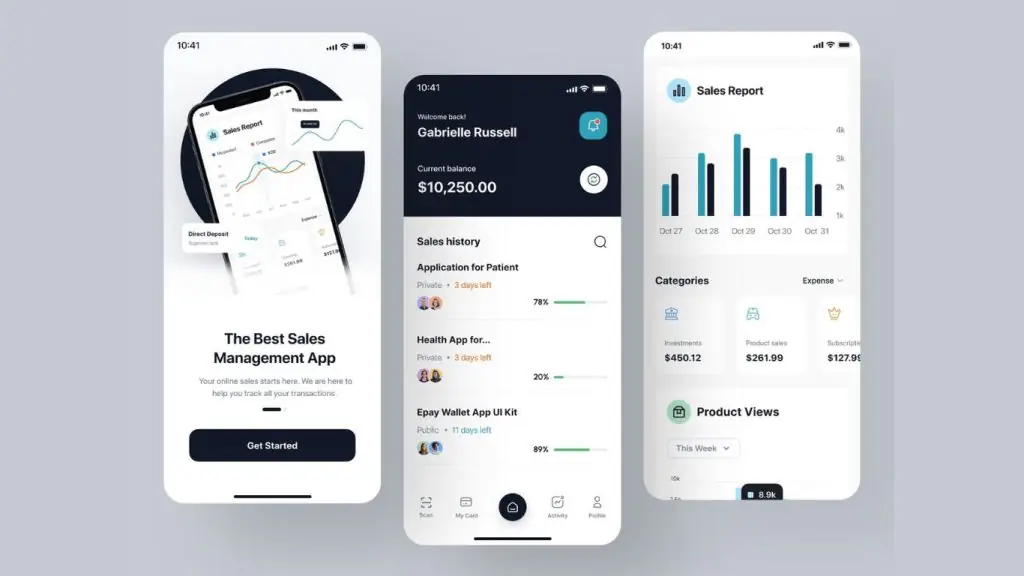
How TOT evaluates sales management apps
The list below is not based on feature count alone. TOT prioritizes apps with a clear mobile version and evaluates them across six groups of criteria:
- Mobile selling capability: Whether creating orders, scanning barcodes, taking payments and printing receipts is convenient.
- Inventory management: Whether data is updated per transaction and whether low-stock alerts and stocktaking are supported.
- Offline capability: Whether the app keeps recording orders or resyncs data once the Internet is back.
- Integrations: The ability to connect sales hardware, shipping, social media, websites, e-commerce marketplaces, e-invoicing and accounting.
- Scalability: Whether it supports adding users, branches, warehouses and permissions as the store grows.
- Real cost: Clearly distinguishing between free forever, free basic features, free app download and free trial.
Top 16 free mobile business management apps
Below are the 16 best free mobile business management apps, helping you easily monitor and run your operations anytime, anywhere.
1. VQFREE – free offline sales software with mobile management support
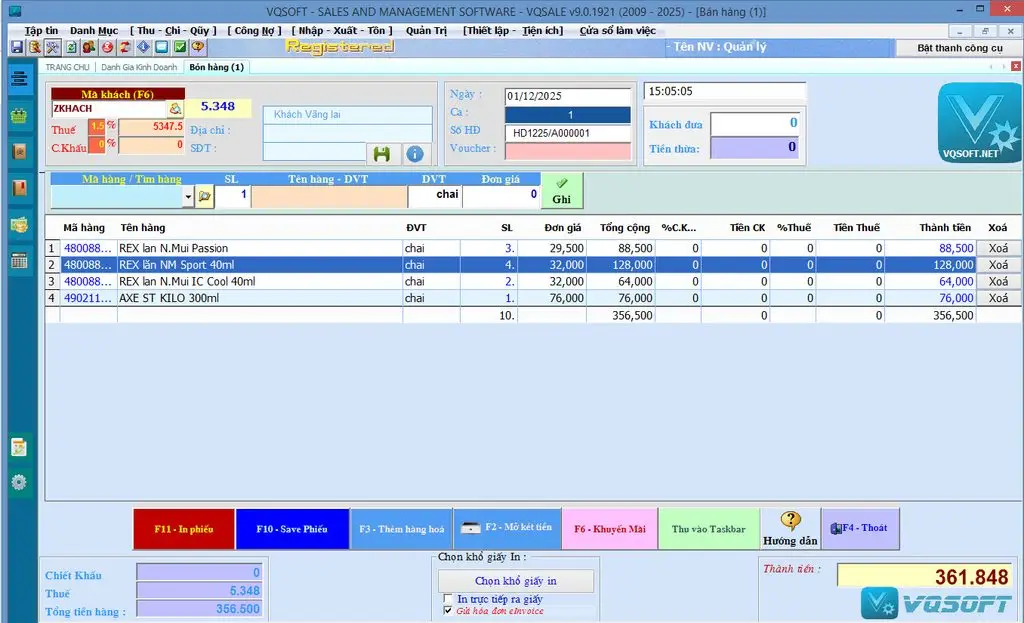
VQFREE is sales and checkout software installed on Windows computers, notable for its free-forever policy for basic operations. The software runs offline and stores data directly on the computer. When they need to monitor or sell remotely, users can extend it with the Web App add-on to access it on iOS or Android phones.
Highlights:
- Free forever for selling, checkout and receipt printing on the computer.
- No limits on usage time, product codes, customer codes or number of documents, per the vendor.
- Works without Internet and stores data on the store’s computer.
- Supports barcode scanning, discounts, promotions and multiple receipt paper sizes.
- Includes reports on revenue, best-selling items and customer purchase history.
- Can add the Web App to close orders, check inventory and view reports on a phone.
Reference price: The VQFREE version for Windows is provided free forever. The vendor lists a Web App maintenance fee from 500,000 VND/year. One-time commercial licenses include VQBILL at 3,500,000 VND and VQSALE at 5,000,000 VND. Another Web App option is listed with a 3,000,000 VND setup fee, free server maintenance for the first four years and 500,000 VND/year from the fifth year onward; users should confirm which plan applies before signing up.
Limitations to consider: VQFREE is not a fully standalone mobile app; the core system still requires a Windows computer. Advanced inventory, debt and profit management belong to the commercial versions. Because the offline data resides on the computer, the store needs to back up regularly to avoid data loss if the device fails.
Best for: Small stores that need free offline selling, want to manage their own data and only add mobile management when they truly need it.
2. Loyverse POS – a free sales management app for small stores
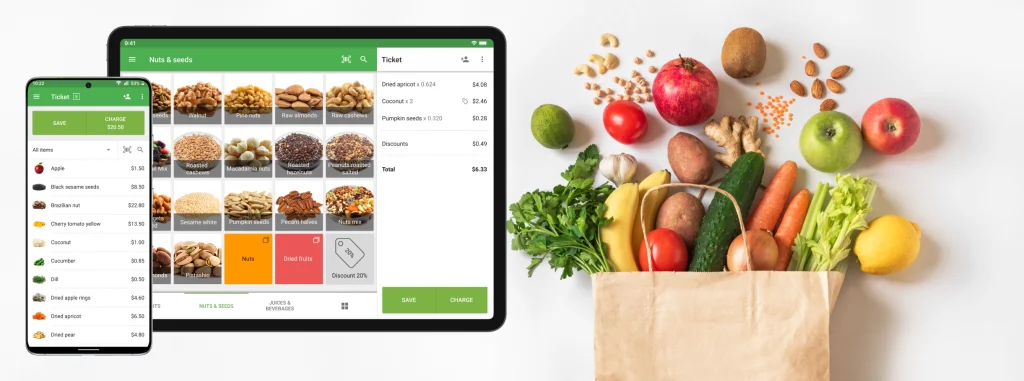
Loyverse POS is a standout option if you need to start selling on a smartphone or tablet with minimal upfront cost. The app suits retail stores, coffee shops, small restaurants, kiosks and some service models.
Highlights:
- Create orders, apply discounts, issue refunds and produce electronic or printed receipts.
- Use the phone camera to scan barcodes.
- Track revenue, sales history and inventory in real time.
- Store customer information and run loyalty programs.
- Can keep recording transactions when the Internet connection drops.
- Manage multiple stores and POS devices under one account.
Reference price: POS, Dashboard, KDS and CDS are provided for free. Optional add-ons include unlimited sales history at 5 USD/month/store, employee management at 25 USD/month/store and advanced inventory management at 25 USD/month/store. Add-ons come with a 14-day trial; prices exclude tax.
Limitations to consider: Some advanced functions such as employee management or in-depth inventory management may sit behind paid plans. Integration with invoicing, payments and local operational support in Vietnam should also be checked before deployment.
Best for: Small stores that need a free POS, simple operation and no complete dependence on the Internet.
>>> See more:
- What is CSP? An effective security solution against XSS & malware
- Top 9 most easy-to-use, free mobile sales app design software
- Security vulnerabilities: what they are, understanding website vulnerabilities and how to prevent them effectively
3. Sapo – a multichannel sales app for online shops and retail stores
Sapo helps manage sales both in-store and across online channels. Owners can create orders, track inventory, manage fanpages, handle shipping and view reports directly on their phone.
Highlights:
- Create orders at the counter and scan barcodes with the phone camera.
- Track inventory, revenue, profit and loss, and best-selling products.
- Connect fanpages to manage comments, messages and create orders within conversations.
- Push orders to shipping providers, compare delivery fees and update order status.
- Connect printers over Wi-Fi and support multiple payment methods.
- Suited to selling in-store combined with websites, social media and e-commerce marketplaces.
Reference price: Sapo offers a free 7-day trial. The Startup plan is 170,000 VND/month, Pro 249,000 VND/month and Omni 449,000 VND/month. Fees for additional stores, fanpages, marketplace storefronts or add-ons are charged separately depending on the plan.
Limitations to consider: Multichannel features, in-depth operations or system expansion may require paid plans. Users should choose the right Sapo product for retail, online selling or F&B.
Best for: Fashion, cosmetics and accessory shops, and online sellers who need to manage multiple channels in one system.
>>> See more:
- What is TLS? The latest security standard upgraded from SSL
- Custom development of any software at great value, with a professional process
- Build an app for Android/iOS easily, with no coding knowledge required
I

4. KiotViet – an app for managing stores and multiple branches
KiotViet is a popular sales management software in Vietnam, with dedicated apps for store owners, staff and certain industries such as restaurants, hotels or salons. The mobile version focuses on tracking revenue, inventory and the performance of each branch.
Highlights:
- Track revenue, transactions, goods sold and stock on hand on a dashboard.
- Low-stock alerts and support for controlling stock in and out.
- Manage multiple branches and compare business performance across locations.
- Store customer information, purchase history and promotion programs.
- Set staff permissions and monitor sales activity remotely.
- Offers industry-specific solutions so processes closely match real operations.
Reference price: For retail, KiotViet lists a Support plan at 270,000 VND/month, Professional at 330,000 VND/month and Premium at 490,000 VND/month for a single branch. Fees for additional branches or warehouses depend on the plan.
Limitations to consider: Downloading the app does not mean the entire service is free to use long term. Stores need to register an account and choose a suitable plan after the trial period.
Best for: Retail stores or multi-branch chains that need a familiar management system with local support.
>>> See more:
- What is PCI DSS? The 12 “backbone” security principles of the payments industry
- What is CSRF? Attack techniques and how to effectively prevent CSRF
- What is a Request for Information (RFI)? The important role of RFIs in business
5. Nhanh.POS – a multichannel order and inventory management app
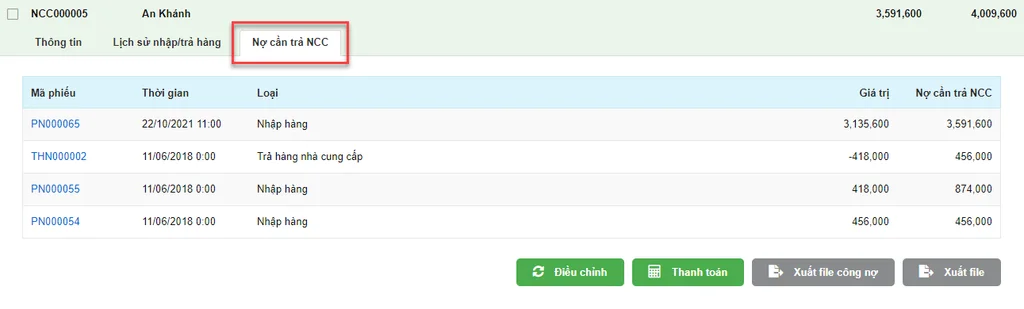
Nhanh.POS targets shops that sell both in-store and receive orders from websites, social media and e-commerce marketplaces. The mobile app lets owners review a revenue overview, create products, process orders and track shipping.
Highlights:
- Manage products, orders and inventory across multiple channels.
- Track delivery status and support connections with shipping providers.
- Sync data between the store, website and e-commerce marketplaces.
- Support managing multiple warehouses or multiple stores.
- Provide reports by revenue, orders, products and sales channel.
- Suited to shops with a high volume of online orders that want to reduce switching between platforms.
Reference price: POS Basic 250,000 VND, POS Pro 350,000 VND and Omnichannel 750,000 VND/store/month. For commitments of two years or more, the listed rates drop to 150,000 VND, 250,000 VND and 550,000 VND/store/month respectively. Nhanh.POS offers a free trial program.
Limitations to consider: The ecosystem has many feature groups, so newcomers need time for the initial setup. Nhanh.POS is a paid service after the trial period, not a free-forever app.
Best for: Fashion, cosmetics or consumer-goods shops that sell across multiple channels and need centralized shipping handling.
>>> See more:
- What is a Scrubbing Center? Its functions and how it works
- What is Character AI? How to download the Vietnamese AI to your phone or PC
- A guide to building apps with Low Code, the simplest and most effective way
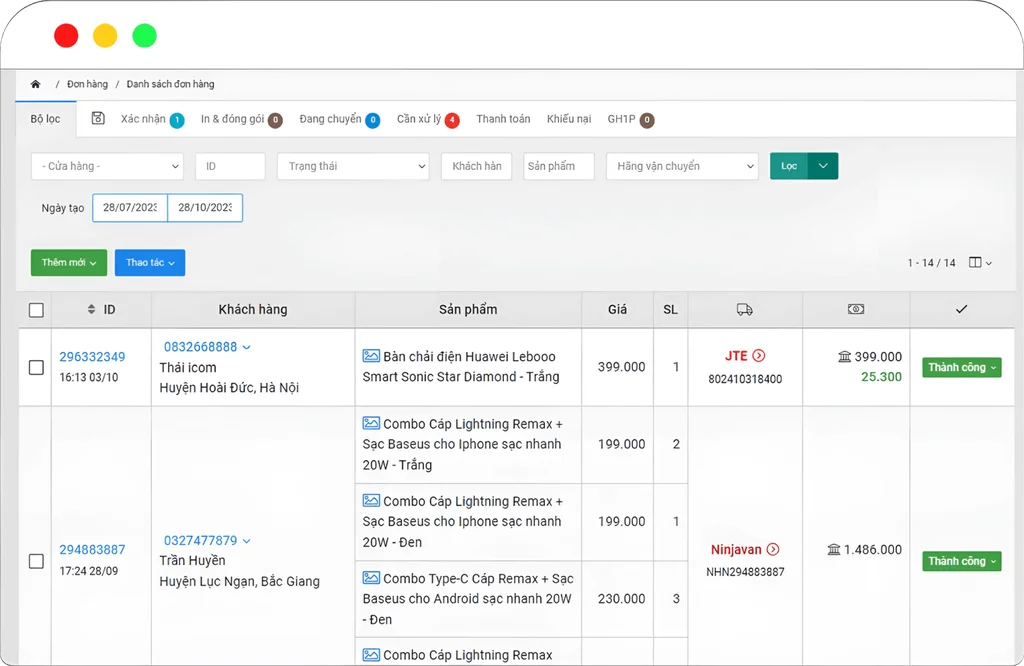
6. POS365 – a sales management app for retail and F&B
POS365 serves both retail stores and restaurants, coffee shops and karaoke venues. In F&B settings, staff can select dishes, send orders to the kitchen or bar and manage table and room status on their phone.
Highlights:
- Manage rooms, tables and service status.
- Select dishes, send orders to the kitchen/bar and update changes quickly.
- Support moving tables, merging tables and processing payments.
- Manage products, inventory, revenue and staff activity.
- Usable on phones, tablets and counter POS devices.
- Suited to many industries, from grocery stores to eateries and time-based services.
Reference price: POS365 lets you download the app and sign up for a trial. At the time of this update, TOT could not find current pricing clearly listed on the official website; users should contact the vendor directly rather than relying on old prices from roundup articles.
Limitations to consider: The app allows a free download and trial, but stores usually need to choose a paid plan for long-term operation.
Best for: Restaurants, coffee shops, karaoke venues or stores that need on-site ordering and payment workflows.
>>> See more:
- What is 2FA? How to enable two-factor authentication to protect your account
- What is WCAG? How to improve your website’s accessibility
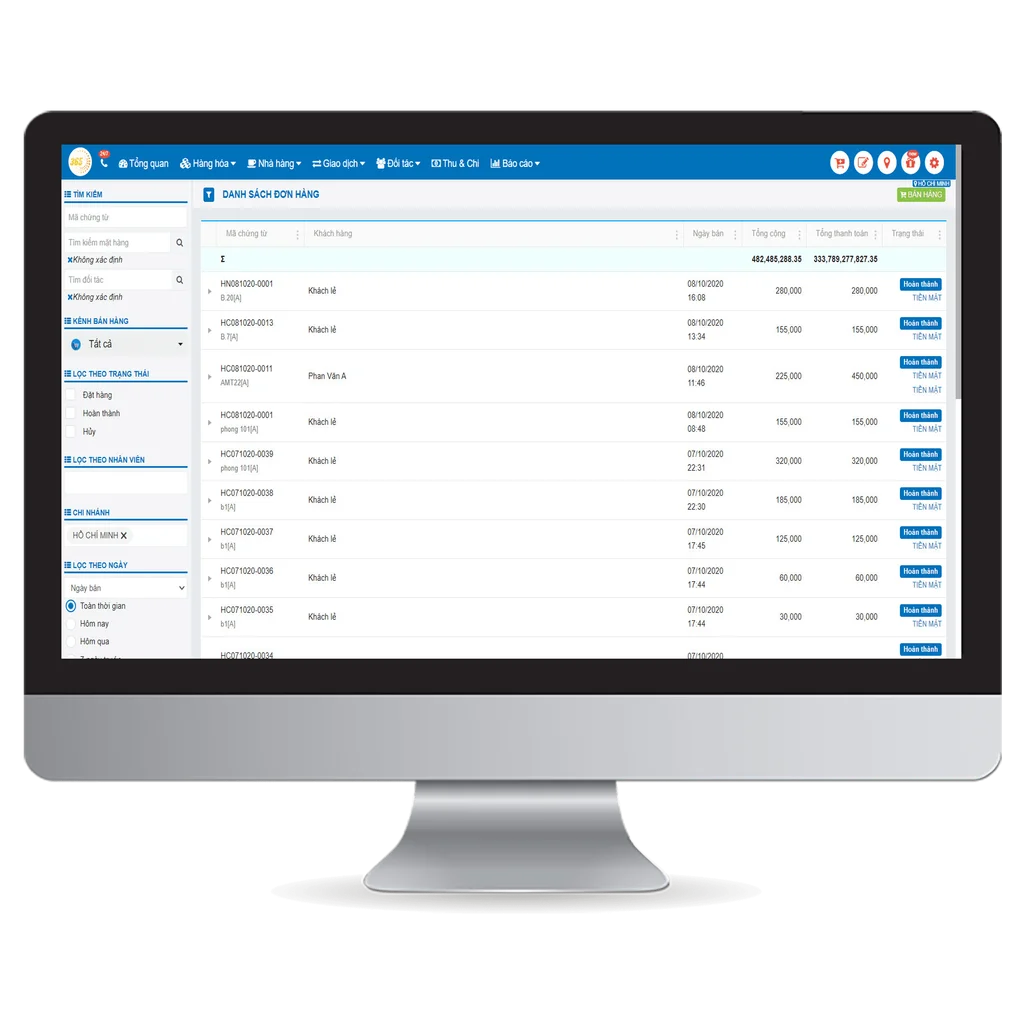
7. TPOS – an app for closing livestream orders and selling on social media
TPOS focuses on sellers who work through Facebook, livestreams and social commerce channels. The app’s strength is consolidating interactions, creating orders and controlling inventory after orders are closed.
Highlights:
- Support closing orders from livestream comments using syntax commands.
- Centralize messages, comments and customer information.
- Create orders, track delivery status and manage returns.
- Sync inventory after orders are placed.
- Store purchase history to care for returning customers.
- Monitor sales activity on the phone when away from the store.
Reference price: TPOS offers a trial but does not consistently list current pricing on publicly verifiable official sources. Stores should request a quote based on the number of fanpages, sales channels, accounts and branches they need.
Limitations to consider: If a store mainly sells directly at the counter and does not livestream, some of TPOS’s standout features may be unnecessary. Users should try the actual order-closing workflow before buying a plan.
Best for: Fashion, cosmetics and accessory shops, and sellers who livestream frequently.
>>> See more:
- 10 free 3D home design software programs for phone and computer
- Top 14 free time management apps for scheduling on phone and computer
- How to use AI in software development?
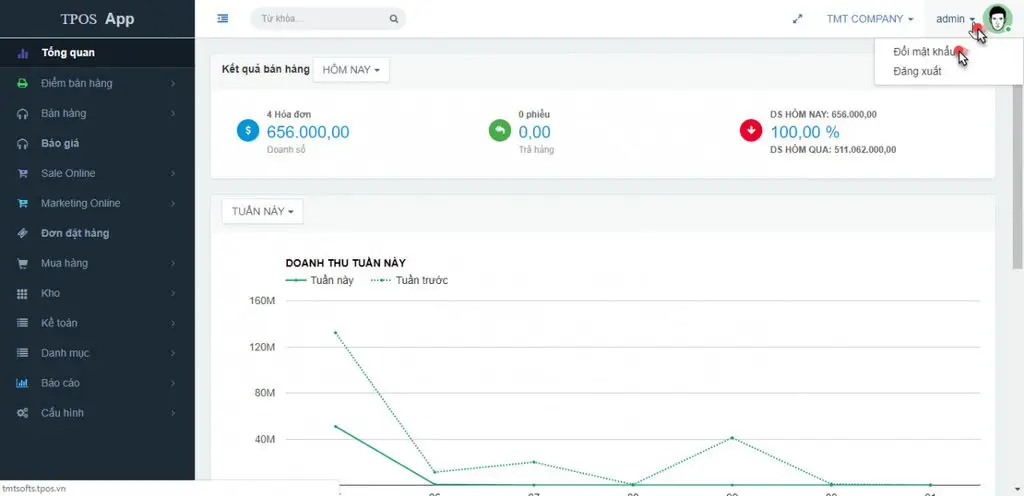
8. PosApp – mobile sales software for eateries and coffee shops
PosApp provides POS solutions for restaurants, eateries, coffee shops, karaoke venues, billiard halls and some retail models. The app lets staff take orders at the table on a phone and then send the information to the kitchen or bar.
Highlights:
- Take orders at the table, manage the table layout and service status.
- Send preparation requests to the kitchen/bar, reducing manual note-taking.
- Manage ingredient portioning and inventory.
- Support receipt printers, barcode scanners and POS hardware.
- Track revenue and reports remotely.
- Offers a solution that works under unstable connectivity.
Reference price: PosApp offers a free 7-day trial. The main price list shows a Starter plan at 220,000 VND/month, an Advanced plan at 299,000 VND/month and a Growth plan for chains available on request. Fees apply per store/point of sale with a minimum 12-month cycle.
Limitations to consider: The real cost depends on the number of devices, branches and the feature set deployed. Stores should request a demo of their actual workflow.
Best for: F&B models where staff take orders on a phone and sync with the kitchen.
>>> See more:
- What is MFA? A solution to prevent data leaks for digital businesses
- What is a vulnerability assessment? A solution for scanning and managing security vulnerabilities
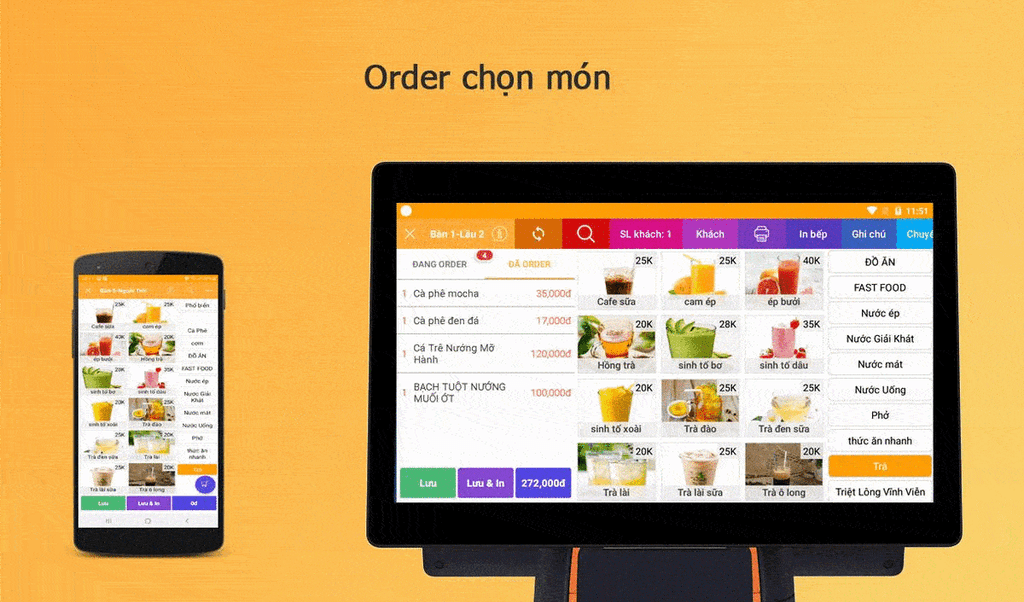
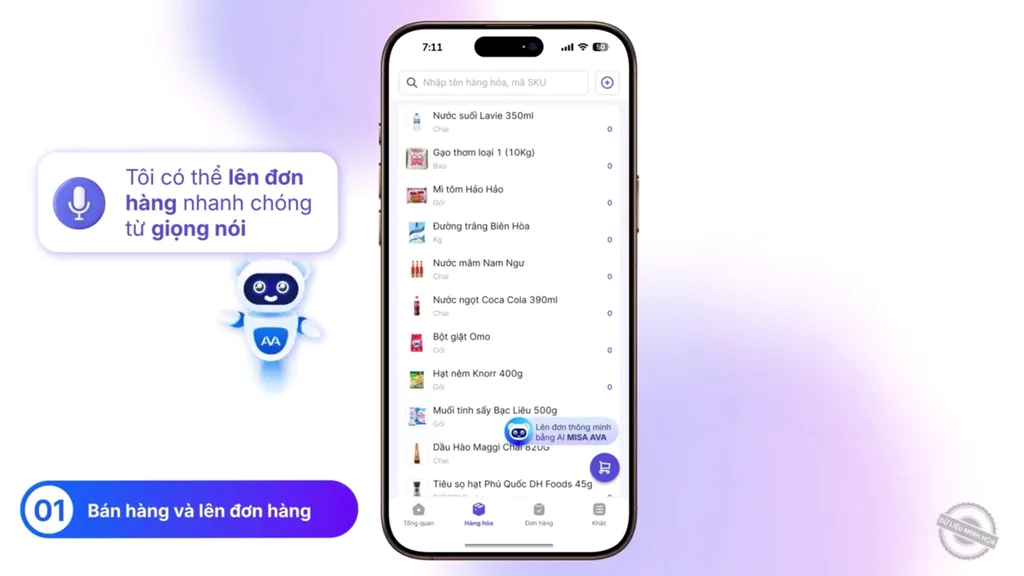
9. MISA eShop – a sales app that combines invoicing, tax and accounting
MISA eShop suits household businesses and retail companies that want to connect their sales operations with e-invoicing, tax filing and accounting. The app supports both in-store and multichannel selling.
Highlights:
- Manage sales, inventory, customers and reports.
- Connect to e-commerce marketplaces, social media and websites.
- Connect to shipping providers and receipt-printing hardware.
- Sync with the e-invoicing and accounting solutions in the MISA ecosystem.
- Support many retail industries such as fashion, groceries, cosmetics, and mom-and-baby.
- Has apps for Android, iPhone and iPad.
Reference price: For household businesses with revenue of no more than 1 billion VND/year, MISA offers the mobile version free for life. Household businesses above 1 billion VND/year get three months free, then from 120,000 VND/month or 1,200,000 VND/year. Companies get a 15-day trial, with prices from 1,188,000 VND/year.
Limitations to consider: Free conditions vary by user type and revenue. Companies or household businesses that need advanced features may have to move to a paid plan after the free/trial period.
Best for: Household businesses that want sales management tied to invoicing, tax and accounting.
>>> See more:
- Top 17 most free, easy-to-use & professional graphic design apps
- 12 task organization apps for planning and managing schedules effectively
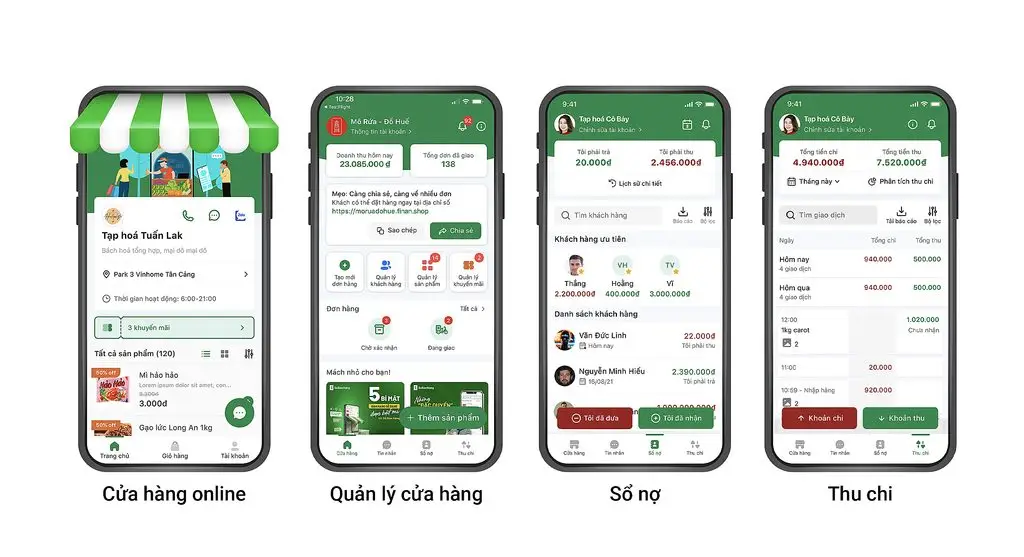
10. Sổ Bán Hàng – a simple business management app for small traders
Sổ Bán Hàng is designed to be accessible for small traders, online sellers and small-scale stores. The app helps replace paper ledgers with order, cash-flow and debt data on your phone.
Highlights:
- Create orders and record revenue right on your phone.
- Manage goods, inventory, customers and outstanding debts.
- Track cash flow and sales performance.
- Support creating an online store and sharing products.
- A relatively simple interface, suitable for those new to such software.
- Offers dedicated apps for certain roles such as store owner and cashier.
Reference price: Sổ Bán Hàng has a Free plan with more than 30 features and a 7-day Pro trial. The Pro plan starts at 299,000 VND/month or from 189,000 VND/month when paid annually; the Biz plan starts at 599,000 VND/month.
Limitations to consider: Some services or advanced features may require payment. For large chains or complex warehouse processes, users should check scalability before importing all their data.
Best for: Small traders, household businesses, small stores and online sellers who want to move from paper ledgers to managing on their phone.
>>> See more:
- What is SSO? How it works & how to log in to a centralized authentication system
- A detailed guide on how to best secure a WordPress website
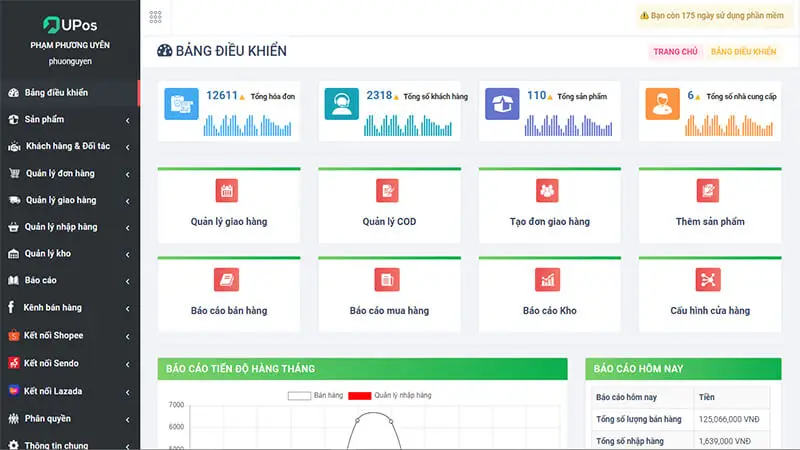
11. UPOS – an app for online and offline sales management
UPOS targets multichannel sellers, grocery stores, kiosks and small shops. The app supports creating orders on a phone, controlling inventory and connecting shipping.
Highlights:
- Create orders on mobile devices and scan barcodes with the camera.
- Manage products, orders, inventory and staff.
- Track sales and store activity reports.
- Connect to popular delivery providers.
- Support both in-store operations and online orders.
- Has a free version so newcomers can try the basic features.
Reference price: UPOS states it can be tried for free but does not clearly specify the free plan’s limits or upgrade pricing on public sources. Users should contact the vendor to confirm the supported number of orders, products, fanpages and accounts.
Limitations to consider: Check the free plan’s limits on products, orders, accounts and integrations before using it long term.
Best for: Small shops that want to manage orders, inventory and delivery in one app.
>>> See more:
- What is an offshore development center (ODC)? An optimal solution for businesses
- Causes and how to fix the security error when accessing websites
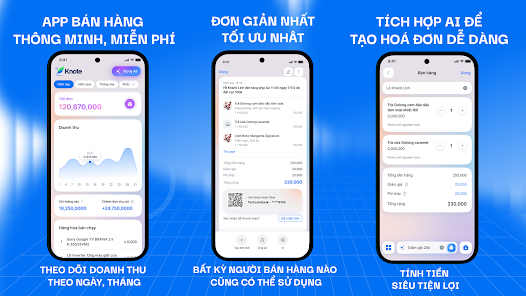
12. Knote – a sales management app with a built-in AI assistant
Knote is a sales management app for small shops, online sellers and household businesses. What sets it apart is the ability to help create orders or query business information using natural-language commands.
Highlights:
- Create orders and record transactions right on your phone.
- Track revenue, products and sales activity.
- Use an AI assistant to support certain actions and data queries.
- A streamlined interface that feels less complex for newcomers.
- No need to invest in bulky POS hardware to get started.
- The developer states you can get started for free.
Reference price: The official app page states that Knote is completely free to get started. The vendor has not publicly listed add-on or upgrade pricing at the time of this update.
Limitations to consider: This is a relatively new app compared with many long-established POS platforms. Stores with complex operations should carefully check inventory features, permissions, device integrations and data export capability.
Best for: Small shops or individual sellers who want to try a simple, AI-assisted way of managing sales.
I
>>> See more:
- What is React Native? An open-source framework for developing iOS & Android apps
- Website security: what it is, its importance and how to keep your website safe
- Dynamic Island: what it is, what it does & which iPhones have it?
13. Tinai – a free, easy-to-learn sales management app
Tinai targets small and medium store owners and household businesses. The app focuses on essential operations, helping users track their business without needing deep technical knowledge.
Highlights:
- Create and track orders.
- Manage products and stock quantities.
- Store customer information.
- Track revenue and basic reports.
- An interface designed for use on a phone.
- The vendor states the app is free.
Reference price: The developer states that Tinai is free, with no trial-then-pay requirement and no hidden costs. However, the app’s last update on Google Play was quite a while ago, so test its functionality and support before entering real data.
Limitations to consider: Compared with larger systems, the integration ecosystem and chain-management capabilities may be more limited. Users should check backup, data export and technical support functions.
Best for: New business owners or small shops that need a free tool and want to avoid complex setup.
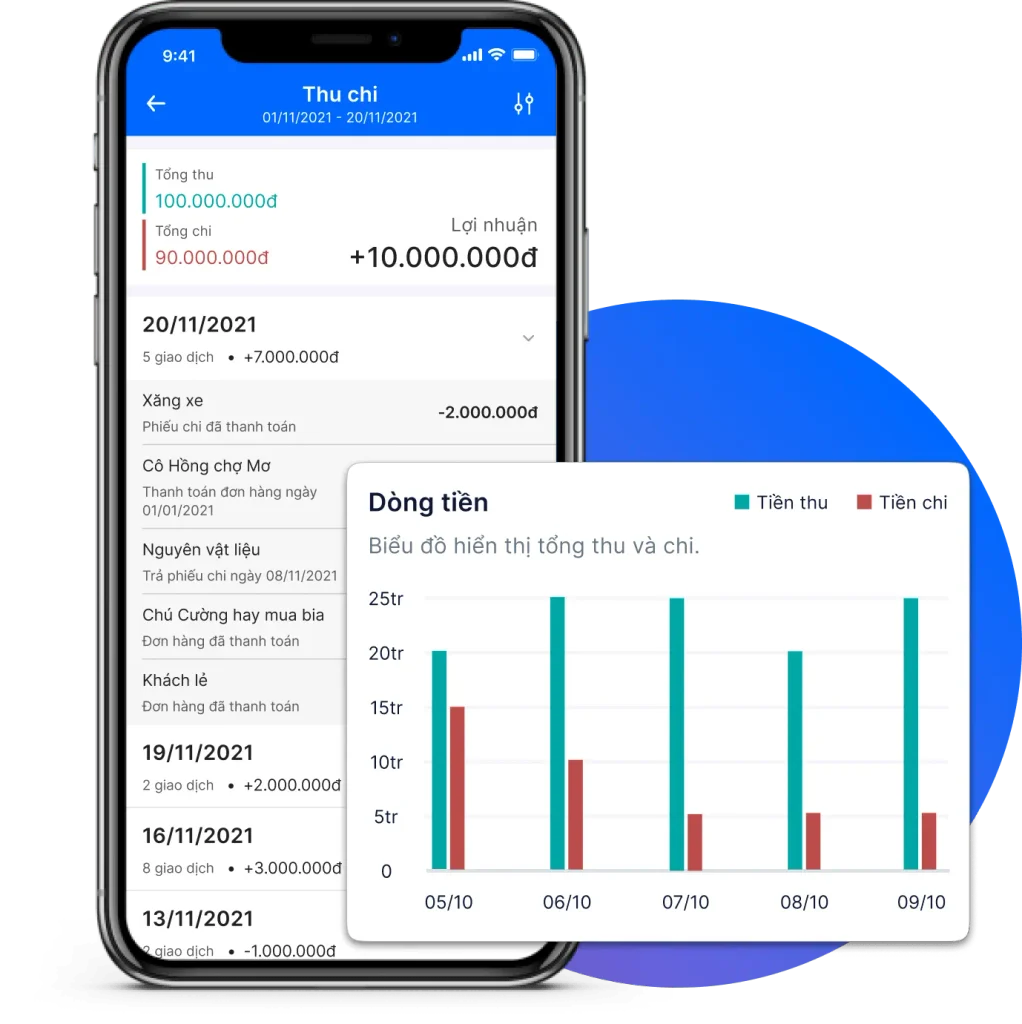
>>> See more:
- Restaurant website design: the most professional and beautiful for the food and dining industry
- Car website design: the most professional, standards-compliant and reputable in Vietnam
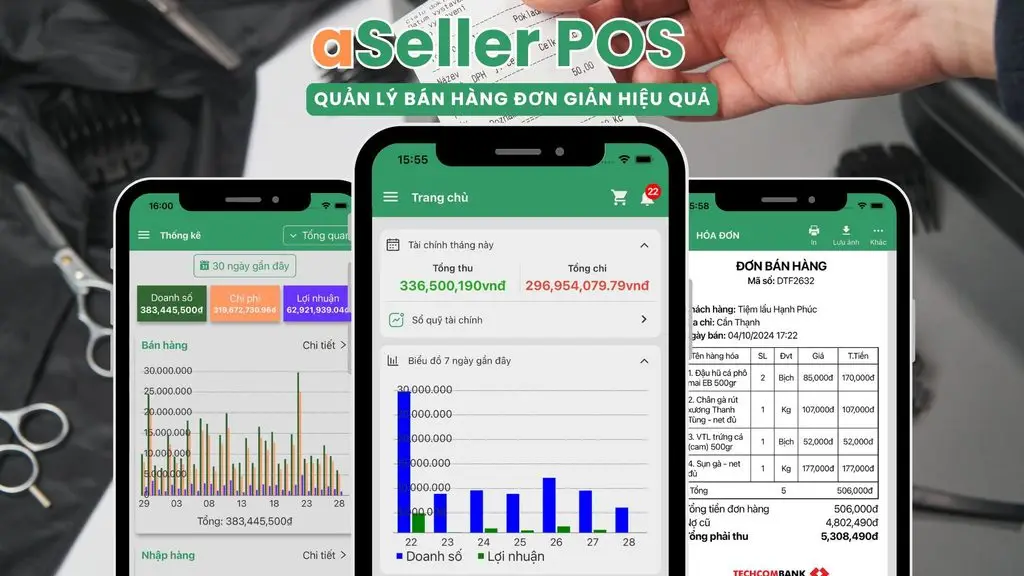
14. aSeller POS Offline – a sales management app that needs no Internet
aSeller POS Offline stores data directly on the device and lets stores create orders when there is no Internet connection. It is an option worth considering for small points of sale or areas with unstable networks.
Highlights:
- Create, edit and cancel orders without Internet.
- Manage products, prices, images and inventory.
- Store customer information, purchase history and outstanding debts.
- Track revenue, profit and costs.
- Support Bluetooth printers, thermal printers and barcode labels.
- Data is stored on the device, with no server dependency while selling.
Reference price: aSeller POS Offline can be downloaded and tried for free on Android. The developer has not clearly listed the price or scope of any paid plan on the app page.
Limitations to consider: Storing data on a single device creates risk if the phone breaks, is lost or is wiped. Carefully check the backup, restore and sync mechanisms before using it in a store with several staff.
Best for: Individual stores that need offline selling and use only one main device.
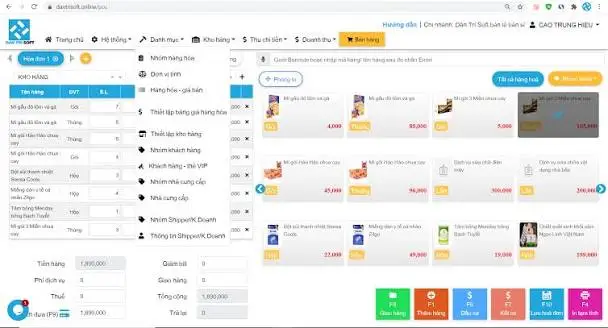
15. DanTriSoft – sales management software with a free version
DanTriSoft provides sales management solutions for retail stores and F&B. The platform has a free version for basic needs and advanced versions for models that require more features or in-depth support.
Highlights:
- Checkout, and management of products, inventory and revenue.
- Support restaurant, eatery and coffee shop operations.
- Manage staff and operation permissions.
- View business activity reports.
- Can combine computer systems and mobile devices depending on the solution.
- Has local documentation and a user community.
Reference price: DanTriSoft has a free version for basic needs. The professional version’s price varies by retail or F&B model and has not been verified by TOT against a current official price list, so users should contact the vendor before buying.
Limitations to consider: Users need to confirm which version fully supports operations on Android or iOS, as well as how it syncs between phone and computer. The free version may limit supported features.
Best for: Stores or eateries that want to start with free software and have the option to upgrade later.
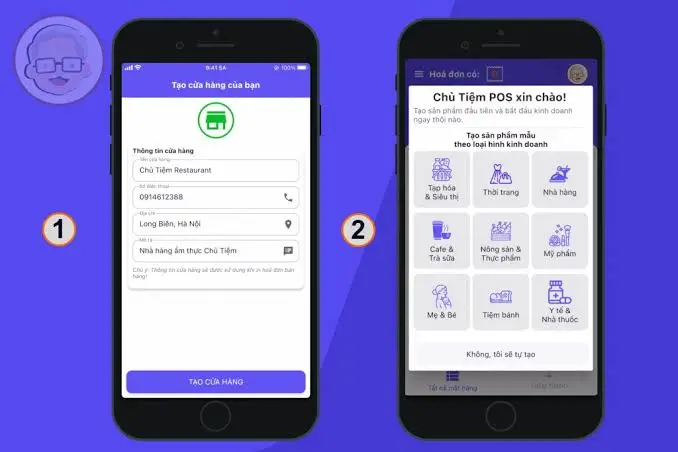
16. Chủ Tiệm POS – an app for managing small stores on a phone
Chủ Tiệm POS focuses on a store’s daily operations such as creating orders, managing goods, tracking debts and viewing reports. The app suits grocery stores, fashion shops, eateries, coffee shops and some small service models.
Highlights:
- Create orders, take payments and track sales history.
- Manage products, purchasing and inventory.
- Track customers, suppliers and outstanding debts.
- View revenue and business performance reports.
- Sync data for access across multiple devices depending on the plan.
- Support many common industry categories.
Reference price: The Chủ Tiệm POS app is free to download but has in-app purchases. Detailed pricing is not publicly listed; users need to check directly in the app or contact the developer.
Limitations to consider: Check the free or trial plan’s limits on the number of products, accounts and devices, and its data export capability.
Best for: Small stores that want to manage basic operations right on their phone.
Which sales management app should you choose for each need?
There is no single best app for every store. The right choice depends on your business model and the problem you need to solve first.
| Need | App to try first | Why |
| Need a free, easy-to-start POS | Loyverse, Tinai, UPOS | Have a free version or basic features that are enough for small shops |
| Multichannel selling | Sapo, Nhanh.POS, TPOS | Focus on managing online orders, inventory and sales channels |
| Retail store management | KiotViet, Sapo, MISA eShop | Fairly complete inventory, customer, staff and reporting systems |
| Restaurants, coffee shops | POS365, PosApp, Loyverse | Support ordering, tables and rooms, kitchen/bar or POS on mobile devices |
| Closing livestream orders | TPOS | Workflow designed for comments, messages and livestreams |
| Household businesses focused on invoicing and tax | MISA eShop | Has an ecosystem connecting sales, invoicing and accounting |
| Unstable Internet | aSeller POS Offline, Loyverse | Can record transactions offline; check the sync and backup mechanisms |
| Want simple operation or AI | Knote, Sổ Bán Hàng | Interface aimed at small shops, small traders and newcomers |
>>> See more:
- E-commerce website design done professionally, with 7 key details
- Top 10 free poster design software programs, online on computers
- AI applications in online selling: the TOP 10 AI tools & how to deploy them effectively
Factors to consider when choosing sales management software
When choosing sales management software, evaluating these factors is essential to ensure the software fits your business’s size and needs. Below is a detailed analysis of each factor:
Number of products
- For a small number of products (under 100 products): Most free sales management apps or basic plans can handle this well. You just need software with a simple interface that makes it easy to enter data and manage product information.
- For a large number of products (over 1,000 products): You need more powerful software capable of handling large volumes of data. Look for features such as bulk data import via Excel files, fast product search, product classification by multiple attributes (color, size, material) and detailed inventory management by individual product code.
Number of customers
- For a small number of customers: Basic software can help you store contact information and simple purchase histories.
- For a large number of customers: You need software with in-depth customer relationship management (CRM) features. It should let you segment customers, set up separate loyalty-points and promotion programs, and send automated messages.
Number of orders
- For few orders (under 50 orders/day): Software with basic sales features and fast receipt printing is enough.
- For a large number of orders (over 200 orders/day): You need high-performance, stable software that does not lag when many transactions happen at once. Essential features include: fast order processing, automatic stock deduction, integration with shipping providers to track order status and management of the packing process.
Reporting
For basic needs: Free software usually provides simple reports on revenue, profit and loss, and inventory.
For in-depth analysis needs: If you want to make data-driven business decisions, choose software with detailed and varied reports. The reports should include:
- Revenue reports: By day, week, month, quarter and year.
- Profit and loss reports: Help you know your actual profit precisely.
- Inventory reports: Best-selling products, long-held stock and products nearing expiry.
- Customer reports: Loyal customers, new customers and each customer’s shopping history.
- Visual charts: Easy-to-read chart-based reports that help you grasp your business situation quickly.
>>> See more:
- What is DNS over HTTPS? How to enable DoH
- What is SHA? Learn about the common SHA versions
- A guide to deploying AI in mobile apps, made simple
Frequently asked questions
What features do free mobile sales management apps have?
Free mobile sales management apps usually offer basic features such as:
- Sales management: Creating invoices, taking payments and printing receipts (if a printer is available).
- Inventory management: Tracking stock quantities.
- Reporting: Simple revenue and profit-and-loss statistics.
- Customer management: Store customer information.
Is there a free offline sales management app?
Yes. Some sales management apps can work offline and automatically sync data once the internet connection is restored. These apps usually store data on your phone itself, keeping sales uninterrupted.
How does a mobile customer management app work?
A mobile customer management (CRM) app helps you store customers’ information and purchase history. From there, you can segment customers, send promotional messages or create loyalty-points programs to retain and care for customers more effectively.
Is free Excel-based sales management software effective?
Excel is only effective for very small business models with few products and orders. However, it has many limitations, such as:
- Error-prone: Data must be entered manually, which is easy to get wrong.
- Inflexible: It cannot be used across multiple devices and is hard to manage with several staff.
- No automatic reporting: Manual work is needed to compile and analyze data.
Can you create a sales app online for free?
You can create a sales website for free with platforms such as Haravan, Sapo or KiotViet, using trial or limited free plans. Building an online sales app for phones usually requires a larger investment in programming and design.
Conclusion
A good mobile sales management app is not necessarily the one with the most features, but the one that best fits your workflow, budget and store size. Small shops can start with Loyverse, Tinai or UPOS; multichannel shops should try Sapo, Nhanh.POS or TPOS; F&B models may prefer POS365 and PosApp; household businesses that need to connect sales with invoicing, tax and accounting can consider MISA eShop.
Before deciding, use test data to check the sales workflow, inventory, permissions, reporting and data export. Evaluating carefully from the start will help your store avoid wasting time switching systems as order volume grows.
If off-the-shelf software cannot meet your specific workflow, your business can consider custom software development or building a dedicated mobile app to manage sales, inventory, customers and reports on a system that fits how you operate.
TOT stands out with flexible service packages personalized to each specific need, helping businesses easily adopt technology, optimize operations and enhance the customer experience. Guided by its “Technology for people” philosophy, TOT delivers not only technical results but also an emotional connection between the brand and its users.
Customers interested in TOT’s digital solutions can learn more on the News.
BOOK A CONSULTATION AND GET A FREE WEBSITE AUDIT PACKAGE TODAY at: https://topon.tech/en/contact/