
AI report writing is fast becoming a way for individuals and businesses to cut down the time spent gathering data, building content and presenting reports. With today’s AI tools, users can create work, business, marketing, research or recurring reports from input data. In this article, TOT rounds up the TOP 15 standout AI report-writing tools of 2026, along with the criteria for choosing one and guidance on using it effectively.
>>> See more articles:
- TOP 18 architecture AI tools for architects
- Top 20+ best free AI image design software
- TOP 15 best AI code-writing tools
Quick summary
- AI report writing is a solution that uses artificial intelligence to gather data, analyze information, build content and present reports on demand.
- AI can support many types of reports, such as work reports, business reports, marketing, research, academic, data analysis and recurring reports.
- The 15 AI report-writing tools covered are: Sembly AI (Semblian), Simplified, Taskade, Texta AI, ChatGPT, Jenni AI, Copy.ai, Domo AI, Glean, Gong, Insight7, Jasper, ReportGPT, Writesonic and Julius AI.
- Professional AI report-writing software should be able to create and edit content, process documents and data, analyze insights, visualize results, export files and integrate with other tools.
- When choosing an AI report-writing tool, you should define the report type, input data, output format, cost, integration capabilities and security requirements.
- Using AI helps save time, boost productivity, support data analysis, standardize content, and personalize and visualize reports.
What is AI report writing?
AI report writing is the use of generative artificial intelligence (Generative AI) to create, aggregate, analyze and present report content based on data and the user’s input requirements. According to NIST, Generative AI is a class of models capable of generating synthetic content from the characteristics of input data, including text and many other forms of digital content. In essence, large language models (LLM) receive a prompt, identify relationships within the data and produce content that matches the request.
When building a report with AI, the process usually starts by taking in the data and requirements: the objective, the audience, the time frame and the desired format or structure. The AI can then analyze the data, find connections or trends, synthesize the key information, build an outline and write a draft. In the next step, the tool can help adjust the tone, organize the content, create tables or format the report before the user does a final review.
AI can support many types of reports, from work reports, weekly/monthly reports, business reports and marketing reports to research, study and data-analysis reports. Compared with doing it manually, AI report writing can shorten the time spent on tasks such as aggregating information, drafting and standardizing structure.
Research by the OECD shows that Generative AI helped cut writing time by 40% and improve quality by 18% in a trial with around 450 professionals. That said, AI can still produce incorrect or inaccurate information, so the final figures, sources and content need to be checked by a human before use.
>>> See more:
- What is image recognition AI? Algorithms & applications
- How does AI-assisted programming affect coding skills?

Top 15 best AI report-writing tools today
AI report-writing tools are increasingly diverse, from platforms that specialize in meeting content to tools for writing, analyzing and presenting content. Below are 15 notable options, assessed on their content generation, data processing, report customization and pricing.
Quick comparison of AI report-writing tools
| Tool | Best for | Highlights | Reference pricing |
|---|---|---|---|
| Sembly AI (Semblian) | Meeting and work reports | Summarizes and aggregates content from multiple meetings | Free and paid plans available |
| Simplified | Marketing, content | Creates content and reports and supports marketing workflows | From 29 USD/month |
| Taskade | Work and recurring reports | AI Agent, automation and scheduled report generation | Free; paid plans from 10 USD/month billed annually |
| Texta AI | Content, documents | Analyzes PDF, DOCX, CSV and offers AI writing | From 49 USD/month |
| ChatGPT | A wide range of report types | Writing, data analysis, document processing and prompt-based customization | Free; Plus from 20 USD/month |
| Jenni AI | Research and academic reports | Document analysis, writing support and citations | Free; from 12 USD/month |
| Copy.ai | Marketing, Sales, GTM | Workflows, Brand Voice and content automation | From 29 USD/month |
| Domo AI | Data reports, BI | Data analysis, dashboards and AI Report Generation | Quote on request |
| Glean | Enterprise | Searches and aggregates internal data and generates reports | Custom quote |
| Gong | Sales, Revenue | Analyzes customer interactions and sales performance | Custom quote |
| Insight7 | Customer research | Analyzes interviews and surveys and generates insights | Free; from 99 USD/month |
| Jasper | Marketing, Content | Brand Voice, AI Agents and marketing workflows | From 69 USD/month |
| ReportGPT | Study and research reports | Chapter-based report generation, outlines and Word export | Free Demo; from 5 USD/report |
| Writesonic | Marketing, SEO, Content | AI Article Writer, web research and citations | From 79 USD/month billed annually |
| Julius AI | Data analysis | Excel/CSV analysis, chart creation, insights and presentations | Free; from 20 USD/month |
Note: Prices are indicative and may change depending on the time, region, billing cycle and each provider’s policy.
1. Sembly AI (Semblian)
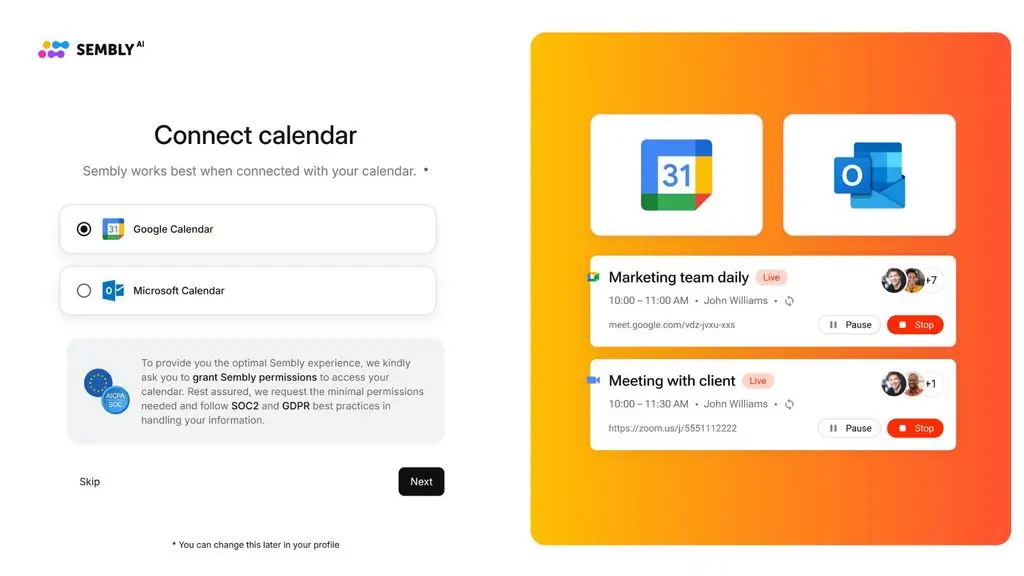
Sembly AI is a good fit for businesses that need to turn meeting content into professional reports and documents. Semblian can mine data from multiple meetings, search for information and produce deliverables such as reports, case studies or presentations. The platform supports more than 45 languages and integrates with Google Meet, Microsoft Teams, Zoom and Webex.
Pros:
- Automatically turns meeting content into reports.
- Aggregates information across multiple meetings.
- Includes AI chat, transcript search and content analysis.
- Exports reports as
.docxand presentations as.pptx. - Supports more than 45 languages.
Cons:
- Heavily focused on meeting data and professional services.
- Advanced features such as multi-meeting AI chat, analytics and automation require higher-tier paid plans.
Pricing:
- A free trial is available.
- Basic from $17/month, Pro $29/user/month and MAX $39/user/month.
- Prices may be lower with annual billing.
>>> See more:
- How to build apps with AI for free, in detail and simply
- How is AI in software development applied?
2. Simplified
Simplified is an all-in-one AI platform for content and marketing that combines writing, design, video and publishing in a single system. AI Writer offers more than 50 content templates and can produce long-form articles, marketing copy, emails, ads or other text formats. As a result, the tool is a good fit when you need AI report writing combined with communications content and visual presentation.
Pros:
- Supports more than 50 content-writing templates.
- Includes AI Writer for both long- and short-form content.
- Combines writing, design and publishing in one platform.
- Includes plagiarism checking.
- Offers a Free Forever plan for basic needs.
Cons:
- Leans toward content marketing rather than in-depth analytical reports.
- Some features and usage limits depend on credits or the subscription plan.
Pricing:
- Pro: 29 USD/month or 19 USD/month with annual billing.
- Business: 79 USD/month or 49 USD/month with annual billing.
- Growth (Agency): 199 USD/month or 149 USD/month with annual billing.
- Enterprise: Contact for a quote.
- Trial: 1 USD for 7 days.

3. Taskade
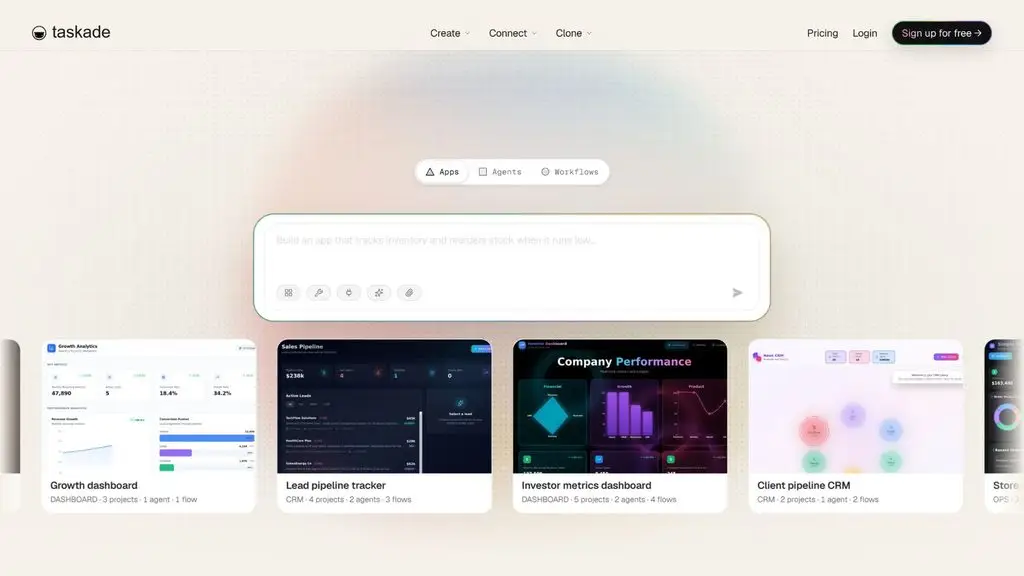
Taskade is an AI-powered productivity platform, well suited to AI report writing combined with project management and automation. Users can create content, summarize documents, analyze data and build recurring reporting workflows. Taskade also supports AI agents that process data from files, URLs and connected sources.
Pros:
- Generates report content and structure from a prompt.
- Supports document summarization and data analysis.
- AI agents can handle tasks automatically.
- Supports scheduled recurring reports.
- Integrates with more than 100 apps and services.
Cons:
- Many AI features use a credit system.
- May take some getting used to if you only need simple report writing.
Pricing:
- Free: 0 USD.
- Pro: from 10 USD/month with annual billing.
- Business: 25 USD/month.
- Max: 100 USD/month.
- Enterprise: Contact sales.
>>> Learn more:
- Image analysis with AI: how it works & real-world applications
- 7 ways to use AI to optimize customer experience
4. Texta AI
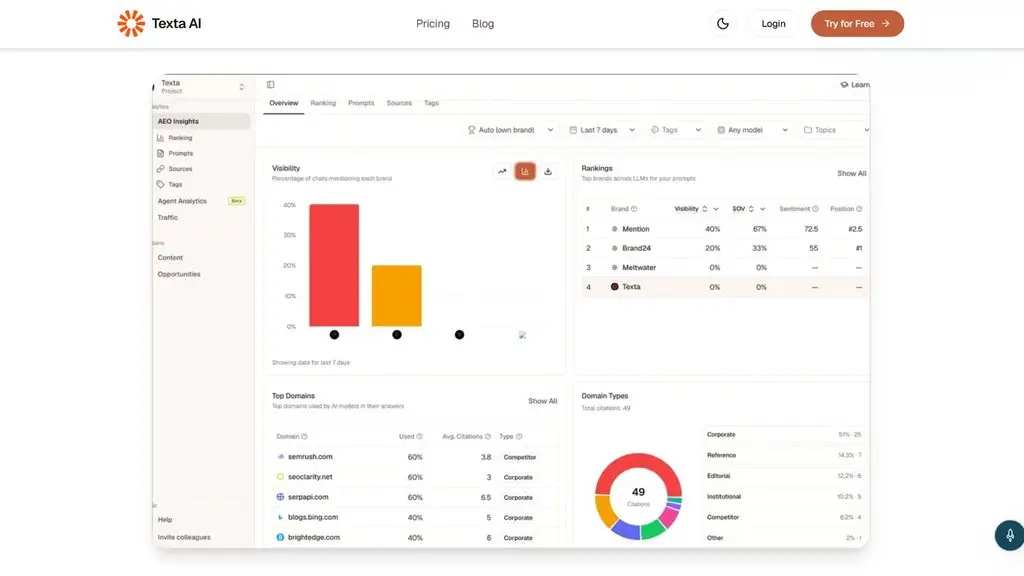
Texta AI offers AI tools for writing, analyzing and processing documents. For AI report writing, Texta can read PDF, DOCX, CSV and many other formats to answer questions, summarize or extract insights from data. The platform also includes an AI Writing Assistant that creates and edits content according to the objective, audience and tone.
Pros:
- Supports many document formats such as PDF, DOCX and CSV.
- Includes summarization and insight-extraction tools.
- Provides more than 100 AI writing tools.
- Lets you customize tone and content.
- Some AI reporting tools are offered for free.
Cons:
- Focuses heavily on content and SEO rather than in-depth data reporting.
- Some advanced features require a paid plan.
Pricing:
- Some AI tools: free.
- Individual: 8 USD/month.
- Team: 25 USD/month.
- GEO plans are currently available from 49 USD/month.
5. ChatGPT
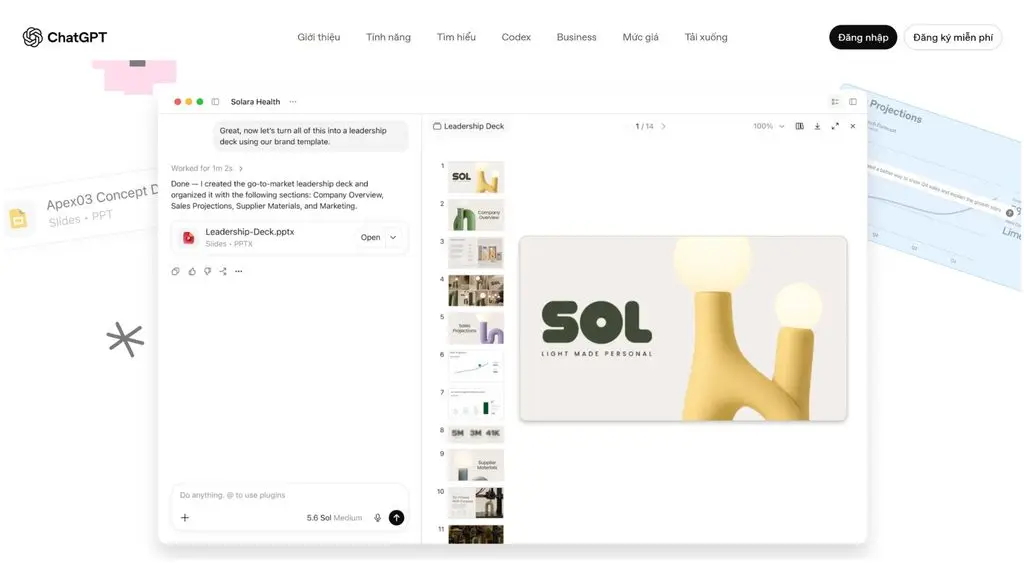
ChatGPT is a versatile AI tool that can help write reports, analyze data and process documents on demand. Users can upload files, ask the AI to aggregate information, analyze figures, write structured content and revise it repeatedly through prompts. ChatGPT also supports web search, data analysis and visual content generation depending on the plan.
Pros:
- Write and edit reports flexibly through prompts.
- Supports data analysis and file processing.
- Lets you customize structure, tone and length.
- Supports many languages.
- Has a free version.
Cons:
- Report quality depends on the data and the prompt.
- Figures, sources and AI-generated information need to be checked.
- Some features and limits depend on the plan.
Pricing:
- Free: 0 USD/month.
- Go: 8 USD/month.
- Plus: 20 USD/month.
- Pro: from 100 USD/month.
- Business: from 20 USD/user/month with annual billing; 25 USD/user/month with monthly billing.
- Enterprise: Custom pricing, contact OpenAI.
>>> See more:
- What is Predictive AI? Benefits and how predictive AI works
- AI in UI/UX design: the power of Generative AI
6. Jenni AI
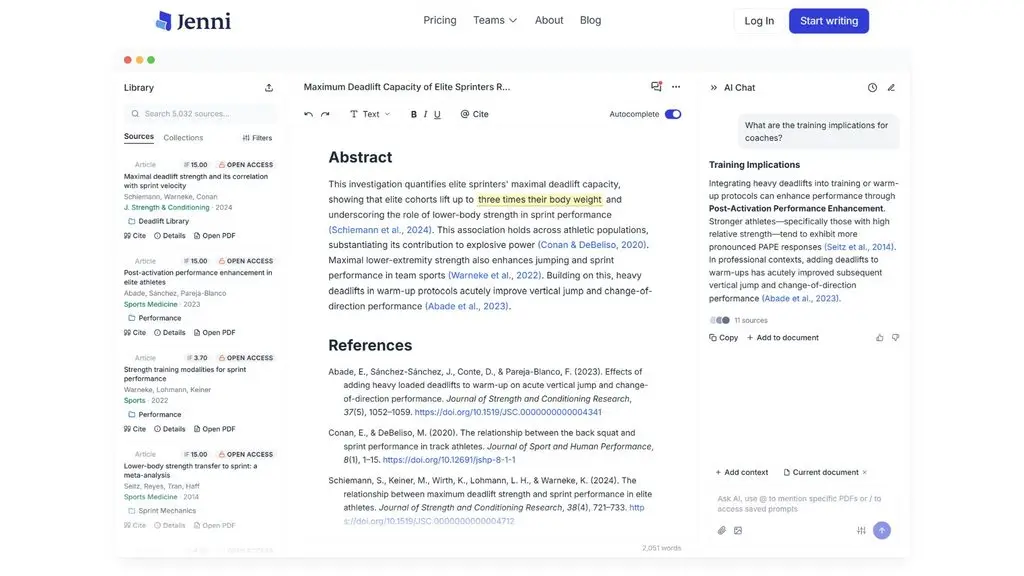
Jenni AI focuses on writing and research, making it a good fit for AI-assisted report writing, academic documents and content that needs citations. The tool lets you upload PDFs, chat with your documents, edit content and work with many citation styles. Jenni also offers a Review feature to check content before finalizing a report.
Pros:
- Well suited to research and academic reports.
- Supports uploading and analyzing PDF documents.
- Includes AI Chat and AI Edit for writing and editing content.
- Supports more than 10,000 citation styles.
- Can export documents in the supported formats.
Cons:
- Heavily focused on research and academic writing.
- The free version has usage limits.
- Advanced features require payment.
Pricing:
- Free: 0 USD/month.
- Plus: 12 USD/month.
- Pro: 29 USD/month.
7. Copy.ai
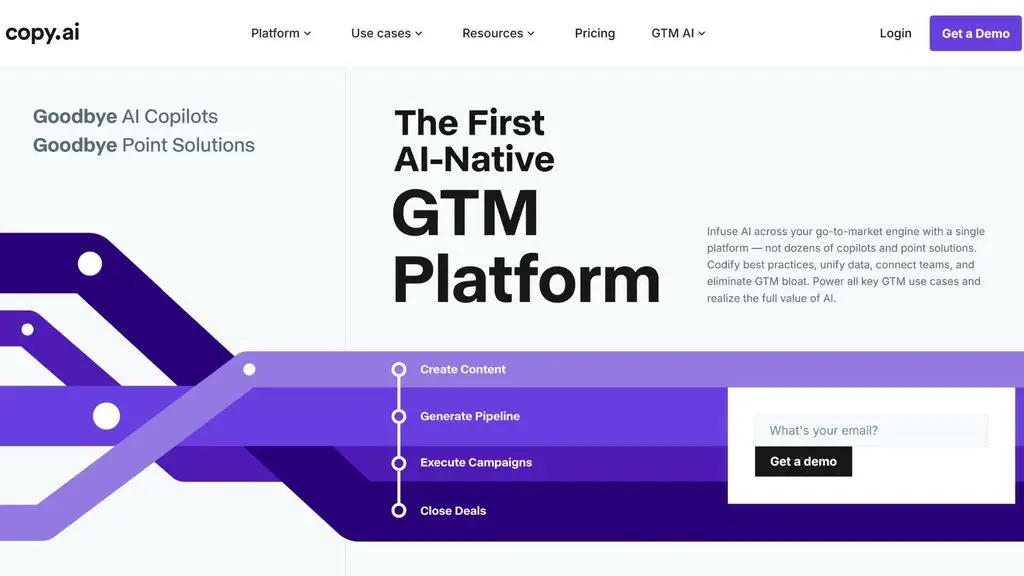
Copy.ai is an AI platform focused on content generation and process automation for businesses, and it is especially well suited to marketing and sales reports and GTM activities. The tool combines Chat, Infobase and Workflows to bring company data into content, maintain a Brand Voice and automate content-generation tasks at scale.
Pros:
- Quickly generates report content from a prompt.
- Infobase lets the AI use company information.
- Brand Voice helps maintain a consistent tone.
- Workflows support process automation.
- Can generate content in bulk.
Cons:
- Better suited to marketing, sales and GTM reports.
- Complex workflows can consume a lot of credits.
- Enterprise pricing is relatively high.
Pricing:
- Chat: 29 USD/month or 24 USD/month with annual billing.
- Growth: 1,000 USD/month.
- Expansion: 2,000 USD/month.
- Scale: 3,000 USD/month.
- Enterprise: Contact sales.
>>> Learn more:
- A simple guide to deploying AI in mobile apps
- 18 highly effective ways to apply AI for ecommerce
8. Domo AI
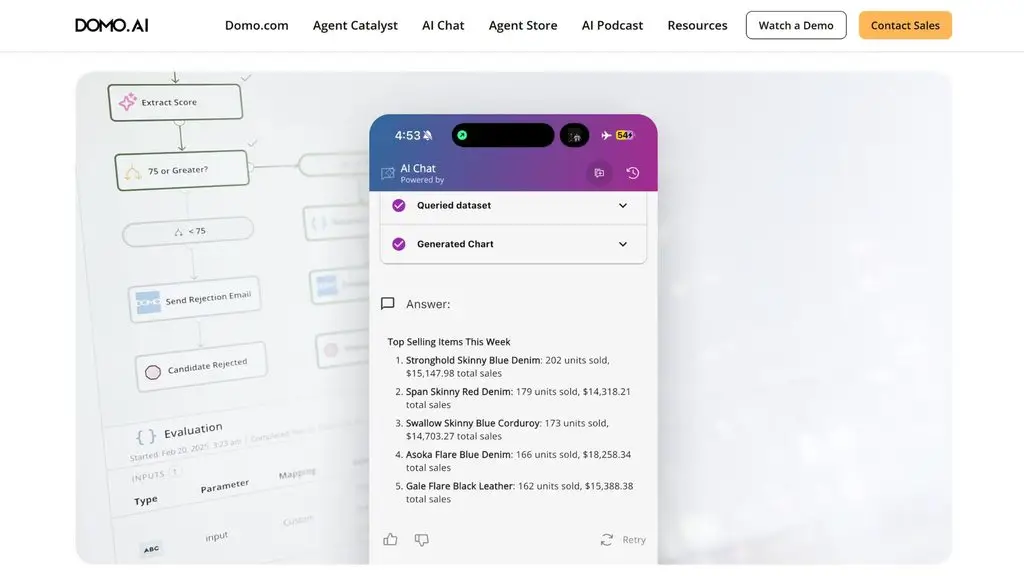
Domo AI is an AI-powered data analytics and Business Intelligence platform, well suited to businesses that need AI report writing from business data. Domo can connect data from many sources, build dashboards, analyze trends and automate recurring reports. The AI Report Generation Agent can also analyze datasets and produce reports with summaries, trend detection, anomalies and visual charts.
Pros:
- Analyzes data and generates reports automatically.
- Supports dashboards and data visualization.
- Includes an AI Agent dedicated to report generation.
- Supports scheduled recurring reports.
- Connects to many enterprise data sources.
Cons:
- Better suited to businesses with data-analysis needs.
- May take time to set up and get used to.
- Pricing depends on usage levels and business needs.
Pricing:
- Free Trial: 30-day trial, no credit card required.
- Paid plans: based on usage (credit-based).
- Enterprise: contact Domo for a custom quote.
9. Glean
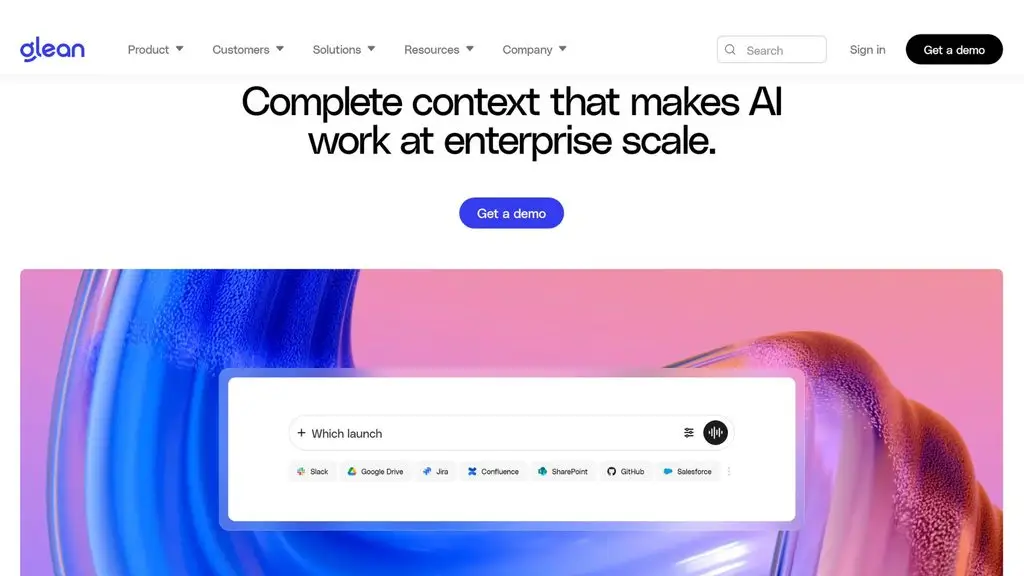
Glean is an Enterprise AI platform that helps businesses search, aggregate and analyze information across many internal data sources. For AI report writing, Glean can combine structured data and documents and then produce context-aware reports. The tool also supports recurring reports from data sources such as Snowflake or Databricks and exports content to Word, Google Docs, PowerPoint or Google Slides.
Pros:
- Aggregates data from many enterprise applications.
- Analyzes data using natural language.
- Generates reports with citations and business context.
- Supports recurring reports.
- Exports content to Word, Google Docs, PowerPoint and Google Slides.
Cons:
- Focused mainly on enterprises and internal data.
- Requires connecting and setting up data sources before use.
- Does not publish fixed pricing for all customers.
Pricing:
- Custom pricing based on business size and needs.
- Glean provides quotes through its sales team.
>>> See more:
- A guide to using Google AI Studio effectively and quickly
- How to create videos with AI: top 15 free AI video tools
10. Gong
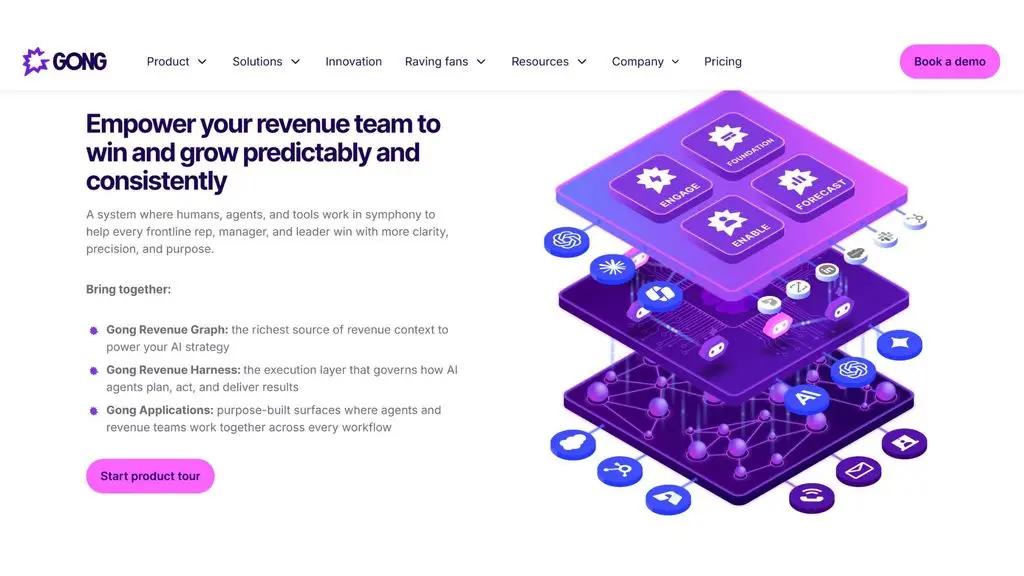
Gong is a Revenue AI platform focused on sales data and customer interactions. The tool uses AI to analyze calls, emails and sales activities, generating insights and reports that support sales teams and revenue management. Gong is a good fit for businesses that want to automate reports on sales, team performance and customer activity rather than simply producing ordinary text reports.
Pros:
- Analyzes sales data with AI.
- Automatically aggregates insights from customer interactions.
- Supports performance and revenue tracking.
- Well suited to sales and revenue-management reports.
- Can integrate with existing tech stacks.
Cons:
- Focused mainly on sales and revenue.
- Not a dedicated choice for text or academic reports.
- Pricing depends on the number of users and the platform configuration.
Pricing:
- Gong does not publish fixed pricing.
- Pricing is based on licenses/users and a platform fee.
- Businesses need to contact Gong for a quote.
11. Insight7
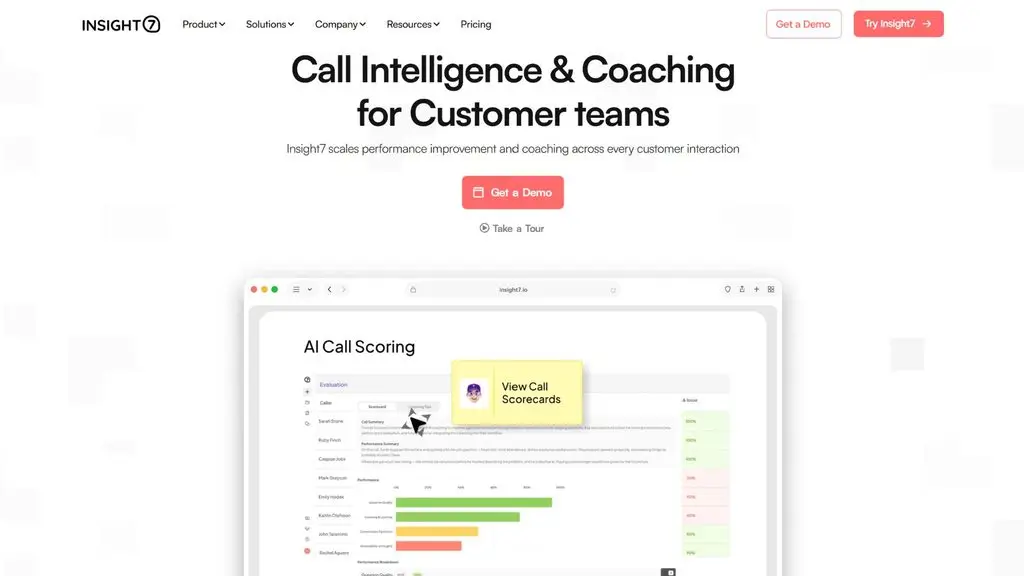
Insight7 is an AI platform that specializes in analyzing qualitative data from calls, interviews, surveys and customer feedback. The tool can automatically convert data into transcripts, identify themes, sentiment and insights, then generate reports, dashboards and visual analyses. Insight7 is a good fit for businesses that need AI report writing from customer-research, marketing, sales or customer-experience data.
Pros:
- Analyzes multiple files and conversations with AI.
- Automatically detects themes, sentiment and insights.
- Generates reports, dashboards and scorecards.
- Supports more than 60 languages.
- Can export insights and reports to PDF and slides.
Cons:
- Focused mainly on qualitative data.
- Better suited to customer research, sales and marketing.
- Not specialized in quantitative data analysis.
Pricing:
- Free: Yes, with limited features and capacity.
- Pro: 99 USD/month.
- Business: 299 USD/month.
- Plus: 1499 USD/month.
- Enterprise: Contact sales.
>>> See more:
- Will AI replace web development? How to adapt effectively
- 29 standout AI website templates for SaaS, e-commerce and multiple industries
12. Jasper
Jasper is an AI platform focused on marketing and on-brand content generation. The tool helps build content from briefs, company data and a Brand Voice, and it provides AI Agents for marketing workflows. For AI report writing, Jasper is better suited to marketing, content and campaign reports or to aggregating information that supports brand activities.
Pros:
- Creates and edits content with AI.
- Supports Brand Voice and Knowledge Base.
- Includes AI Agents for marketing workflows.
- Supports research and content creation at scale.
- Well suited to businesses that need consistent content.
Cons:
- Heavily focused on marketing and content.
- Not a dedicated tool for report data analysis.
- Some advanced features use a credit system.
Pricing:
- Pro: 69 USD/month or 59 USD/month with annual billing.
- Business: Contact for a quote.
- 7-day free trial.

13. ReportGPT
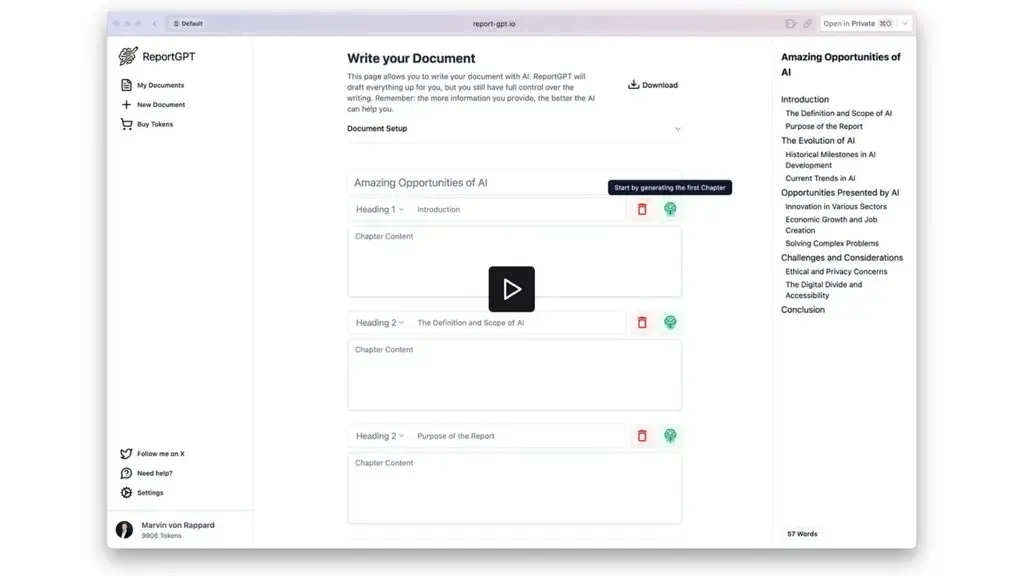
ReportGPT is a tool designed specifically for AI report writing and step-by-step document creation. Users enter a title and document type, and the tool then suggests an outline, generates content chapter by chapter and lets you edit the structure before finalizing. ReportGPT supports exporting documents to Word, LaTeX or Markdown, making it a good fit for study and research reports and long documents.
Pros:
- Focuses directly on report generation.
- Automatically suggests and customizes outlines.
- Generates content chapter by chapter.
- Supports AI/plagiarism checking.
- Exports Word, LaTeX and Markdown files.
Cons:
- Features revolve mainly around document creation.
- In-depth data analysis is not the focus.
- Important reports still need manual checking and editing.
Pricing:
- Free Demo: 0 USD for 1 document.
- 1 AI-Report: 5 USD each.
- 3 AI-Reports: 10 USD each.
- 10 AI-Reports: 25 USD each.
>>> See more:
- TOP 20+ leading AI design tools for designers today
- TOP 15+ effective, super-easy AI app-building tools
14. Writesonic
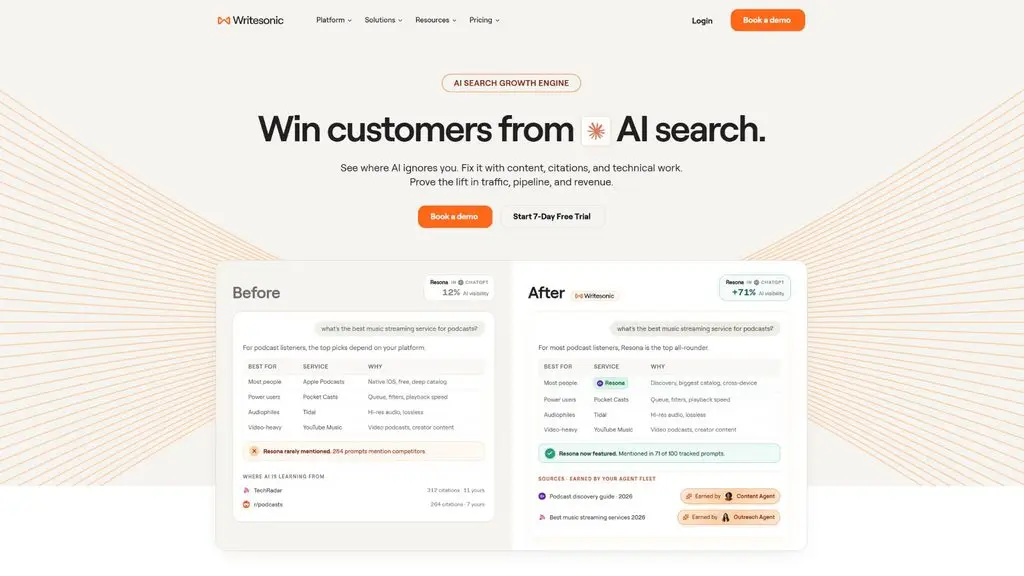
Writesonic is an AI platform focused on SEO, content marketing and AI Search Visibility, and it also offers an AI Article Writer for creating long-form content based on research, cited sources and a Brand Voice. For AI report writing, Writesonic is better suited to marketing reports, content research, whitepapers, case studies or documents that need SEO/GEO optimization. The tool can research the web, build outlines, write content and add citations during the content-creation process.
Pros:
- AI Article Writer supports long-form content.
- Includes web research and source citations.
- Supports Brand Voice and many content formats.
- Can create whitepapers, PDFs, case studies and reports.
- Combines SEO with content optimization for AI Search.
Cons:
- Focuses heavily on SEO, content and AI Search rather than data reporting.
- Some advanced features require a paid plan.
- Not a dedicated choice for financial reports or in-depth data analysis.
Pricing:
- Starter: 79 USD/month with annual billing.
- Basic: 199 USD/month with annual billing.
- Growth: 399 USD/month with annual billing.
- Enterprise: Contact sales.
- A 7-day trial is available, no card required.
15. Julius AI
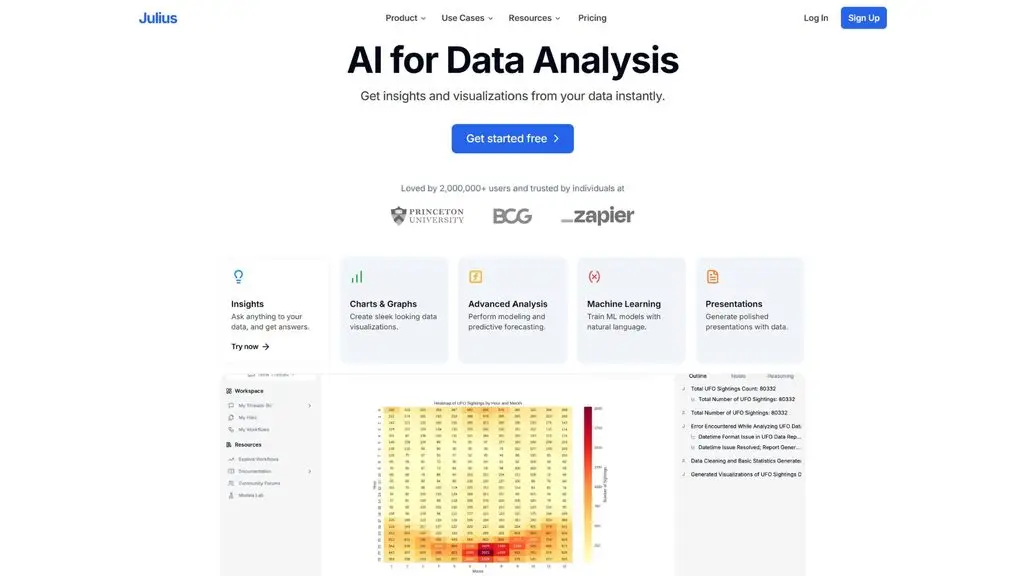
Julius AI is an AI platform that specializes in data analysis and turning data into reports, charts and insights. Users can upload Excel, CSV, Google Sheets or PDF files and then ask Julius to analyze them in natural language. The AI uses code to compute the data before writing the report, keeping the figures and charts closely tied to the source data. The tool supports many report types, such as sales, marketing, financial, survey and business-performance reports.
Pros:
- Specializes in data analysis and AI report writing.
- Supports Excel, CSV, Google Sheets, PDF and many other formats.
- Automatically creates charts, tables and insights.
- Can create sales, marketing, financial and survey reports.
- Supports turning reports into PowerPoint.
Cons:
- Better suited to data-driven reports.
- Complex analysis tasks can consume a lot of credits.
- Enterprise features come at a higher cost.
Pricing:
- Free: 0 USD/month.
- Plus: 20 USD/month or 16 USD/month with annual billing.
- Pro: 45 USD/month or 37 USD/month with annual billing.
- Max: 200 USD/month or 166 USD/month with annual billing.
- Business: 450 USD/month or 375 USD/month with annual billing.
- Enterprise: Contact sales.
>>> See more:
- TOP 20 best free AI tools for online sales
- 10 best AI website design tools with a detailed comparison
Must-have features of an AI report-writing tool
Not every AI tool is suitable for creating reports. Professional AI report-writing software needs to deliver content generation, data processing, information analysis and results presentation all at once. When choosing one, users should prioritize the features below to ensure reports are fast, accurate, easy to edit and aligned with real-world needs.
Content creation and editing
This is the core feature of an AI report-writing tool. Users can provide a prompt that includes the objective, input data, audience and structural requirements so the AI can generate a draft report.
A good tool should let you rewrite, expand or condense content without losing the main point. At the same time, users can adjust the tone to suit each situation, such as professional, academic, concise or persuasive. Multilingual support is also useful when a business needs to create reports for multiple markets or international teams.
Data and document processing
For reports based on real data, the ability to read and process documents is important. An AI tool for report writing should be able to take in common formats such as Excel, CSV, PDF and Word, and to process multiple documents in the same workflow.
AI can help summarize long documents, aggregate information from many sources and identify content relevant to the report’s topic. This is especially useful when users have to consolidate data from multiple departments, business reports or research materials.
Analysis and insight generation
An AI report-writing tool should do more than just write content; it should also support data analysis. AI can help identify trends, compare data across periods or audience groups and detect anomalies.
From the analysis, the tool can produce data-driven observations that help users quickly pinpoint issues or noteworthy points. However, important figures and conclusions still need to be checked against the source data before going into the final report.
Visual report creation
Reports with a lot of data are easier to follow when presented visually. That is why the best AI report-writing tools should support creating tables, charts and dashboards from processed data.
Some platforms can even turn analysis results into infographics or presentations, letting users present reports to managers, clients or stakeholders without redesigning all the content manually.
Export and integration
Once finished, a report needs to be used across many different platforms. You should therefore prioritize tools that support exporting to common formats such as Word, PDF, Excel, Google Docs, Google Sheets and PowerPoint.
Integration with other work tools also reduces manual data copying. For example, AI can pull data from a task-management system, a spreadsheet or an enterprise platform to build reports within an existing workflow.
Security and data management
When writing reports with AI, users may feed internal information into the system, such as revenue, customer data, business plans or research materials. Security should therefore be considered before choosing a tool.
Businesses should review data-handling policies, access rights, data-protection mechanisms and how the provider uses input data. For sensitive information, prioritize platforms with user-permission management, data controls and security policies that match the business’s requirements.
>>> See more:
- What is Character AI? How to download Vietnamese AI to your phone and PC
- A guide to building AI Agents in healthcare and life sciences

Benefits of using AI report-writing tools
- Save time: AI can help aggregate information, build outlines and produce drafts in a short time. Users only need to review, add data and edit before finalizing the report.
- Boost productivity: For weekly, monthly or recurring reports with a similar structure, AI can reuse established templates and workflows. This lets users handle many reports without starting over each time.
- Support data analysis: AI can analyze the provided data to find trends, compare results and detect anomalies. Some tools even offer data-driven insights and observations that help users quickly identify noteworthy issues.
- Standardize content: AI tools help keep the structure, wording and tone consistent across reports. This is especially useful for businesses where many departments produce reports to a shared standard.
- Personalize reports: Content can be tailored to each audience group, such as managers, clients or internal teams. AI can adjust the level of detail, wording and information focus based on the intended use.
- Support visualization: Some tools can turn data into tables, charts, dashboards or presentations. Visual presentation helps readers quickly grasp the figures and the key points in a report.
>>> Learn more:
- How to build a WordPress website with AI: a detailed A-to-Z guide
- How businesses build AI Agents
How to choose the right AI report-writing tool
Not every AI report-writing tool serves the same needs. Before choosing, users should consider the report type, input data, output format, cost and security requirements to make sure the tool fits their real-world workflow.
Identify the type of report you need
First, define the purpose and the type of report you need to create. Some common needs include work reports, business reports, marketing reports, research reports, financial reports and recurring reports.
Each type of report has different requirements. For example, a marketing report may need campaign and KPI analysis, while a financial report demands accurate number crunching and rigorous data checking.
Check the data-processing capabilities
If the report is built from Excel, CSV, PDF or a database, prioritize tools that can upload, read and analyze these data sources directly. The ability to process multiple files at once also saves time when you need to consolidate information from many sources.
Beyond reading data, check whether the AI can create tables, run calculations, make comparisons and detect trends. This matters if your goal is not only AI report writing but also using AI to analyze data.
Check the export and presentation capabilities
If you need AI to produce reports in Word, PDF or presentation form, check which formats the tool can export. Some platforms can create documents or slides directly, while others mainly provide content for the user to edit further.
Beyond file formats, consider the ability to create tables, charts, dashboards and report layouts. Strong presentation capabilities significantly cut the design time once the AI has finished the content.
Consider the cost
Tool costs can be grouped into free, freemium, paid and enterprise plans. However, you should not decide based solely on whether a tool has a free version.
Check the limits on usage, file size, AI credits, number of users, analysis features and export capabilities. For businesses, also factor in the cost of scaling up as the number of users or the volume of reports grows.
Evaluate security and integration
This criterion is especially important when a report contains internal data, customer information, revenue or business documents. Before feeding data into the AI, a business should review its data-storage and data-handling policies, access rights, information-protection mechanisms and control over input data.
Also check whether the tool integrates with the platforms you already use, such as Google Workspace, Microsoft 365, CRM, a task-management system or a data warehouse. Strong integration makes AI report-writing software part of your workflow rather than a standalone tool.
>>> See more:
- 9+ best free, easy-to-use mobile app design tools
- 15+ free, easy-to-use Android app design tools

How to write a report with AI, step by step
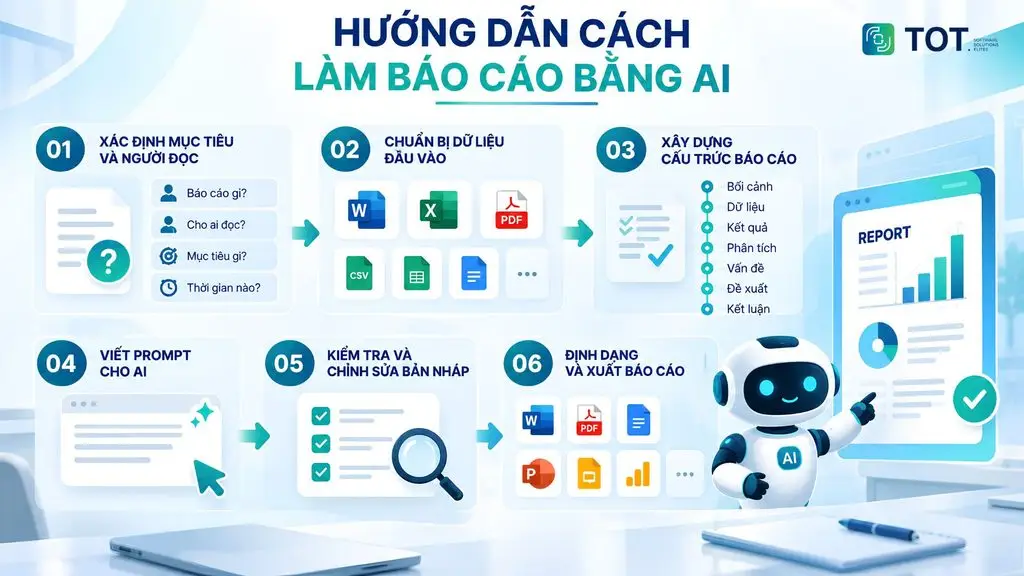
Using AI to write a report is not just about typing one command and waiting for the tool to generate content. For AI to write a report accurately and on target, users need to prepare the data, define the structure and provide sufficiently clear requirements. The process below can be applied to work, business, marketing, research or recurring reports.
Step 1: Define the objective and the audience
Before you start, clearly define what the report is, who it is for, what time frame it covers and what it will be used for. The AI also needs to know how much detail the audience expects and what decision they need to make after reading the report.
For example, a marketing report for managers might focus on KPIs, costs and campaign performance, while a weekly internal report might prioritize progress, issues that have come up and the next tasks. The more specific the objective, the more usable the content the AI produces.
Step 2: Prepare the input data
The quality of the input data directly affects the quality of the report. Depending on the tool, users can provide Word, Excel, CSV, PDF, Google Sheets, text content, notes or survey data.
Before feeding data into the AI, check for duplicate entries, missing data or incorrect formatting. For important data, clearly identify the source and the update date to reduce the chance of the AI misinterpreting or misusing the information.
If you use a tool that can analyze files, you can ask the AI to read the entire document first and only then carry out the analysis and write the report. This separates the step of understanding the data from the step of generating content.
Step 3: Build the report structure
Instead of asking the AI to write the entire report at once, provide the desired framework first. One structure that works for many report types is:
Context → Data → Results → Analysis → Issues → Recommendations → Conclusion.
For each section, clearly define what information to present. For instance, the Data section focuses on actual figures, the Analysis section explains causes or trends, and the Recommendations section proposes actions based on the analysis.
Step 4: Write the prompt for the AI
The more specific the prompt, the more controllable the AI report-writing result. Users can use the prompt template below and change the information inside the brackets:
You are a [field] analyst. Use the data I provide to build a [report type] report for the period [time frame], intended for [audience].
Report objective: [objective].
Requirements:
- Summarize the context and the report objective.
- Aggregate the key data, keeping the figures from the source unchanged.
- Analyze trends, compare groups/periods and point out anomalies if any.
- State the main results and issues based on the data.
- Propose solutions grounded in the findings in the report.
- Write a short conclusion focused on the points the reader needs to remember.
Structure: Context → Data → Results → Analysis → Issues → Recommendations → Conclusion.
Tone: [professional/concise/academic].
Length: about [number of words] words.
Format: use H2/H3 headings, tables where appropriate and bullets for the main points.Note: Do not invent figures or sources that are not in the data. If information is missing, mark it as
[TO BE ADDED]instead of guessing. Clearly distinguish between actual data, observations and recommendations.
After the AI produces a draft, users can keep asking it to rewrite, condense, expand or adjust the tone of individual sections rather than regenerating the whole report.
Step 5: Review and edit the draft
Do not use an AI-generated report right away without checking it. First, reconcile the figures against the source data, especially percentages, revenue, dates, units of measure and calculations.
Next, check the logic, sources, terminology and tone to make sure the content suits the audience. Pay particular attention to information the AI has inferred on its own or conclusions it has drawn without supporting data. For research, financial or decision-driving business reports, important information should be verified at the source before use.
Step 6: Format and export the report
Once the content has been checked, ask the AI or the tool to format it according to its intended use. The report can be exported to Word, PDF, Google Docs or Slides for sharing and presenting.
If the report updates its data frequently, consider building a dashboard instead of relying on a static document. A dashboard helps track KPIs, trends and key metrics over time and can be combined with an automated report-generation workflow.
Finally, save the prompt, structure and data sources you used. For recurring reports, standardizing this process makes future reports faster to produce and keeps them consistent from period to period.
>>> Learn more:
- Top 35 best, most effective time management apps
- Top 19 free task organization apps for personal planning
- Top 17 leading professional graphic design apps
Conclusion
AI report writing is becoming a useful way for individuals and businesses to cut down the time spent aggregating information, analyzing data and building report content. Its effectiveness, however, depends on choosing the right tool, preparing the input data and crafting a suitable prompt. Users also need to check the figures, information sources and any content the AI has inferred on its own before use.
Frequently asked questions
What is AI report writing?
AI report writing is the use of artificial intelligence technology to aggregate data, analyze information and generate report content on demand. Users can provide data from Word, Excel, PDF, CSV or text content, then ask the AI to build an outline, write a draft, analyze the results and offer observations. Depending on the tool, AI can also help create tables, charts and presentations and export reports to many different formats.
Which tool is the best for AI report writing?
There is no single best AI report-writing tool for every need. The right choice depends on the type of report and the data you need to process. ChatGPT suits a wide range of writing, aggregation and analysis needs; Julius AI and Domo AI are better for data-driven reports; and Jenni AI is strong in research and academics. Businesses should also assess data processing, file export, integration, security and cost before deciding.
Is there a free AI report writer?
Yes. Some tools offer a free AI report-writing version or a Free plan with limits on usage, file size or features. ChatGPT, Taskade, Jenni AI and several other platforms all have free options. However, free versions usually do not include all the advanced features. If you need to process large volumes of data, create reports frequently or use in-depth analysis features, you may need to upgrade to a paid plan.
Can AI write scientific reports?
Yes. AI can help write scientific reports by building outlines, summarizing documents, phrasing content, analyzing data and assisting with citation formatting. However, AI should not be used to invent figures, references or unverified conclusions. Writers need to reconcile the information with the original sources, check the research methodology and verify the citations before use.
How do you use AI for report writing effectively?
To use AI for report writing effectively, first clearly define the objective, the audience and the report type. Next, prepare accurate input data and provide a structured prompt with specific requirements for content, length and tone. After the AI produces a draft, check the figures, sources, logic and any information the AI may have inferred on its own. Finally, edit the content and format the report before sharing or using it officially.
Can AI create reports in Word?
Yes. AI report writing in Word can help create content, build structure and, in some tools, export directly to a Word file or a compatible format. Users can ask the AI to create titles, a table of contents, tables and section-by-section content and to standardize the tone before exporting. However, the ability to produce a Word file depends on the platform. With tools that only generate content, users can copy the result into Microsoft Word or Google Docs to continue formatting.