AI coding tools are becoming familiar assistants for developers, from generating code and explaining logic to debugging and writing tests. That said, each tool has its own strengths in terms of AI model, IDE integration, coding agent support and pricing. In this article, TOT rounds up 15 popular AI tools for writing code today, helping you easily find the right fit for your software development needs.
>>> See also:
- How to build an AI app with vibe coding on Google AI Studio, made simple
- A guide to using Google AI Studio effectively and quickly
- How to apply AI to optimize customer experience
- What is website optimization with AI? How to optimize SEO and the AI tools to use
- What is Low Code? A software development approach and the trend of the future
What is AI coding?
AI coding is a technology that uses artificial intelligence, especially large language models (LLMs), to generate, edit and assist with developing source code from human requests. Instead of writing every line of code by hand, developers can describe what they need in natural language and let the AI suggest the appropriate code.
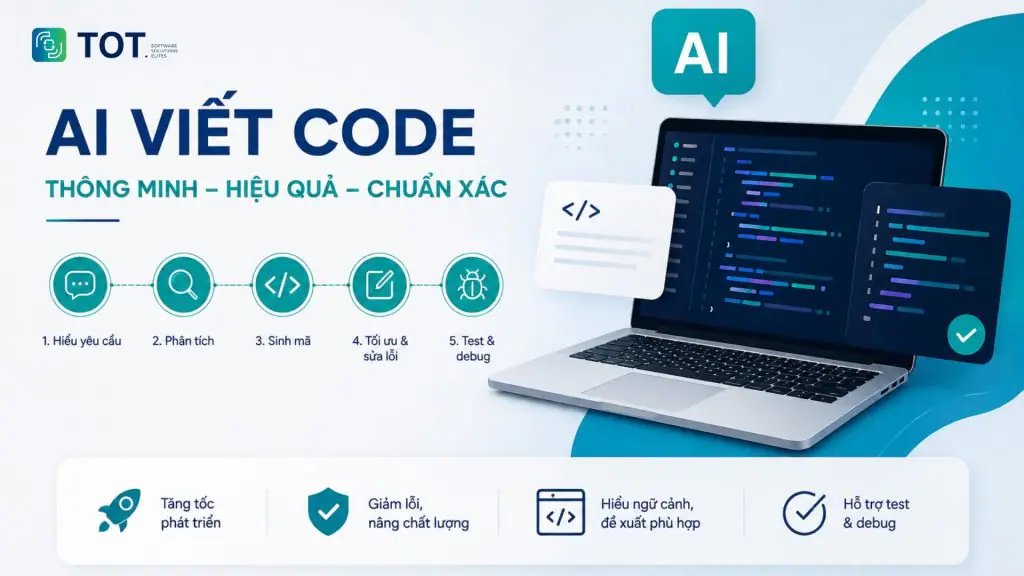
AI coding works by combining an LLM with the project’s context. The model receives a prompt, analyzes the request along with related information such as existing code, project structure, framework or technical documentation, then generates source code based on that context. The process typically includes:
- Receiving the request in natural language.
- Analyzing the context and goal of the code.
- Generating source code that matches the request.
- Fixing bugs, refactoring or explaining code.
- Creating tests and helping with debugging when needed.
This capability is expanding beyond code generation to cover the entire software development process. The AlphaCode research from Google DeepMind showed that AI models can generate and evaluate large numbers of programs to solve programming problems, especially in languages such as C++ and Python.
When it comes to languages, AI can now support most popular ones such as Python, JavaScript, TypeScript, Java, C++, C#, Go, PHP, Ruby, SQL, HTML and CSS. However, the quality of the output depends on the AI model, the complexity of the request and the context the developer provides.
For this reason, AI coding is most effective when used as a programming assistant, combined with human testing and review before the code goes into production.
Top 15 best AI coding tools in 2026
Below are the most widely used AI coding tools today:
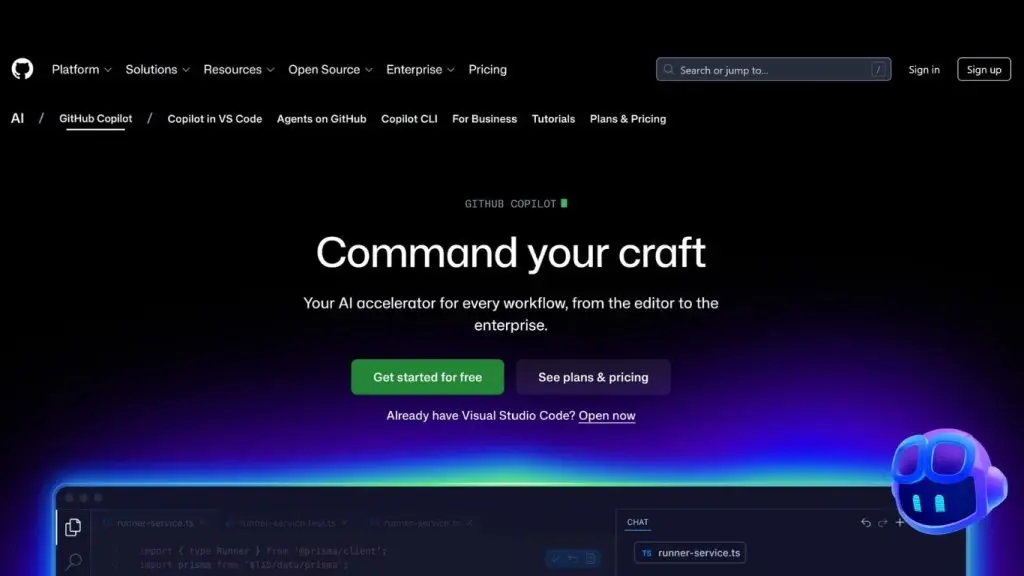
1. GitHub Copilot
GitHub Copilot is an AI programming assistant from GitHub that provides support throughout the software development process. The tool can suggest code, explain and edit source code, help with code review and carry out tasks with an AI agent. Copilot works in the IDE, on GitHub, at the command line and across many other development environments.
- Key features:
- Automatically suggests and completes source code right inside your programming environment.
- Can explain code, propose edits and inspect files in agent mode.
- Supports an AI agent that plans, researches and carries out software development tasks.
- Can work with many different AI models, letting you choose based on your needs for speed, accuracy or cost.
- Integrates with GitHub, IDEs, command-line tools and MCP servers to extend its capabilities.
- Supported languages: C, C++, C#, Go, Java, JavaScript, Kotlin, PHP, Python, Ruby, Rust, TypeScript and many more. Suggestion quality can vary depending on how much public data exists for each language.
- Pros:
- Deeply integrated with the GitHub ecosystem and popular programming environments such as Visual Studio Code, Visual Studio, JetBrains and Neovim.
- Can handle everything from simple code writing to complex software development tasks through the AI agent.
- Offers a free plan, ideal for anyone who wants to try AI programming assistance before upgrading.
- Cons:
- Advanced features and AI usage levels depend on the specific subscription plan.
- AI-generated code still needs to be checked, tested and reviewed by developers before being used in a real project.
- Some AI tasks use a credit system, where consumption depends on the model and the complexity of the request.
- Best for: Individual developers, development teams and businesses already using GitHub or looking to integrate AI into their software development workflow.
- Pricing:
- Free: $0/month.
- Pro: $10/user/month.
- Pro+: $39/user/month.
- Max: $100/user/month.
- Business: $19/user/month.
- Enterprise: $39/user/month.
>>> See also:
- Build a sales website with AI for free, SEO-ready and highly effective
- What is Character AI? How to download the Vietnamese AI to your phone or PC
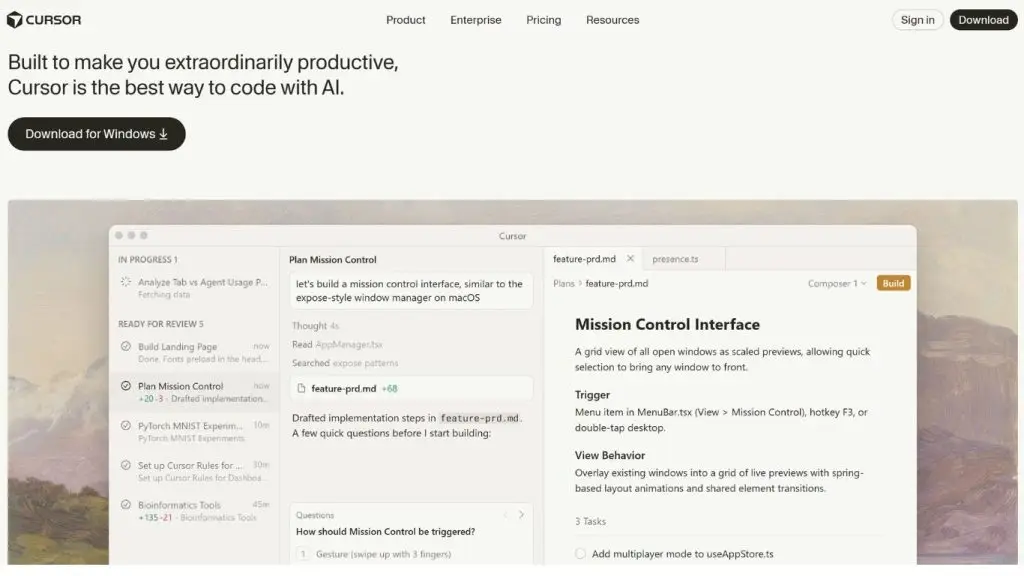
2. Cursor
Cursor is an AI-integrated code editor built to support developers from writing code to carrying out complex software development tasks. The tool stands out for its ability to understand a project’s source code, plan, edit multiple files and let several AI agents work in parallel.
- Key features:
- The AI can plan and carry out programming tasks based on the project’s source code.
- Allows multiple AI agents to work in parallel on different tasks.
- Supports cloud agents that can build, test and demo features on their own for developers to review.
- Supports many AI models from OpenAI, Anthropic, Google Gemini, xAI and models developed by Cursor.
- Includes code review tools, a command-line interface, a Slack connection and the ability to automate repetitive tasks.
- Supported languages: Cursor uses the language server protocol to provide features such as code navigation, error diagnostics and go-to-definition across many programming languages.
- Pros:
- Able to understand and work with the context of an entire project rather than just handling an isolated snippet of code.
- Handles complex tasks well thanks to its ability to plan and execute multiple steps on its own.
- Lets developers choose the AI model that suits each need.
- Cons:
- Advanced agent features have usage limits depending on the subscription plan.
- Users who run many AI tasks may incur additional costs when they exceed the usage included in their plan.
- Best for: Developers, development teams and businesses that want to use AI to automate multiple steps in building and maintaining software.
- Pricing:
- Hobby: Free, with limits on agent requests and code completion features.
- Pro: $20/month.
- Pro+: $60/month, offering higher agent usage limits than Pro.
- Ultra: $200/month, for users with heavy AI agent usage needs.
- Teams: $40/user/month for the Standard plan; the Premium plan offers higher usage.
- Enterprise: Custom pricing based on your business needs.
3. Claude Code
Claude Code is Anthropic’s AI programming agent, designed to work directly with source code and entire projects. The tool can read a project’s structure, write and edit multiple files, run commands, test, find bugs and help push changes to the repository. Claude Code currently works in the terminal, the browser, VS Code, JetBrains, GitHub and Slack.
- Key features:
- Can analyze a project’s structure and components to understand how the system works before making changes.
- Able to make changes across multiple files and handle complex software development tasks.
- Supports reading issues on GitHub or GitLab, writing code, running tests and creating merge requests.
- Can work directly in the terminal or integrate with VS Code and JetBrains.
- Supports scheduled automated tasks and can coordinate multiple AI agents for large jobs.
- Supported languages: Claude Code can work on projects that use many programming languages thanks to its ability to read and edit code.
- Pros:
- Able to handle an entire project rather than just generating a standalone snippet of code.
- Well suited to tasks such as bug fixing, refactoring, writing tests, and changing multiple files.
- Supports many working environments, from the terminal to popular code editors.
- Cons:
- Usage plans come with certain limits, especially when running many complex programming tasks.
- Higher cost for developers who need to use Claude Code frequently and at high intensity.
- Code and changes made by the AI still need to be reviewed before going into production.
- Best for: Developers, software engineers, and development teams that need AI to work directly on their code and to automate multiple steps in the development workflow.
- Pricing:
- Free plan available
- Pro: $20/month billed monthly, or $17/month when billed annually.
- Max 5x: $100/month, suited to more frequent use of Claude Code.
- Max 20x: $200/month, for users with heavy usage needs.
- Team and Enterprise: Plans for organizations with usage and administration tailored to their scale.
>>> See also:
- Claude Opus 4.7 – Anthropic’s latest AI version
- How to get the most out of Claude Opus 4.7 with Claude Code

4. ChatGPT
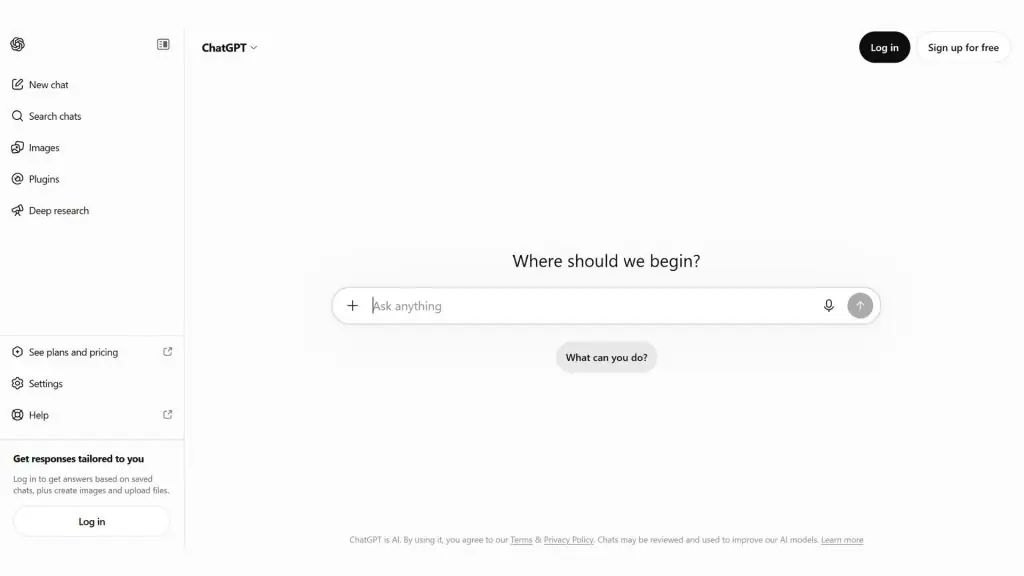
ChatGPT is OpenAI’s all-purpose AI assistant that can support programming, from analyzing requirements and explaining code to generating, fixing, and testing code. With Codex integrated, ChatGPT can also carry out software development tasks directly in your repository, running commands, testing, and reviewing changes.
- Key features:
- Can generate code from natural-language requests and explain how the code works.
- Supports finding bugs, fixing code, refactoring, and writing tests.
- Codex can work with your repository, run commands, test, and review changes during development.
- You can use Codex in the ChatGPT app, in code editors, and in the terminal.
- Supports working with files, projects, and context, helping the AI better understand a request before generating or editing code.
- Supported languages: ChatGPT and Codex can support many popular programming languages such as Python, JavaScript, TypeScript, Java, C++, C#, Go, PHP, Ruby, and SQL.
- Pros:
- Not only helps you write code but can also explain programming concepts, analyze errors, and support development planning.
- Codex extends its capabilities from generating code to carrying out multi-step software development tasks.
- Has a free version, suitable for beginners or developers who need AI at a basic level.
- Cons:
- Usage limits and Codex access vary depending on the ChatGPT plan.
- AI-generated results can still contain errors and need to be reviewed by a developer, especially for code used in production.
- Intensive programming tasks can consume more of your usage allowance than ordinary requests.
- Best for: Programming learners, developers, software engineers, and development teams that need a tool that both helps write code and supports analysis, explanation, and technical tasks.
- Pricing:
- Free: Free, with limited access to Codex.
- Go: A paid plan with a higher usage allowance than Free.
- Plus: $20/month, with expanded Codex access.
- Pro: A plan for users with high demands, offering greater Codex usage.
- Business and Enterprise: For organizations, with administration features and usage tailored to their scale.
Note: The pricing and usage limits for ChatGPT/Codex may change over time, by region, and according to OpenAI’s policies.
>>> See also:
- The best locally run vision-language models for AI offline
- The vision capabilities of Chat GPT-5: How to prompt accurately
5. Gemini (Google)
Gemini is Google’s AI assistant that can support programming, from generating and completing code to explaining, debugging, and building application prototypes. With Gemini Canvas, users can describe an idea and have Gemini generate working code and prototypes. Google also offers Gemini Code Assist and the Gemini CLI for more intensive programming needs.
- Key features:
- Can generate code, complete snippets, and convert code based on natural-language requests.
- Supports writing tests, finding bugs, explaining, and improving code in the programming environment.
- Gemini Canvas lets you create web and app prototypes from a description, then keep editing them through conversation.
- The Gemini CLI is an open-source tool that can run directly in the terminal to fix bugs, build features, and improve test coverage.
- Supports many programming environments such as VS Code, JetBrains, Android Studio, and Cloud Shell.
- Supported languages: Google confirms quality support for Bash, C, C++, C#, Dart, Go, GoogleSQL, Java, JavaScript, Kotlin, Lua, MATLAB, PHP, Python, R, Ruby, Rust, Scala, SQL, Swift, TypeScript, and YAML.
- Pros:
- Supports many programming languages and integrates with popular development tools.
- Able to handle both simple code-writing requests and complex tasks through the Gemini CLI.
- Can provide source information when an answer directly uses part of the code or documentation from another source.
- Cons:
- Some features and usage limits depend on the Google AI plan or the Gemini Code Assist product the user chooses.
- Google notes that Gemini Code Assist can sometimes produce inaccurate information or code, so developers still need to review it before use.
- Some product changes for individual users mean that Gemini Code Assist and the Gemini CLI will no longer serve the Google AI Pro and Ultra plans as of June 18, 2026; individual users are directed to the Google Antigravity product line.
- Best for: Programming learners and developers who want to use AI to generate and fix code, especially those working within the Google ecosystem.
- Pricing:
- Gemini: You can use the Gemini app with basic limits; advanced features and limits depend on the specific plan.
- Google AI Plus: $9.99/month, offering higher Gemini limits and broader access to Pro models.
- Google AI Pro: $19.99/month, offering higher Gemini limits, expanded access to Gemini 3.1 Pro and other AI tools.
- Google AI Ultra: Priced differently by market; offers the highest Gemini limits along with many features for users with intensive AI needs.
>>> See also:
- A detailed guide to the app design process, no programming knowledge required
- What is Vertex AI? Google Cloud’s machine learning platform
- Google I/O 2026: Everything about the agentic Gemini era

6. OpenAI Codex
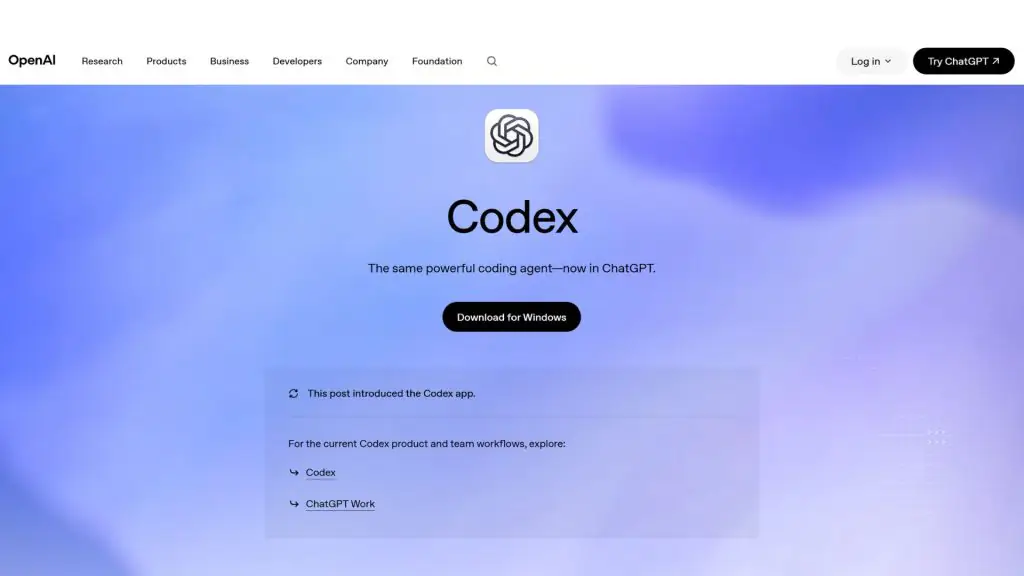
OpenAI Codex is an AI agent dedicated to software development, capable of writing, testing, and shipping code. Unlike tools that only generate code from a prompt, Codex can carry out multi-step tasks such as building features, refactoring, migrating systems, testing, and reviewing code. Codex can be used in ChatGPT, in code editors, on the command line, and on the web.
- Key features:
- Can take on a software development task and carry it out across multiple steps rather than just suggesting individual snippets of code.
- Supports building features, refactoring, migrating systems, and handling complex technical requirements.
- Supports testing and code review to catch issues before changes go into the project.
- Can operate in ChatGPT, in code editors, on the command line, and in web environments.
- Supported languages: Codex can work with many popular programming languages. Its real-world capability depends on the model used, the context, and the structure of the project.
- Pros:
- Well suited to multi-step, highly complex software development tasks.
- You can combine coding, testing, and reviewing changes within a single workflow.
- It can be used across multiple environments, allowing developers to keep working without having to change their entire development workflow.
- Cons:
- Codex usage depends on your ChatGPT plan and the amount of resources each task consumes.
- Large projects or long-running tasks can burn through your quota faster than simple requests.
- Code generated or edited by the AI still needs to be reviewed by developers, especially before it goes into production.
- Best for: Developers, software engineers, and development teams that need an AI agent capable of handling programming tasks from start to finish.
- Pricing:
- Free and Go: Codex is included in these plans, but with usage limits that vary by plan.
- Plus and Pro: Codex is included with different usage limits; Plus and Pro users can purchase additional credits when needed.
- Business, Enterprise, Edu, Health, and Gov: Each account type has its own usage and credit-billing mechanism.
- Codex API: Costs are calculated based on the number of tokens used and depend on the model. For example, GPT-5.3-Codex is priced at $1.75 per 1 million input tokens and $14 per 1 million output tokens.
>>> See also:
- 40 effective website security and malware scanning tools
- Free website design with AI (artificial intelligence)
- Comparing AI Plans vs. AI API Tokens: Choosing the right option when integrating AI into your software
7. Replit
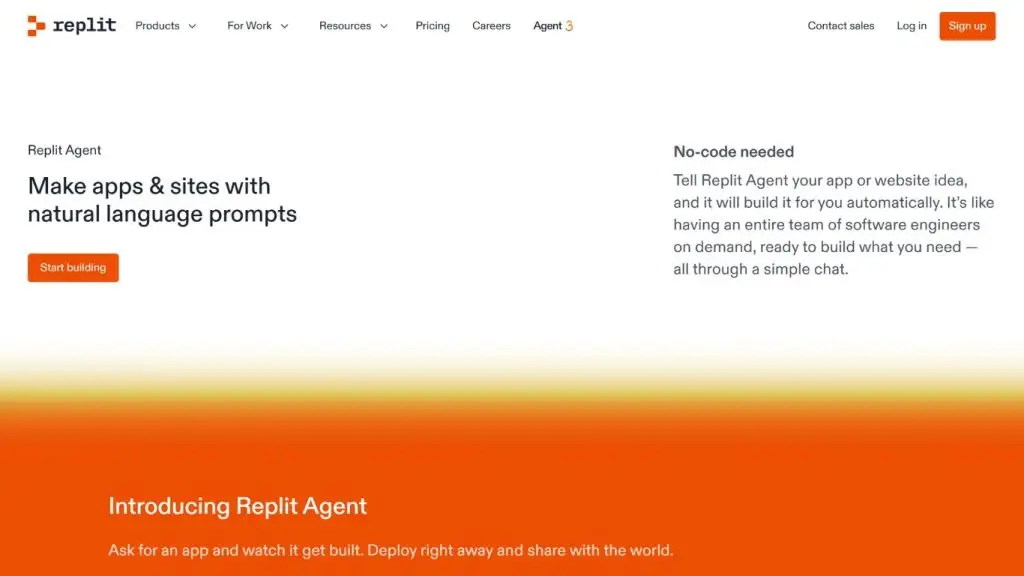
Replit is an AI-integrated software development platform that lets users describe their ideas in natural language to build applications without setting up a complex environment. In addition, Replit Agent can write code, build interfaces, connect databases, run tests, and deploy applications to production. The tool is a good fit for both developers and non-technical users.
- Key features:
- Replit Agent can turn a natural-language description into a complete application.
- Built-in database, authentication, storage, and monitoring to reduce project setup time.
- Support for multiple AI agents working in parallel on the same project.
- You can build web apps, mobile apps, landing pages, and many other types of products.
- Support for more than 100 integrations with services such as OpenAI, Stripe, and Google Workspace.
- Supported languages: Python, JavaScript, TypeScript, Java, C++, C#, HTML/CSS, and many other popular languages.
- Pros:
- Lets you go from idea to application without having to set up many development tools yourself.
- Comes with many of the services needed to build and deploy applications built in.
- A free plan lets users experience AI-powered app creation.
- Cons:
- The AI agent usage limit depends on your plan.
- Users who need to build large applications or use AI frequently may need to upgrade to a paid plan.
- Best for: Beginners learning to code, developers, founders, and teams that need to quickly build a prototype or a complete application.
- Pricing:
- Starter: Free, with a daily AI agent usage limit.
- Replit Core: $20/month when billed annually, including $25 in monthly usage credits.
- Replit Pro: $100/month, or $95/month when billed annually, including $100 in monthly usage credits.
- Enterprise: Pricing tailored to the needs of the business.
>>> Learn more:
- Common workflows for AI Agents: Working processes
- Rebuilding software (CRM, ERP, etc.) with AI tokens — cost, resources, risks
8. Windsurf
Windsurf is an AI-integrated coding environment focused on helping developers build and edit software. Its standout feature is Cascade, an AI agent that can understand a project’s context and carry out multiple programming steps. Windsurf also supports code completion, direct editing, and agents that run in the cloud.
- Key features:
- Cascade can help developers plan, write, and edit code on request.
- Support for automatic code completion and direct in-file editing.
- Cloud-based agents that can perform software development tasks remotely.
- Lets you use multiple AI models from OpenAI, Claude, and Gemini on the corresponding supported plans.
- You can purchase additional usage when your needs exceed what the plan provides.
- Supported languages: JavaScript, TypeScript, Python, Java, C++, C#, Go, PHP, Ruby, Rust, and many other languages.
- Pros:
- A strong focus on using AI directly while writing and editing software.
- You can combine multiple AI models and choose the right one for each task.
- The free plan still provides unlimited code completion and direct editing.
- Cons:
- The AI agent usage limit on the free plan is fairly restrictive.
- Tasks that use multiple AI models may require purchasing additional quota.
- Users need to get familiar with how the AI agent works in order to use it effectively.
- Best for: Developers who want to use AI deeply within their coding environment and need support for tasks ranging from writing code to handling complex projects.
- Pricing:
- Free: $0/month, with an AI agent quota plus unlimited code completion and direct editing.
- Pro: $20/month, with a higher quota and fuller access to AI models.
- Teams/Enterprise: Plans for organizations with advanced management and security features.
>>> See also:
- A guide to creating landing pages with AI in the most effective way today
- Applying AI in online sales: TOP 10 AI tools & how to implement them effectively

9. Amazon Q Developer
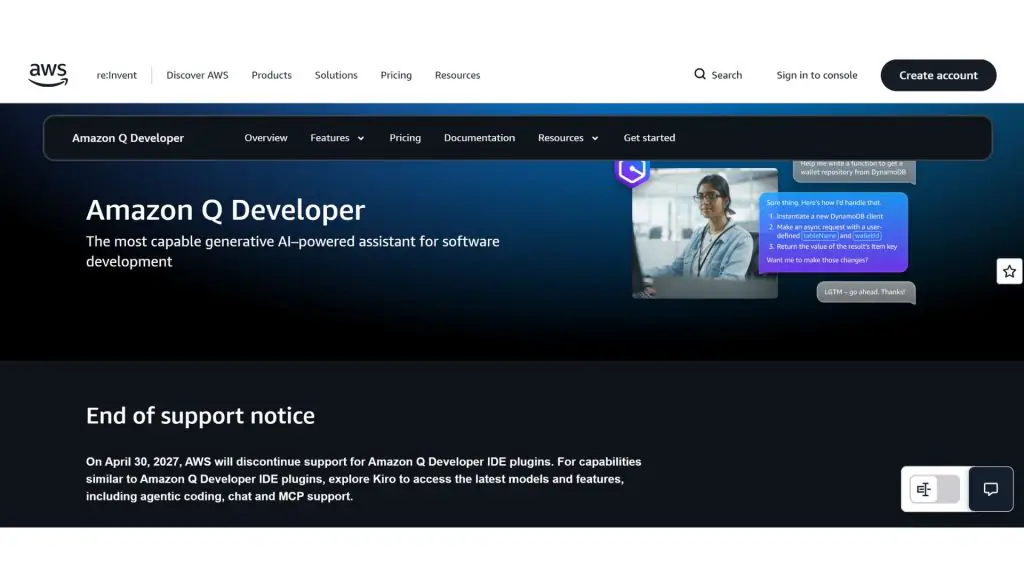
Amazon Q Developer is AWS’s AI assistant for software development, especially well suited to developers building and operating applications on the Amazon Web Services ecosystem. The tool can generate code, write tests, scan for vulnerabilities, refactor, and perform multi-step tasks through an AI agent.
- Key features:
- Generates code suggestions from existing code or from natural-language requests.
- Support for writing tests, optimizing code, and detecting security vulnerabilities.
- The AI agent can read and edit multiple files, run commands, and perform multi-step programming tasks.
- Support for upgrading Java applications and migrating some .NET applications.
- Can help manage AWS resources, optimize costs, and diagnose issues within your AWS environment.
- Supported languages: Java, JavaScript, Python, C#, C++, TypeScript, Go, Rust, PHP, Ruby, and many other languages.
- Pros:
- A clear advantage for projects that use AWS.
- Combines code writing with testing, security, and application modernization.
- A free plan with a monthly AI agent usage limit.
- Cons:
- It delivers the most value when the project uses the AWS ecosystem.
- The free plan limits the number of interactions with the AI agent.
- AWS has announced that it will end support for the Amazon Q Developer extension in the IDE on April 30, 2027 and move users to Kiro for similar capabilities.
- Best for: Developers and businesses building, operating, or modernizing applications on AWS.
- Pricing:
- Free: Free, including 50 AI agent interactions per month and up to 1,000 lines of converted code per month.
- Pro: $19/user/month, offering higher limits plus additional administration and security features.
- Code conversion beyond the Pro plan’s limit is billed at an additional $0.003/line of code.
>>> See also:
- How to integrate a chatbot into your website, for free and to sell effectively
- What is Pay Per Crawl? Cloudflare’s new solution for charging AI crawlers
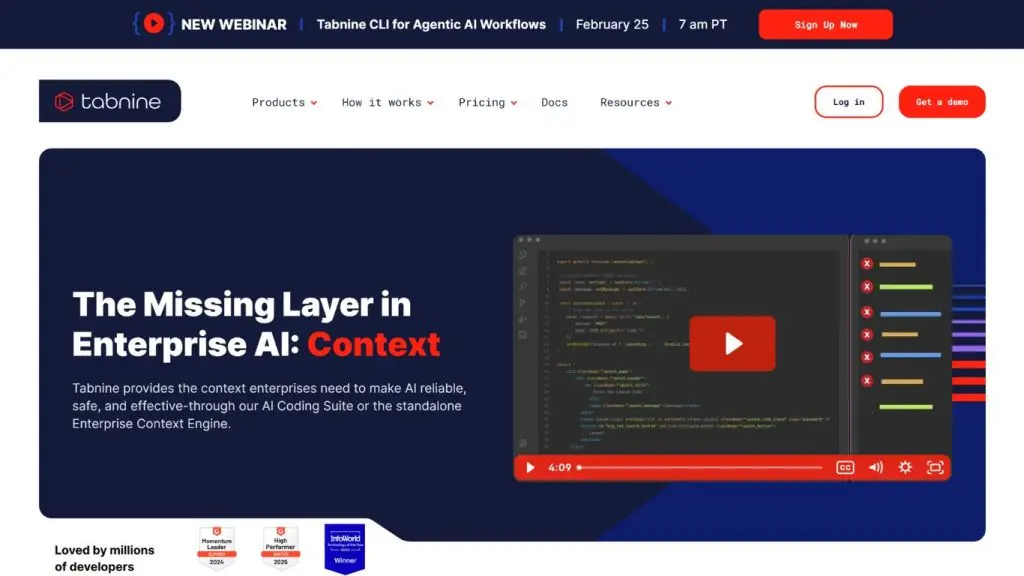
10. Tabnine
Tabnine is an AI-powered programming platform focused on generating code, chatting with AI, and automating software development tasks. Tabnine’s standout strengths are its ability to understand code context, support for multiple AI models, and deployment options across the cloud, private servers, or fully isolated environments.
- Key features:
- Autocompletes code on the current line or generates entire functions based on your request.
- You can chat with the AI to generate, explain, and refactor code within your development environment.
- The AI agent can plan and carry out tasks such as fixing code, testing, and generating documentation.
- Tabnine offers a command-line tool that supports automating software development tasks.
- It can connect to GitHub, GitLab, Bitbucket, Jira, and other tools to provide more context to the AI.
- Supported languages: Tabnine supports popular programming languages and works across major development environments.
- Pros:
- Can use context from the code, repository history, and related files to make more relevant suggestions.
- Offers multiple deployment options, including the cloud, private servers, and fully isolated environments.
- Emphasizes privacy and data control, making it a good fit for enterprises with strict security requirements.
- Cons:
- Relatively high cost if you use the full set of enterprise features.
- Some advanced automation features are only available in the premium plan.
- Best for: Enterprises and development teams that need AI programming assistance but still want tight control over their data, AI models, and deployment environment.
- Pricing:
- Tabnine Code Assistant: $39/user/month with an annual subscription.
- Tabnine Agentic Platform: $59/user/month with an annual subscription.
- Enterprise Context Engine: Pricing based on the enterprise’s needs.
- Additional AI model costs may apply if you use models provided by Tabnine; using your own models follows a different pricing mechanism.
>>> See also:
- A comprehensive guide to the YOLO model
- What is n8n? Workflow Automation
- AI in UI/UX design: A tool or a rival to designers?
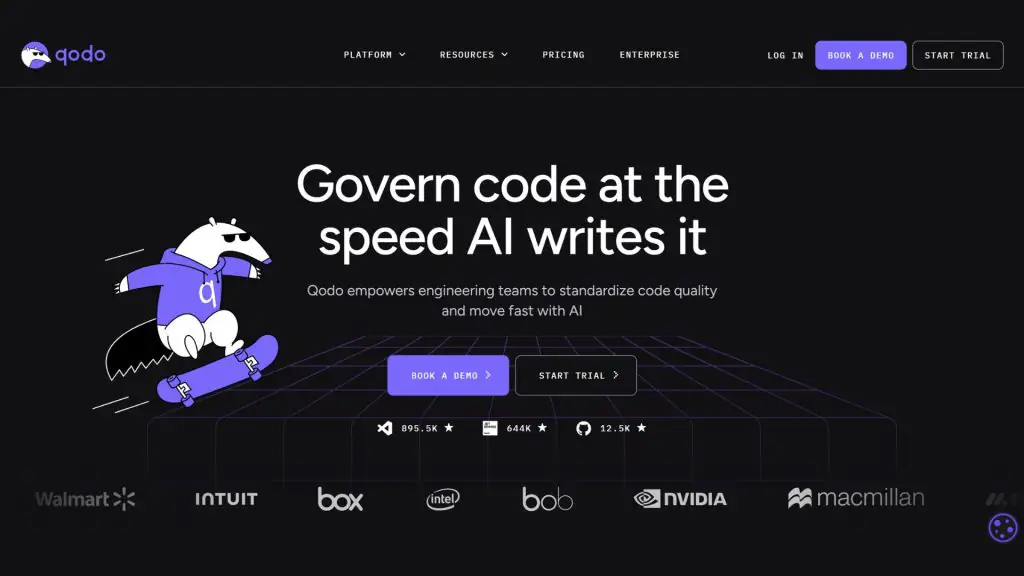
11. Qodo
Qodo is an AI platform focused on code quality inspection and code governance rather than just generating code. The tool analyzes a project’s entire context, reviews pull requests, and detects bugs, vulnerabilities, and coding-standard issues. Qodo also provides a rules system that lets enterprises maintain consistent code standards across multiple repositories.
- Key features:
- Automatically reviews pull requests and detects bugs, logic issues, standard violations, or missing requirements.
- Analyzes context across multiple repositories to detect changes that could affect other systems.
- Can review code directly within your development environment before you push changes to the repository.
- The rules system helps enterprises build and enforce consistent code standards.
- Includes a dashboard for tracking issues, risk levels, and code quality history.
- Supported languages: Qodo states that the platform supports all popular programming languages.
- Pros:
- Deep focus on code quality inspection, making it a good fit for projects with high reliability requirements.
- Can use context from the entire codebase, pull request history, and business requirements to make its assessments.
- Helps enterprises establish and maintain coding standards across multiple teams and repositories.
- Cons:
- Qodo currently focuses on code quality inspection and governance, so it is no longer a good fit if your main goal is using AI to automatically generate code.
- Usage is measured in credits, so the actual cost depends on the number and complexity of the reviews.
- Best for: Development teams and enterprises that want to improve code quality, automate reviews, and enforce coding standards.
- Pricing:
- Trial: Free for 14 days, no payment card required.
- Pro Team: From $30/month, including 2,500 credits, roughly equivalent to about 18 reviews per month.
- Higher plans: $60/month for 5,000 credits or $240/month for 20,000 credits.
- Enterprise: Pricing based on the enterprise’s scale and requirements.
- Qodo charges $0.012/credit and lets you purchase additional credits as needed.
>>> See also:
- 30 best free website design platforms
- A simple guide to deploying AI in mobile apps
- The simplest, most effective guide to building an app with Low Code
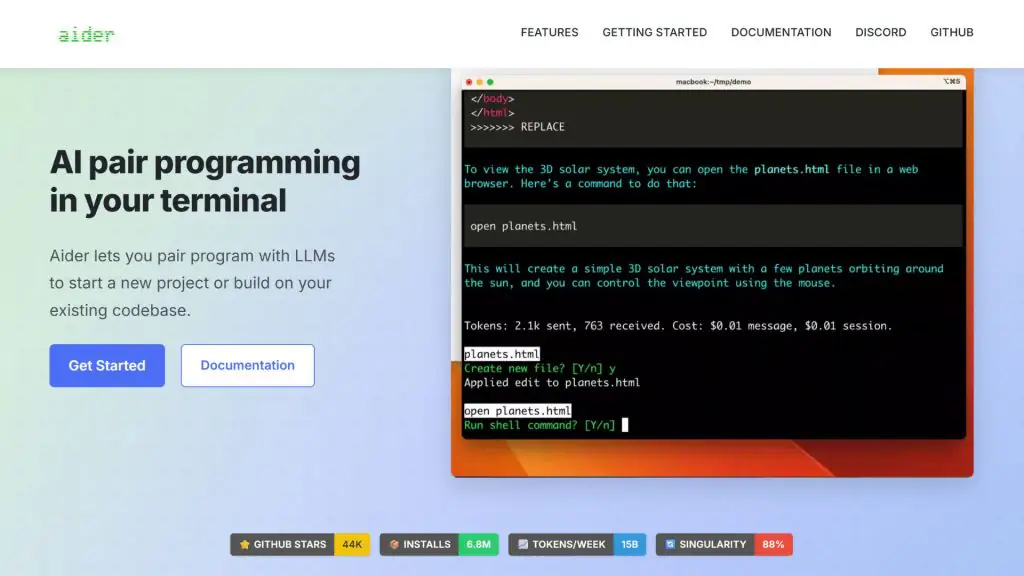
12. Aider
Aider is an AI programming tool that runs directly in the terminal, letting developers work with AI models on new projects or existing code. This AI tool can map an entire codebase, edit code, automatically create commits, run tests, and connect to many AI models in the cloud or on your local machine.
- Key features:
- Maps the entire codebase so the AI understands the relationships between files and works more effectively on large projects.
- Can build features, fix bugs, and change code directly from the command-line window.
- Automatically creates Git commits so developers can easily track, compare, and undo changes.
- Can run tests and code analysis tools after each time the AI edits code.
- Supports adding images, web pages, and documents to the conversation to provide more context to the AI.
- Supports more than 100 programming languages.
- Supported languages: More than 100 languages, including Python, JavaScript, Rust, Ruby, Go, C++, PHP, HTML, and CSS.
- Pros:
- An open-source tool, well suited to developers who want to actively control how the AI is used.
- Can connect to many different AI models, including models that run on your personal machine.
- Strong Git integration, making it easier to track and undo changes made by the AI.
- Can be used within your familiar development environment instead of forcing developers to switch to a new editor.
- Cons:
- Works mainly through the command line, so it can be harder for newcomers to approach.
- Aider does not offer a fixed AI plan that includes a model; users typically need to connect to a model provider’s API or use a local model.
- The actual usage cost depends on the AI model and provider the developer chooses.
- Best for: Developers experienced with the command line and Git who want to choose their own AI model to support software development.
- Pricing:
- Aider: Free and open source.
- AI models: Cost depends on the API or model that the user connects to.
- Local models: You can use free or low-cost models if your computer meets the requirements.
>>> See also:
- How to use chatbots for higher education and learning
- What is a vision language model? How it works & applications
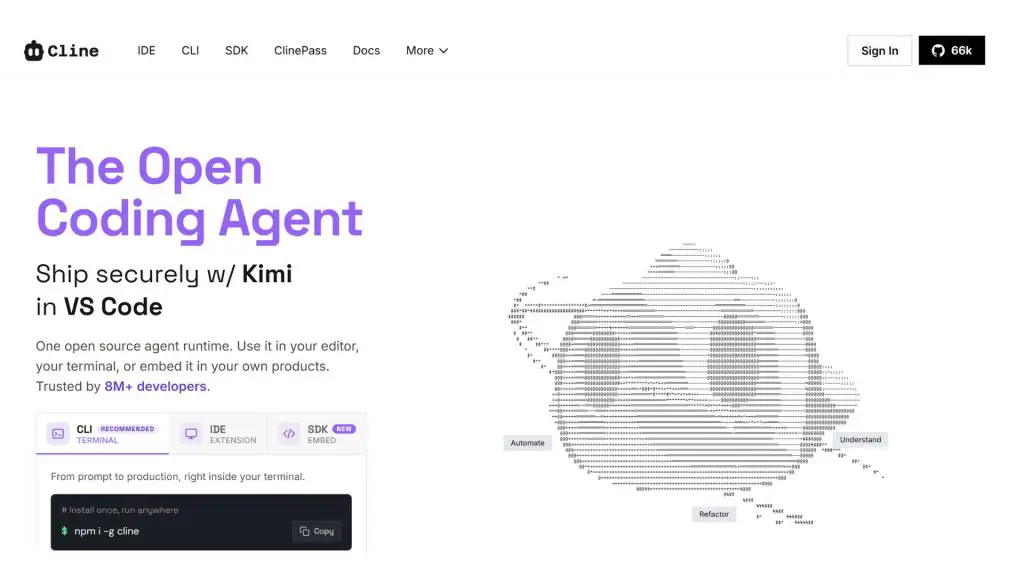
13. Cline
Cline is an AI-powered, open-source coding agent that can run in the editor, the command line, or be integrated into other products. The tool can understand an entire codebase, edit multiple files, run commands, test, and automate the development workflow. Cline also lets developers choose their own AI model and provider.
- Key features:
- Can analyze the project structure and answer questions about files, libraries, and how the system works.
- Can edit multiple files at once while keeping consistency across parts of the codebase.
- Can run commands in the command line, monitor the results, and handle tasks such as running a server, testing, or deployment.
- A planning mode lets the AI map out an approach before making changes.
- Supports connecting to many AI models, including Claude, GPT, Gemini, and models running on your own machine.
- Supported languages: Cline can work with many programming languages through its ability to read, edit, and execute code within a project.
- Pros:
- Being an open-source project, it gives developers more control over choosing models and how they deploy.
- Can be used with many AI providers, so you are not locked into a single model.
- Supports editors, the command line, and automation workflows alike, fitting many different ways of working.
- Cons:
- The cost of using AI depends on the model and provider the user chooses.
- Newcomers may need time to get used to how the AI agent works and its technical setup.
- Best for: Developers who want to use an open-source AI agent and stay in control of the model, data, and costs.
- Pricing:
- Individual: Free to use the open-source Cline.
- AI usage: Charged based on model usage; users can supply their own API key to control costs.
- Enterprise: Pricing on request, including features such as team management, single sign-on, permissions, and dedicated support.
>>> See also:
- What is Deep Learning? How it works and real-world applications
- What are Vision AI Agents? How to build Vision AI Agents
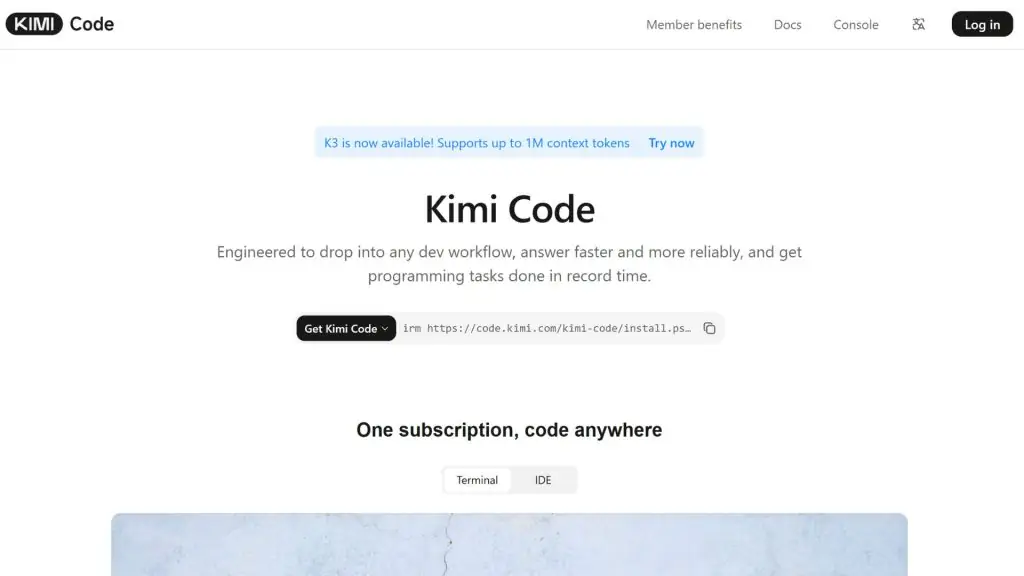
14. Kimi Code
Kimi Code is an AI coding assistant from Moonshot AI, designed to carry out software development tasks directly in the command line and the coding environment. The tool can read code, edit files, run commands, analyze projects, and automate workflows. Kimi Code currently uses the K2.7 Code model and can connect to many other development tools.
- Key features:
- Can read and analyze code to help handle large projects.
- Can create and edit files and execute commands directly in the development environment.
- Supports running tasks in parallel through multiple AI agents when needed.
- Can be used in the Kimi Code CLI, VS Code, and some third-party development tools.
- Supports two speed modes, letting developers choose between response speed and processing needs.
- Supported languages: Kimi Code can work with many programming languages through its ability to read, write, and edit code within a project.
- Pros:
- Capable of handling multi-step tasks such as analyzing a project, editing files, and running commands.
- Can be integrated into many development tools rather than working only in a single dedicated environment.
- Usage limits are shared across signed-in devices and environments, which is convenient when working on multiple devices.
- Cons:
- The Kimi Code limit depends on your Kimi membership plan and is managed by usage credits.
- Heavy users may need to buy additional quota when they exceed their plan’s limit.
- Kimi Code is currently geared primarily toward individual development needs; enterprise needs are directed by Kimi to the Kimi Open Platform.
- Best for: Developers who want to use an AI Agent to work with code, multi-step tasks, and large-scale projects.
- Pricing:
- Adagio: Free, with 6 Agent credits but not including separate Kimi Code credits.
- Moderato: $19/month, including 1× Kimi Code credits.
- Allegretto: $39/month, including 5× Kimi Code credits.
- Allegro: $99/month, including 15× Kimi Code credits.
- Vivace: $199/month, including 30× Kimi Code credits.
- Users can buy additional quota if they use up the credits in their plan.
>>> Further reading:
- What is AI image recognition? Algorithms & applications
- TOP 20+ leading AI design tools to support designers today
15. Kiro
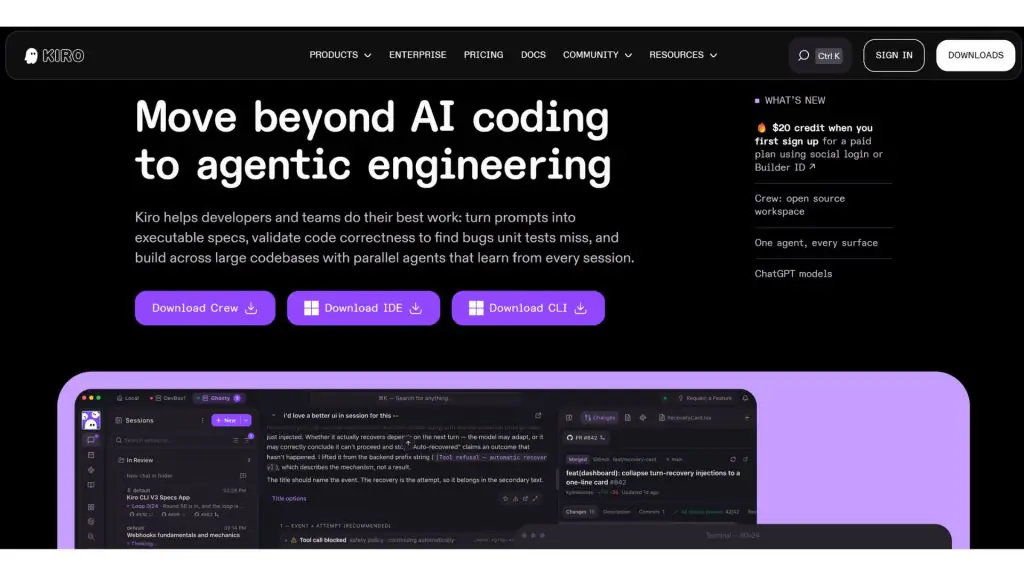
Kiro is an AWS AI software development tool that focuses on a spec-driven development approach. Instead of merely generating code from a prompt, Kiro turns requirements into specifications, architecture designs, and specific tasks before implementation. The tool also supports AI agents, testing, and working with large codebases.
- Key features:
- Turns natural-language requests into functional requirements, system designs, and task lists before writing code.
- Uses multiple AI agents in parallel to implement tasks across different parts of the project.
- Supports property-based testing to catch bugs that ordinary unit tests might miss.
- Can run in the IDE, the command line, and the browser, while also supporting code review workflows in CI/CD.
- Allows a choice of many AI models, including Claude and open-weight models.
- Supported languages: Python, Java, JavaScript, TypeScript, C#, Go, Rust, PHP, Ruby, Kotlin, C, C++, Shell, SQL, Scala, JSON, YAML, and HCL.
- Pros:
- Helps developers clearly define requirements and architecture before the AI starts writing code, well suited to highly complex projects.
- Capable of working on large codebases and carrying out many tasks in parallel.
- Supports many working environments, from the IDE and command line to the browser.
- Offers governance, security, and cost-control features for enterprises.
- Cons:
- The spec-driven approach may require more steps than tools that generate code directly from a prompt.
- Usage limits depend on each plan’s credit count and the AI model’s consumption.
- Different models consume credits at different rates, so the actual cost depends on how you use it.
- Best for: Developers, development teams, and enterprises building large software projects that need clear management of requirements, architecture, testing, and the deployment process.
- Pricing:
- Kiro Free: $0/month, including 50 credits and access to a selection of AI models.
- Kiro Pro: $20/user/month, including 1,000 credits.
- Kiro Pro+: $40/user/month, including 2,000 credits.
- Kiro Pro Max: $100/user/month, including 5,000 credits.
- Kiro Power: $200/user/month, including 10,000 credits.
- Paid plans can buy additional credits at $0.04/credit when they exceed their limit.
Comparison table of AI code-writing tools
The table below helps you quickly compare 15 AI coding tools.
| Tool | Key features | Best for | Pricing |
| GitHub Copilot | Code suggestions, chat, code review, and AI agents | Developers and teams using GitHub | Free: $0; Pro: $10/month; Pro+: $39/month; Max: $100/month |
| Cursor | AI agents, project context awareness, multi-file editing, and cloud agents | Developers and complex projects | Hobby: $0; Pro: $20/month; Pro+: $60/month; Ultra: $200/month; Teams: $40/user/month |
| Claude Code | Project analysis, multi-file editing, command execution, and testing | Developers and software engineers | Free: $0; Pro: $20/month or $17/month billed annually; Max: from $100/month |
| ChatGPT | Generate, explain, fix, and test code; Codex integration | Learners, developers, and engineering teams | Free: $0; Plus: $20/month; Pro: $200/month; Business: $25/user/month billed annually |
| Gemini | Code generation, bug fixing, testing, and multi-language support | Developers and Google ecosystem users | Free: $0; Google AI Plus: $9.99/month; AI Pro: $19.99/month; AI Ultra: $249.99/month |
| OpenAI Codex | An AI agent that writes, reviews, and deploys code | Developers, software engineers, and engineering teams | Free/Go: included with usage limits; Plus: $20/month; Pro: $200/month; additional usage-based fees may apply |
| Replit | Build apps with natural language, database integration, and deployment | Beginners, startups, and developers | Starter: $0; Core: $25/month or $20/month billed annually; Pro: $100/month or $95/month billed annually |
| Windsurf | Cascade agent, code completion, and project-editing assistance | Developers who want automation | Free: $0; Pro: $20/month; higher tiers priced based on usage needs |
| Amazon Q Developer | Code generation, testing, security bug detection, and AWS support | Developers using AWS | Free: $0; Pro: $19/user/month |
| Tabnine | Code completion, AI chat, and context-aware development support | Enterprises and development teams | Code Assistant: $39/user/month; Agentic Platform: $59/user/month |
| Qodo | Pull request review, bug detection, and code quality management | Development teams and enterprises | Trial: 14 days free; Pro Team: $30/month; additional credits at $0.012/credit |
| Aider | Work with code via the command line, codebase mapping, and Git integration | Experienced developers | Aider: free; AI costs depend on the model and provider |
| Cline | Open-source AI agent, file editing, and command execution | Developers who want control over model and cost | Personal: free; pay based on AI model usage; Enterprise: contact sales |
| Kimi Code | Project analysis, file editing, and multi-step task execution | Developers and large projects | Adagio: $0; Moderato: $19/month; Allegretto: $39/month; Allegro: $99/month; Vivace: $199/month |
| Kiro | Spec-driven development, planning, AI agents, and testing | Developers, development teams, and large projects | Free: $0; Pro: $20/month; Pro+: $40/month; Pro Max: $100/month; Power: $200/month |
Overall, there is no single best AI coding tool for every need. Developers should weigh project scale, development environment, level of automation, data control, and budget before making a choice.
Features of AI coding tools
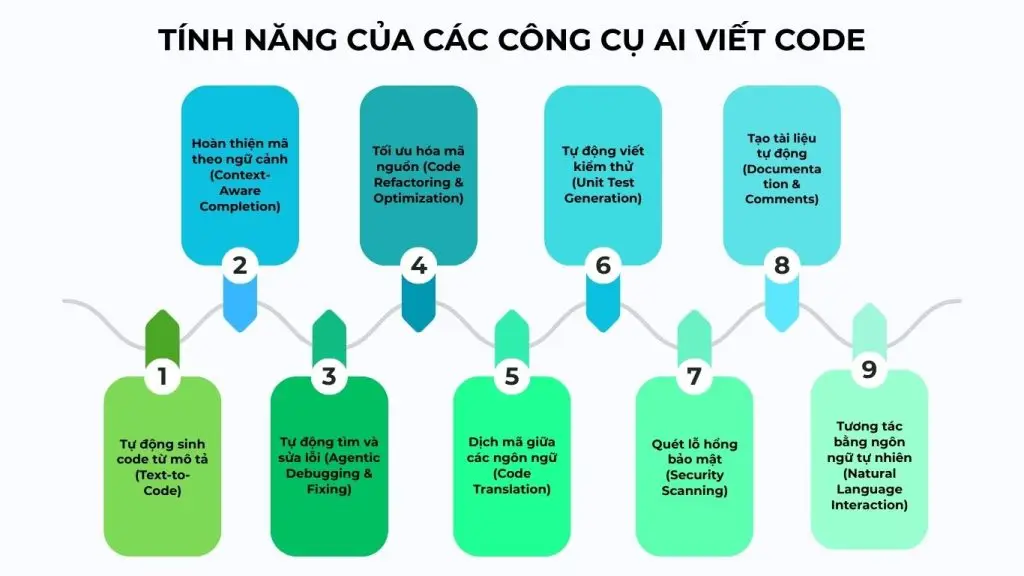
Most AI coding tools today go beyond suggesting individual lines of code and have evolved into comprehensive systems that support the entire software development lifecycle (SDLC). Below are the core features, along with real-world examples, to give you a clear picture of how AI is applied in programming.
Automatic code generation from descriptions (Text-to-Code)
AI coding tools can turn natural-language requirements into complete source code with clear, logical structure. Users only need to describe the functionality, and the AI coding tool analyzes the business logic, identifies the appropriate framework, and generates the files the project needs. This feature is especially useful when building an MVP or a quick prototype.
Example:
You enter: “Create a REST API in Node.js to manage products (CRUD), using Express and MongoDB.”
The AI will automatically create:
- server.js
- Product model
- GET/POST/PUT/DELETE routes
- Basic error-handling middleware
Context-Aware Completion
Unlike traditional autocomplete, an AI coding tool can analyze an entire file or repository to offer suggestions that fit the system architecture. The AI understands variables, classes, dependencies, and the relationships between modules before proposing the next snippet of code. As a result, this helps ensure consistency and reduces logic errors.
Example:
In a Spring Boot project, when you write:
public User getUserById(Long id) {
The AI will automatically suggest:
- userRepository.findById(id)
- Handling the Optional
- Throwing an exception if the user does not exist
Automatic bug finding and fixing (Agentic Debugging & Fixing)
AI coding tools can comprehensively analyze the stack trace, system logs, and related code to pinpoint the exact cause of an error. Beyond simply detecting syntax errors, the AI also suggests fixes for logic errors while optimizing exception-handling mechanisms according to current best practices. This significantly shortens the debugging process, saving developers time and improving code quality.
Example:
Error:
TypeError: Cannot read properties of undefined
The AI will:
- Identify the uninitialized variable
- Suggest using optional chaining (?.)
- Add a null check before accessing the property
Code Refactoring & Optimization
An AI coding tool can refactor code without changing the program’s behavior. The AI suggests extracting functions, removing duplicate code, or improving algorithmic complexity to boost performance. As a result, the optimized code makes the system easier to maintain and scale.
Example:
For a function with multiple nested loops running at O(n²), the AI can:
- Replace it with a HashMap structure
- Reduce it to O(n)
- Split it into smaller functions following the Single Responsibility Principle
Translating code between languages (Code Translation)
AI coding tools can convert source code between languages while preserving the business logic. The tool adjusts the syntax, structure, and libraries to fit the new ecosystem. This feature is therefore useful when migrating a system.
Example:
Converting Python:
for i in range(10):
print(i)
To Java:
for (int i = 0; i < 10; i++) {
System.out.println(i);
}
Or converting a REST API from Express.js to FastAPI.
Automatic test writing (Unit Test Generation)
AI can automatically generate test cases based on the structure and logic of existing functions, covering both edge cases and scenarios with abnormal data. AI coding tools can also select the appropriate testing framework, such as Jest, PyTest, or JUnit, to generate tests automatically and consistently. This markedly improves test coverage while effectively supporting the TDD (Test-Driven Development) workflow.
Example:
Function:
def calculate_discount(price, percent):
return price – price * percent / 100
The AI will create:
- A test for valid values
- A test for percent = 0
- A test for percent > 100
- A test for negative values
Security Scanning
Some AI coding tools build security analysis directly into the coding process. The AI can detect SQL Injection, XSS, hard-coded API keys, or dependencies with security vulnerabilities. This helps minimize risk before deployment.
Example:
If it detects the following code:
const query = “SELECT * FROM users WHERE id = ” + userId;
The AI will suggest:
- Using a prepared statement
- Adding input validation
- Using a safer ORM
Automatic documentation generation (Documentation & Comments)
AI coding tools can automatically create comments that explain the logic and generate technical documentation from existing source code. The tool helps produce a README, API documentation, or endpoint descriptions following the OpenAPI standard. As a result, this helps standardize documentation and saves the time spent writing it manually.
Example: From a REST API controller, the AI can:
- Generate Swagger documentation
- Write a description for each endpoint
- Create a README.md file with installation instructions
Natural Language Interaction
Users can communicate directly with the AI in natural language to request explanations, optimizations, or feature extensions. The AI does not merely answer in theory but analyzes based on the project’s actual code. As a result, natural-language interaction brings AI coding tools closer to the role of a personal technical assistant.
Example:
You ask: “Why does this piece of code cause a memory leak?”
The AI will:
- Analyze the object lifecycle
- Point out the variable that is not being released
- Suggest a memory-optimization solution
>>> See also:
- How to build an effective, detailed omnichannel AI sales chatbot
- AI data labeling: Trends, Tools, and Workflows
Benefits and risks of using AI for programming
Although AI code-writing tools help streamline the software development process, users still need to clearly understand both the benefits and the risks in order to use AI effectively and safely.
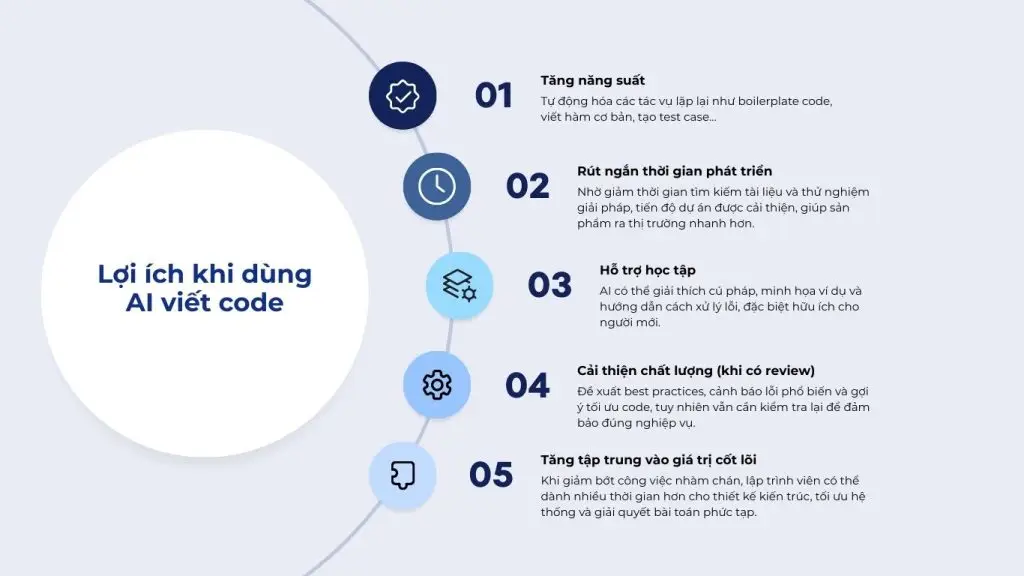
Benefits of using AI to write code
AI helps streamline the software development process, enabling individuals and teams to work more efficiently.
- Boosts productivity: Automating repetitive tasks such as boilerplate code, writing basic functions, and generating test cases helps developers save time and focus on the more important logic.
- Shortens development time: Less time spent searching documentation and experimenting with solutions means shorter project timelines and products that reach the market faster.
- Supports learning: AI can explain syntax, illustrate examples, and guide you through handling errors, which is especially useful for beginners or when working with unfamiliar technologies.
- Improves quality (when reviewed): It suggests best practices, warns about common errors, and recommends code optimizations, though the output still needs to be checked to ensure it meets business requirements.
- Increases focus on core value: By reducing tedious work, developers can devote more time to architecture design, system optimization, and solving complex problems.
>>> See also:
- What is generative AI? How it works & real-world applications
- What is Predictive AI? Benefits and how AI prediction works
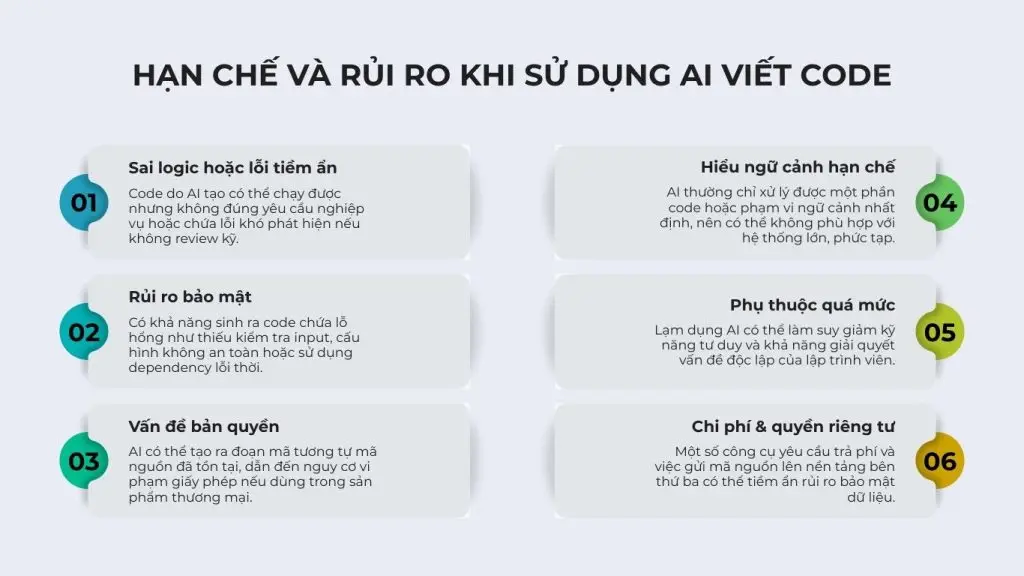
Limitations and risks
Alongside the benefits, the use of AI in programming needs to be tightly controlled.
- Incorrect logic or hidden bugs: AI-generated code may run but not meet business requirements, or it may contain errors that are hard to detect without careful review.
- Security risks: It can generate code containing vulnerabilities such as missing input validation, insecure configurations, or the use of outdated dependencies.
- Copyright concerns: AI may produce code similar to existing source code, creating the risk of license violations if used in commercial products.
- Limited context understanding: AI can usually only process part of the code or a certain scope of context, so it may not be suitable for large, complex systems.
- Over-reliance: Overusing AI can erode developers’ critical thinking skills and their ability to solve problems independently.
- Cost & privacy: Some tools require payment, and sending source code to third-party platforms can pose data security risks.
>>> See also:
- Gesture recognition with Vision AI in real-world applications
- A guide to building a free, professional online store website
How to use AI to write code effectively
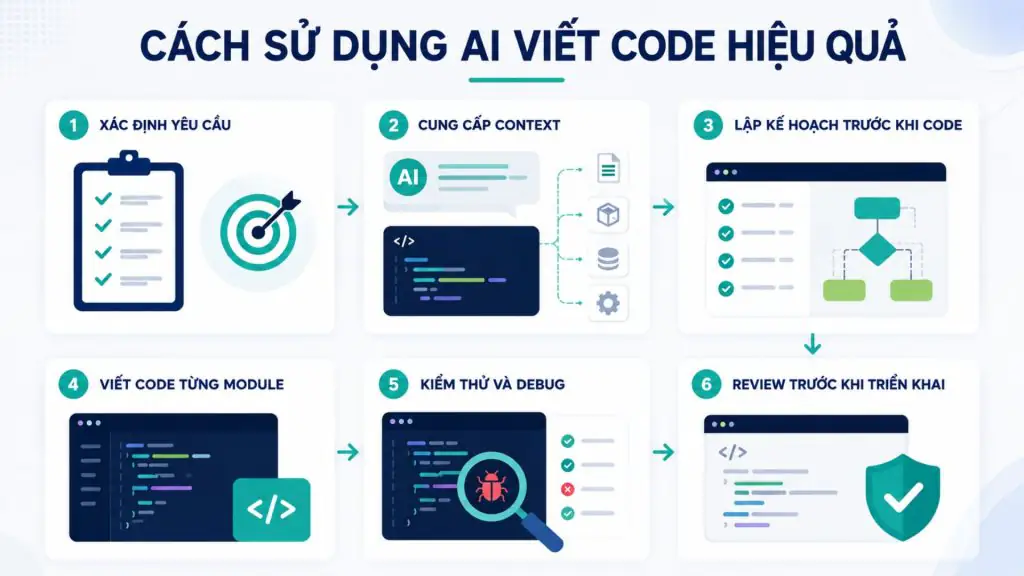
AI can help developers write code faster, but the quality of the output depends heavily on how requests are framed and how results are controlled. Instead of asking the AI to build an entire application in one go, it is better to break the process into individual steps so the AI understands the goal correctly and produces code that is easier to control.
Step 1 – Define the requirements
Before asking the AI to write code, clearly define the goal, the functionality to be built, and the desired outcome. The more specific you are, the easier it is for the AI to produce suitable code.
You should provide:
- The functionality to be implemented.
- The input and output data.
- Any special requirements or constraints.
- The criteria for determining when the functionality is complete.
Step 2 – Provide context to the AI
The AI cannot accurately understand a project from a single short command. Provide the necessary information such as the directory structure, relevant code, the framework, the database, and the libraries in use.
For large projects, provide only the context directly related to the task to avoid distracting the AI from what matters.
For example: When you ask the AI to build a login feature using Node.js + Express, instead of simply saying “write a login API,” you should provide full context like this:
- The project uses Node.js, Express, and MongoDB.
- The user structure includes: email, password (hashed with bcrypt), and role.
- API requirement: POST/auth/login accepts email and password.
- Authentication method: compare the password with bcrypt, and if it matches, return a JWT token.
- Security requirement: do not return the password in the response.
- Middleware for handling JWT on protected routes already exists.
Thanks to this context, the AI will not only write code with the correct functionality but also fit the project’s existing architecture, avoiding solutions that stray from the stack or miss important steps such as hashing the password or generating the token.
Step 3 – Ask the AI to plan before coding
Instead of asking the AI to write code right away, ask the tool to analyze the requirements and lay out an implementation plan first. This approach helps uncover gaps in the logic and lets developers adjust the implementation direction before any code is generated.
For complex features, the plan should include the modules, processing flows, data, and testing approach.
Step 4 – Let the AI write code module by module
You should not ask the AI to build the entire system in one go. Break the project into individual modules or small features, then ask the AI to implement them one at a time.
This approach helps reduce errors, makes testing easier, and makes it easier to pinpoint the cause when code does not work correctly. After each module, developers should verify the results before moving on to the next part.
Step 5 – Testing and debugging
Code generated by AI is not the same as correct code. After completing each feature, ask the AI to create unit tests, check edge cases, and help identify the cause when errors occur.
When debugging, provide the AI with the error message, the relevant code, the actual result, and the expected result. The more complete the context, the higher the chance the AI will correctly identify the cause.
Step 6 – Review the code before deploying to production
Before deploying code to production, developers need to review it themselves or use an AI tool to assist with the check. Assess the logic, performance, security, scalability, and compliance with the project’s standards.
AI should act as an assistant, not the final decision-maker. Combining AI with the developer’s testing and review process leverages AI’s speed while maintaining the software’s quality and safety.
>>> See also:
- A free, detailed, and simple guide on how to build an app with AI
- TOP 15+ effective, super-easy AI app-building tools
Use cases for AI code writing
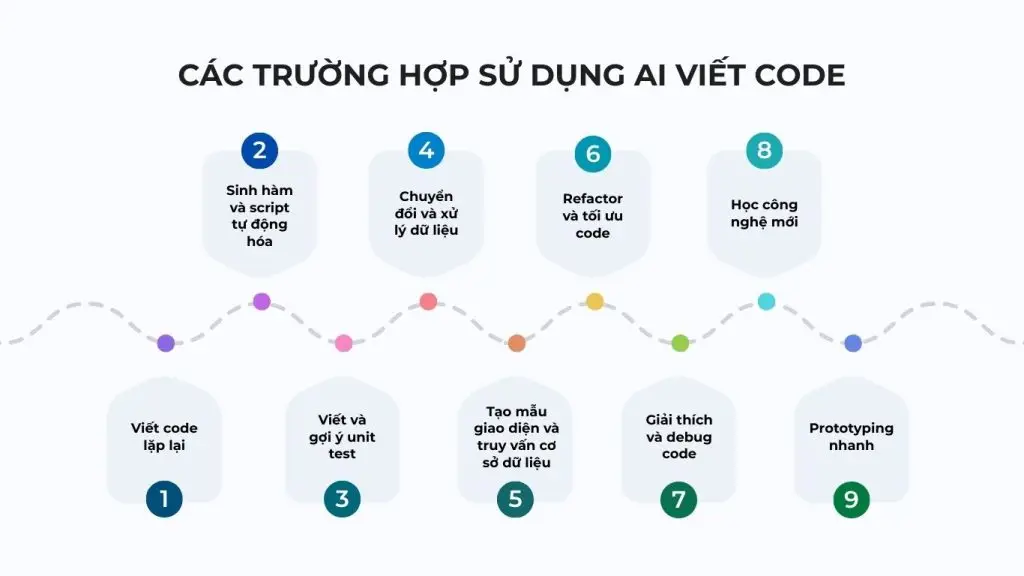
AI delivers the most value when applied to tasks that are well-structured, repetitive, or in need of a quick draft. Below are common use cases that provide real-world value:
- Writing repetitive code (boilerplate): Quickly generate initial configurations, utility functions, basic CRUD, or commonly used project structures.
- Generating utility functions and automation scripts: Quickly build snippets for string processing, file read/write, data handling, or internal scripts.
- Writing and suggesting unit tests: Create test scaffolding, basic test cases, and mock data to support early testing.
- Data conversion and processing: Convert formats (JSON, CSV, etc.), analyze logs, and clean and process text.
- Creating interface templates and database queries: Generate basic HTML/CSS, SQL statements, or API structures based on described requirements.
- Refactoring and optimizing code: Suggest structural improvements, standardize coding style, or optimize performance.
- Explaining and debugging code: Analyze complex code, read stack traces, and suggest ways to resolve errors.
- Learning new technologies: Provide illustrative examples, compare syntax, and give quick implementation guidance for new languages or frameworks.
- Rapid prototyping: Create feature or application prototypes to test ideas before formal development.
In short, AI is best suited to tasks that support and accelerate development. For critical architectural decisions or core systems, AI’s role should remain that of an assistant, while final control still belongs to the developer.
>>> See also:
- TOP 20 most popular free Vietnamese AI chat tools
- Build apps for Android/iOS easily, no programming knowledge required
5 effective AI code-writing prompt templates
A clear prompt helps AI understand the requirement correctly and produce more suitable code. Instead of simply writing “create some code,” developers should provide the role, context, requirement, technologies used, and output format. Below are 5 prompt templates you can apply to common programming needs.
Code-generation prompt
Structure: Role + Context + Requirement + Tech stack + Output.
Sample prompt:
You are a senior Python developer. I’m building an order management system for an e-commerce website. Create a REST API feature to retrieve a list of orders by customer ID, with support for pagination and filtering by order status. Use Python, FastAPI, and PostgreSQL. The code should include error handling, input validation, and comments on the important parts. Return the directory structure, the complete code, and instructions on how to run it.
This prompt provides enough role, context, functional requirements, technology, and output format. As a result, AI has a basis to produce code that closely matches the project rather than offering a generic example.
Debug prompt
Structure: Error + Expected behavior + Actual behavior + Code + Environment.
Sample prompt:
I’m developing an API with Node.js and Express. When I send a POST /api/users request, the system returns a 500 Internal Server Error. The expected result is that a new account is created and a 201 status code is returned. The actual result is that the request fails when the email data already exists. Here is the relevant code: [paste code]. The environment uses Node.js 22, Express 5, and PostgreSQL. Identify the cause, explain the error, and suggest a fix. Do not change the current API structure.
When debugging, you should provide the error, the expected result, and the actual result so that AI has enough basis for comparison. Clearly stating the environment also helps avoid suggestions that are incompatible with the library versions you are using.
Refactor prompt
Structure: Existing code + Problem + Constraints + Expected result.
Sample prompt:
Here is the current Python code: [paste code]. The code processes user data but has a lot of repetition and is hard to maintain. Refactor the code to reduce duplication, split the functionality into smaller functions, and improve readability. Keep the current inputs, outputs, and behavior unchanged. Do not change the libraries in use and do not alter the database structure. Provide the refactored code and explain the important changes.
A refactor prompt needs to clearly state the current problem and the constraints that must not be changed. This helps AI improve code quality without accidentally breaking functionality that is already working.
Unit test prompt
Structure: Code + Framework + Coverage requirement.
Sample prompt:
Here is the Python function to be tested: [paste code]. Write unit tests with pytest, covering the success case, invalid input data, empty values, and possible exceptions. The goal is to reach at least 90% coverage for this function. Do not change the original code. Provide the complete test file and explain what each group of tests is verifying.
You should ask AI to test both normal cases and edge cases rather than only checking the success result. Setting a coverage requirement also gives developers concrete criteria for evaluating the quality of the test suite.
Security review prompt
Structure: Code + Security standard + Expected output.
Sample prompt:
Act as an application security expert and review the following code: [paste code]. Assess the code against the OWASP Top 10 principles, focusing on SQL Injection, XSS, authentication, authorization, sensitive information management, and input data handling. For each issue, state the severity level, where it occurs, the cause, and how to fix it. Finally, provide an improved version of the code and a list of issues that should be checked further with dedicated security tools.
A security prompt should ask AI to point out the location, the level of risk, and the fix, rather than merely answering whether the code is secure or not. However, AI’s output should not be treated as the final security check; critical systems still need to combine source-code analysis tools, security testing, and expert review.
Things to keep in mind when using AI code-writing tools
AI code writing can help accelerate product development and boost programming productivity. However, to use it effectively and limit risks, you need to use these tools proactively, responsibly, and with proper oversight.
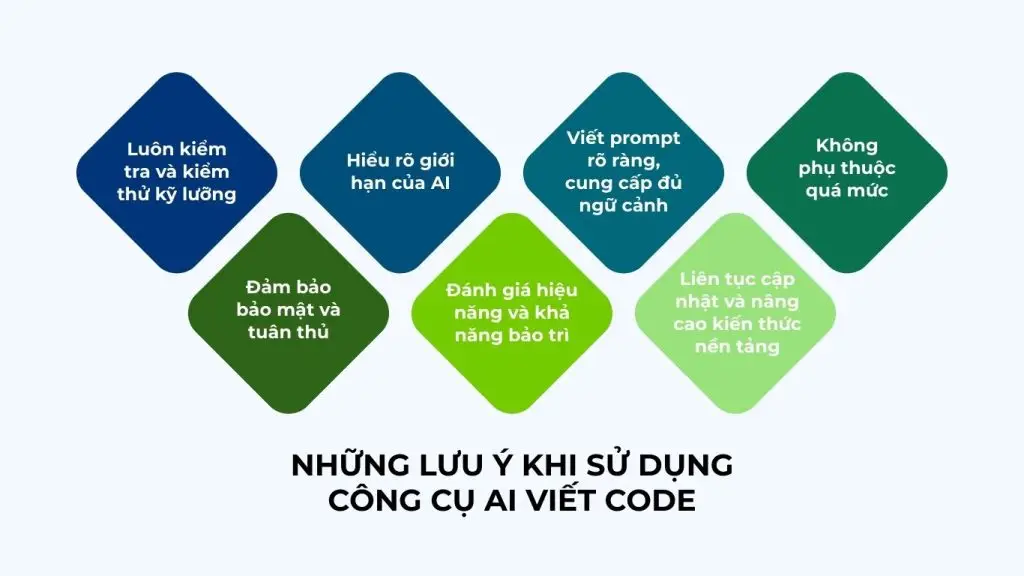
- Always review and test thoroughly: Do not trust AI-generated code absolutely. Read and understand the logic, run it, write tests, and review it as you would any other code before putting it into production.
- Understand AI’s limitations: AI is not an all-powerful solution. Its output may be suboptimal, lack context, or even be wrong. Being clearly aware of its strengths and weaknesses helps you set the right expectations and use it appropriately.
- Write clear prompts and provide enough context: Describe the goal, technology, technical constraints, and output requirements specifically. The more detailed the prompt, the closer the result will match your needs.
- Do not rely on it too much: Treat AI as an assistant that supports your thinking, not a replacement for your analysis, system design, and problem-solving abilities.
- Ensure security and compliance: Avoid sharing internal source code or sensitive data. At the same time, check for copyright issues, library licenses, and relevant legal standards.
- Evaluate performance and maintainability: The code needs to fit the project architecture, be performance-optimized, and be easy to read and maintain for the whole team.
- Continuously update and strengthen your foundational knowledge: AI is only truly effective when you have enough expertise to evaluate, edit, and optimize its output.
Using AI to write code intelligently not only helps you work faster but also contributes to improving product quality and long-term technical capability.
>>> See also:
- How to create prompts for LLMs in computer vision to improve accuracy
- What is computer vision? A detailed guide
Frequently asked questions
What is AI code writing?
AI code writing (AI Coding Assistant) is an artificial intelligence system that uses large language models (LLMs) and machine learning (Machine Learning) to support developers throughout the software development process. These tools can automatically generate source code, suggest code completions, debug, refactor, and even act as a semi-autonomous AI Software Engineer.
What is the best AI for writing code today?
Some standout AI code-writing tools include ChatGPT, Gemini, Claude, GitHub Copilot, and more. Each tool has its own strengths in IDE integration, accuracy, and the ability to explain code. The best choice depends on your needs and working environment.
Is there an AI code generator that supports multiple languages?
Yes. Tools like GitHub Copilot and ChatGPT support many popular languages such as Python, JavaScript, Java, C++, Go, and more, making them suitable for cross-platform projects.
What is the best AI for writing Python code?
Both GitHub Copilot and ChatGPT support Python well. Copilot excels at inline suggestions within the IDE, while ChatGPT is helpful when you need to explain, debug, or optimize code.
Is there a best free AI code-writing tool?
Yes. ChatGPT (the free version), Tabnine Free, and some Copilot trial programs all meet basic needs well, though they have limitations compared with the paid versions.
AI code writing is no longer merely a technology trend; it has become an inevitable part of the modern software development process. Choosing the right AI tool not only helps accelerate the programming process but also contributes to optimizing IT team performance and driving digital transformation strategy in a sustainable way.
If you are looking for a solution to integrate AI into your website, application, or internal systems, TOT provides comprehensive AI consulting and implementation services, from intelligent chatbots and AI coding workflow processes to advanced automation systems.
Contact TOT now for advice on the AI solution best suited to your business’s goals and development direction.
TOT is a pioneer on the digital transformation journey. We deliver website design, mobile app, custom software development, and artificial intelligence (AI) software solutions with flexible services optimized precisely to each business’s needs.
Inspired by the philosophy of “Technology for people,” TOT helps businesses operate more efficiently, elevate the customer experience, and create a lasting mark for their brand.