Creating a Free Online Store Website is an essential first step in the digital era, enabling individuals and businesses to quickly establish an online presence, promote products, and attract customers without major investment. In this article, TOT will guide you on how to design a professional e-commerce website using the power of WordPress and WooCommerce in just a few minutes.
>>> Read more:
- Web design company in Ho Chi Minh City: Top 15 partners
- Top 10 Best Web Agency Offshore for Web Development
- How Much Does It Cost to Design an App in 2026?
- Top 10 Types of Custom Enterprise Software Development in 2026
1. Why Choose WordPress and WooCommerce to Create a Free Online Store Website
- Uses Open-Source Code, No Platform Fees: WordPress and WooCommerce are both free, giving users the freedom to customize without paying expensive software licensing fees.
- Diverse Themes and Plugins Library: Thousands of themes and plugins help you create a visually appealing sales page and a feature-rich product page without needing to code.
- SEO-Friendly: Both platforms are built with SEO-friendly structures, making it easy to optimize pages, URLs, and meta information, and they support tools like Yoast SEO and Rank Math.
- Large Support Community: Thanks to the global user community, you can easily find guides and solutions whenever you run into issues.
>>> Read more:
- Web Design Agency in Vietnam – Top 12 Trusted Companies
- Professional Custom Software Development in Ho Chi Minh City

2. Preparing Hosting and Domain to Create a Free Online Store Website
- Hosting: This is where your website data is stored. You can start with a free hosting plan or an affordable option like shared hosting, then move to VPS or Cloud Hosting as traffic grows.
- Domain Name: Choose a name that is short, easy to remember, and relevant to your brand (e.g., banhangmienphi.com). You can use a free domain (from .tk/.ga), or invest in an international domain (.com, .net).
3. Step-by-Step Guide to Creating a Free Online Store Website
3.1 Install WordPress in Just a Few Minutes
- Access your hosting’s Control Panel and select the Auto Installer utility.
- Search for “WordPress,” configure the installation path, set the administrator username, password, and email.
- Once the installation is successful, you can access the Dashboard to manage your website.
3.2 Install and Configure WooCommerce
- Install the WooCommerce plugin from the Dashboard: Log in -> Plugins -> Add New -> Search for “WooCommerce” -> Install -> Activate.
- Basic Configuration Steps:
- Set up page paths: Shop, Cart, Checkout, My Account.
- Establish store address, currency, and units of measurement.
- Set up appropriate shipping (free, regional charges).
- Connect payment gateways: PayPal, Stripe, or bank transfer.
3.3 Add Products to the Website
- Go to WooCommerce -> Products -> Add New.
- Enter the product name, description, price, image, and select the category and SEO tags.
- Choose the product type: Simple, Variable (with variations), Virtual (service), or Grouped.
- Click “Publish” to display the product on the shop page.
3.4 Install a Professional Theme
- Choose a theme that integrates with WooCommerce (e.g., Storefront, Astra, OceanWP) for a seamless user experience.
- Customize colors, logo, and page layouts via the Customizer.
- Install supporting plugins, such as Page Builder, Slider, and Trust Badge etc.
>>> Read more: Custom Software Development in Hanoi – Professional and Affordable

4. Upgrade Solutions When Needed – Professionally Optimizing Your Free Online Store Website
Although WordPress and WooCommerce allow you to create a free online store website, for efficient and sustainable operation, you should add specialized supporting tools to improve performance, SEO, security, and user experience.
Free SEO Optimization with Dedicated Plugins
- Yoast SEO or Rank Math are two popular plugins that help website administrators optimize content according to modern SEO standards.
- Features like keyword density analysis, title tag and meta description suggestions, internal linking, and XML sitemap indexing help the website get indexed faster and rank higher on Google.
Improve Page Load Speed and Performance
- Optimizing page load speed is a critical factor in enhancing user experience and reducing bounce rate. Plugins like LiteSpeed Cache, WP Super Cache, or Autoptimize support caching, compression of HTML/CSS/JS, and image optimization.
- It is recommended to use a free CDN, such as Cloudflare, to reduce page loading time from different geographical areas and enhance security.
Enhance Security for the Free Website
- Sales websites are frequent targets for attacks because they contain user and transaction information.
- Using plugins like WordFence, All-in-One WP Security, or Sucuri Security helps you detect vulnerabilities, block brute-force attacks, spam, and malware, and monitor unauthorized login attempts.
Integrate Customer Behavior Measurement Tools
- Google Analytics 4 (GA4): Track metrics such as visits, conversion rate, traffic source, and time on page.
- Google Tag Manager (GTM): Manage tracking codes, remarketing tags, Facebook Pixel, Hotjar, etc., without direct intervention in the source code.
- Facebook Pixel: Optimize advertising campaigns based on user behavior, such as adding to cart, successful purchases, or cart abandonment.
User Experience and Interface
- Install plugins like Elementor, Beaver Builder, or Brizy to customize the interface with simple drag-and-drop editing.
- Choose themes that are 100% compatible with WooCommerce, have fast loading speeds, support responsiveness, and are optimized for mobile devices.
>>> See more:
- Nearshore Software Outsourcing: Your Ultimate Guide
- Top 20 Software Outsourcing Company in Vietnam: 2026 Update
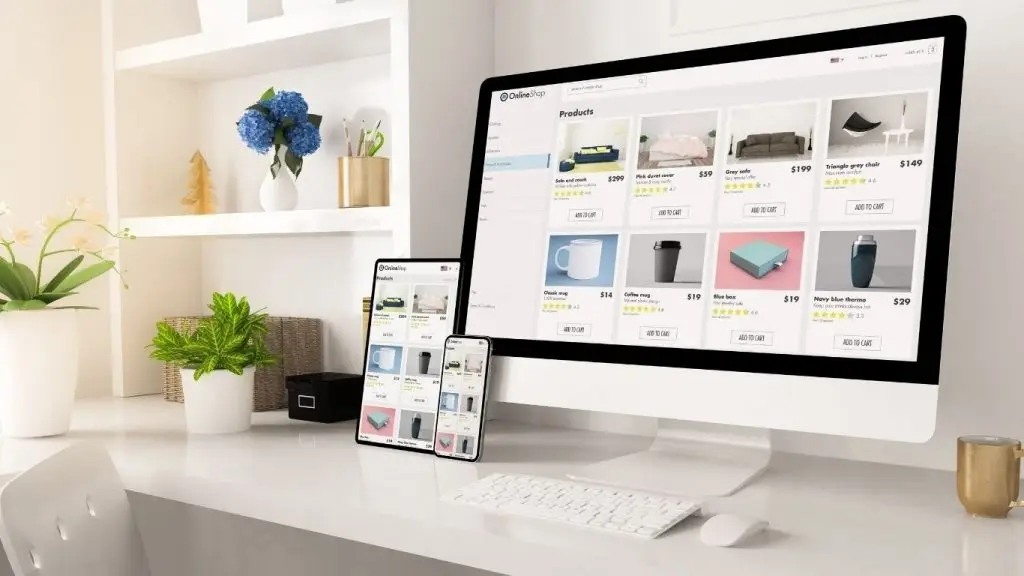
5. Scaling When the Website Grows – Optimizing Infrastructure and Functionality for a Larger Scale
Once your online store generates stable revenue, traffic grows, and loyal customers start to appear, it is time to upgrade so the initial free setup does not hold you back.
Upgrade Storage Infrastructure
- Switch from shared hosting to VPS or Cloud hosting to ensure stable processing speed for orders, product management, and access during peak hours.
- Suitable configuration for a medium-sized e-commerce website: 2–4 CPU cores, 4GB RAM or more, 40GB SSD or more, supporting SSL installation and regular backups.
Invest in a Professional Domain Name
- Use domain suffixes like .com, .vn, or .store to increase credibility.
- Configure security with a Let’s Encrypt SSL certificate or paid SSL to protect user information during online transactions.
Expand Business Functionality
- Integrate advanced plugins such as:
- WooCommerce Bookings: Allows online appointment and service scheduling.
- WooCommerce Subscriptions: Supports selling products via a recurring subscription model.
- WooCommerce Memberships: Manages access rights for VIP customer groups or membership tiers.
In-Depth Operational Management
- Connect with sales management software like Nhanh.vn, KiotViet, Sapo, etc., to synchronize inventory, invoices, and discounts both in-store and online.
- Automate processes using tools like Zapier to connect WooCommerce with other platforms such as Google Sheets, Email, and SMS Marketing.
Personalization Strategy
- Set up automated email scenarios for customers upon order completion, cart abandonment, birthdays, or discounts on favorite products.
- Use tools to suggest similar products or upsell to increase the average order value.
Creating a free online store website using WordPress and WooCommerce is the most cost-effective, flexible, and efficient solution for individuals and new businesses. With minimal cost, you can still own a professional, SEO-ready, and user-friendly e-commerce site. If you are looking for a reliable partner to design and optimize your website from scratch, please contact TOT immediately for strategic consultation and a personalized website design quote.
TOT is a pioneer in the digital transformation journey. We deliver website design, mobile app development, and custom software solutions with flexible services tailored to each business’s exact needs.
Inspired by the philosophy of “Technology for People,” TOT empowers businesses to operate more efficiently, elevate customer experiences, and build a lasting brand impression.
BOOK A CONSULTATION AND RECEIVE A FREE WEBSITE AUDIT PACKAGE TODAY AT: https://topon.tech/en/contact/