

In the digital era, as online business and transactions become increasingly common, website security has become a critical factor for every business. A good website security check tool not only helps detect security vulnerabilities, malware and misconfigurations, but also helps optimize the system and keep your website running stably and safely. Using the right tool lets you proactively prevent risks and avoid the loss of data and brand reputation. Join TOT to explore the 40 most effective website security check tools available today in the article below.
>>> See more:
- Website security errors: Causes & how to fix them
- The 16 best ways to secure a WordPress website
- What is a Brute Force attack? Causes and how to effectively prevent Brute Force
- Top 30 best, most popular, free website building platforms
- How much does a sales website design cost? Detailed pricing
Why is website security testing important?
According to a report by IBM Security, the global average cost of a data breach in 2024 reached USD 4.88 million, up 10% from the previous year. In Vietnam, the number of websites attacked each year keeps rising, with more than 9,000 sites falling victim in 2019 alone. These figures show that website security testing is not an option but a necessity to ensure the safety and survival of a business in the digital environment.
Regular security testing helps businesses detect and patch vulnerabilities before attackers can exploit them. It is a proactive preventive measure that helps build a solid cybersecurity system and avoid serious financial, data and reputational damage. Security testing delivers several important benefits:
- Detect security vulnerabilities: Identify weaknesses in the system, from misconfigurations to hidden security flaws that are hard to spot with the naked eye.
- Assess the level of risk: Analyze and measure the severity of each vulnerability, helping you prioritize the most critical threats first.
- Prevent attacks: Detect signs of intrusion or abnormal activity early so you can take timely countermeasures.
- Support remediation: Provide detailed reports and specific recommendations that help the development team fix issues effectively.
- Ensure compliance: Meet data security requirements under legal regulations and industry standards.
>> See more:
- What is a VPS? A detailed overview of the Virtual Private Server
- What is GDPR? The EU’s new General Data Protection Regulation
- What is cyber security hygiene? Its role and best practices

Top 40 effective website security check tools
As cyberattacks grow increasingly sophisticated, website security testing has become a must for every business. Understanding these testing tools helps you detect and block threats before they cause damage. Below is a roundup of the 40 most effective website security scanning tools available today.
Quick overview of the top 40 website security check tools
| No. | Tool | Main check type | Format | Best for | Highlights |
| 1 | Sucuri SiteCheck | Malware, blacklist, malicious code | Online | Websites in general | Fast website scanning, easy to use |
| 2 | Google Safe Browsing Diagnostics | Phishing, malware, dangerous websites | Online | Websites in general | Checks safety status according to Google |
| 3 | Quttera | Malware, Trojan, malicious code | Online | Websites in general | Analyzes source code and detects malware |
| 4 | VirusTotal | Malware, URL, blacklist | Online | Individuals, businesses | Cross-checks results from many security engines |
| 5 | SiteLock | Malware, vulnerabilities, blacklist | Online/Service | Businesses | Continuously monitors and protects websites |
| 6 | Norton Safe Web | Malware, phishing, website reputation | Online | General users | Assesses how safe a website is |
| 7 | Acunetix | DAST, XSS, SQL Injection, web vulnerabilities | Software | Businesses, pentesters | Deep automated web application scanning |
| 8 | Invicti (Netsparker) | DAST, web vulnerabilities | Software/Cloud | Businesses | Automatically detects and verifies vulnerabilities |
| 9 | Qualys Web Application Scanning (WAS) | DAST, web application vulnerabilities | Cloud | Large enterprises | Scans web applications at scale |
| 10 | Burp Suite Professional | Web pentest, XSS, SQLi, API | Software | Pentesters, security experts | A very comprehensive web testing toolkit |
| 11 | Nessus | Vulnerability scanning | Software | IT, security teams | Detects many types of system vulnerabilities |
| 12 | Wordfence | Malware, firewall, WordPress vulnerabilities | Plugin | WordPress websites | WordPress security and malware scanning |
| 13 | WPScan | WordPress, plugin and theme vulnerabilities | CLI/Online | Pentesters, WordPress admins | A dedicated WordPress vulnerability database |
| 14 | Jetpack Scan | Malware, WordPress vulnerabilities | Cloud/Plugin | WordPress websites | Automatic WordPress security scanning |
| 15 | MalCare | Malware, backdoor, WordPress vulnerabilities | Plugin/Cloud | WordPress websites | Malware scanning and incident response support |
| 16 | OWASP ZAP | DAST, XSS, SQLi, API | Software | Developers, pentesters | Free and open source |
| 17 | SQLMap | SQL Injection | CLI | Pentesters, security researchers | Automates SQL Injection testing |
| 18 | Nmap | Port, service, network security | CLI/GUI | IT, pentesters | Detects active ports and services |
| 19 | SSL Labs Server Test | SSL/TLS, certificates | Online | Websites, server admins | Very detailed HTTPS configuration analysis |
| 20 | Security Headers | HTTP security headers | Online | Developers, webmasters | Checks CSP, HSTS, X-Frame-Options… |
| 21 | Unmask Parasites | Malicious code, injected content | Online | Webmasters | Detects suspicious content on websites |
| 22 | Rapid7 AppSpider | DAST, web vulnerabilities | Software | Businesses, pentesters | Automated web application testing |
| 23 | McAfee SiteAdvisor | Website reputation, malware | Online/Browser | General users | Assesses website trustworthiness |
| 24 | IBM Application Security on Cloud | Application security, DAST | Cloud | Businesses | Cloud-based application security testing |
| 25 | WOT (Web of Trust) | Website reputation, phishing | Online/Extension | General users | Reputation-based trust assessment |
| 26 | GamaSec | Website security, malware | Online | Webmasters | Checks malware and some security issues |
| 27 | AVG Online Web Page Scanner | Malware, website reputation | Online | General users | Scans URLs to check for risks |
| 28 | Finjan Malware Scanner | Malware, website security | Online | Webmasters | Analyzes websites and malware risks |
| 29 | PhishTank | Phishing | Online | Security teams, webmasters | Checks URLs for phishing links |
| 30 | McAfee Domain Health Check | Domain reputation, security | Online | Webmasters | Assesses a domain’s security status |
| 31 | Wireshark | Network traffic analysis | Software | Network/security teams | In-depth network packet analysis |
| 32 | Qualys Free Scan | Vulnerability scanning | Online | IT, security teams | Checks some system security issues |
| 33 | TrustedSource | Website/domain reputation | Online | Businesses | Assesses a domain’s trustworthiness |
| 34 | hpHosts Online | Malware, blacklist | Online | Webmasters | Checks suspicious domains/URLs |
| 35 | Dasient Web Anti-Malware (WAM) | Website malware | Online | Webmasters | A tool that detects malware on websites |
| 36 | John the Ripper | Password auditing | CLI | Security professionals | Tests password strength |
| 37 | Arachni | Web vulnerability scanning | Software | Pentesters | A web security testing framework |
| 38 | Metasploit Framework | Exploitation, vulnerability validation | CLI/GUI | Pentesters, security researchers | Validates whether vulnerabilities are exploitable |
| 39 | CyStack Web Security | Web security, vulnerability assessment | Online/Service | Vietnamese businesses | Supports website security assessment and testing |
| 40 | Nikto | Web server vulnerabilities, misconfiguration | CLI | Pentesters, server admins | Quickly scans web server configuration and components |
1. Sucuri SiteCheck
Sucuri SiteCheck is one of the tools that helps remove malware from a website quickly and accurately. It effectively finds and removes malicious code and detects suspicious pages, spam and other threats, making it a popular choice for quick, regular security checks with no software to install.
>>> See more:
- What is 2FA? How to enable two-factor authentication to protect your account
- Designing websites with AI (artificial intelligence) for free

2. Google Safe Browsing Diagnostics
Google Safe Browsing Diagnostics is a website security check tool from Google that verifies whether a website contains malware or unsafe software. The system uses data from the Safe Browsing API and is continuously updated by Google.
The tool analyzes the URLs associated with a domain and shows results for roughly the last 90 days. It relies on the Safe Browsing API, an integrated technology that analyzes sites based on Google’s website-filtering capabilities. Businesses can use it to detect risks early and avoid having browsers or Google warn their users.
>>> See more:
- What is cyber security? An overview of 9 common types of cyber security today
- Top 10 AI website builders (free and paid) that work best in 2026
3. Quttera
Quttera supports online malware scanning, detecting malicious JavaScript, hidden iframes and dangerous code injected into web pages. It is especially effective at finding hidden threats that many other tools may miss, including complex malware injected by hackers.
In addition, Quttera checks blacklists across many reputable databases and independently analyzes each file on the server to trace malware. After scanning, you receive a detailed report along with a list of files to review, helping you understand the location and severity of each piece of malicious code.
>>> See more:
- Pricing for SEO-friendly sales website design: A detailed all-in-one package from A to Z
- How to build a sales website on your phone: detailed & easy to follow
4. VirusTotal
VirusTotal is a free tool that analyzes a URL or file using dozens of different antivirus engines. When you enter a website address, you can see whether the page is flagged for malware or dangerous links. Although not web-specific, VirusTotal is very useful when you want to check resources or files embedded on a website.
>>> See more:
- Website design in Bình Dương: full-package, SEO-friendly and reliable
- A simple, free guide to building a sales website with WordPress
5. SiteLock
SiteLock is a comprehensive security solution that includes malware scanning, a firewall, vulnerability checks and automatic malware cleanup. It also monitors websites 24/7 and sends alerts when it detects signs of an attack. It is a good fit for corporate and e-commerce websites or any platform that handles user data.
>>> See more:
- What is the W3C standard ? Why should you build W3C-compliant websites?
- Web content accessibility guidelines WCAG 2.2
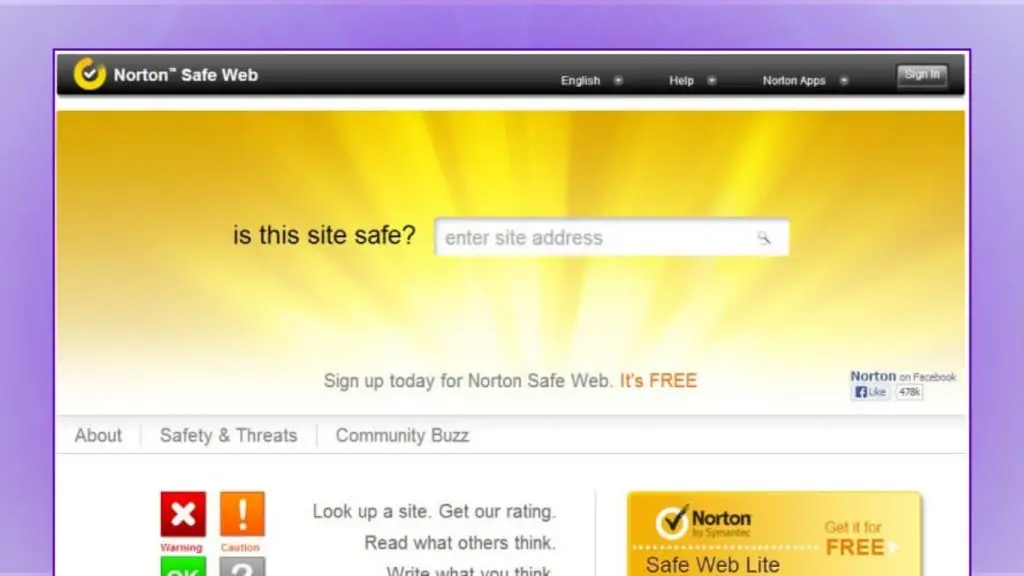
6. Norton Safe Web
Norton Safe Web by Symantec is a solution that quickly assesses how trustworthy a website is. Users simply provide the URL to look up, and the system scans it and produces a detailed report on threats such as malware, phishing pages or other security risks. Its strength lies in combining artificial intelligence with ratings from users worldwide and the vast security database of the Norton ecosystem.
>>> See more:
- All-in-one WordPress website design pricing
- 18 highly effective ways to apply AI to ecommerce
7. Acunetix
Acunetix is a professional web application security testing tool that can detect more than 7,000 different types of vulnerabilities such as SQL Injection and Cross-Site Scripting. It generates detailed reports that show technicians exactly where a flaw is and how to fix it. Acunetix is a good fit for businesses that need to automate their security testing process.
8. Invicti (Netsparker)
Invicti, formerly known as Netsparker, is renowned for its accurate scanning and its ability to automatically verify real vulnerabilities. The software reduces false results and saves time for security teams. It suits organizations that need to automatically scan many web applications at once and generate compliance-ready reports.
>> See more:
- What is CSRF? Attack techniques and how to effectively prevent CSRF
- How to use chatbots for education in universities and learning
9. Qualys Web Application Scanning (WAS)
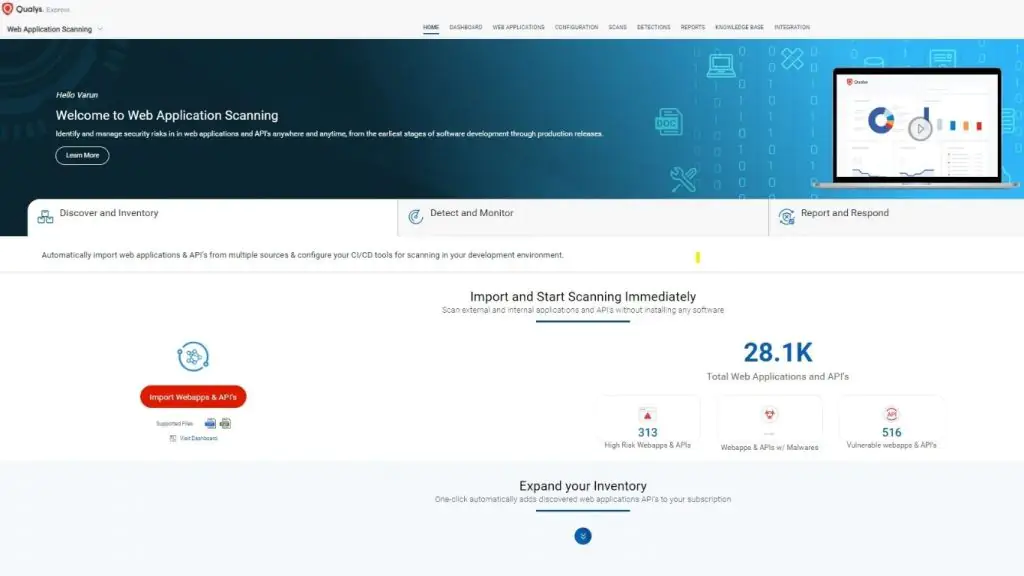
Qualys WAS provides web application vulnerability scanning and centralized risk management on a cloud platform. Beyond finding flaws, it also supports compliance reporting and recommends secure configurations. It is a good solution for large enterprises or systems with many websites that require continuous monitoring.
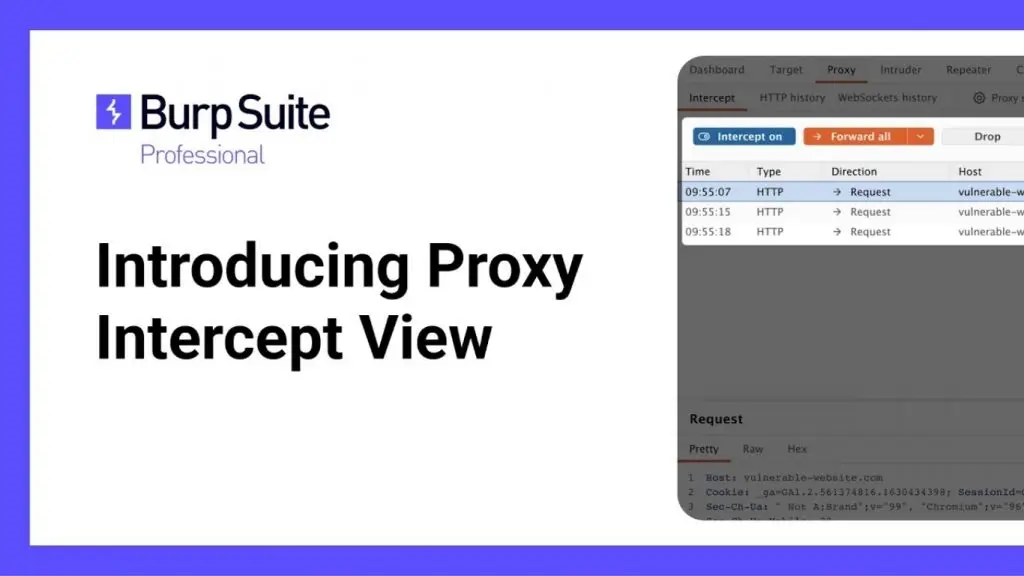
10. Burp Suite Professional
Burp Suite Professional is a penetration-testing toolkit used by security experts to analyze web applications. It simulates real-world attacks to identify weaknesses in the system. Burp Suite suits in-house technical teams or security testers who want to assess each website feature in depth.
>> See more:
- What is DNS over HTTPS? Understanding how DoH works
- A guide to creating landing pages with AI the most effective way today
11. Nessus
Nessus is a powerful vulnerability scanner that identifies outdated software, open services and insecure configurations while checking website safety. It displays a list of risks along with severity scores. Used regularly, Nessus helps you maintain a stable server environment and minimize the risk of exploitation.
12. Wordfence
Wordfence is a popular WordPress plugin that provides a firewall, malware scanning and the ability to block suspicious logins. It also sends alerts when there is unusual behavior or an outdated plugin. It is a good choice for WordPress administrators who want to strengthen security without installing complex additional software.
>>> See more:
- What is threat intelligence? A new direction in cybersecurity
- The top 10 best ad insertion plugins for WordPress today

13. WPScan
WPScan is a command-line website security tool that specializes in detecting WordPress vulnerabilities in plugins, themes and the core. Its database is continuously updated so you can quickly spot new risks. Although it is a technical tool, it is very effective for checking a WordPress website before publishing or updating it.
>>> See more:
- How to integrate a chatbot into your website for free and sell more effectively
- What is Pay Per Crawl? Cloudflare’s new solution for charging AI crawlers
14. Jetpack Scan
Jetpack Scan is a security feature built into the Jetpack plugin for WordPress. It automatically scans for malware and sends notifications when it detects abnormal files. If you already use Jetpack for backups or optimization, enabling Scan lets you consolidate security management on a single platform.
>>> See more: How do you use AI in software development?
15. MalCare
MalCare is a WordPress security solution that detects, cleans and blocks malware in just a few clicks. Its cloud-based scanning does not affect website speed. MalCare also includes a firewall and hardening features to strengthen your overall defenses.
>> See more:
- What is WCAG? How to improve your website’s accessibility
- A simple guide to deploying AI in mobile apps
16. OWASP ZAP (Zed Attack Proxy)
OWASP ZAP is a free, open-source tool that supports both automated scanning and manual testing of web applications. It is widely used by the security community thanks to its friendly interface and flexible extensibility. It suits small and medium-sized businesses that want to set up an affordable security testing process.
>>> See more:
- The 13 best open-source chatbot platforms
- A roundup of the fastest, best DNS servers that are easy to use
17. SQLMap
SQLMap automates the process of detecting and exploiting SQL Injection vulnerabilities in web applications. It offers many options for safely testing database security. Although highly technical, SQLMap is a useful tool for development or testing teams that want to verify the safety of their systems.
>>> See more: What is website optimization with AI? How to optimize SEO and the AI tools to use
18. Nmap
Nmap is a popular network scanner that detects open ports, running services and the server’s operating system. It helps you understand your infrastructure so you can remove unnecessary services. Nmap is very useful for mapping systems and assessing a website’s attack surface.
>>> See more:
- What is DNS 8.8.8.8? How to change to DNS 8.8.8.8 simply and easily
- What is DNS 1.1.1.1? How to set up and change to DNS 1.1.1.1 easily
19. SSL Labs Server Test
SSL Labs Server Test evaluates a website’s SSL/TLS configuration and grades it against current security standards. The report provides detailed information on protocols, encryption algorithms and certificates. By following its recommendations, you can improve your HTTPS security score and increase user trust.
20. Security Headers
Security Headers is a website checker that inspects HTTP response headers such as HSTS, CSP and X-Frame-Options. These headers play an important role in preventing XSS and clickjacking attacks. Applying the correct configuration from the tool’s recommendations makes your website more resilient against common threats.
21. Unmask Parasites
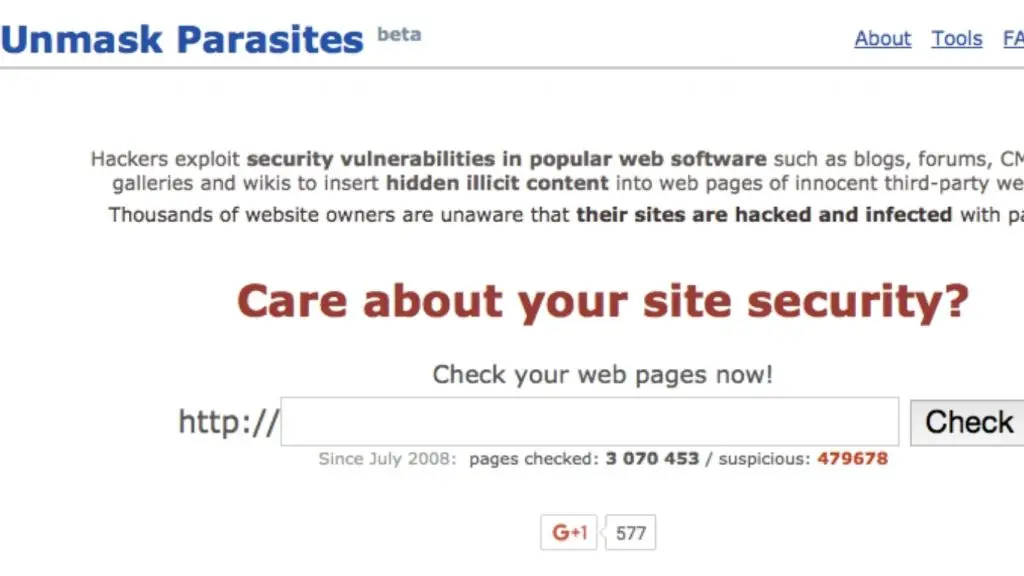
Unmask Parasites is an online website security tool that detects hidden code, malicious iframes or spam links on a website. It is very useful when you suspect your site has been attacked but do not yet know the cause. The scan results pinpoint where injected code is located, helping administrators clean up the system quickly.
>>> See more:
- What is vulnerability assessment? A solution for scanning and managing security vulnerabilities
- What is a Scrubbing Center? Its functions and how it works
22. Rapid7 AppSpider
Rapid7 AppSpider is web application security testing software that simulates user behavior and scans entire business workflows. It can detect vulnerabilities in both the web interface and the API. It suits organizations that want to integrate security testing into their software development cycle.
23. McAfee SiteAdvisor Software
McAfee SiteAdvisor helps evaluate a website’s reputation and trustworthiness based on data from McAfee’s security systems. The results show its safety status, helping businesses track the impact on their brand. It is a useful tool when you need to manage multiple websites or online advertising campaigns.
>>> See more:
- What is RSA? How RSA works and its use in digital signatures
- What is SHA? The commonly used versions of SHA
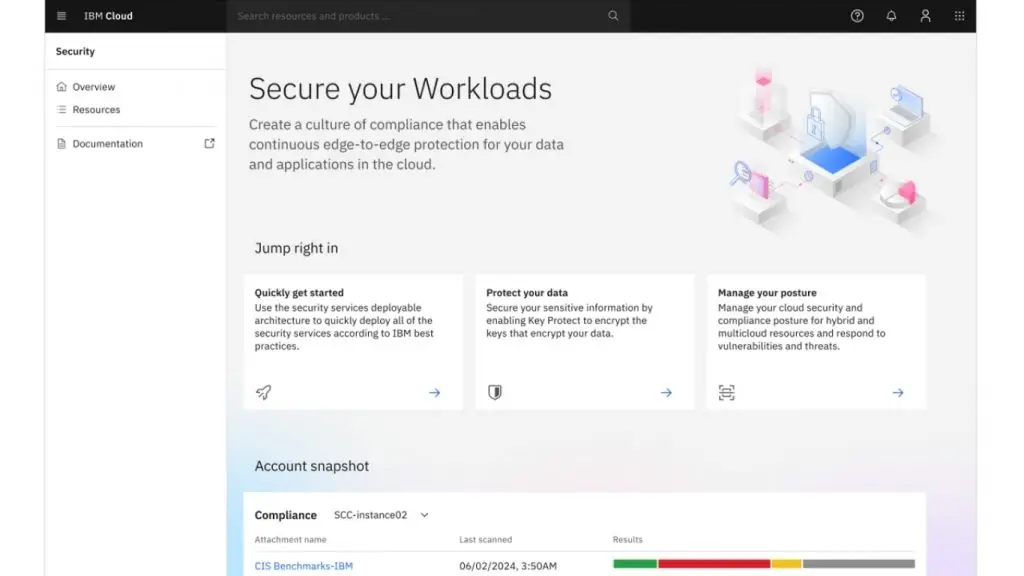
24. IBM Application Security on Cloud
IBM Application Security on Cloud is a cloud-based solution for testing web and API security. It provides detailed reports and supports enterprise risk management and security compliance. This solution suits large organizations that need to control many applications within the same system.
25. WOT Web of Trust
WOT Web of Trust rates website reputation based on community feedback and analytical data. It provides a scoring scale that lets you track a site’s trustworthiness over time. Maintaining a high rating helps improve your brand image and increase conversion rates.
>>> See more:
- Comparing WCAG versions: The differences in the criteria
- Building a sales website with AI: free, SEO-friendly and highly effective
26. Gamasec
GamaSec is a web security scanning platform that specializes in finding web application vulnerabilities, malware and attack risks, helping websites, especially small and medium-sized businesses, strengthen their cybersecurity.
The platform can automatically scan and analyze a website’s entire structure, going through files, directories and endpoints to detect common vulnerabilities such as XSS, SQL injection and code inclusion.
>>> See more: What is TLS 1.2? A trusted security protocol in the digital era
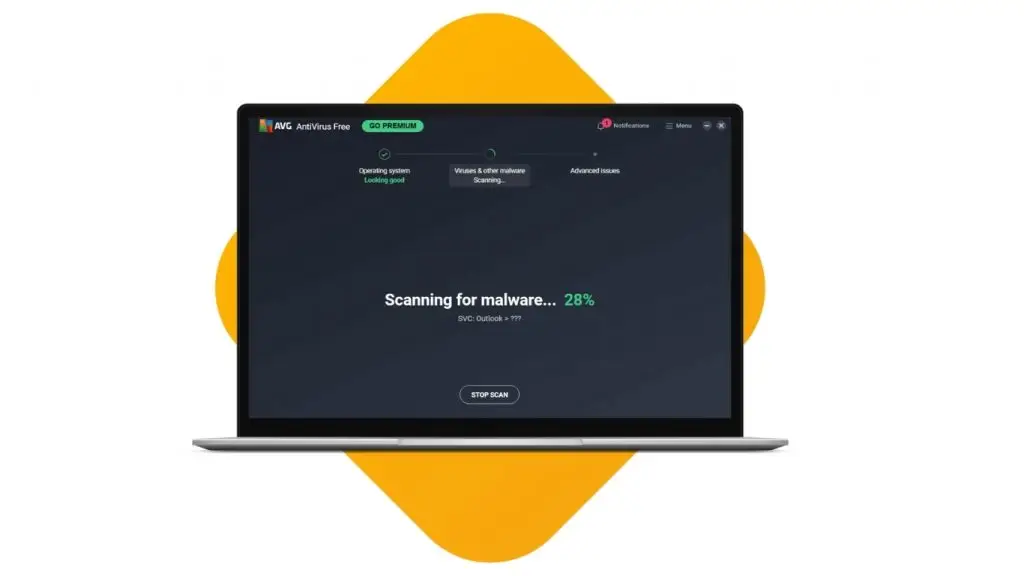
27. AVG Online Web Page Scanner
AVG Online Web Page Scanner is a website safety checker developed by AVG, a globally renowned security brand known for its antivirus and device protection solutions. The tool lets users enter any URL to quickly analyze whether the page contains malware, hidden malicious code, signs of an attack, or appears on the blacklists of major security systems.
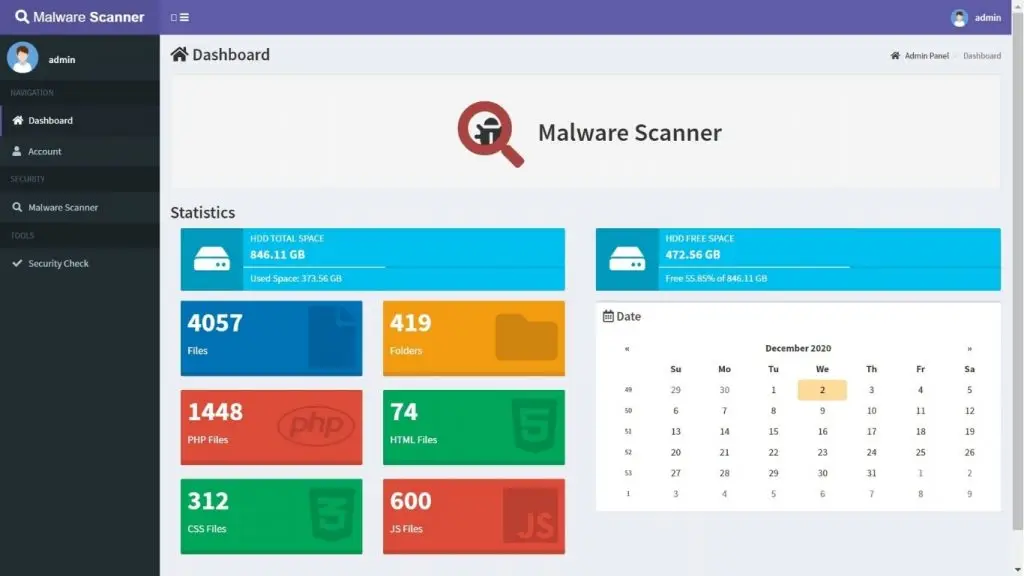
28. Finjan Malware Scanner Free Online Tool
Finjan Malware Scanner is a free online malware scanning tool built on the technology of Finjan, one of the pioneers in cybersecurity and web protection since the 1990s. It lets users quickly analyze a URL to detect threats such as malware, spyware, trojans, malicious code embedded in the source, or dangerous scripts that could harm visitors.
>>> See more:
- Get custom software development – professional and great value
- How much does app design and ongoing app maintenance cost?
29. PhishTank
PhishTank is a free community platform dedicated to collecting, verifying and providing data on phishing websites. Operated by Cisco Talos, PhishTank lets users submit suspicious URLs for the community to verify whether they are phishing pages. Thanks to its crowdsourcing mechanism and open database, PhishTank has become one of the largest anti-phishing data sources in the world, used by many browsers, security software products and cybersecurity services. With free URL checking and an integrated API, it helps businesses, marketers and website owners quickly assess link safety, detect brand-impersonation pages and prevent user scams.
>>> See more: A guide to integrating Zalo into WordPress that is fast, easy and effective
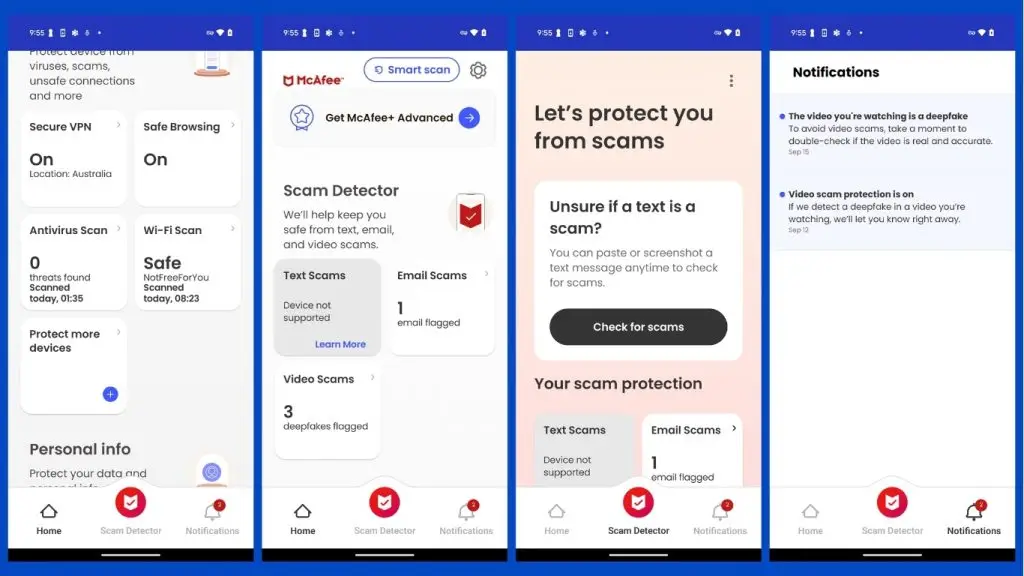
30. McAfee – Domain Health Check
McAfee – Domain Health Check is a free online tool that quickly assesses the overall “health” of a domain using safety and reputation criteria on the Internet. It checks whether a domain is on a blacklist, shows signs of a malware attack, has been taken over by a botnet or is linked to spam activity.
McAfee uses a global threat database to analyze the behavior, trustworthiness and security risk of a domain and issue timely warnings. With a simple interface and fast results, the tool is especially useful for website owners, marketers, SEO specialists or small businesses that want to monitor the security status of their domain.
>>> See more:
- What is Claude AI? A guide to registering a free Claude AI account
- How to apply AI to optimize customer experience
31. Wireshark
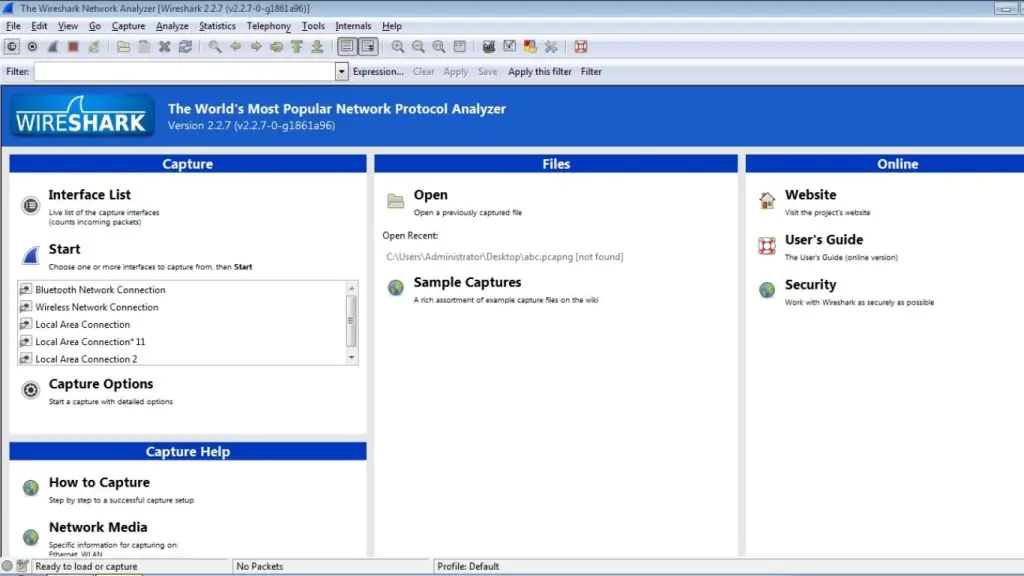
Wireshark is a powerful open-source network protocol analyzer that lets users monitor and analyze network traffic in real time. It helps detect abnormal activity, data leaks or signs of a network attack by capturing and decoding the packets traveling through the system.
Wireshark is especially useful for security experts who want to deeply analyze attacks, check network configurations or verify the security of communication protocols.
32. Qualys Free Scan
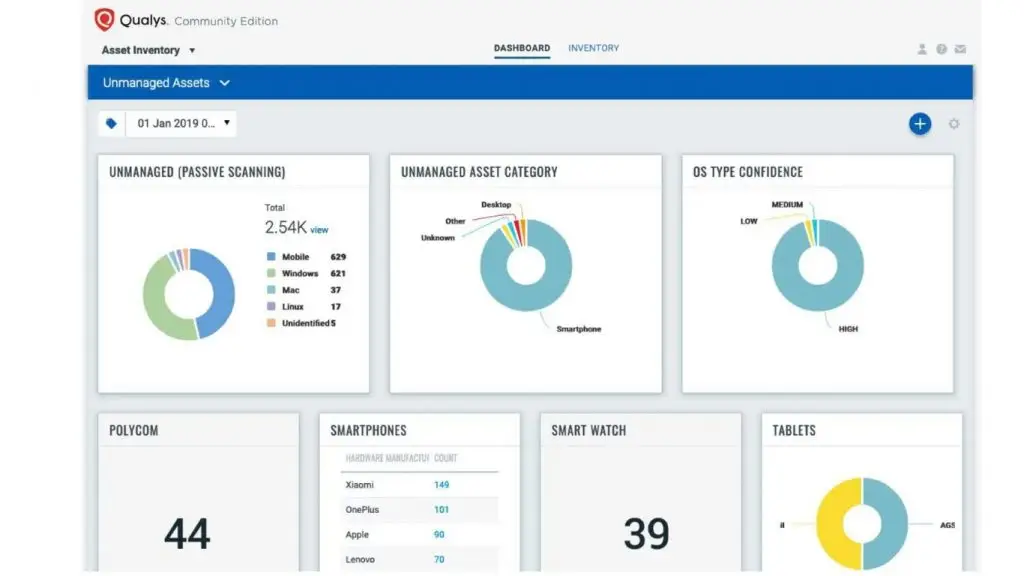
Qualys Free Scan is a free online security scanning tool provided by Qualys, one of the leading companies in security services and vulnerability management. It lets users quickly scan websites, servers or IP addresses to detect common security vulnerabilities, misconfigurations, weak SSL/TLS or other issues that could be exploited by hackers.
>>> See more: What is End-to-end encryption (E2EE)? How does it work?
33. TrustedSource
TrustedSource is a website reputation and safety rating service developed by McAfee, designed to help users and businesses determine how trustworthy a domain or IP address is. It analyzes millions of data points from sources such as web history, user reviews, malware/phishing reports and cyber threats to produce a reputation score for a website. TrustedSource is widely used by browsers, email security systems, firewalls and web-filtering tools to warn about or block dangerous pages before users visit them.
34. hpHosts Online
hpHosts Online is a free service that provides a database of malicious, phishing, malware, spyware and adware websites. It lets users look up a URL or domain to check whether the site is blacklisted, so they can assess its safety before visiting or sharing the link. Built on community and open data, hpHosts Online regularly updates its list of dangerous domains, helping protect individual users, small businesses and website administrators from the risks of malware, phishing or scam websites.
35. Dasient Web Anti-Malware (WAM)
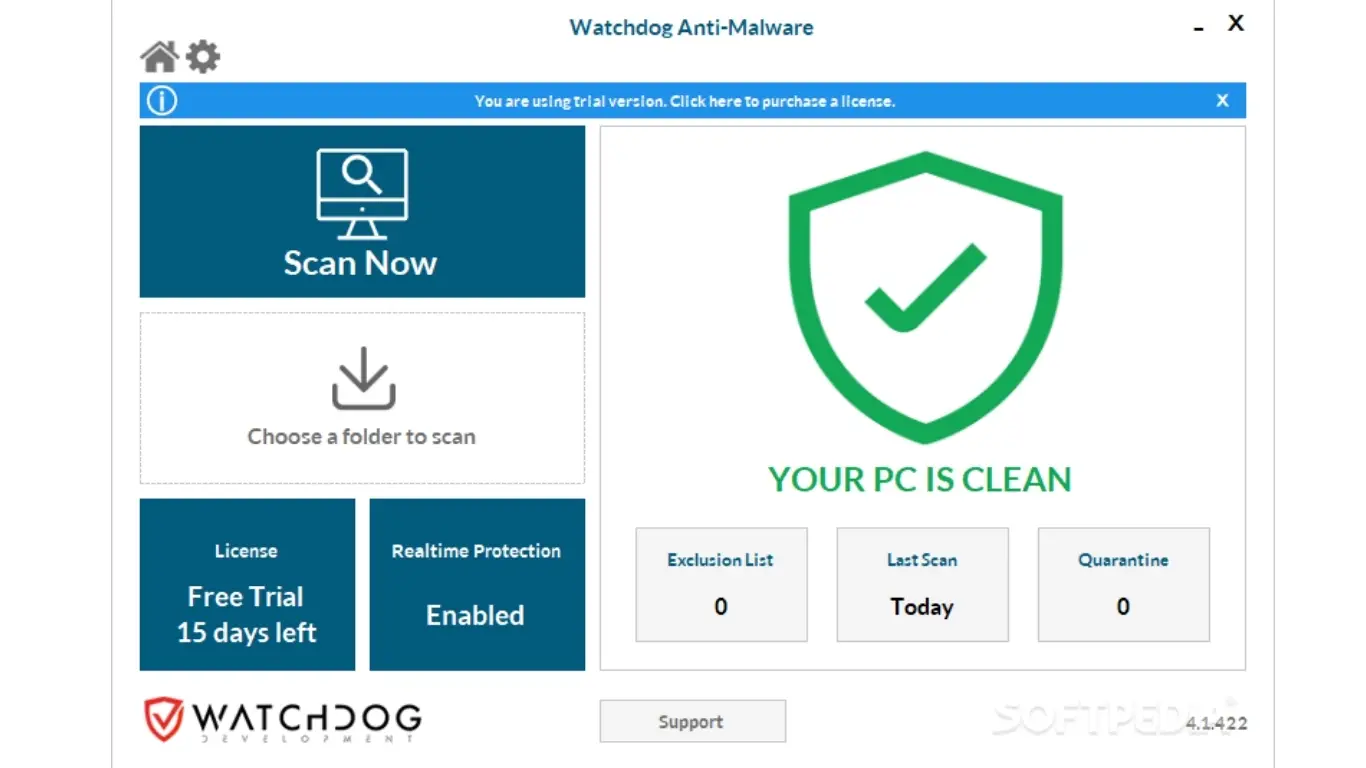
Dasient Web Anti-Malware (WAM) is a professional website security solution designed to detect and block malware on websites before it harms visitors or damages brand reputation. It combines behavioral analysis and static analysis to detect malware, spam, backdoors or malicious scripts embedded in a website’s HTML, JavaScript or PHP.
36. John the Ripper
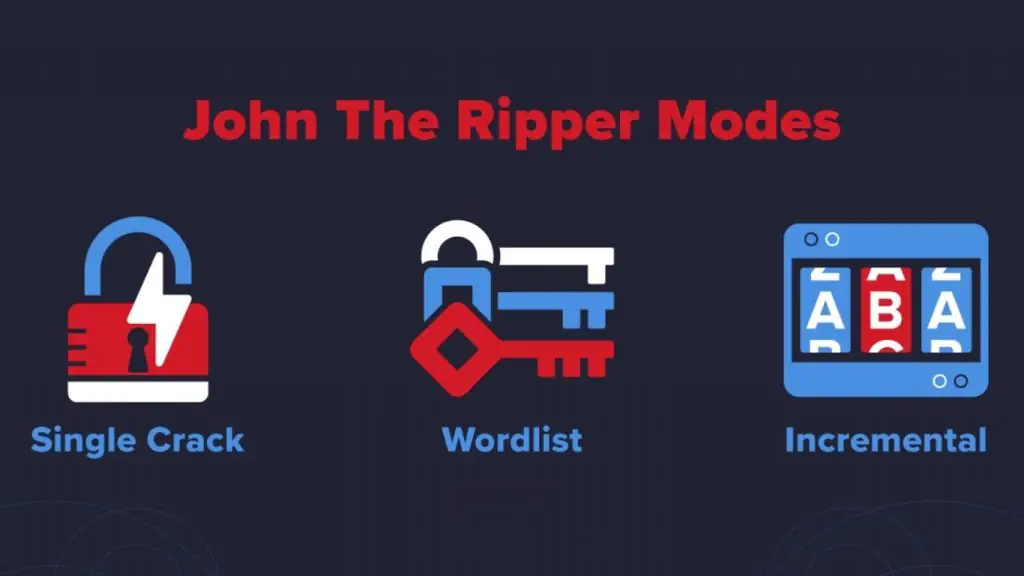
John the Ripper is the most popular open-source password-cracking tool today, helping test password strength and detect weak passwords in a system through dictionary attacks, brute-force and rainbow tables. It supports many different encryption formats, from operating systems and databases to web applications. Its strengths are fast processing speed, cross-platform operation (Linux, Windows, macOS) and being pre-installed in Kali Linux.
>> See more:
- 6 principles & templates for designing beautiful mobile app interfaces that follow UI/UX standards
- A detailed, easy guide to building an app for Android/iOS with no programming knowledge required
37. Arachni
Arachni is an open-source web application security testing framework developed in Ruby, with the ability to automatically scan for common vulnerabilities such as SQL Injection, XSS, CSRF and many others. It stands out for its fast scanning speed thanks to a multi-threaded architecture and its high configurability through add-on modules. Arachni offers a friendly web interface and detailed reports, making it easy for users to track the scan process and analyze the results.
38. Metasploit Framework
Metasploit Framework is one of the most powerful open-source penetration testing platforms available today, providing thousands of exploits, payloads and modules to simulate real-world attacks on a system. It helps security experts assess a website’s defensive capabilities, identify critical vulnerabilities and test the effectiveness of protective measures.
>> See more:
- What is open source? The top 15 most popular open-source platforms for web design today
- What is an offshore development center (ODC)? An optimal solution for businesses
39. CyStack Web Security
CyStack Web Security is a website security platform developed by CyStack, offering a comprehensive solution that ranges from vulnerability scanning and malware detection to continuous monitoring and early warnings.
The tool is specifically designed for the Vietnamese market, with Vietnamese-language support and compliance with local legal regulations. CyStack Web Security integrates AI and machine learning to detect zero-day threats, and it provides 24/7 customer support in Vietnamese.
40. Nikto
Nikto is an open-source web server security scanner that specializes in detecting dangerous configurations, outdated software, sensitive files/directories and more than 6,700 potential security vulnerabilities. Written in Perl, Nikto can quickly scan many web servers at once and generate reports in various formats. It is especially useful for quickly checking basic security issues before deploying a website or after a system update.
>> See more:
- What is SSO? How it works & how to log in to a centralized authentication system
- A guide to building apps with Low Code that is simple and highly effective
Frequently asked questions about website security check tools
What is a website security check tool?
It is software or an online service that scans a website for malware, vulnerabilities and weak configurations. The goal is to detect risks early so administrators can plan timely fixes. These tools work independently or as part of a website management system.
Are there tools that check user passwords?
Some solutions such as Wordfence or MalCare offer features that detect weak passwords and abnormal login activity. However, most tools focus on protecting the application layer and checking system configuration, and do not directly access the user password database.
What is the most effective way to detect security vulnerabilities?
The best approach is to combine automated scanning tools with manual testing. Automated scanning quickly finds common flaws, while manual testing deeply analyzes critical areas. In addition, keep your software, plugins and server operating system updated regularly.
How do you check website security online?
You can go to tools such as Sucuri SiteCheck, Security Headers or SSL Labs and then enter the URL you want to check. When you get the results, fix the serious issues first and re-check periodically to maintain a stable state.
Website security is a continuous process that helps businesses maintain performance, reputation and user experience. Combining several website security check tools such as Sucuri, Acunetix or Wordfence helps you detect and address risks more comprehensively. Build a regular testing schedule, keep patches up to date and monitor alerts from these tools to keep your website safe at all times. If you want to deploy an all-round security solution for your business, TOT is ready to advise on strategy and help set up a continuous monitoring process so your website runs reliably and stably.
TOT is a pioneer in the digital transformation journey. TOT delivers website design, mobile app, custom software development and artificial intelligence (AI) software solutions, with flexible services optimized to each business’s exact needs.
Inspired by the philosophy of “Technology for people”, TOT helps businesses operate more efficiently, elevate customer experience and create a lasting mark for their brand.
>>> See more TOT services:
- Reliable, professional, premium website design in Đà Nẵng
- Premium, SEO-friendly custom website design services
- Top 22 reputable, professional web design companies in Hà Nội
- Top 20 most professional, reputable web design companies in Ho Chi Minh City

