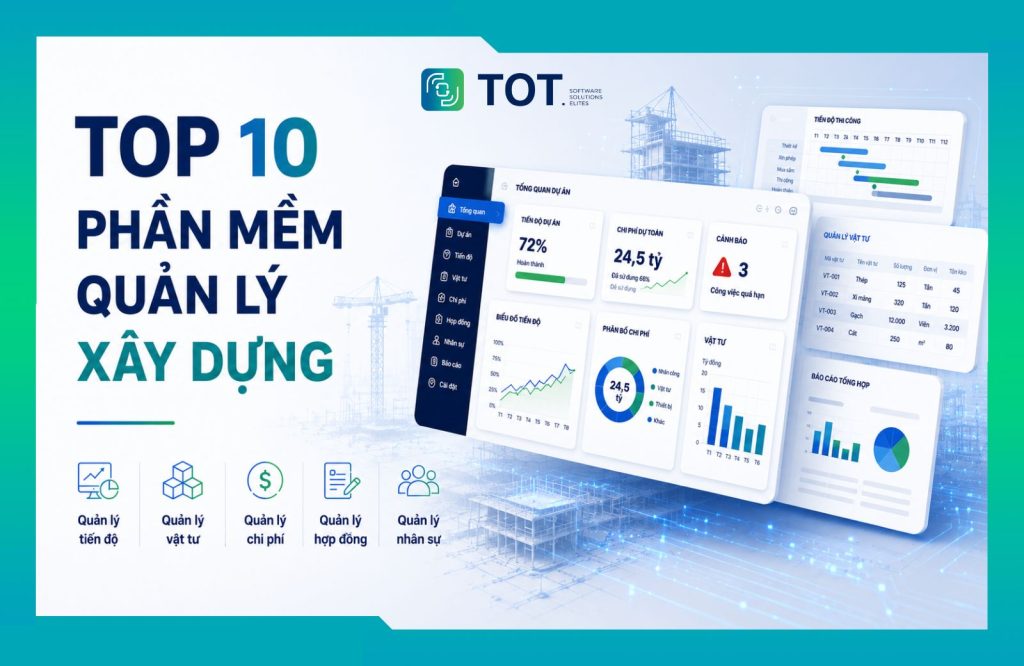
Slow progress tracking, cost overruns, and material losses are common problems in the construction industry. That is why a growing number of businesses are investing in construction management software to digitize their processes and control projects more effectively. In this article, TOT rounds up the 10 best construction management software solutions for 2026, and analyzes their features, pros and cons, and the selection criteria that fit each business size.
>>> See also:
- Top 15 most popular auto garage management software solutions
- 2026 AI customer recognition at the showroom solutions
- TOP 15+ large, reputable software companies in Vietnam
Summary table of the 10 best construction management software solutions for 2026
To help businesses easily compare and choose the right solution, the table below provides a quick overview of the 10 construction management software solutions by deployment model, standout features, and target users.
| Software name | Deployment model | Standout features | Best-fit businesses |
| Faceworks | Cloud | Progress, materials, contracts, HR, and site log management | Contractors and medium to large construction businesses |
| MISA AMIS | Cloud (SaaS) | Project, task, accounting, and HR management | Small and medium-sized enterprises (SMEs) |
| BRAVO | On-premise | Construction ERP, financial, inventory, and project management | Large-scale businesses |
| Cleeksy | Cloud | Progress, cost, and material management, and process automation | Businesses pursuing digital transformation |
| Procore | Cloud | Job site, drawings, budget, and RFI management | Project owners, general contractors, and large enterprises |
| FastCons | Cloud | Construction, materials, progress, and project finance management | Small and medium-sized construction contractors |
| IBOM | Cloud, On-premise | Construction investment, contract, material, and cost management | Project owners and project management boards |
| QLDA GXD | Desktop | Cost estimation, cost, documentation, and site supervision management | Quantity surveyors (QS), supervision consultants, and project management boards |
| 1Office | Cloud | Task, project, HR, and CRM management | Small and medium-sized enterprises |
| Smartsheet | Cloud | Project management, Gantt charts, dashboards, and reporting | Multi-project businesses and international teams |
Source: Compiled by TOT
>>> See also:
- What is an ERP system in manufacturing? Benefits, features, and how to use it
- Vision language models & object detection: Advantages & how to use them
What is construction management software?
Construction management software is a digital system that lets businesses manage all activities of a construction project on a single centralized platform, from planning, progress tracking, and material, cost, and HR management to construction supervision and reporting. Because the data is updated in real time, businesses can reduce operational errors, improve coordination between departments, and make faster, more accurate decisions.
Unlike conventional project management software, which mainly supports planning, task assignment, and progress tracking, construction management software is purpose-built for the construction sector. It integrates industry-specific functions such as construction records, contracts, materials, equipment, subcontractors, construction logs, and budget control, helping businesses manage the entire project lifecycle end to end.
As the construction industry accelerates its digital transformation, adopting construction project management software not only optimizes schedule, cost, and resources but also increases transparency in management. It also serves as a foundation for businesses to standardize processes, improve operational efficiency, and meet the demands of long-term sustainable growth.
>>> Learn more: 4 steps to effective construction schedule management in 2026
The 10 best, most effective construction management software solutions for 2026
The list below was selected based on four factors: feature coverage for construction operations, scalability by business size, market popularity in Vietnam and internationally, and the best-fit type of business. It mixes domestic solutions that understand local cost norms and regulations with international platforms that excel at process standardization. Each software’s features, advantages, limitations, and ideal users are described so businesses can match them against their actual needs.
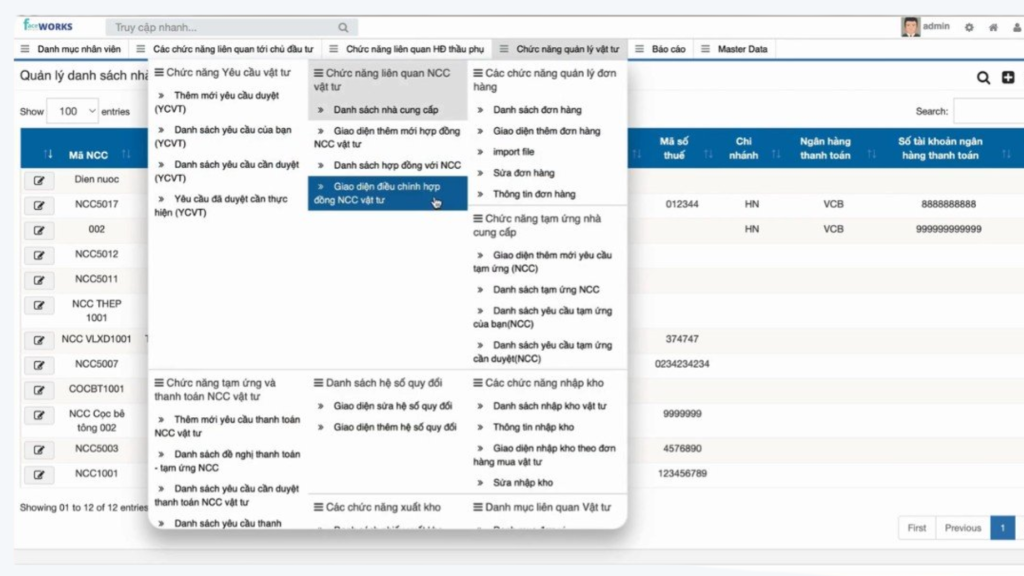
1. Faceworks construction management software
Faceworks is a cloud-based business management platform that provides management solutions for many industries, including construction. The software helps businesses digitize project management processes, control construction progress, and synchronize data between the office and the job site on a single system.
Standout features:
- Track construction progress by project and by work item.
- Monitor materials, equipment, and on-site inventory.
- Manage contracts, records, and construction logs.
- Assign tasks and track staff performance.
- Consolidate visual reports in real time.
Advantages:
- Intuitive, easy-to-use interface.
- Processes can be customized to fit business needs.
- Data is updated in real time on the Cloud platform.
- Supports managing multiple projects at once.
Disadvantages:
- Some advanced features require configuration for each business.
- Businesses need time to get up to speed when deploying multiple modules.
Best for: Construction contractors and medium to large businesses that need to manage multiple projects simultaneously.
2. MISA AMIS construction management software
MISA AMIS is a unified business management platform that integrates multiple modules such as accounting, HR, CRM, and task management. For the construction sector, the software helps businesses track project progress, coordinate work across departments, and control resources effectively.
Standout features:
- Manage tasks and project progress.
- Plan, assign tasks, and track KPIs.
- Connect data with accounting and HR.
- Track project costs and budgets.
- Visual dashboard reporting.
Advantages:
- A comprehensive management ecosystem.
- Friendly interface, easy to deploy.
- Easy to integrate with other MISA modules.
- Suitable for businesses undergoing digital transformation.
Disadvantages:
- Some specialized construction functions need to be expanded further.
- Better suited to overall management than to specialized construction execution.
Best for: Small and medium-sized enterprises that need to manage projects, finance, and HR on a single platform.
>>> See also:
- Free computer vision software: easy-to-use platforms
- Top 20+ best free AI image design software tools
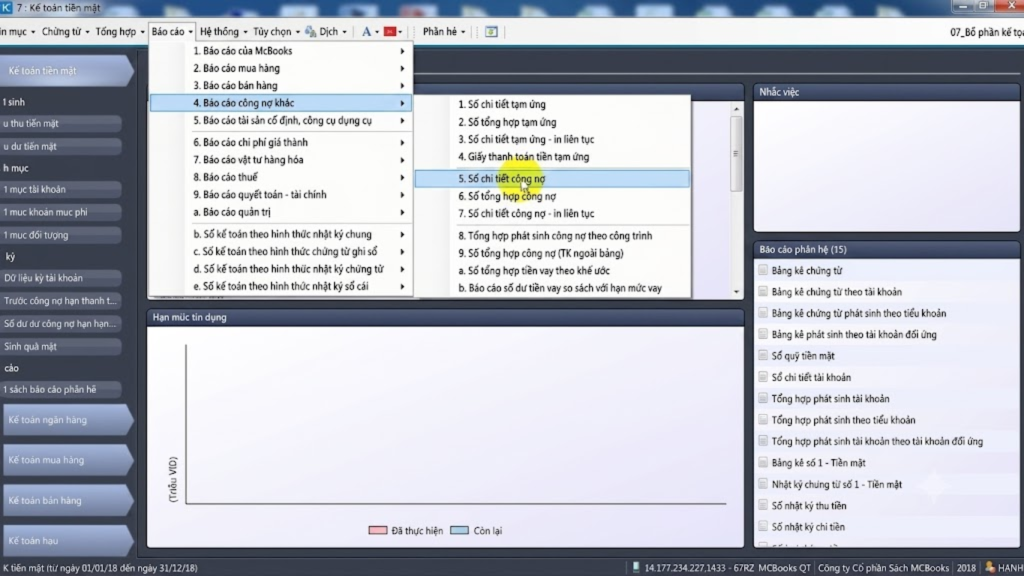
3. BRAVO construction management software
BRAVO is a construction ERP system solution for medium and large businesses, chosen by many construction firms to manage finance, materials, HR, and projects on a single system. The software allows processes to be customized to each business’s specifics, helping synchronize data across departments and improve overall management efficiency.
Standout features:
- Manage projects and construction progress.
- Manage finance, accounting, and budgets.
- Track materials, equipment, and inventory.
- Manage contracts and construction records.
- Real-time management reporting.
Advantages:
- Flexible customization to fit business processes.
- Centralized data management on a single ERP system.
- Suitable for large-scale businesses.
Disadvantages:
- A relatively long deployment time.
- Higher upfront investment cost than mainstream solutions.
Best for: Medium and large construction businesses that need comprehensive management.
>>> See also: What is construction ERP? Features & the top 10 construction ERP software
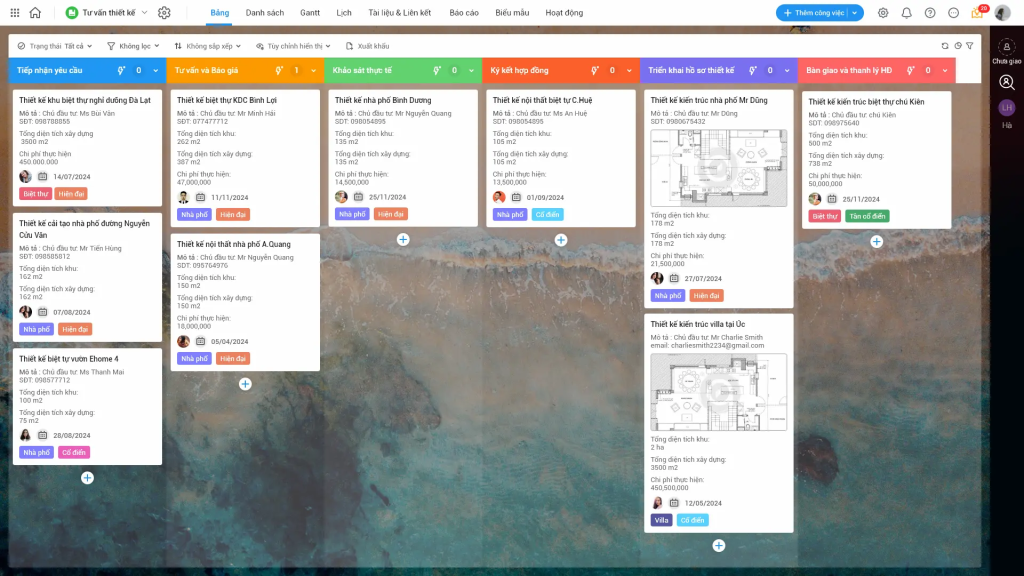
4. Cleeksy construction management software
Cleeksy is a cloud-based construction management platform that helps businesses digitize construction processes and manage projects. With flexible workflow customization, the software helps firms track progress, control costs, and coordinate work between the office and the job site more effectively.
Standout features:
- Manage project progress in real time.
- Track materials, costs, and work volume.
- Manage records, contracts, and site logs.
- Automate approval processes.
- Visual reporting dashboards.
Advantages:
- Modern, easy-to-use interface.
- Processes can be customized to business needs.
- Easy to scale as project size grows.
Disadvantages:
- Some advanced features need to be configured during deployment.
- Better suited to businesses with digital transformation needs.
Best for: Construction businesses that want to digitize processes and optimize project management.
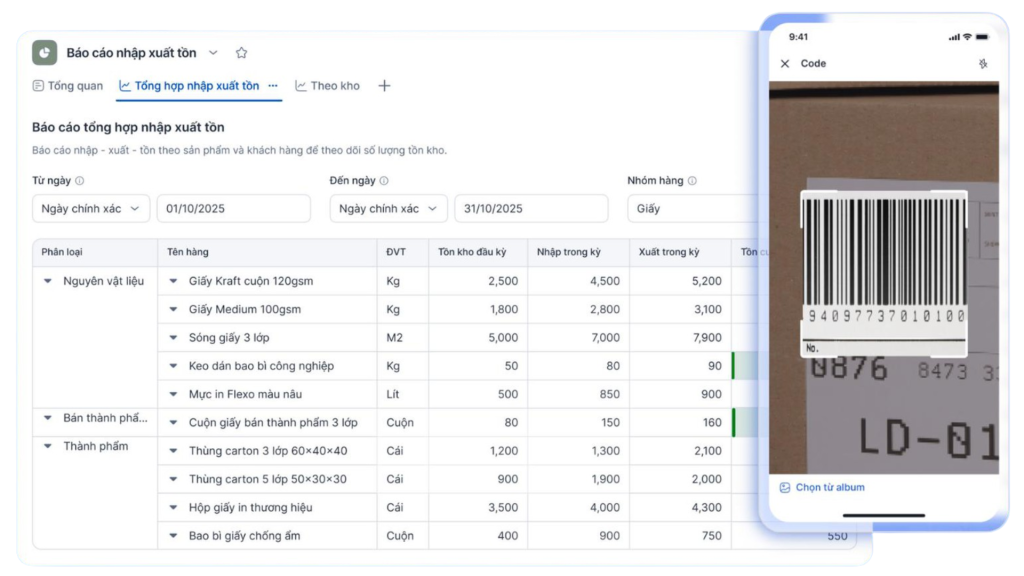
5. Procore construction management software
Procore is one of the world’s leading construction management software solutions, used by many project owners and general contractors on large-scale projects. The software supports managing the entire project lifecycle, from planning and document management to progress tracking and budget control.
Standout features:
- Manage drawings, documents, and RFIs.
- Track project progress and budget.
- Manage quality and job site safety.
- Coordinate between project owners, contractors, and consultants.
- Real-time dashboards and reporting.
Advantages:
- A comprehensive construction management ecosystem.
- Supports working on the Cloud platform.
- Ability to integrate with many other software tools.
Disadvantages:
- A relatively high deployment cost.
- The English-language interface can be challenging for some Vietnamese businesses.
Best for: Project owners, general contractors, and businesses delivering large-scale or international projects.
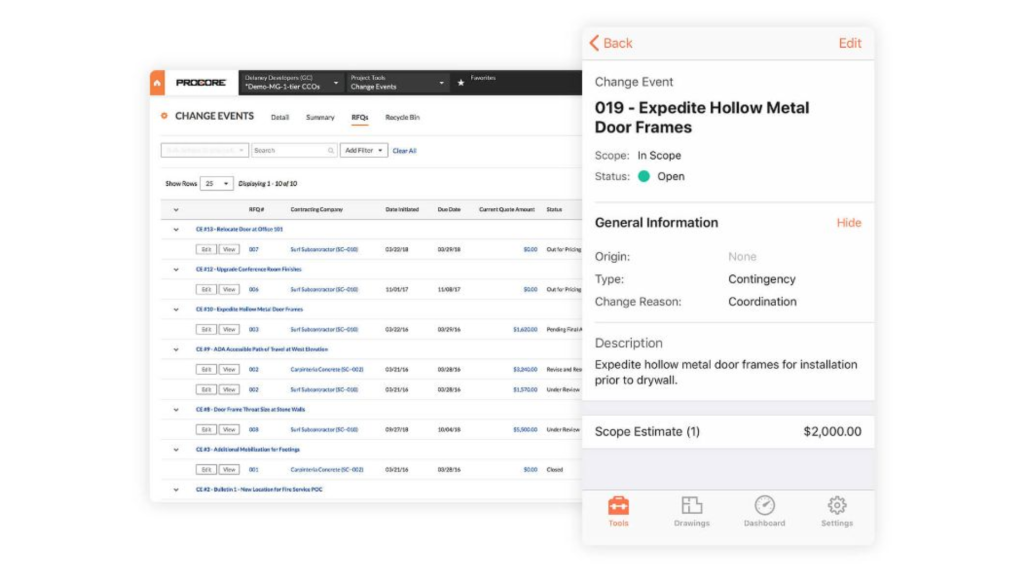
6. FastCons construction management software
FastCons is software built specifically for the construction industry, helping businesses manage progress, materials, costs, and construction activities on a unified platform. The solution enables fast data updates between the job site and the office, reducing the time needed to consolidate reports.
Standout features:
- Manage construction progress and schedules.
- Track materials, equipment, and costs.
- Manage contracts and acceptance testing.
- Update construction logs.
- Visual reporting by project.
Advantages:
- Meets construction management operations well.
- Friendly interface, easy to deploy.
- Supports managing multiple projects at once.
Disadvantages:
- Limited ability to integrate with third-party systems.
- Some features need to be expanded on request.
Best for: Small and medium-sized construction contractors and businesses.
>>> See also: What is application software? Common types of application software
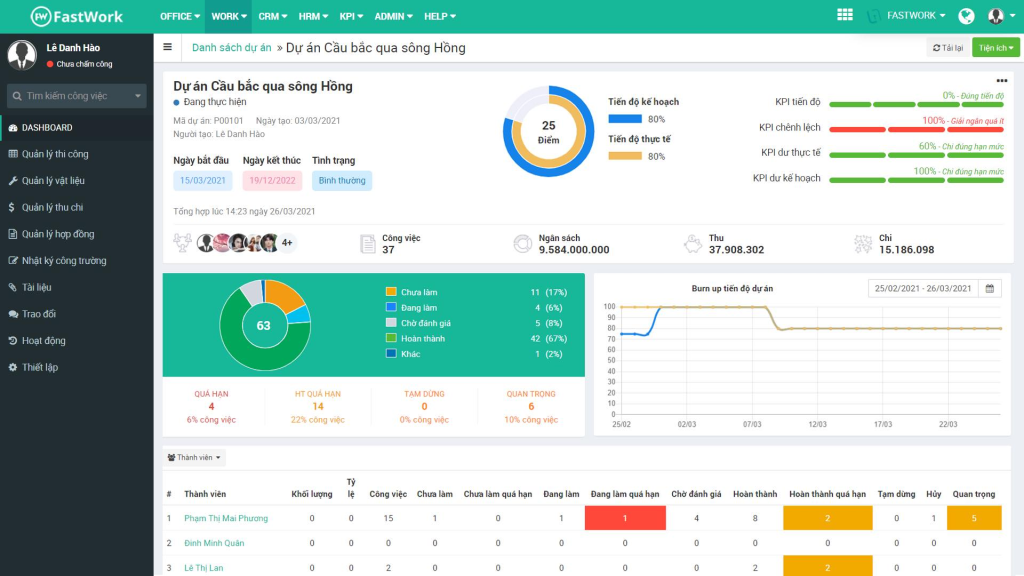
7. IBOM construction management software
IBOM is a construction investment project management solution that helps businesses and project owners control progress, contracts, materials, and costs throughout project delivery. The software helps standardize management processes and strengthen project oversight.
Standout features:
- Manage project progress and plans.
- Track contracts, materials, and costs.
- Manage legal records and construction documents.
- Consolidated reporting by stage.
- Supports managing multiple projects simultaneously.
Advantages:
- Well-suited to construction investment management operations.
- Data is managed centrally.
- Supports end-to-end tracking across the project lifecycle.
Disadvantages:
- Requires a learning period during deployment.
- The interface is not as modern as some Cloud solutions.
Best for: Project owners, project management boards, and general contractors.
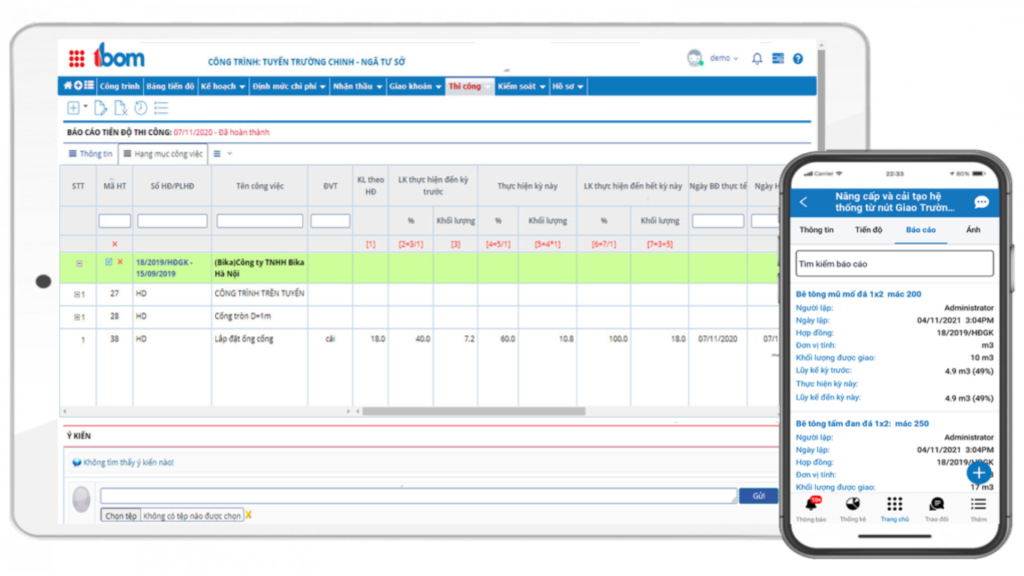
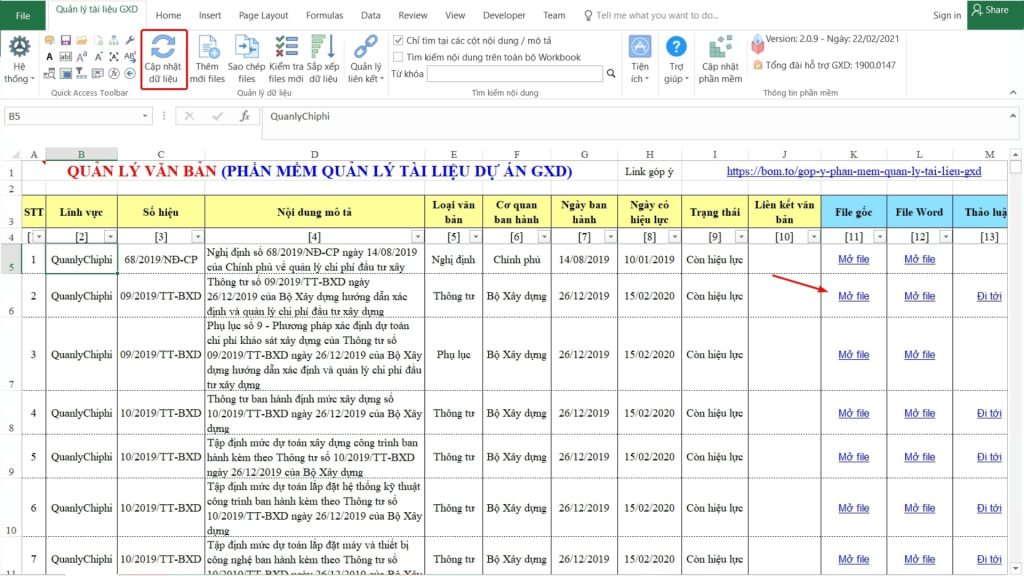
8. QLDA GXD construction management software
QLDA GXD is software that supports construction investment project management, focusing on functions such as cost estimation, cost management, and construction records. It is a solution used by many engineers, supervision consultants, and project management boards during project delivery.
Standout features:
- Manage cost estimation and construction costs.
- Track records, contracts, and settlements.
- Manage project execution progress.
- Store construction documents.
- Consolidated reporting by stage.
Advantages:
- Well-suited to cost estimation and cost management operations.
- Supports efficient project record management.
- Easy to adopt for consulting firms.
Disadvantages:
- The interface is not as optimized as Cloud platforms.
- Online collaboration capabilities are still limited.
Best for: Project management boards, construction businesses, supervision consulting firms, and teams in charge of cost estimation and construction cost management.
9. 1Office construction management software
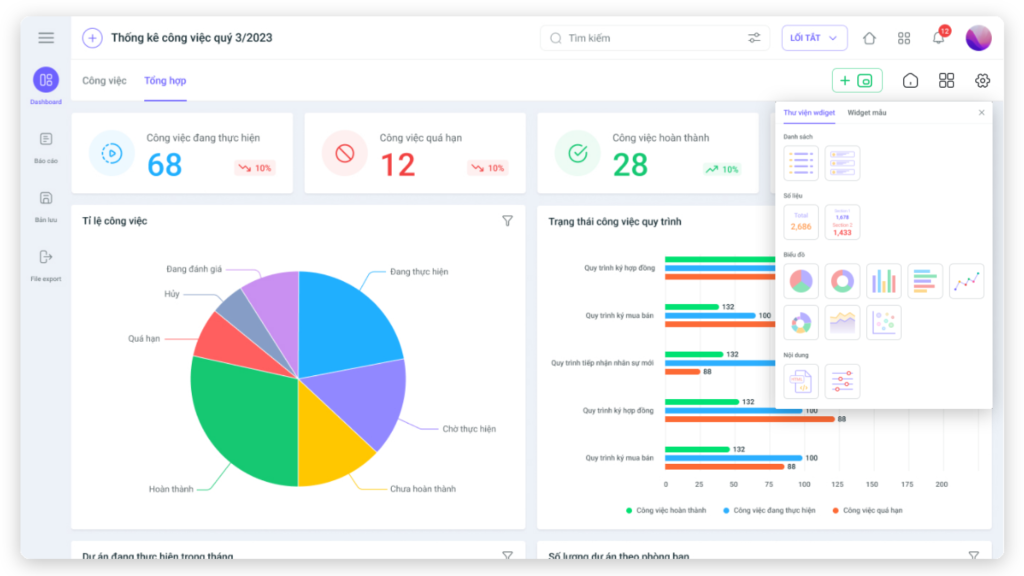
1Office is a business management platform that integrates multiple modules such as task, project, HR, and CRM management. Although it was not built specifically for the construction industry, the software still handles progress management and work coordination well for small and medium-sized businesses.
Standout features:
- Manage tasks and projects.
- Track progress with Gantt charts.
- Manage HR and approval processes.
- Centralized document storage.
- Visual reporting dashboards.
Advantages:
- Modern, easy-to-use interface.
- Fast deployment on the Cloud platform.
- Integrates many management functions.
Disadvantages:
- Lacks some in-depth features for the construction industry.
- Needs to be combined with other solutions when managing large projects.
Best for: Small and medium-sized construction businesses that need to manage tasks and internal operations.
>>> See also: What is CRM for auto showrooms? A comprehensive customer management solution
10. Smartsheet construction management software
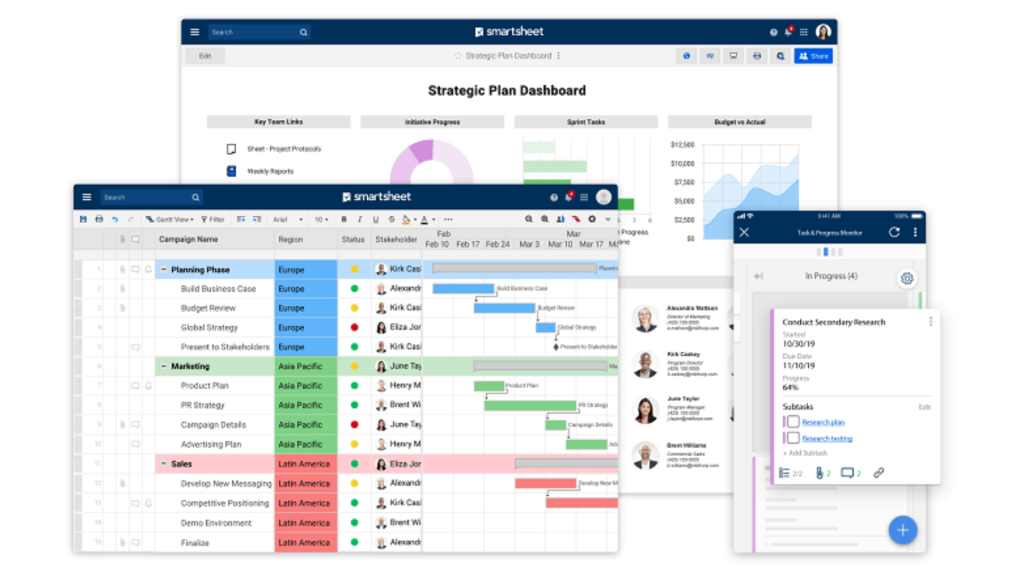
Smartsheet is an online work and project management platform used by many businesses around the world. With planning, progress tracking, and real-time collaboration capabilities, the software is well-suited to construction projects that involve many stakeholders.
Standout features:
- Manage projects with Gantt charts.
- Track progress and work volume.
- Visual dashboards and reporting.
- Automate workflows.
- Integrate with many tools such as Microsoft 365, Google Workspace, and Jira.
Advantages:
- Intuitive, easy-to-use interface.
- Supports real-time collaboration and data sharing.
- Strong integration and scalability.
Disadvantages:
- Not designed specifically for the construction industry.
- Some advanced features require a paid service plan.
Best for: Businesses with remote teams, managing multiple projects, or collaborating with international partners.
>>> See also:
- Top 10 best auto maintenance scheduling systems
- A complete, detailed 2026 guide on how to use an MES system
Benefits of using construction management software
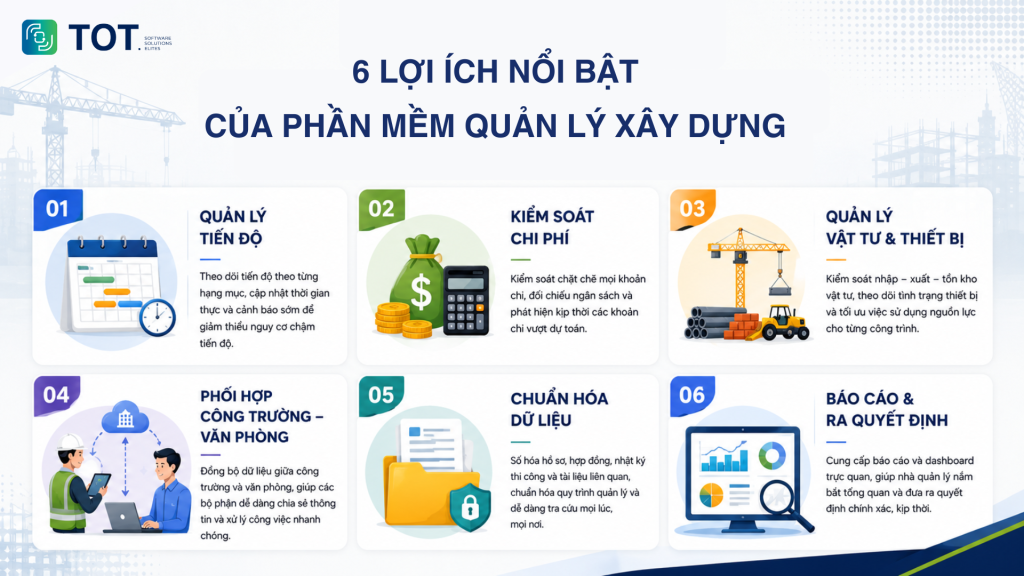
As digital transformation in the construction industry advances strongly, adopting construction management software not only helps businesses replace manual management methods but also optimizes operational processes, improves coordination between departments, and reduces risks throughout the project lifecycle. Below are the standout benefits that construction management software delivers:
- Effective control of construction progress: The software helps track progress by work item, update task status in real time, and issue alerts when there is a risk of delay. As a result, managers can act quickly to keep the project on schedule.
- Tight cost and budget management: All expenses related to materials, labor, and equipment are recorded centrally, making it easy for businesses to track budgets and detect spending that exceeds estimates. This helps limit losses and optimize investment efficiency.
- Improved material and equipment management: The software supports controlling material inflows, outflows, and inventory, while tracking the usage status of equipment at each site. As a result, businesses can proactively allocate resources, reduce waste, and avoid construction disruptions due to material shortages.
- Stronger coordination between the office and the job site: Data is synchronized on a single platform, making it easy for departments to share information, update progress, and handle tasks quickly. This reduces information discrepancies and improves coordination during project delivery.
- Standardized data and management processes: Digitizing records, contracts, construction logs, and related documents helps businesses build a consistent workflow, while making data easy to look up and manage throughout the construction lifecycle.
- Data-driven decision support: Visual reports and dashboards help leadership quickly grasp the project situation, from progress and cost to work performance. As a result, businesses have a basis for making timely decisions and improving management efficiency.
The core features of construction management software
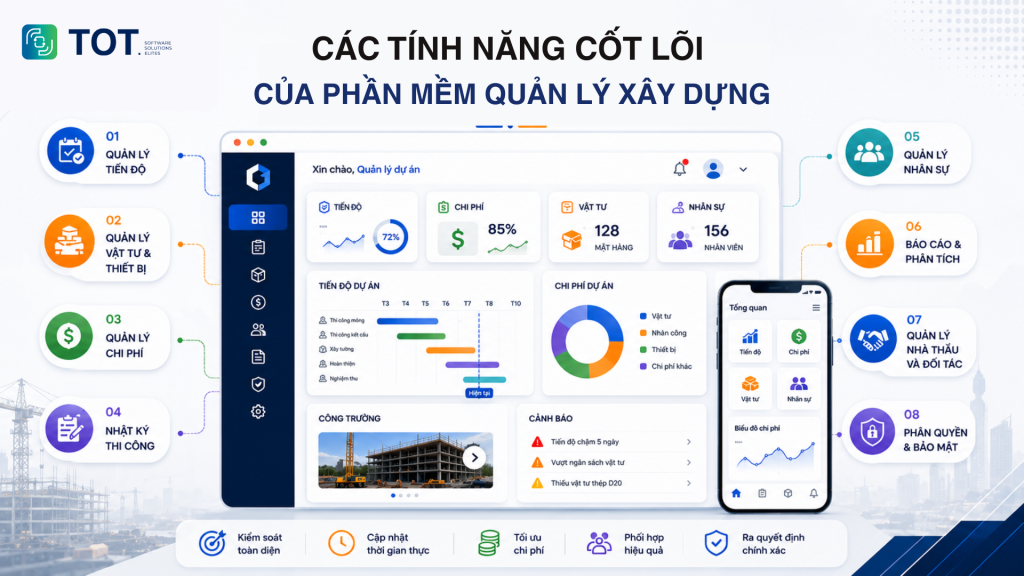
Construction management software does more than help track progress; it also helps businesses comprehensively manage costs, materials, HR, and the job site. Below are the 8 core features of construction management software:
1. Construction progress management
Construction progress management software helps businesses plan, break work down by stage, and track actual progress in real time. The system can also alert when a work item is at risk of falling behind, helping managers promptly adjust resources and ensure the project is completed on schedule.
2. Construction material and equipment management
The software supports tracking the entire process of material inflow, outflow, and inventory, while managing the usage status of equipment at each site. As a result, businesses can limit losses, proactively coordinate resources, and ensure construction proceeds continuously.
3. Project cost and budget management
All expenses related to materials, labor, equipment, and contractors are recorded in the system. This helps businesses control budgets by stage, detect spending that exceeds estimates early, and improve financial management efficiency.
4. Job site and construction log management
The software allows construction logs, on-site photos, and meeting minutes to be updated right on mobile devices. Data is synchronized instantly between the job site and the office, helping stakeholders easily track the project situation and handle any issues that arise.
>>> See also: 7 ways to apply AI to optimize customer experience: 2026 trends
5. HR management
Businesses can assign tasks, track execution progress, and manage the working hours of each construction team on a single system. This helps improve work performance while optimizing the allocation of labor across multiple sites.
6. Reporting and analytics
The system automatically consolidates data and displays it as visual dashboards, helping managers track progress, cost, performance, and other key metrics in real time. These reports help businesses make faster, more accurate decisions.
7. Subcontractor and partner management
The software helps store subcontractor information and track the execution progress, contracts, and work volume of each unit. As a result, businesses can easily evaluate collaboration effectiveness and strengthen coordination between the parties in a project.
>>> Learn more: TOP 5 best contractor management software for construction in 2026
8. Access control and security
The system allows role-based access control for roles such as leadership, project managers, field engineers, and accountants. At the same time, data is secured and stored centrally, helping reduce the risk of information loss and ensuring only authorized people can access critical data.
Criteria for choosing construction management software
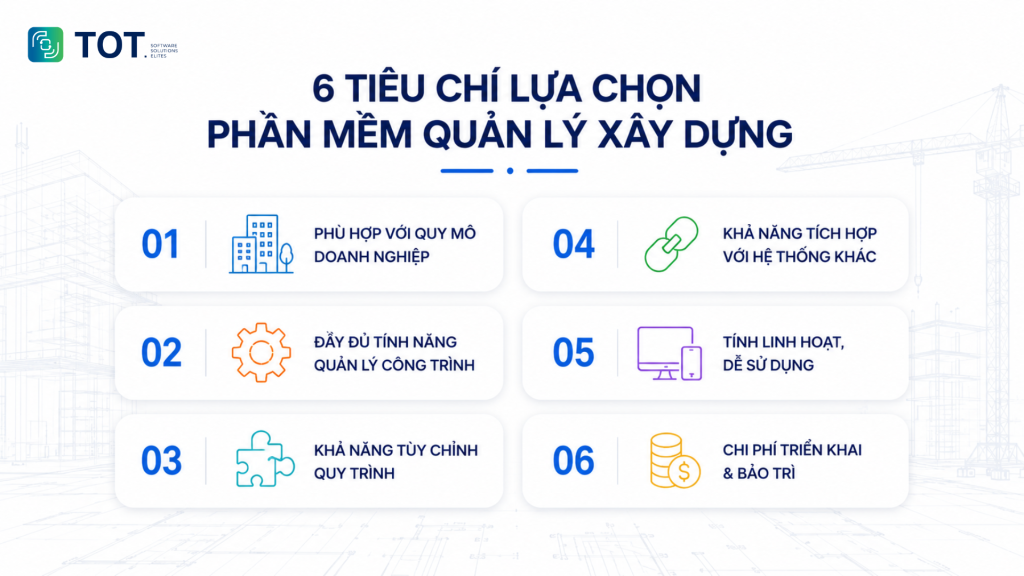
Before deployment, businesses need to carefully assess their actual needs, scale of operations, and the software’s scalability to ensure the solution serves both the present and their future growth direction well.
Fit for business size
Small businesses often prioritize software that is reasonably priced, easy to deploy, and meets basic operational needs. Medium and large businesses, meanwhile, should choose a solution with the scalability to support managing multiple projects, multiple departments, and a large number of users.
Complete construction management features
Effective software needs to cover core operations such as progress, material, cost, HR, contract, and construction log management. Integrating all of these features on a single platform helps businesses reduce reliance on many separate tools and optimize operational processes.
Process customization capability
Every construction business has different management processes and operating models. Therefore, the software should allow customization of forms, approval processes, access control, and reports to fit actual needs without disrupting operations.
Ability to integrate with other systems
Construction management software rarely operates in isolation. Businesses need to assess its ability to connect with accounting, ERP, CRM, and cost estimation tools via API. Good integration keeps data flowing smoothly, avoiding duplicate entry and discrepancies between systems. This is an important factor as businesses expand their digital ecosystem later on.
Flexibility and ease of use
An intuitive interface, simple operations, and support across many devices help staff quickly get familiar with the system. At the same time, the software should allow access from both the office and the job site to ensure information is always updated in real time.
Deployment and maintenance costs
In addition to the upfront investment cost, businesses should also consider expenses such as deployment, training, maintenance, and software upgrades. A solution with a reasonable total cost and good support services will deliver long-term efficiency and optimize the budget.
>>> See also:
- The best computer vision tools
- How to compare computer vision models visually
The process of deploying construction management software in a business
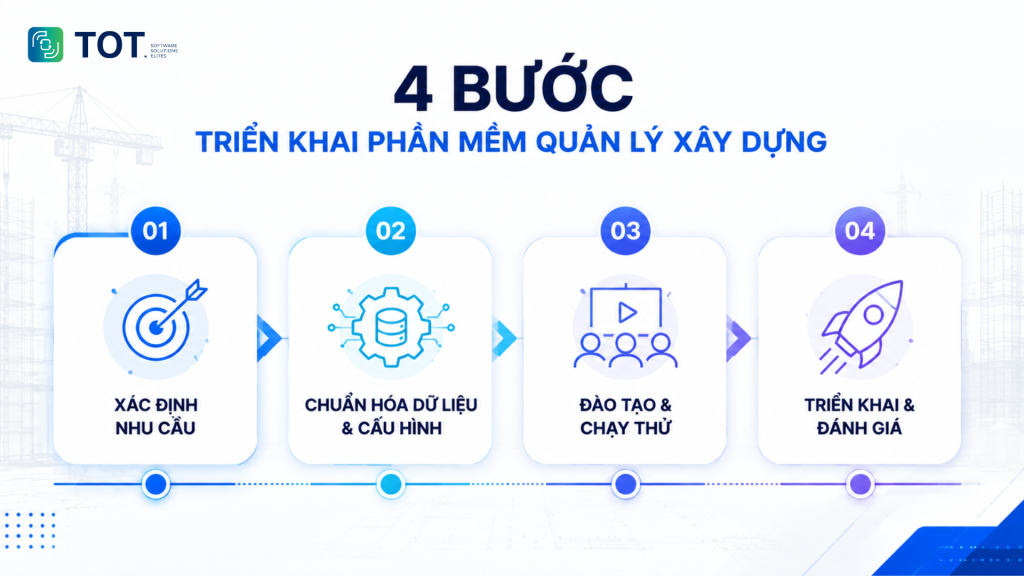
Deploying construction management software is not just about installing a system; it is also a matter of standardizing workflows and changing the way a business operates. A well-structured deployment roadmap helps businesses shorten the time to put the software into use, limit work disruptions, and optimize investment efficiency.
Step 1: Define needs and deployment goals
First, businesses need to assess their current management situation to identify the problems that need improvement, such as progress control, material and cost management, or coordination between the job site and the office. At the same time, they need to clearly define the deployment goals and scope of application in order to choose a solution that fits their size and growth direction.
Step 2: Standardize data and configure the system
After choosing the software, businesses need to standardize data on projects, customers, materials, HR, and workflows before uploading it to the system. Configuring the modules, approval processes, and user access appropriately from the outset helps the software run stably and meet actual needs.
Step 3: Train staff and pilot on a sample project
Before official rollout, businesses should organize training for the relevant departments and pilot the software on a sample project or site. This stage helps users get familiar with the system, while identifying and adjusting processes that are not yet suitable before wide-scale adoption.
Step 4: Full-scale rollout and effectiveness evaluation
After completing the pilot stage, businesses can roll out the software across all projects or departments. During operation, they need to regularly monitor metrics such as progress, cost, work performance, and staff adoption to evaluate effectiveness, while continuing to optimize the system as management needs change.
Applying AI in construction management software
When integrated into construction management software, AI does more than automate tasks; it also analyzes data, forecasts risks, and helps managers make faster, more accurate decisions.
Progress forecasting and delay alerts
AI can analyze data from construction plans, site logs, and actual progress to predict the risk of delays. The system sends early alerts, helping the management team proactively adjust labor, materials, or construction plans before they affect the entire project.
Optimizing resource allocation
By analyzing the work volume and progress of each work item, AI suggests more reasonable ways to allocate HR, equipment, and materials. This helps reduce wait times, limit resource waste, and improve construction performance.
Job site monitoring with AI Computer Vision
Combined with on-site cameras, AI can automatically recognize construction status, monitor the use of protective equipment, detect unsafe areas, or record the volume of work completed. As a result, businesses reduce manual inspection work and improve occupational safety.
Automated cost and budget analysis
AI supports analyzing cost data by work item, detecting abnormal expenses, and forecasting the likelihood of budget overruns. Managers can quickly adjust financial plans to ensure the project is delivered on target.
Support for smart reporting
Instead of consolidating data manually, AI can automatically generate reports on progress, cost, materials, and construction performance in real time. Visual dashboards help leadership grasp the project situation faster and make data-driven decisions.
AI Chatbot for information lookup
Some modern software now includes an AI chatbot that lets users look up contracts, construction records, drawings, or workflows using simple natural-language commands. This saves time searching for information and improves efficiency across departments.
>>> Learn more:
- How to apply AI in software development: use cases & AI tools
- TOP 10 free, paid, and effective AI website design tools
Custom construction management software solutions from TOT
Every construction business has different operating processes, management models, and functional requirements. While off-the-shelf software meets common needs well, many businesses still need a solution designed specifically to fit their internal processes, scale easily, and integrate with existing systems. This is why a growing number of businesses are choosing custom construction management software.
As a software and AI solutions developer, TOT partners with businesses on their digital transformation journey in the construction industry, helping build management systems that fit their operational specifics, optimize processes, and improve management efficiency.
Software developed to fit business needs exactly
Instead of adopting off-the-shelf software, TOT provides custom software development services that help businesses build a system that fits their actual operating processes. The solution can be customized for each management model, from project owners and contractors to general contractors, while integrating all modules such as progress, material, equipment, cost, contract, HR, settlement, and management reporting on a single platform.
Integrating AI technology and management systems
Beyond developing custom software, TOT also supports integration with ERP, CRM, accounting, HRM, or BIM systems to create a unified management ecosystem. At the same time, businesses can apply AI technologies such as AI Computer Vision for job site monitoring, AI for data analysis and progress forecasting, an AI chatbot for information lookup, or smart dashboards that help leaders make faster, more accurate decisions.
Support from deployment through operation
The software deployment process at TOT is carried out in stages, from needs assessment, business analysis, and solution design to development, testing, training, and system handover. After deployment, the technical team continues to support operation, maintenance, and upgrades to ensure the software always meets the business’s actual needs.
Experience delivering many projects for businesses such as Unicons, Coteccons Global, and Sinh Nam gives TOT the foundation to build flexible, scalable solutions aligned with each customer’s long-term growth.
Reference pricing for software development services at TOT
| Service package | Best for | Reference cost |
| Standard | Businesses that need software with basic features | From 60 million VND |
| Professional | Businesses that need to integrate multiple modules and processes | From 100 million VND |
| Enterprise | Large businesses that require in-depth customization and integration | Contact for a quote |
Note: The actual cost will depend on the number of features, the level of customization, integration requirements, and the deployment scale.
>>> See also:
- Professional custom software development in Hanoi
- Get professional custom software development in HCMC at a great price
Conclusion
Construction management software helps businesses control progress, cost, materials, and construction data on a unified platform. When choosing a solution, businesses should weigh features, customization capability, integration, and how well it fits their operating processes. For specialized operations, developing custom construction management software is a suitable path to optimize management and scale over the long term.
Frequently asked questions about construction management software
Should you manage construction projects with Excel?
Excel can meet the needs of managing small projects with a limited number of tasks thanks to its flexibility and ease of use. However, when a business runs multiple projects at once, Excel quickly runs into limitations in updating data, tracking progress, and controlling access. Therefore, large-scale businesses should consider using dedicated construction management software to centralize data and improve management efficiency.
Should you use free construction management software?
Free construction management software is a suitable choice for businesses to experience and get familiar with digitizing management processes. However, these solutions are often limited in features, scalability, and customization. As projects grow, businesses need a more in-depth system to manage progress, cost, materials, and access control effectively.
Should a business buy off-the-shelf software or develop it custom?
Off-the-shelf software suits businesses that need fast deployment and use common management features. Custom software development, on the other hand, suits businesses that have their own processes, need deep customization, and want to build a management system for the long term.
How much does it cost to deploy construction management software?
The deployment cost depends on the project size, the number of users, the features needed, and the level of customization. Businesses with specialized processes often choose to develop custom construction management software to ensure it fits their operational needs.
TOT is a partner on the digital transformation journey, providing web design, mobile app, custom software, and artificial intelligence software solutions that fit each business need.
With practical consulting and deployment experience, TOT helps businesses build a digital transformation roadmap, apply AI, and automate processes to optimize operations and create a sustainable competitive advantage.
TOT contact information:
🌐 Website: topon.tech
📞 Hotline/WhatsApp/Zalo: 0906 712 137
✉️ Email: long.bui@toponseek.com
🏢 Address: 31 Hoang Dieu Street, Xom Chieu Ward, Ho Chi Minh City, Vietnam