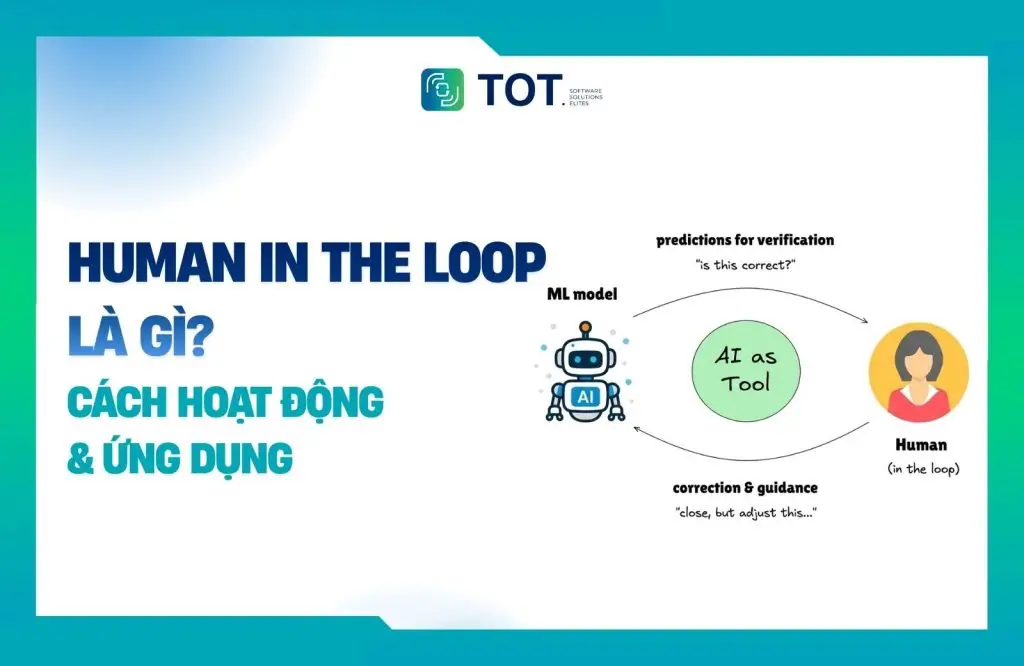
In high-stakes monitoring applications, full automation can lead to unforeseen hazards. That is because artificial intelligence (AI) systems tend to fail at exactly the moments that matter most, especially in rare edge cases, ambiguous situations, or novel contexts that the training data has never captured.
This article from TOT shows how Human-in-the-Loop AI (HITL) closes that risk gap. You will learn what Human-in-the-Loop is and why it is fundamentally different from traditional quality assurance (QA). You will also explore the deployment patterns that make HITL systems highly scalable, along with a real-world Roboflow Workflows example of how to build a HITL system purpose-built for computer vision.
>>> Learn more:
- What is Edge AI? How it works and real-world use cases
- Inference in Computer Vision: What is computer vision inference?
- What are Vision AI Agents? How to build Vision AI Agents with Roboflow
What Is Human-in-the-Loop AI?
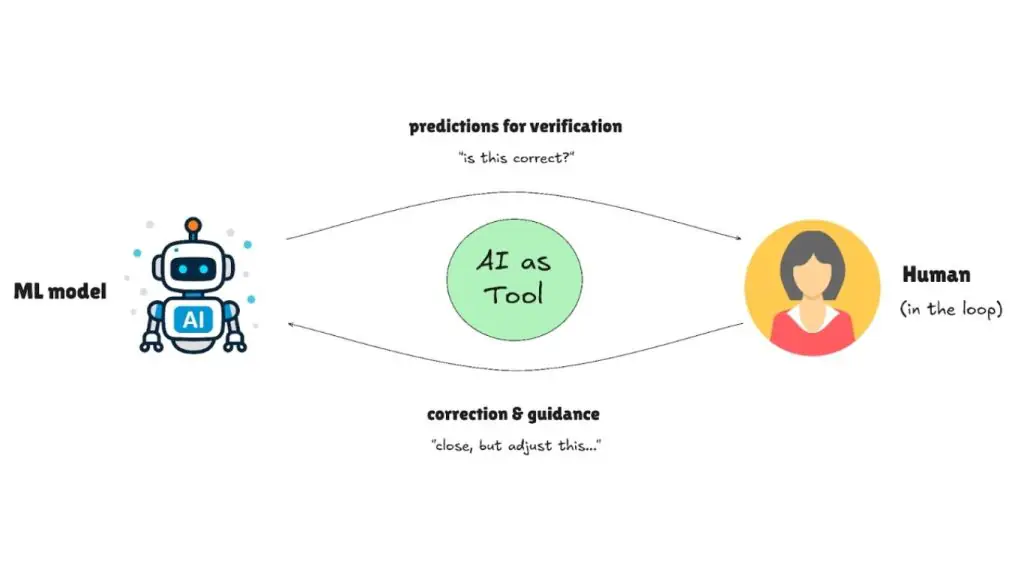
Human-in-the-Loop (HITL) is not simply testing or quality assurance (QA). It is a design pattern in which humans and AI work together at critical decision points. Instead of waiting for the system to make a mistake before stepping in, HITL proactively routes low-confidence predictions to experts in real time. The result is an effective collaboration in which each side plays to its strengths.
How Does HITL Differ from Traditional QA?
- Traditional QA: Humans check the results after the work is finished (passive validation)
- HITL: Humans step in when the AI is uncertain (active collaboration)
- The key difference: HITL systems detect their own uncertainty and escalate accordingly
Why Has HITL Become Necessary?
HITL becomes essential when the stakes of a deployment exceed the confidence you can place in the model. In traffic accident detection, missing an emergency is unacceptable, so operators review flagged incidents before dispatch.
Infrastructure monitoring systems send uncertain damage detections to engineers instead of triggering repairs automatically. Likewise, security surveillance systems route unusual behavior to security staff rather than sounding an alarm automatically.
The HITL pattern exists for three reasons: models are imperfect, regulations still require human accountability, and the cost of a serious mistake usually outweighs the cost of having a person double-check the decision. Adding human judgment at critical moments turns imperfect AI into a system that is both deployable and trustworthy.
>> Read more:
- How businesses build AI agents
- How does AI-assisted programming affect coding skills?
Scalable HITL Patterns for Real-World Environments
The challenge with Human-in-the-Loop lies not in the concept but in the execution. Real-world systems need patterns that integrate human judgment efficiently, maintaining quality without creating review bottlenecks that slow down deployment.
Here are the patterns successful teams use to run HITL effectively in production:
AI-First Labeling with Human Correction
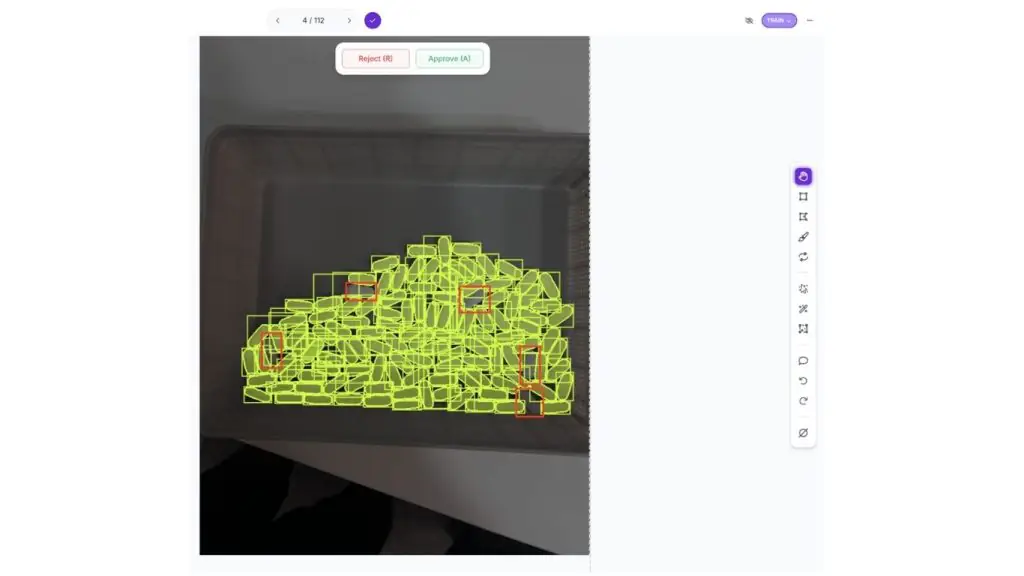
AI generates the initial annotations, so human effort shifts to reviewing and correcting rather than starting from scratch. Modern auto-labeling tools such as SAM 3 can produce annotations in seconds; humans then refine edge cases, fix misclassifications, or add details the model missed. This approach cuts labeling time by 70–80% while maintaining quality.
For example, in a pill-counting task, SAM 3 can automatically detect most of the pills but miss a few that overlap. A reviewer only needs a few seconds to add the missing ones instead of labeling everything from scratch.
>> See more:
- AI Data Labeling: A guide to labeling data for AI
- Data Annotation Platforms: The best annotation platforms for computer vision
Confidence-Based Human Routing
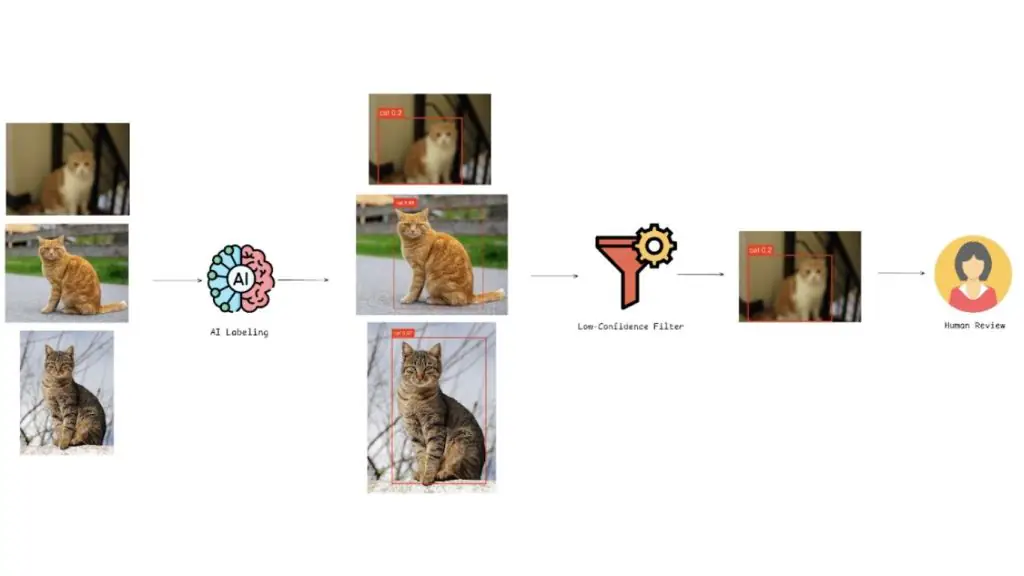
The most powerful HITL pattern does not just use humans to correct predictions; it also uses those corrections to improve the model. Active learning creates a feedback loop in which human review directly targets the model’s weaknesses.
Here is how confidence-based HITL routing works:
1. Confidence-Based Routing During Deployment
- The model flags predictions below a threshold (e.g., <70%) for human review
- Roboflow Workflows enables this with the Detections Filter block, which programmatically routes low-confidence predictions to the next step.
- High-confidence predictions flow automatically through the production pipeline.
- Uncertain cases are routed to human experts.
2. Human Correction and Data Collection
- Reviewers correct the flagged images
- The corrected annotations are saved back into the training dataset
- Human time goes only to genuinely ambiguous predictions, not to reviewing everything.
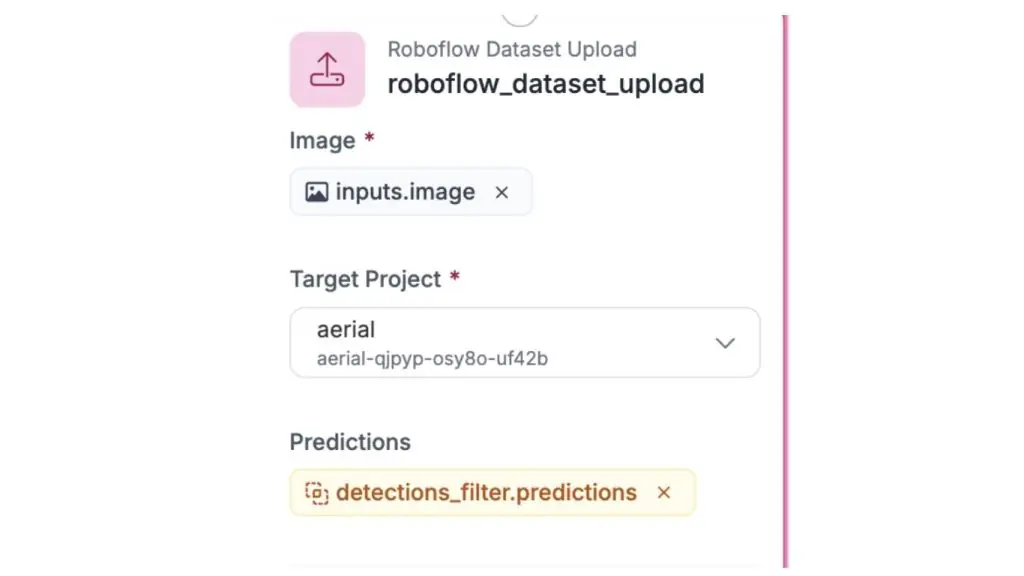
Platforms like Roboflow streamline this with the Roboflow Dataset Upload block in Workflows, which automatically captures flagged predictions and stores them in a dataset for human correction and retraining.
3. Targeted Model Improvement
- The model is retrained on the cases it struggled with.
- Performance improves on specific weaknesses (e.g., shadowed objects and occlusions).
This creates a cycle in which deployment exposes weaknesses and human corrections eliminate them.
>> Read more:
- What is Deep Learning? An overview of how it works and its real-world applications
- What is Object Detection? How it works & real-world applications
Decision Tracking and Version Control
High-stakes AI systems require traceability: you need to know which annotations were generated by AI and which were created by humans, who modified them, and when the changes were made. Roboflow offers several tracking features:
- Annotation History: tracks every change and lets you roll back to a previous version
- Annotation Insights: records who modified annotations, rejection rates, time spent, and how much model assistance was used
- Dataset versioning: creates immutable, Git-like snapshots that prove exactly which data trained each model
For heavily regulated industries, Roboflow’s SOC2 Type 2 compliance and these audit trails demonstrate adherence to FDA, ISO, and other industry standards.
>> See more: What is an AI agent? How Agentic AI works in artificial intelligence systems
HITL in Practice: A Roboflow Workflows Example
Understanding HITL patterns is one thing, but seeing how they work together in practice makes them much easier to picture. This section builds a complete active learning pipeline for traffic monitoring by detecting vehicles in aerial imagery.
Specifically:
- The SAM 3 auto-labeling tool saves a significant amount of time compared with manual work.
- A confidence-based filter automatically detects uncertain predictions and sends them to humans for review.
- Human corrections are fed back into the training data, helping the model improve over time.
The dataset contains 6 object classes: bicycle, bus, car, motorcycle, person, and truck. Although the data reflects normal traffic conditions, this example focuses on traffic accident detection — a high-stakes use case.
In this context, low-confidence predictions may signal an abnormal situation, such as a vehicle in an unusual position or a person on the highway, and should be checked immediately. The system therefore uses a strict confidence threshold so that no suspicious case slips through, while human review helps the model learn to recognize the signs of an accident more accurately over time.
Workflow Overview
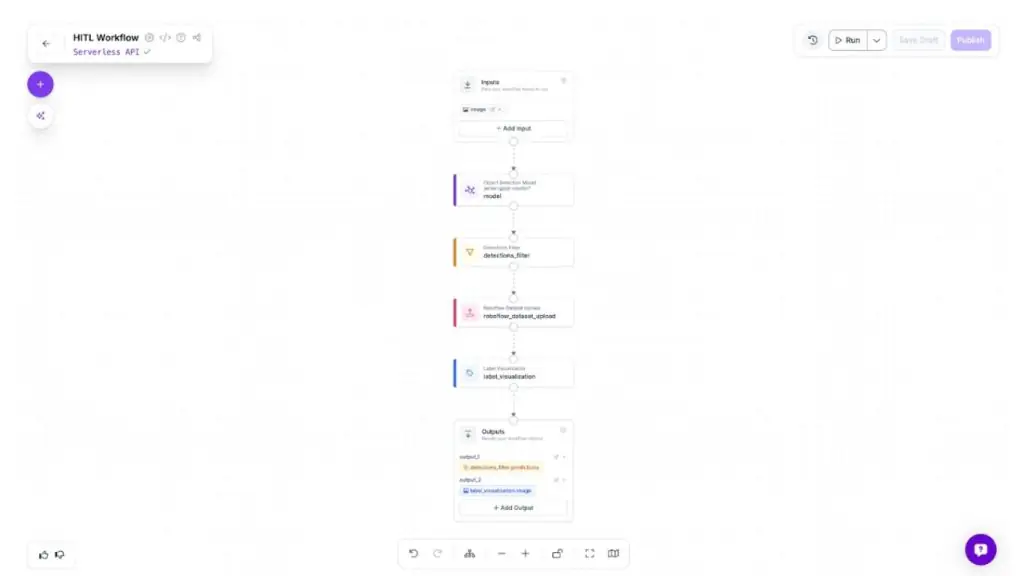
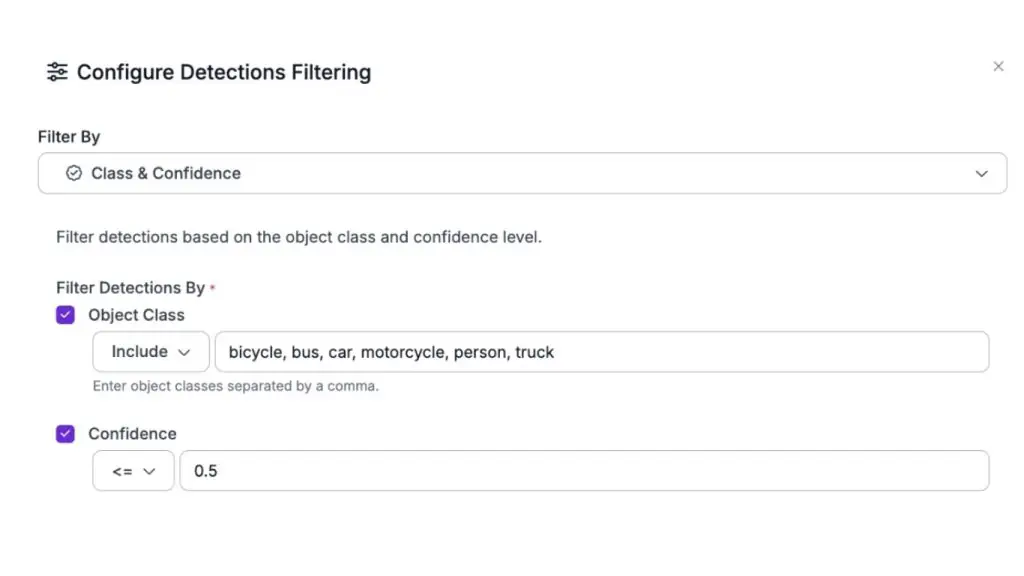
The pipeline works like this: input images pass through an object detection model that identifies objects. The system then uses the Detections Filter to isolate low-confidence predictions (below 50%).
These are typically difficult cases, such as partially occluded vehicles, motion blur, or unusual positions. All of them are automatically added to a dataset for humans to review and correct. Meanwhile, Label Visualization displays the flagged predictions so they are easy to track.
Put simply, the whole workflow runs like this: the model identifies uncertainty, humans correct those cases, and the corrections improve the next version of the model.
>> See more:
- What is AI image analysis? How AI understands and interprets images
- Object Detection Models: The best object detection models
Building the Initial Model
The first step is to create a baseline model that can detect vehicles and people in aerial footage, even if it is not yet perfect.
Step 1: Fork the Dataset
Start by forking the aerial vehicle detection dataset from Roboflow Universe into your workspace.
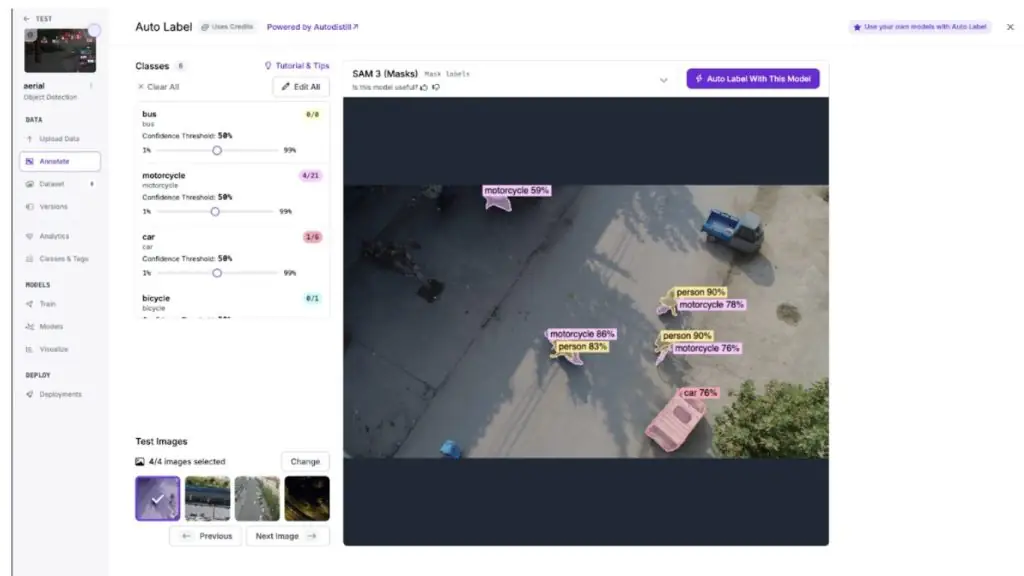
Step 2: Auto-Label with SAM 3
Use SAM 3 to automatically generate initial annotations across a batch of images, cutting manual labeling time from hours to minutes.
Step 3: Review and correct the labels
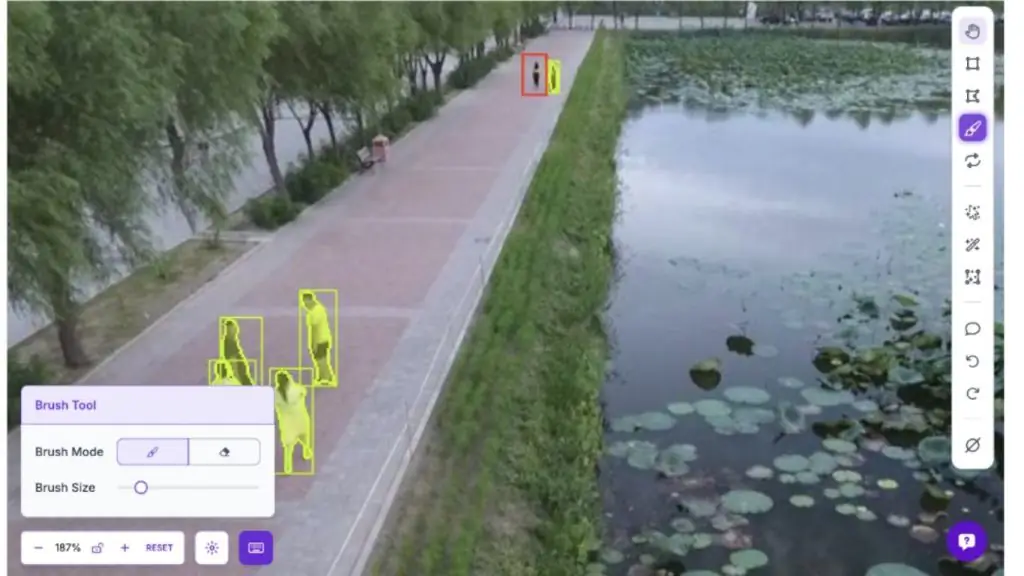
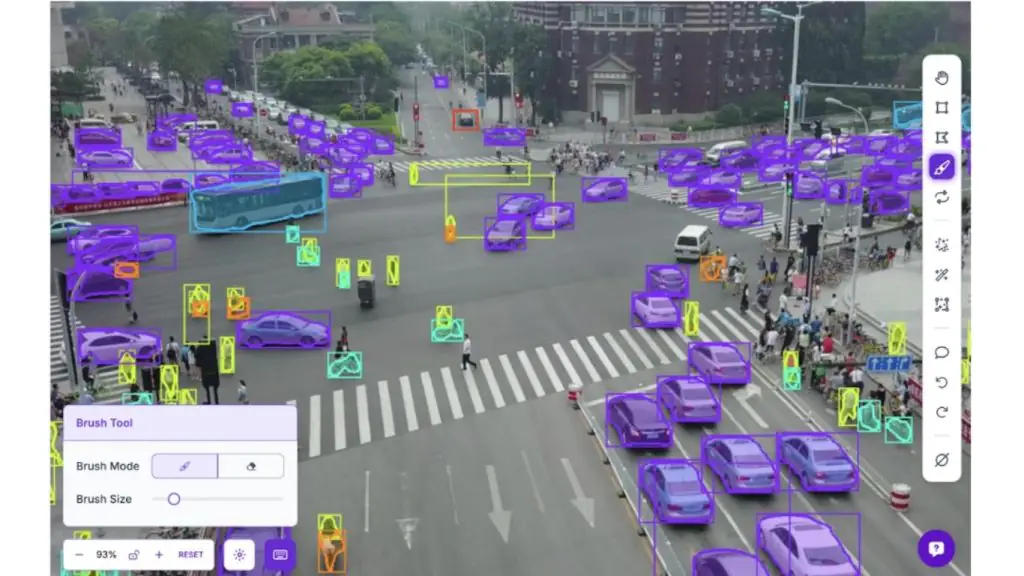
This is the step where humans become directly involved in the system (Human-in-the-Loop). Although SAM 3 produces fairly good initial labels, it can still miss important cases, especially the difficult scenarios involved in accident detection.
Go through each image to:
- Fix objects that were labeled incorrectly
- Add objects the model failed to detect
- Remove incorrect detections (false positives)
With aerial images, the model tends to miss small or distant objects. Yet these are exactly the details that matter: overlooking them could mean failing to spot a person in danger or a vehicle in an unusual position.
Step 4: Create a dataset version
Generate a dataset version from the corrected annotations.
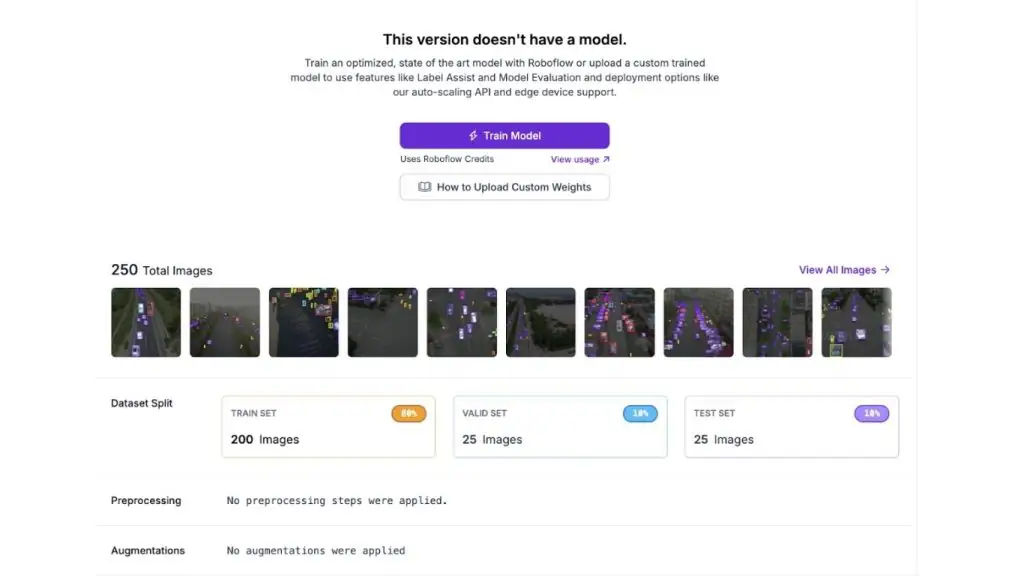
Step 5: Train the model
Train an object detection model with RF-DETR Small on the annotated dataset. This first model sets a baseline for measuring improvement after the active learning loop.
>> Learn more:
- What is Model Context Protocol? How it connects AI to the world
- What is Transfer Learning? How it works, with real-world examples
Deploying the model in a HITL workflow
With the initial model trained, the next step is to build active learning infrastructure that automatically identifies edge cases and collects them for human review.
Step 1: Configure the Object Detection Model block
Add your trained model to the workflow. This block runs inference on incoming images and outputs predictions with confidence scores.
Step 2: Add a Detections Filter block
Connect this block to the output of the Object Detection Model. Configure it to keep only predictions with a confidence of ≤ 0.5 (50%). This threshold ensures that uncertain detections, such as partially occluded vehicles, distant objects and difficult lighting, are flagged for human review.
Step 3: Set up Roboflow Dataset Upload
Connect this block so it receives the filtered low-confidence predictions. Configure it to upload the flagged images, along with their predictions, to your dataset. These become the edge cases that humans will review and correct.
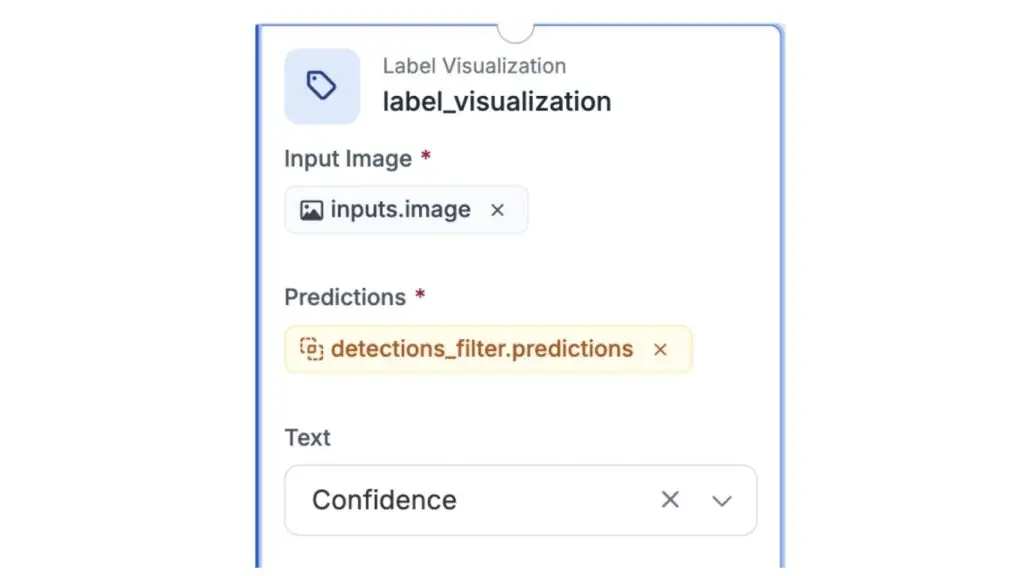
Step 4: Add Label Visualization
Connect this block to the output of the Detections Filter to visualize which predictions were flagged as low-confidence. This lets you monitor what the workflow is collecting.
Step 5: Configure the outputs
Set up the workflow outputs to return both the filtered detections and the visualized images for monitoring.
>> See more:
- The best code editors for computer vision
- Explore the versions and evolution of the YOLO model
Collecting and learning from edge cases
Once the workflow is deployed, run batch processing to collect the low-confidence predictions that represent the model’s weak spots.
Step 1: Run batch processing
Run a batch of images through the workflow. The Detections Filter automatically routes predictions below 50% confidence to the Dataset Upload block, building up a collection of edge cases without any manual sorting.
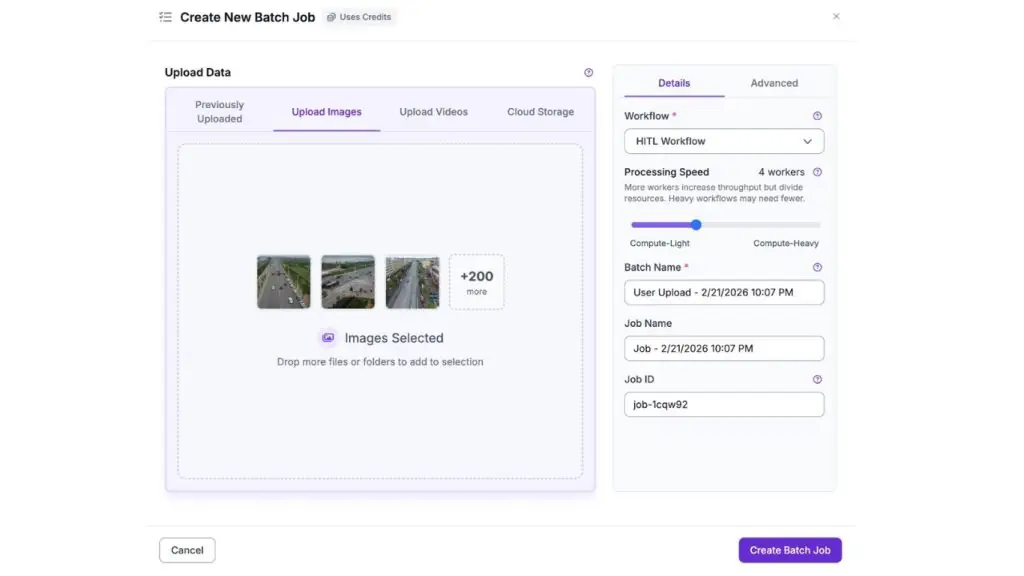
When processing finishes, a new batch of images will appear in the Unassigned column of the annotation tab.
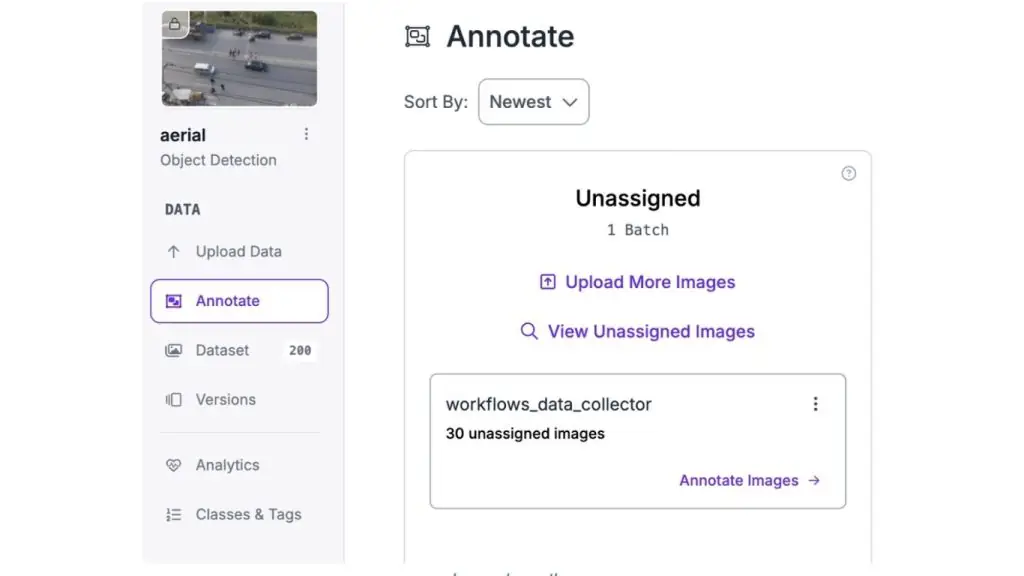
Step 2: Review the collected edge cases
Open the dataset where the flagged predictions were uploaded. These images show exactly what the model is struggling with: distant objects, occlusions, motion blur and unusual positions. Review each flagged image, fix mislabeled objects, add missed detections and verify that the annotations are accurate.
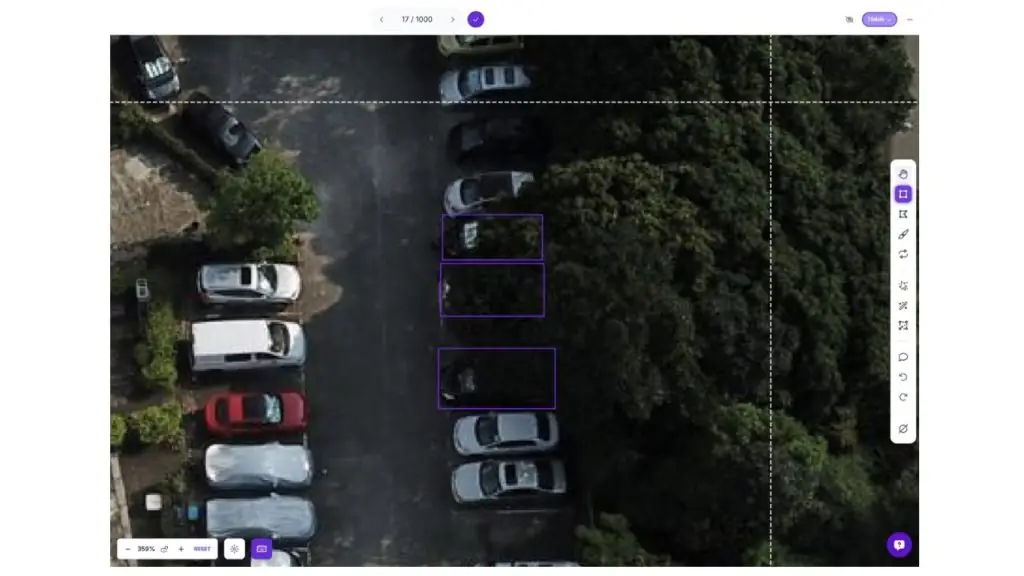
Step 3: Create a new dataset version and retrain
After reviewing and correcting the edge cases, create a new dataset version that combines the original training data with the corrected edge cases.
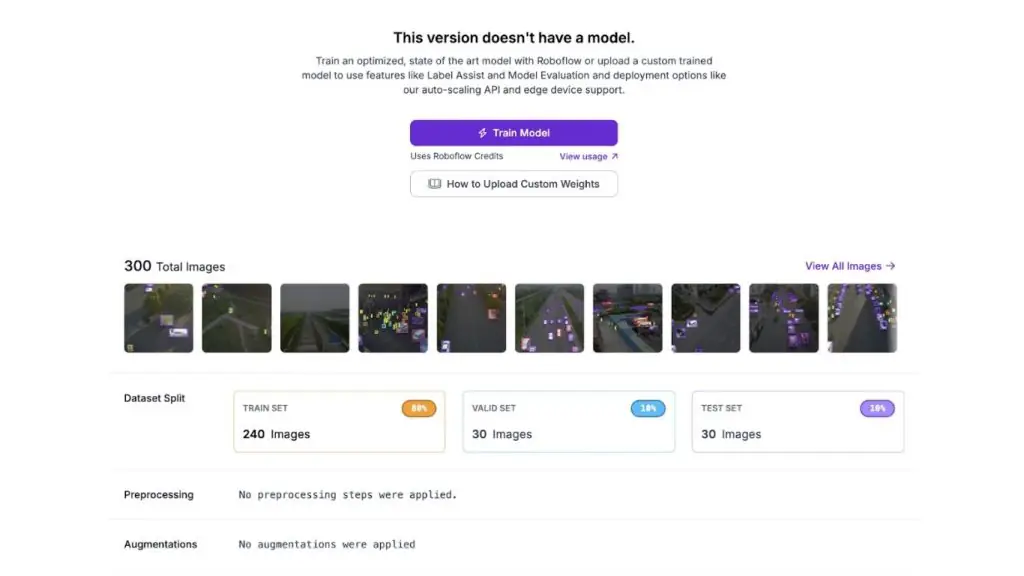
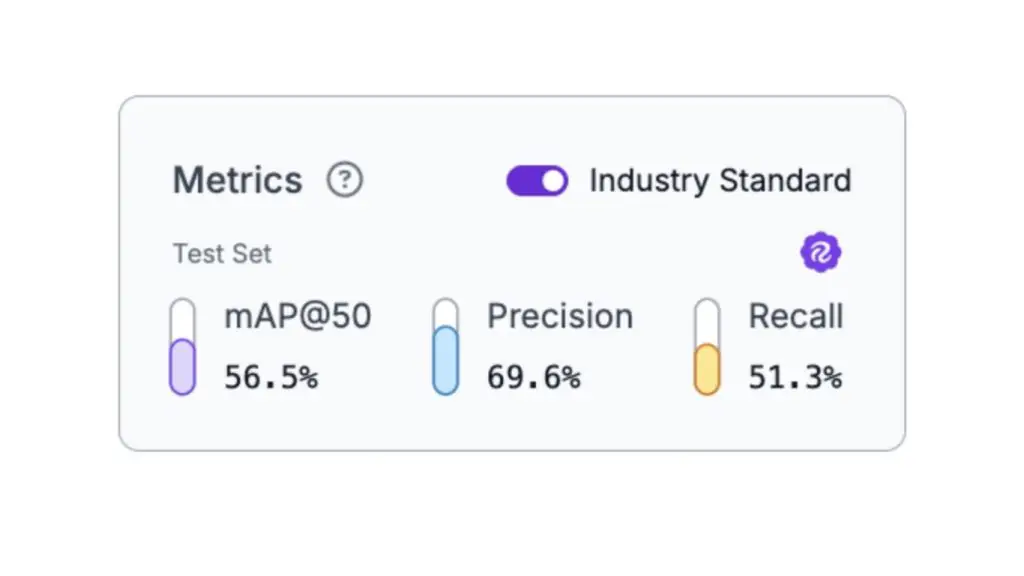
Train a new RF-DETR Small model on this expanded dataset. You will get improved metrics, as shown below:
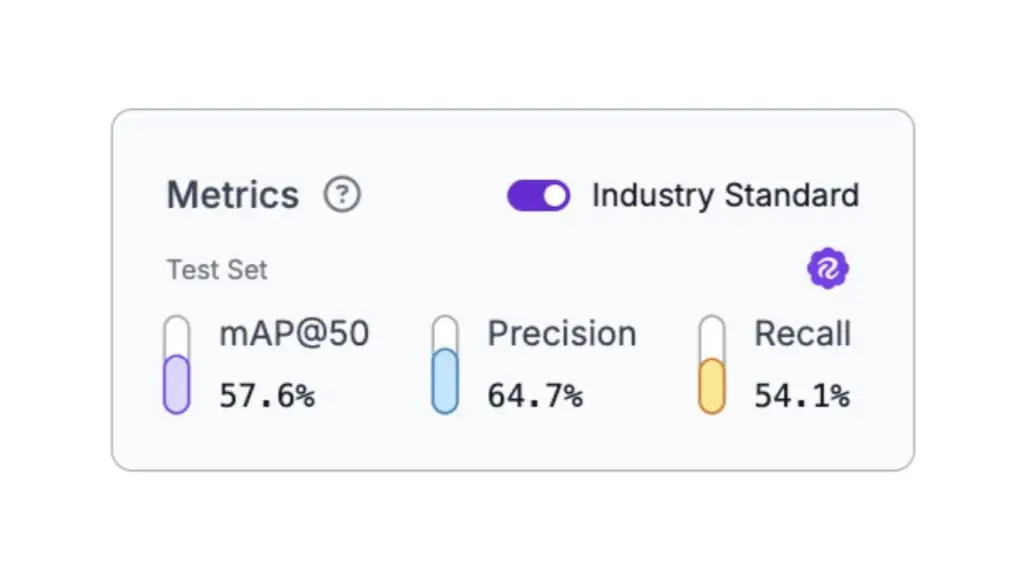
The results show the impact of targeted data collection: the model improved specifically on the types of predictions it previously struggled with, demonstrating how HITL systematically addresses a model’s weaknesses.
>> Read more:
- AI Agents for Startups: Benefits and common use cases
- The vision capabilities of Chat GPT-5 and how to prompt effectively
Conclusion: Human-In-The-Loop AI
Human-in-the-Loop AI is not a compromise between automation and manual work; it is the architecture that makes it possible to deploy computer vision systems in high-stakes environments.
The patterns covered here (confidence-based routing, platform-assisted correction workflows, active learning loops and audit trails) form the foundation for production systems where mistakes have consequences.
Roboflow Workflows provides the infrastructure to implement these patterns without building everything from scratch: models that detect uncertainty, automated data collection, interfaces for human review, and continuous improvement through retraining.
When you deploy AI in domains where mistakes are serious, HITL turns imperfect models into systems that are trustworthy by design.
>> You may also be interested in:
- Comparing vision-language models and object detection
- Common workflows for AI Agents: Characteristics & how to apply them
- Claude 4.5 Sonnet: A breakthrough in AI for cyber defense
>>> Source: Human-In-The-Loop for High-Stakes AI
TOT is a pioneer in digital transformation, offering website design, mobile app and custom software development solutions through flexible services tailored to each business’s specific needs.
Inspired by the philosophy of “Technology for People”, TOT helps businesses operate more efficiently, elevate the customer experience and build a lasting brand presence.