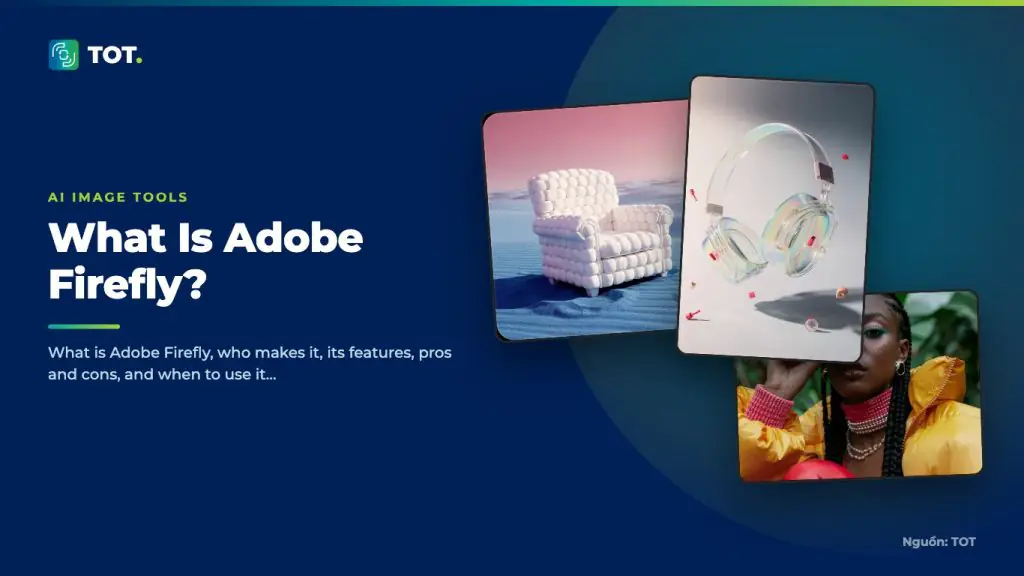
What is Adobe Firefly? Adobe Firefly is an AI image-generation model developed by Adobe, trained largely on Adobe Stock and licensed content. Its biggest differentiator is a focus on copyright safety, making it well suited to enterprise environments and commercial advertising.
Who makes Adobe Firefly?
Adobe Firefly is developed by Adobe, the creative software company behind Photoshop, Illustrator and many design products. Building on its strength in professional creative tools, Adobe positions Firefly as a safe AI image solution deeply integrated into its software ecosystem.

Key features
Firefly provides text-to-image generation along with intelligent editing features built directly into Adobe software. This lets users fold AI seamlessly into their existing design workflow.

- Generates images from text descriptions with a commercially safe focus.
- Deep integration with Photoshop and other Adobe software.
- Smart editing features such as expanding or replacing regions of an image.
- Trained on transparently sourced data to limit copyright risk.
Pros
Firefly’s strengths are copyright peace of mind and design integration. Because it is trained largely on licensed content, it aims for safe commercial use, and it ties closely into Photoshop and other Adobe software so you can fold AI seamlessly into your creative workflow.

- Transparent training sources aimed at safe commercial use.
- Seamless integration with design workflows in the Adobe ecosystem.
- Well suited to businesses and professional design teams.
- Combines generation and editing well within the same tools.
Cons
Firefly’s main limitation is a more conservative creative range than tools built around artistic expression. Getting the most from it usually means working inside the Adobe ecosystem, and it is less flexible for those who want technical self-hosting or fine-grained control outside Adobe’s software.

- Its creative range is more conservative than tools focused on artistic expression.
- Getting the most out of it usually means working within the Adobe ecosystem.
- Less flexible for those who want technical self-hosting.
How it compares to rivals
Compared with Midjourney, which excels at artistic aesthetics, Firefly prioritizes copyright safety and design integration over bold styling. Compared with DALL·E, Firefly is tightly bound to Adobe’s professional design tools. Compared with Flux, which targets self-hosting, Firefly is a convenient packaged solution for businesses.
When to use it
Adobe Firefly is a good fit when you need images for commercial use and care about copyright, especially if your team already works in the Adobe ecosystem. It is worth considering for businesses, agencies and professional designers who want legal peace of mind alongside a seamless workflow.

If you plan to deploy Firefly at scale, estimating costs up front will help you budget properly. TOT offers an AI image generation cost calculator to help you forecast spending based on image volume and chosen model.
Frequently asked questions
Is Adobe Firefly free?
Firefly usually comes with a certain amount of usage in Adobe plans and may bill extra beyond that. Pricing is for reference only; check Adobe’s official website for current details.
Are Firefly images safe for commercial use?
Firefly is designed for commercial safety thanks to its licensed training data, but terms can change. Read Adobe’s latest policy carefully before using generated images in advertising.
How does Firefly differ from Midjourney?
Firefly prioritizes copyright safety and design integration, while Midjourney stands out for artistic aesthetics. The choice depends on whether you value legal peace of mind or creative style.
Do you need a Creative Cloud subscription to use Firefly?
Firefly is available through the web and is also built into Creative Cloud apps such as Photoshop. You don’t necessarily need a full Creative Cloud plan to try it, but Adobe plans make it more convenient to use Firefly within an integrated design workflow.
Does Firefly support non-English prompts?
Firefly works most reliably with English prompts. You can try descriptions in other languages, but for close adherence to detail and your intended style, English prompts generally produce better and more predictable results.
How is Firefly different from Photoshop’s AI features?
Firefly is the underlying image-generation model, while Photoshop’s AI features, such as describing an area to fill, are built on Firefly technology. In other words, Firefly is the engine, and Photoshop is where you apply it to real editing tasks.
Note: Adobe Firefly’s features and pricing may change over time. Please check Adobe’s official website for the most up-to-date information.
About TOT
TOT is a pioneer in end-to-end digital transformation, delivering website design, application development, and optimized management systems for businesses. Guided by the philosophy “Technology for people,” TOT combines technical excellence with meaningful connections between brands and their users.
Book a consultation and get a free website audit at topon.tech/en/contact/.
>>> See also:
- What Is Midjourney? The Leading AI Tool for Artistic Image Generation
- What Is Flux? Black Forest Labs’ Open-Weight AI Image Model Explained
- What Is Ideogram? The AI Image Generator That Renders Text Accurately
- Best AI image generators in 2026: Midjourney, gpt-image-2, Firefly, Flux, Ideogram
- What Is DALL·E? Why OpenAI retired it and what to use instead