What is GitHub Copilot? GitHub Copilot is an artificial intelligence coding assistant that offers code suggestions inside the editor as a developer writes. It can complete lines, generate an entire function from a natural-language description and support many popular programming languages.
Who makes GitHub Copilot?
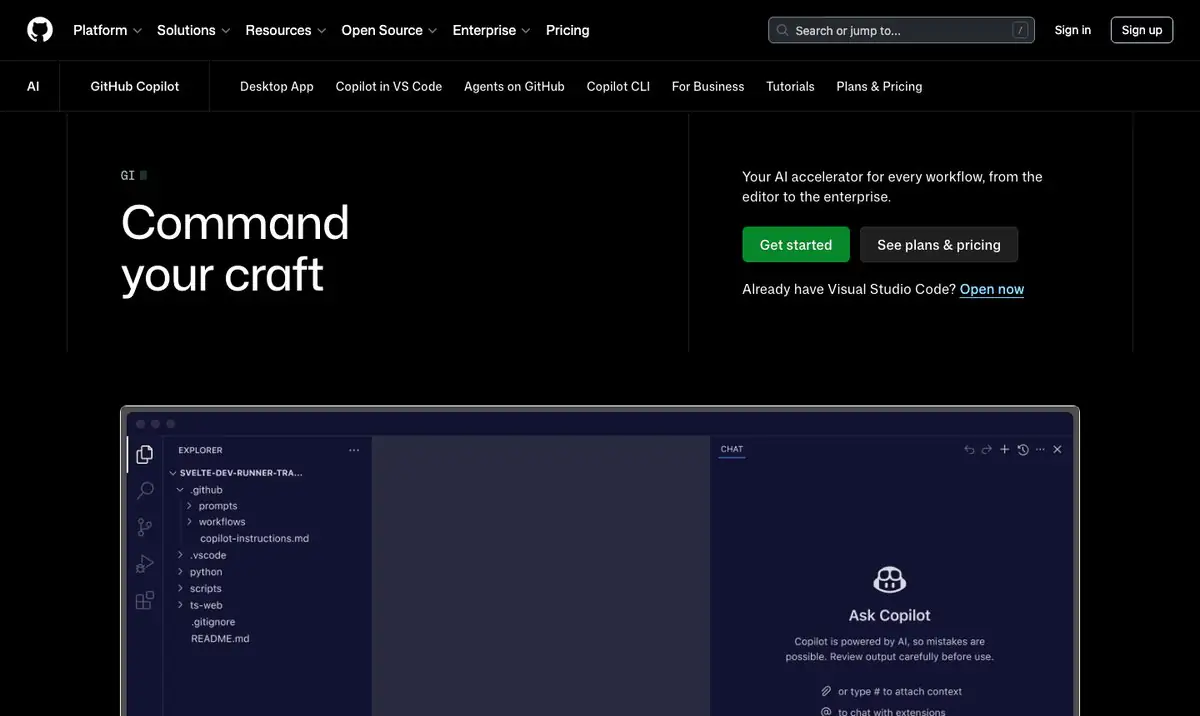
GitHub Copilot is developed by GitHub, a Microsoft-owned company. The tool is built on large language models from an AI technology partner, combined with GitHub’s existing infrastructure and ecosystem. It is one of the pioneering products that brought AI code suggestions into the everyday software development workflow.
Key features
GitHub Copilot’s core features revolve around suggesting and generating code inside the editor. It completes lines in real time, turns natural-language descriptions into code, offers a chat mode to explain and fix issues, and works with many popular programming languages. The main capabilities include:
- Real-time code suggestions and completions as you type.
- Code generation from natural-language descriptions or comments.
- Integration with editors such as Visual Studio Code, Visual Studio and several JetBrains IDEs.
- A chat capability to ask questions, explain code and suggest fixes.
- Support for many popular programming languages.
Pros
GitHub Copilot’s biggest advantages are convenience and familiarity. It integrates directly into an editor you already use, speeding up repetitive coding with almost no change to your existing workflow. The standout benefits include:
- Smooth integration into familiar workflows without major changes.
- Shorter time spent writing repetitive or boilerplate code.
- Tight link to the GitHub ecosystem that many developers already use.
- Helpful for learning a new language or library through suggestions.
Cons
Alongside its strengths, GitHub Copilot has limitations worth noting, mainly around understanding large-project context and the reliability of its suggestions. Consider the following points before relying on the tool completely:
- Whole-project context handling is limited compared with AI-centered tools.
- Suggestions must be reviewed by the developer, as they are not always correct or optimal.
- It is a paid service for most professional users.
- Quality depends on the clarity of the surrounding code and input descriptions.
How it compares to competitors
Compared with tools like Cursor or Windsurf, which are designed as AI-centered development environments, GitHub Copilot leans toward being an assistant that augments an existing editor. Copilot’s strengths are its familiarity and broad integration, while AI-first tools tend to be better at working across the whole codebase and editing multiple files. Compared with conversational models like Claude or ChatGPT, Copilot is more tightly bound to the coding flow than to analytical conversation.
When to use it
GitHub Copilot suits developers who are already comfortable with GitHub and want a built-in coding assistant to speed up daily work. It is a sensible choice for anyone who needs added code suggestions without changing their editor or current workflow. For projects that require extensive work across the entire codebase, consider combining it with other specialized tools.
If your business is budgeting for AI tools in its development team, see TOT’s article on the cost of applying AI to software for small and medium enterprises.
Frequently asked questions
Is GitHub Copilot free?
Copilot offers several usage options, typically including a trial or limited free tier for certain users and paid plans. This is reference information and may change, so check the official page directly.
Which languages does GitHub Copilot support?
The tool supports many popular programming languages. Suggestion quality is usually higher for languages and libraries with a large amount of public source code.
Are GitHub Copilot’s suggestions always correct?
No. Suggestions are a starting point and need the developer to check and adjust them to ensure correct business logic, safety and fit with the project.
Does GitHub Copilot work offline?
Copilot relies on a service to generate suggestions, so it generally requires an internet connection. Its capabilities and usage conditions may change, so check the official documentation for the latest details.
Is GitHub Copilot suitable for large projects?
Copilot works well for writing and completing code within local context. For large projects that require deep operations across the whole codebase, you can combine it with AI-centered tools as a complement.
Should I review security when using GitHub Copilot on my code?
Yes. Review suggestions for safety and follow your organization’s data policies, especially when working with sensitive code, and consider enterprise options if needed.
This article is for reference and summarizes information available at the time of writing. The tool’s features, pricing and capabilities may change; please verify against the official page before making a decision.
About TOT
TOT is a pioneer in end-to-end digital transformation, delivering website design, application development, and optimized management systems for businesses. Guided by the philosophy “Technology for people,” TOT combines technical excellence with meaningful connections between brands and their users.
Book a consultation and get a free website audit at topon.tech/en/contact/.
>>> See also:
- What Is Cursor? The AI-First Code Editor Explained
- What Is Claude? An Overview of Anthropic’s AI Assistant
- What Is ChatGPT? An Overview of OpenAI’s Conversational AI
- 6 best AI coding tools in 2026: Copilot, Cursor, Devin Desktop and more
- Windsurf is now Devin Desktop: what changed and how it compares