Custom application services have become a critical solution for businesses that need tailored, high-performance software instead of generic off-the-shelf tools. These services allow companies to design applications that align precisely with their workflows, security needs, and long-term scalability goals. In this guide, TOT explains how custom application services work so businesses can make confident technology decisions that drive stronger results.
>>> Read more:
- Website Design Cost for a Transparent Full-Package Quote in 2026
- How Much Does E-Commerce Mobile App Development Cost in 2026?
- Top 15 Software Outsourcing Company in Vietnam (2026 Update)
What Are Custom Application Services?
Custom application services encompass the end-to-end process of designing, developing, deploying, and maintaining software tailored to the business’s specific needs. Unlike off-the-shelf solutions, these services create applications that match unique workflows, security requirements, and operational goals.
They often include requirements analysis, UI/UX design, backend development, integration with existing systems, testing, cloud deployment, and ongoing support. Through custom application services, organizations gain precise control over functionality, performance, and scalability, resulting in solutions that deliver long-term value and higher ROI.
Benefits of Custom Application Development
Custom application development provides organizations with solutions built precisely around their workflows, goals, and long-term digital strategy. Instead of adapting to generic software, businesses gain full control over features, integrations, and performance. With the right development approach, custom applications help companies operate more efficiently, enhance user satisfaction, and achieve sustainable growth.
Tailored to Specific Needs
Custom applications are built to match your exact business workflows, industry regulations, and user expectations. Every feature is intentionally designed to solve a real operational need rather than offering a “one-size-fits-all” approach like off-the-shelf software.
For example, a logistics company may require a custom route-optimization dashboard, while a hospital may need a patient-tracking module that follows healthcare compliance rules. Custom solutions ensure higher relevance, better efficiency, and zero unnecessary features
>>> Read more:
- Software Development Methodologies: 15 Key Types, Benefits, and Comparison
- What Is Custom Enterprise Software Development? Full Guide 2026
- Custom Software Development for all needs: great price, professional process

Scalable and Flexible
A key advantage of custom applications is their ability to grow with your business. As your operations expand, you can easily add new modules, integrate third-party platforms, or support additional user types, all without rebuilding the system from scratch.
For instance, an e-commerce platform might start with basic order management and later add inventory automation, warehouse integration, or advanced analytics as the business scales. This flexibility helps organizations avoid costly migrations and stay agile in fast-changing markets.
Stronger Security
Custom applications provide enhanced security because developers can implement protection that aligns with strict standards such as GDPR, HIPAA, PCI DSS, and ISO 27001. Unlike mass-market software often targeted by attackers due to its wide user base, a custom system has a private codebase, reducing exposure to common vulnerabilities.
For example, a fintech app may include multi-factor authentication, encrypted transactions, and audit trails tailored to banking regulations.
>>> See more:
- Custom Software Development in Ho Chi Minh City – Professional, Multi-Platform Solutions
- Custom Software Development in Hanoi – Professional and Affordable Solutions
Seamless Integration
Modern businesses rely on multiple systems such as CRM tools, ERP platforms, HR software, BI dashboards, and cloud services. Custom applications can integrate all these tools into a unified ecosystem, eliminating data silos and reducing manual work.
An example is a retail brand integrating its POS system with its inventory management, customer loyalty program, and analytics platform to create a fully automated workflow.
Better User Experience
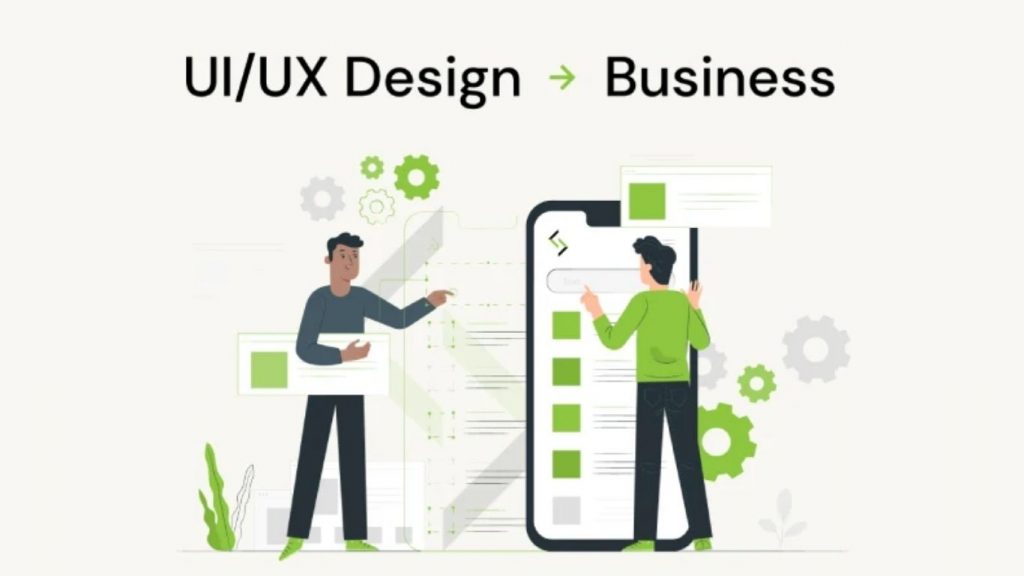
Custom applications prioritize intuitive UX/UI tailored to real users such as employees, customers, or partners. This leads to smoother navigation, faster performance, and workflows designed around actual user roles.
The field-service app may offer offline mode, one-tap reporting, and role-specific dashboards to help technicians work efficiently in remote locations. Better usability boosts adoption, satisfaction, and productivity.
>>> Read more:
- Mobile App Design Development: The Complete Guide for Designers
- Mobile App Development Project Plan: Guide to Build a Successful App in 2026
Long-Term Cost Efficiency
Although custom software may require a higher initial investment, it eliminates recurring subscription fees, reduces dependence on multiple third-party tools, and minimizes workflow inefficiencies. Over time, the total cost of ownership becomes significantly lower.
A company paying monthly licenses for CRM, task management, and reporting tools could combine all features into one custom platform—cutting long-term expenses substantially.

Types of Custom Applications
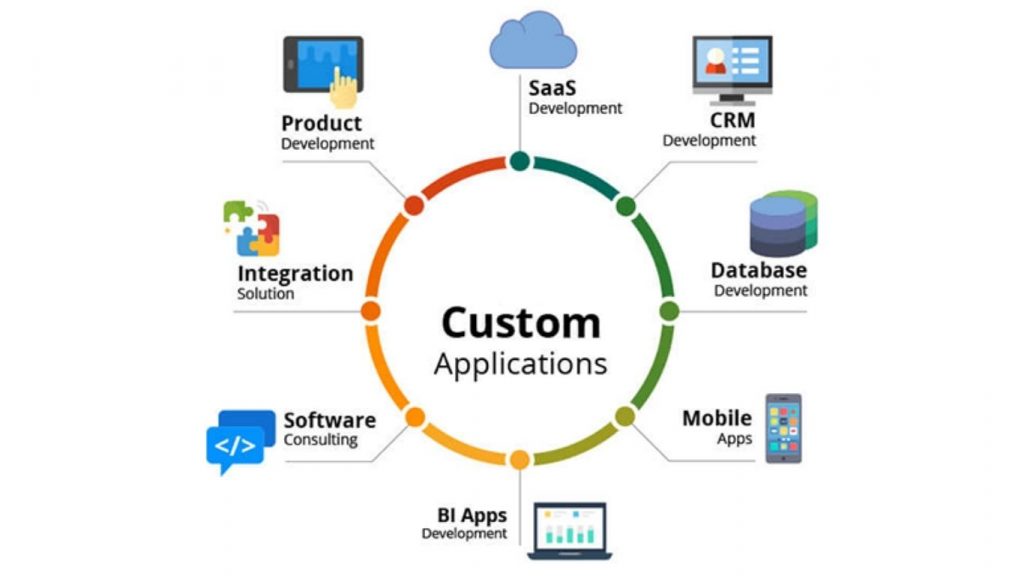
Custom application services cover a wide range of software solutions tailored to match unique business requirements across industries. Whether a company needs an internal tool, a customer-facing platform, or an advanced AI-driven system, custom-built applications deliver the flexibility, scalability, and performance that off-the-shelf software often cannot.
Below are the main types of custom applications businesses commonly invest in, along with real-world examples to illustrate their use cases.
Web Applications
Web applications run inside a browser and do not require installation, making them accessible across devices with an internet connection. They’re ideal for businesses needing scalable, platform-agnostic solutions such as dashboards, booking systems, or collaboration tools. Custom web applications can integrate with CRMs, ERPs, third-party APIs, and internal databases to support complex business processes.
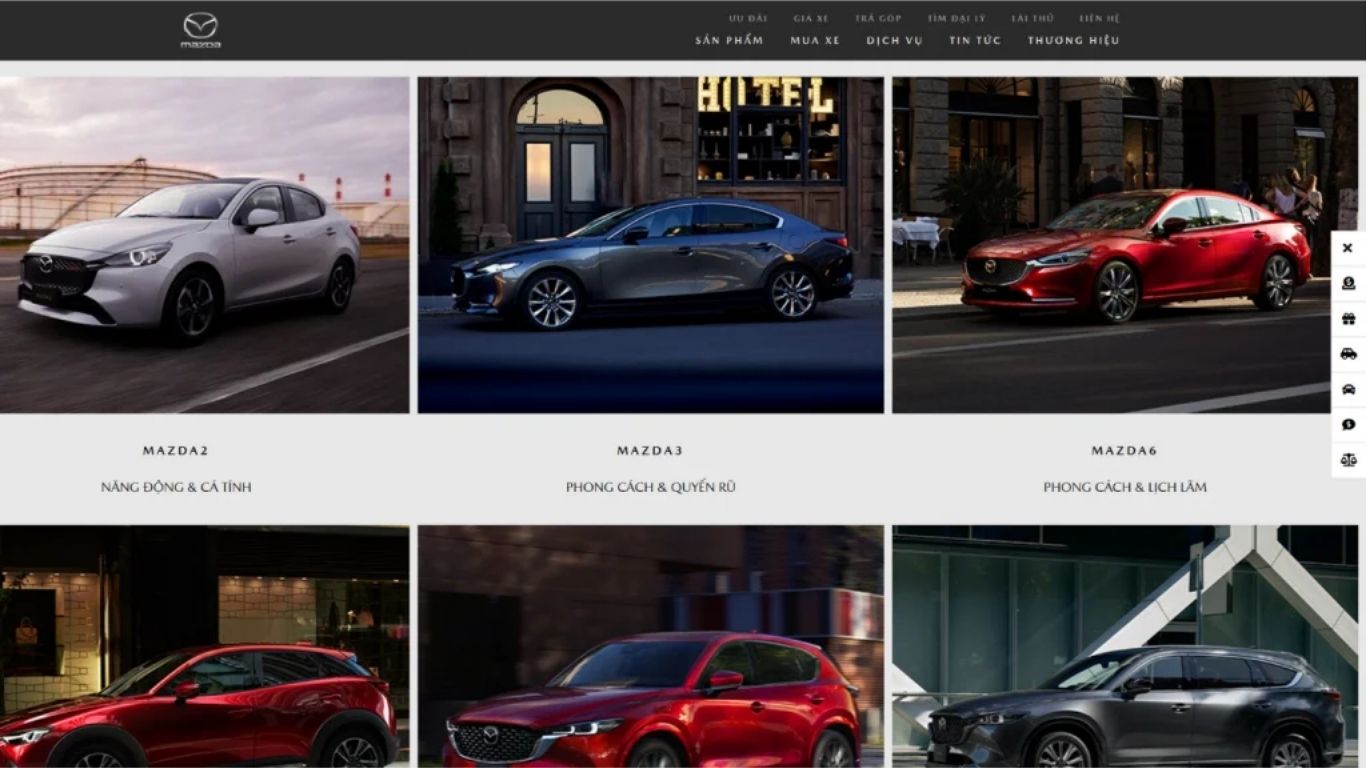
The Mazda Website, developed by TOT, delivers a modern, mobile-first interface optimized for seamless browsing across all devices. The platform provides detailed vehicle specifications, pricing, promotions, and advanced technologies to support informed customer decisions. With enhanced performance, intuitive navigation, and a refined UX, the TOT-built website elevates Mazda’s digital presence and customer engagement.
>>> Explore more:
- Create a Free Online Store Website: A Quick, Detailed, and Effective Guide
- Restaurant Website Design — Professional, Modern 2026
Mobile Applications
Mobile apps are designed for smartphones or tablets and can be built natively (iOS/Android), cross-platform (Flutter, React Native), or as hybrid applications. Businesses use custom mobile apps for customer engagement, field service operations, mobile commerce, and on-the-go productivity.
This case study by TOT showcases how we helped enhance the My Mazda App to deliver a smarter, more seamless vehicle management experience. The My Mazda App provides a seamless way for users to access vehicle information, manage services, and connect with their car in real time.
With its intuitive interface, the app enhances the ownership experience through smart features like remote control, maintenance reminders, and driving data tracking. Designed for convenience and modern mobility, the Mazda App helps users stay informed, empowered, and connected to every aspect of their Mazda vehicle.
>>> See more:
- Top 10 IT Outsourcing Companies in Vietnam [Most Updated 2026]
- Software Development Company in Vietnam – Top 10 Best Choices for 2026

Desktop Applications
Desktop applications run directly on operating systems like Windows, macOS, or Linux. They’re chosen when businesses require high processing power, offline functionality, advanced analytics, or deeper system-level access. Industries such as engineering, finance, design, and healthcare often rely on custom desktop apps.
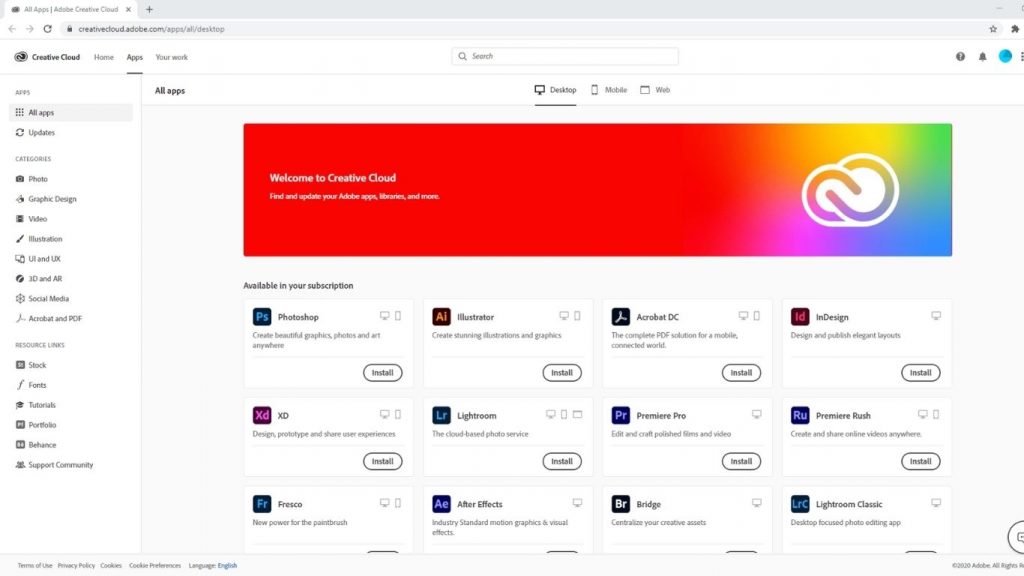
Adobe Photoshop is a powerful desktop application designed for advanced image editing, graphic design, and digital artistry. Running on Windows and macOS, it leverages high processing power to handle large files, complex visual effects, and professional workflows that are not feasible on web or mobile apps. This makes it essential for designers, photographers, marketers, and creative studios worldwide.
Enterprise Applications
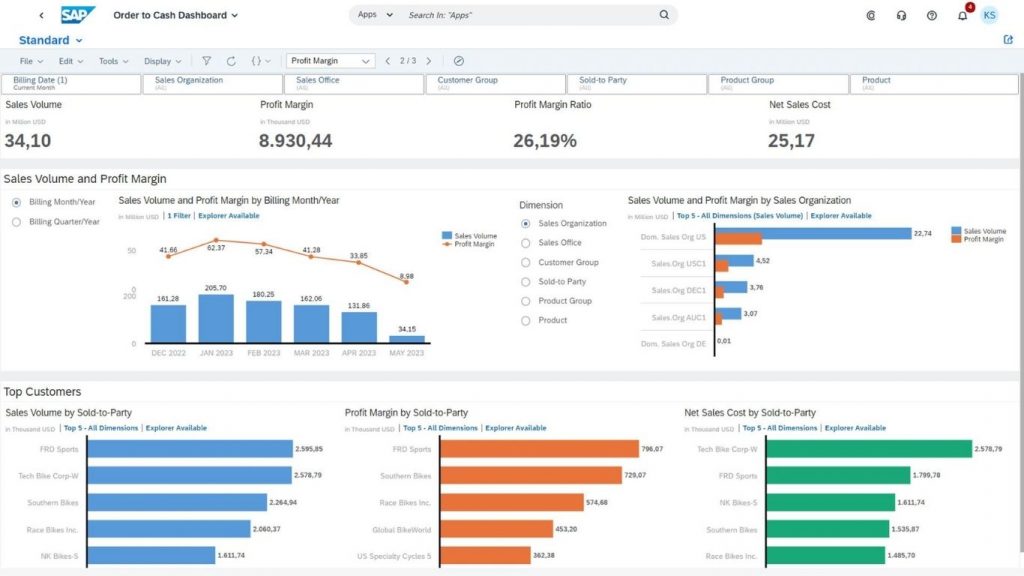
Enterprise applications are large-scale systems that support mission-critical operations across departments. They integrate workflows such as finance, HR, supply chain, CRM, data analytics, and asset management. These applications are highly secure, scalable, and designed for organizations managing complex processes.
SAP S/4HANA is a leading enterprise resource planning (ERP) platform tailored for large businesses. It centralizes data, automates workflows, enhances decision-making, and integrates with various enterprise modules—showing how custom enterprise apps optimize internal operations.
>>> Read more:
- Top 12 Web Design Agencies in Vietnam (2026) – Trusted & Professional
- Top 10 Web Agency Offshore Companies for Global Businesses (2026)
- Top 15 Best Web Design Companies in Ho Chi Minh City (2026)
AI-Powered Applications
AI-powered applications use technologies like machine learning, NLP, predictive analytics, and computer vision to automate decision-making, personalize experiences, and extract insights from large datasets. These apps are reshaping industries such as healthcare, logistics, finance, and retail.
ChatGPT is an AI-driven conversational application that processes natural language, generates content, assists users, and integrates with business workflows. It highlights the impact of AI-powered applications on automation, customer service, and knowledge work.
>>> Read more:
- Top 10 Affordable App Development Company
- What Is Custom Built Software? Types, Examples & Benefits Explained

SaaS Applications
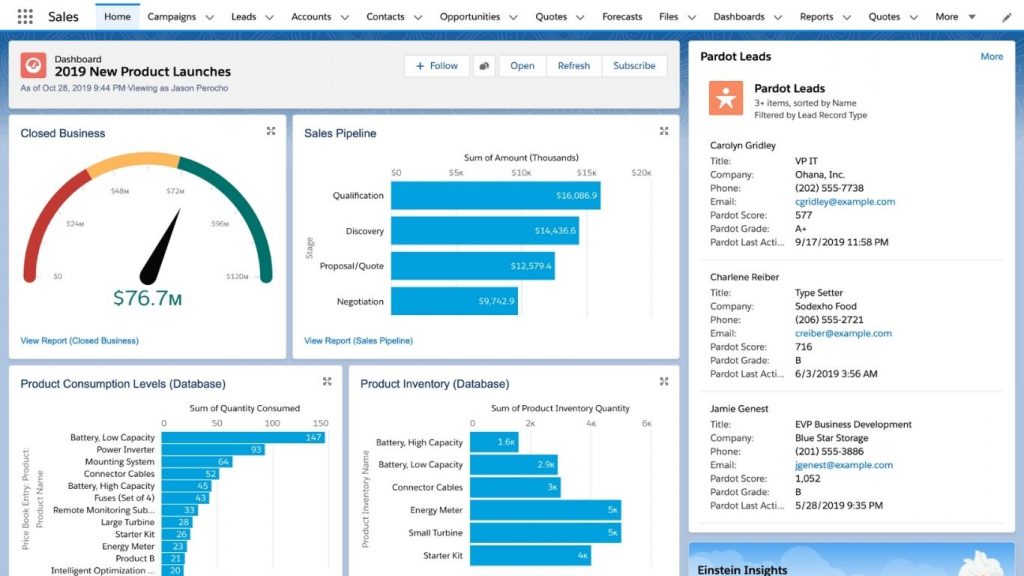
Software-as-a-Service (SaaS) applications are cloud-based solutions delivered on a subscription model. They allow businesses to scale quickly without needing to manage servers or infrastructure. SaaS products are ideal for CRM, project management, accounting, marketing automation, and data analytics.
Salesforce is a globally recognized CRM SaaS platform that helps businesses manage sales pipelines, customer relationships, marketing activities, and analytics. It demonstrates how SaaS apps deliver continuous updates, cloud scalability, and subscription-based accessibility.
E-commerce Applications
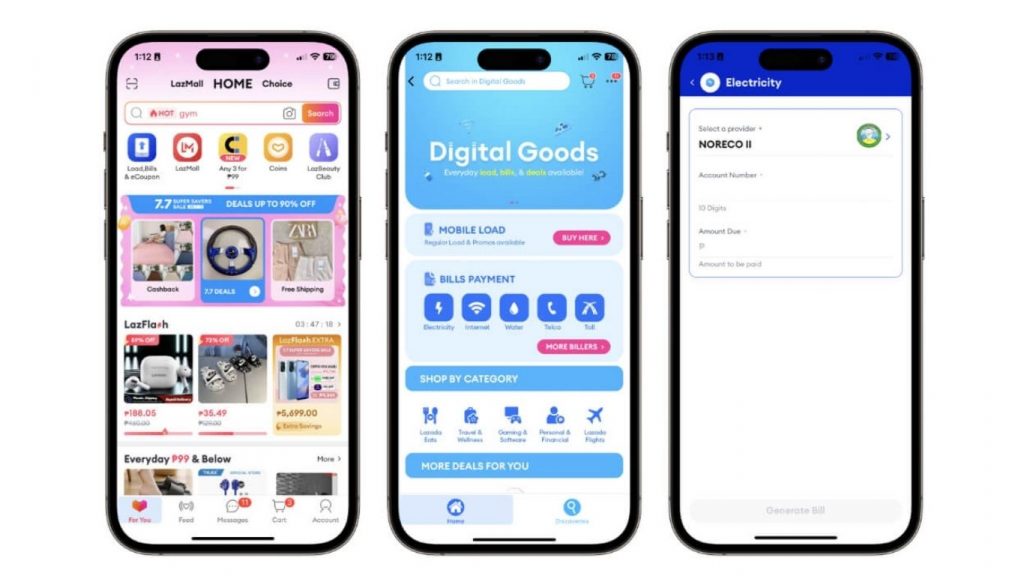
E-commerce applications enable businesses to sell products or services online through customized frontends, shopping carts, payment systems, order management, and inventory automation. These solutions can be tailored for B2C, B2B, D2C, or marketplace models.
Lazada is one of the world’s leading e-commerce platforms, offering customizable storefronts, secure payment processing, marketing tools, and fulfillment integrations. It exemplifies how custom e-commerce apps support global online selling and seamless buyer experiences.
Custom Application Development Process
Custom application development typically follows a structured, multi-stage workflow to ensure the final product meets business requirements, delivers reliable performance, and remains scalable for future growth. Below is a detailed breakdown of each step.
Step 1: Receipt
This initial phase focuses on gathering project requirements and understanding the client’s business goals. Key activities include:
- Identifying problems the software must solve
- Documenting functional & non-functional requirements
- Understanding user personas and use cases
- Establishing budget, timeline, and scope expectations
This step ensures both teams are aligned before moving into solution planning.
Step 2: Solution
In the solution phase, the development team designs a strategic plan based on the gathered requirements. Typical outcomes include:
- High-level architecture suggestions
- Technology stack recommendations
- Feature prioritization
- Risk assessment and mitigation strategy
- Project roadmap creation
This phase shapes the foundation of how the product will be built.
Step 3: Design
The design stage converts ideas and requirements into visual and interactive representations. This includes:
- Wireframes and low-fidelity layouts
- High-fidelity UI/UX mockups
- User experience flows
- Usability research and refinement
- Branding elements (colors, fonts, icons)
The goal is to ensure the product is intuitive and meets user expectations before development begins.

Step 4: Development
During development, engineers write the code that powers the application. Activities include:
- Front-end and back-end development
- Database and API integration
- Architecture implementation
- Security hardening
- Module-by-module builds in Agile sprints
This is the core stage where the application becomes functional.
Step 5: Testing
Testing ensures the product is stable, secure, and works as intended. Testing methods include:
- Functional testing
- Performance testing (load, stress, scalability)
- Security testing (vulnerabilities, compliance checks)
- UI/UX testing
- Integration and regression testing
- User acceptance testing (UAT)
Bugs are identified and resolved before deployment.

Step 6: Release
The release phase deploys the final product into the production environment. Key tasks:
- Final code review
- Data migration
- Infrastructure setup (cloud/server configuration)
- Deployment automation (CI/CD pipelines)
- Release documentation and user training
The application becomes available to real users at this stage.
Step 7: Maintenance
Post-release maintenance ensures long-term performance and continuous improvement. Maintenance activities include:
- Bug fixes and updates
- Performance monitoring
- Server and infrastructure optimization
- Security patches
- Adding new features based on user feedback
Maintenance keeps the software secure, compatible, and scalable.

Custom vs. Off-the-Shelf Software
Below is a clear comparison table outlining core differences:
| Criteria | Custom Software | Off-the-Shelf Software |
| Customization | Fully tailored to specific business needs | Limited customization options |
| Initial Cost | Higher upfront investment | Lower initial purchase cost |
| Long-Term Cost | More cost-efficient over time due to customization and scalability | May incur recurring licensing costs and add-ons |
| Development Time | Longer (built from scratch) | Immediately available |
| Scalability | Highly scalable and flexible | Limited scalability; upgrades depend on the vendor |
| Ownership | Full ownership of source code and IP | No ownership; product is controlled by the vendor |
| Integration | Easily integrates with existing systems | May require third-party tools or extra fees |
| Security | Higher security, built to specific compliance requirements | Generic security; same vulnerabilities across users |
| Support | Dedicated support from the development team | Vendor-controlled support may face long wait times |
How Much Do Custom Application Services Cost?
Custom application services cost can vary widely depending on project size, required technologies, complexity, and long-term support needs. Businesses should evaluate both upfront development costs and ongoing expenses like maintenance, updates, and infrastructure. Below is a detailed cost breakdown.
Key Cost Factors
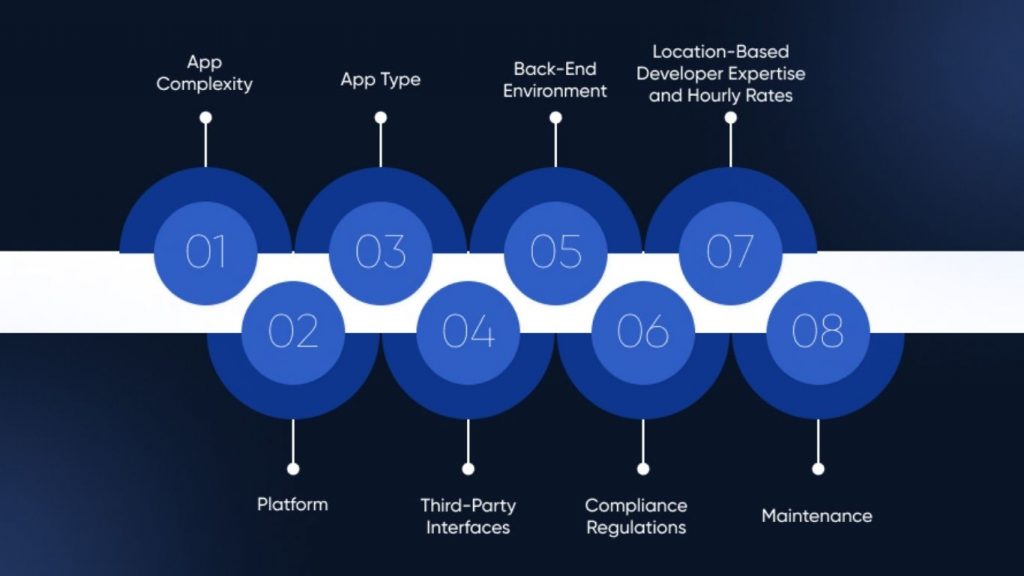
- Application complexity: More features, logic, and advanced capabilities (real-time sync, chat, AI, analytics) increase the cost.
- Technology stack: High-demand stacks like AI/ML, blockchain, or cloud-native microservices often require premium developer rates.
- Design & user experience: Custom UI/UX, animations, responsive layouts, and accessibility requirements can raise design costs.
- Integration needs: Connecting with existing CRM/ERP, payment gateways, or third-party APIs requires additional work.
- Security requirements: Enterprise-grade security, encryption, compliance (GDPR, HIPAA, SOC2, PCI-DSS) add to development time.
- Location of development team: Offshore teams are more cost-efficient compared to the U.S., UK, or Western Europe.
- Maintenance needs: Patches, updates, new OS versions, performance tuning, and scaling impact ongoing expenses.
Pricing Ranges by Application Type
| Application Type | Estimated Cost Range |
| Web Applications | $20,000 – $150,000+ |
| Mobile Applications | $30,000 – $300,000+ |
| Desktop Applications | $40,000 – $200,000+ |
| Enterprise Applications (ERP/CRM) | $80,000 – $500,000+ |
| AI-Powered Applications | $100,000 – $500,000+ |
| SaaS Applications | $50,000 – $400,000+ |
| E-commerce Applications | $25,000 – $200,000+ |
Costs vary depending on complexity, target platforms (iOS/Android/Web), and business requirements.
Maintenance Expenses
Maintenance is typically 15–25% of the initial development cost per year, depending on complexity. Typical maintenance includes:
- Bug fixes & system patches: $1,000 – $5,000/month
- Feature enhancements: $5,000 – $30,000/year
- Server/hosting costs:
- Small apps: $20 – $200/month
- Medium apps: $500 – $2,000/month
- Enterprise apps: $3,000 – $10,000+/month
- Security updates & monitoring: $200 – $2,000/month
- API & third-party service renewals: $50 – $500/month

How to Choose the Right Custom Application Service Provider
Selecting the right partner for custom application services is critical to your project’s success. A reliable provider should not only demonstrate strong technical capabilities but also align with your business goals, budget, and long-term digital roadmap. Below are the key aspects to evaluate before making a decision.
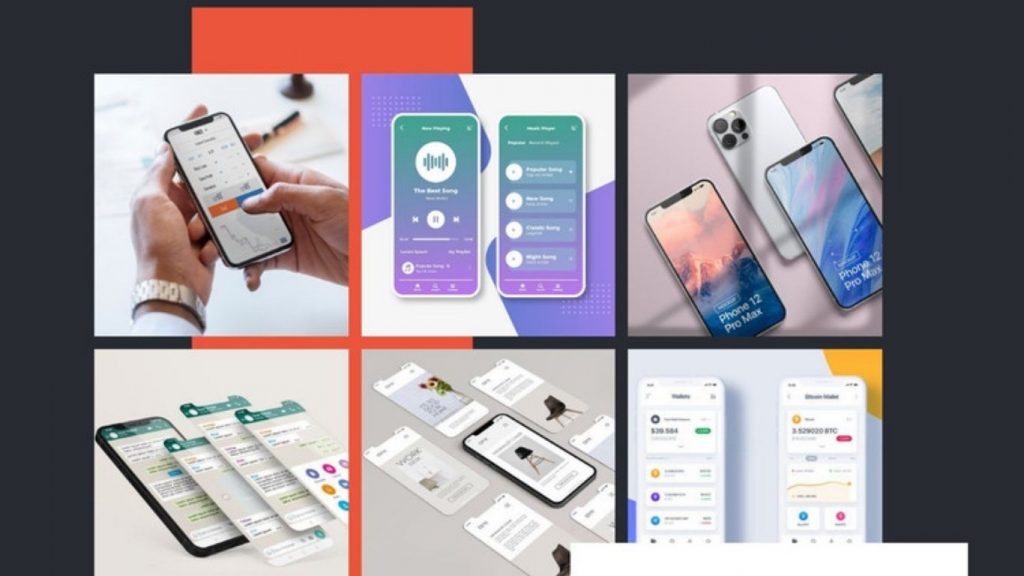
Portfolio
A company’s portfolio is one of the strongest indicators of its expertise and delivery quality. When reviewing a vendor’s past projects, look for:
- Industry relevance: Have they built applications for your sector (e.g., healthcare, fintech, retail)?
- Project complexity: Do their case studies show experience with applications similar in scale, features, or technology to your own?
- Real results: Look for measurable outcomes—improved efficiency, increased conversions, reduced costs, or enhanced user satisfaction.
- Design quality: Assess UI/UX, workflows, and device responsiveness.
A proven portfolio demonstrates that the provider can handle your technical requirements and deliver a polished, reliable product.
Tech Stack
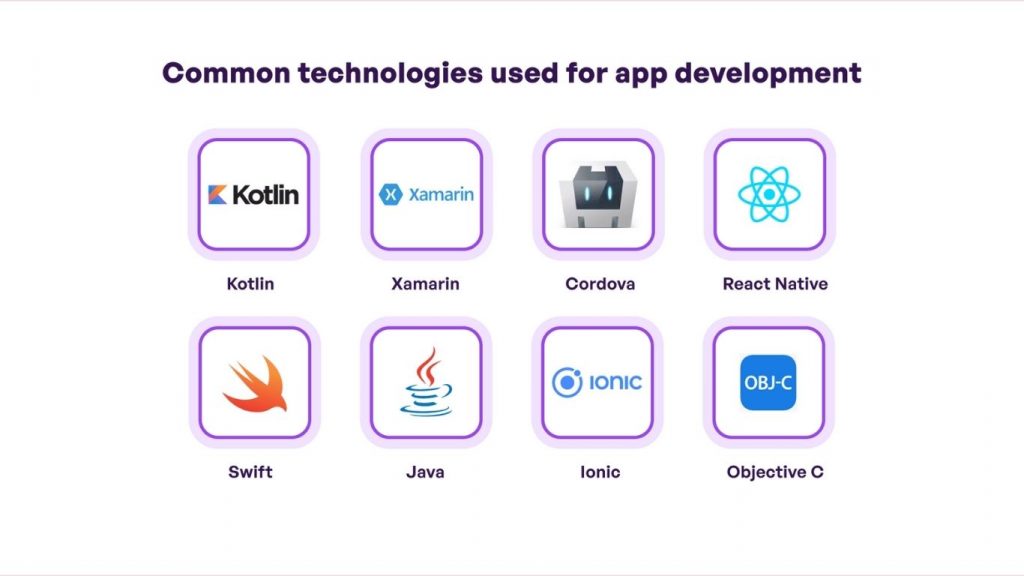
The right provider should offer a modern, scalable, and future-proof technology stack. Evaluate:
- Backend technologies: Node.js, Java, .NET, Python, Ruby on Rails
- Frontend frameworks: React, Angular, Vue
- Mobile frameworks: Flutter, React Native, Swift, Kotlin
- Cloud & DevOps: AWS, Azure, Google Cloud, Docker, Kubernetes, CI/CD pipelines
- Specialized capabilities: AI/ML, data engineering, blockchain, cybersecurity tools
Ensure their technology choices align with your long-term goals, performance needs, and integration requirements.
Pricing Model
Different providers use different pricing structures for custom application services. Understanding these models helps you choose the best match for your budget and project type:
- Fixed-price model: Suitable for well-defined projects with clear requirements. Predictable but less flexible for late changes.
- Time & materials model: Ideal for evolving or complex projects. You pay based on development hours—more flexible but requires active management.
- Dedicated team model: You hire a full team for long-term development—best for ongoing product evolution.
- Hybrid pricing: Combines elements of the above, often used for large digital transformation projects.
Choose a vendor whose pricing model aligns with your level of control, timeline, and development predictability.
Support
Strong post-launch support is essential to maintain performance and security. Evaluate whether the provider offers:
- Ongoing maintenance packages: Bug fixes, performance monitoring, and periodic updates.
- Feature enhancement support: Ability to scale the application with new modules or integrations.
- Security monitoring: Patch updates, vulnerability scans, and compliance checks.
- Response time guarantees: Clear SLAs (Service Level Agreements) that define how quickly issues are resolved.
A reliable support structure ensures your application remains secure, scalable, and operational long after the initial release.

Frequently Asked Questions (FAQs)
What factors influence the Custom app development cost?
Costs depend on application complexity, platform (web, mobile, desktop), selected technologies, integrations, security requirements, design needs, and the location/expertise of the development team.
How long does a typical Custom application development project take?
- Simple applications: 2–3 months
- Medium complexity: 4–7 months
- Enterprise-grade or AI-driven: 8–18+ months
Timelines depend heavily on scope, integrations, and design requirements.
What technologies are typically used in Custom Application Development?
Common stacks include:
- Frontend: React, Angular, Vue.js
- Backend: Node.js, Java, .NET, Python, PHP
- Mobile: Swift, Kotlin, Flutter, React Native
- Cloud: AWS, Azure, Google Cloud
- AI: TensorFlow, PyTorch, OpenAI, custom ML models
- Databases: MySQL, PostgreSQL, MongoDB, Firebase, SQL Server
Does “Custom application services” include Custom mobile app development?
Yes. Custom application services cover web, mobile, desktop, enterprise, AI, SaaS, and e-commerce application development, depending on business needs.
Choosing the right custom application services can significantly impact your organization’s digital transformation, long-term scalability, and competitive advantage. By partnering with a skilled development provider, businesses gain tailored solutions that align precisely with operational needs, integrate seamlessly with existing systems, and deliver exceptional user experiences.
TOT is a pioneer in the digital transformation journey. We deliver website design, mobile app development, and custom software solutions with flexible services tailored to each business’s exact needs.
Inspired by the philosophy of “Technology for People,” TOT empowers businesses to operate more efficiently, elevate customer experiences, and build a lasting brand impression.
TopOnTech (TOT) Contact Information:
📞 Hotline/WhatsApp/Zalo: (+84) 906 712 137
✉️ Email: long.bui@toponseek.com
🏢 Address: 31 Hoang Dieu Street, Ward 12, District 4, Ho Chi Minh City, Vietnam